If an incorrect GST Number is displayed while raising an invoice, verify the Ship to GST No configured:
If the invoice grouping is based on PO
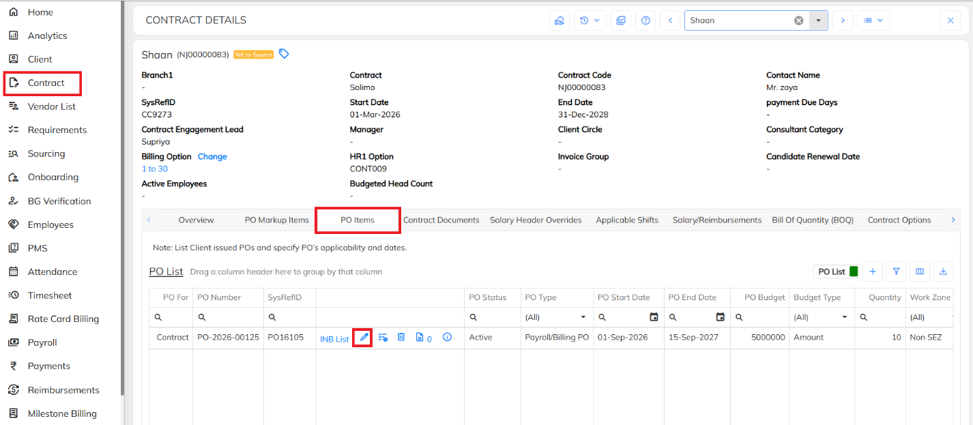
- Navigate to contract à Select the required contract à click on PO items , select the required PO, click on edit icon.
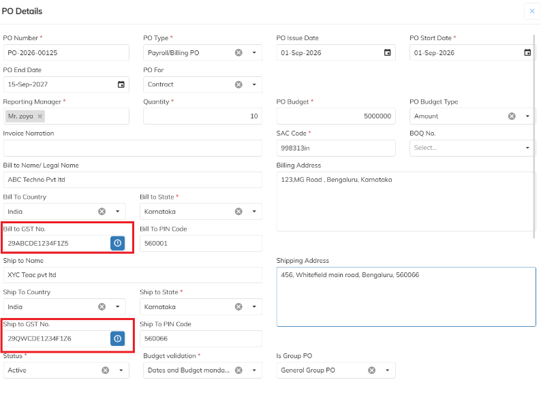
Under PO Details, verify the following fields:
- Bill to GST No
- Ship to GST No
- If the invoice grouping is based on Client
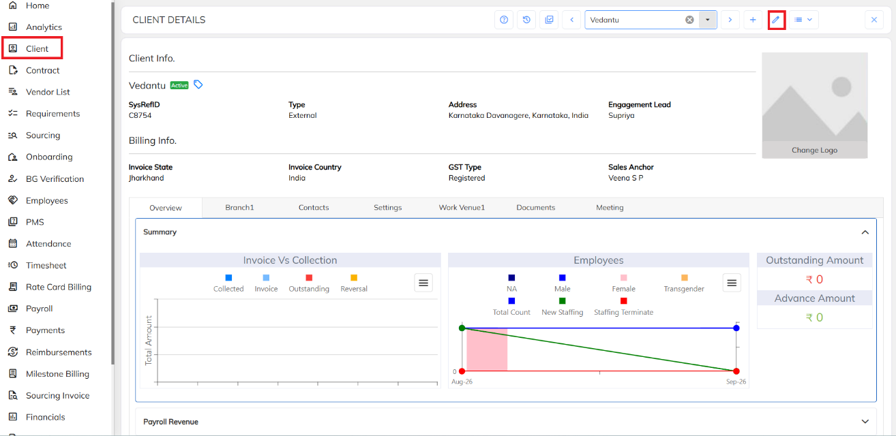
- Navigate to Client → Select the required client → Click the Edit icon.
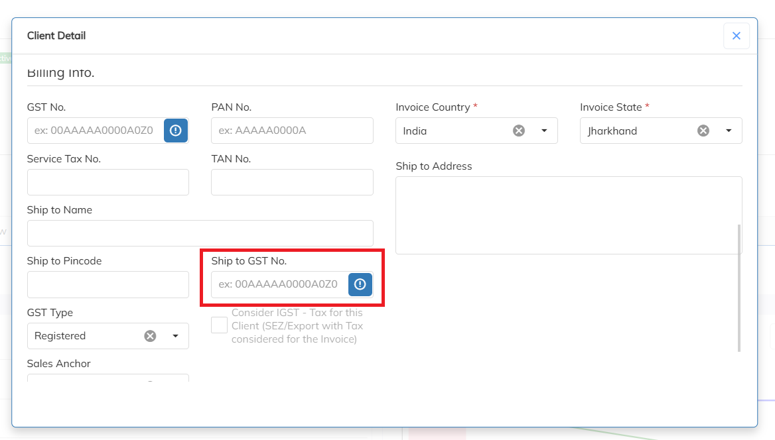
- Under Client Details, verify the Ship-to GST No.
If the invoice grouping is based on Branch
Navigate to Client → Open the required client → Under Branch, select the required branch → Click the Edit icon.
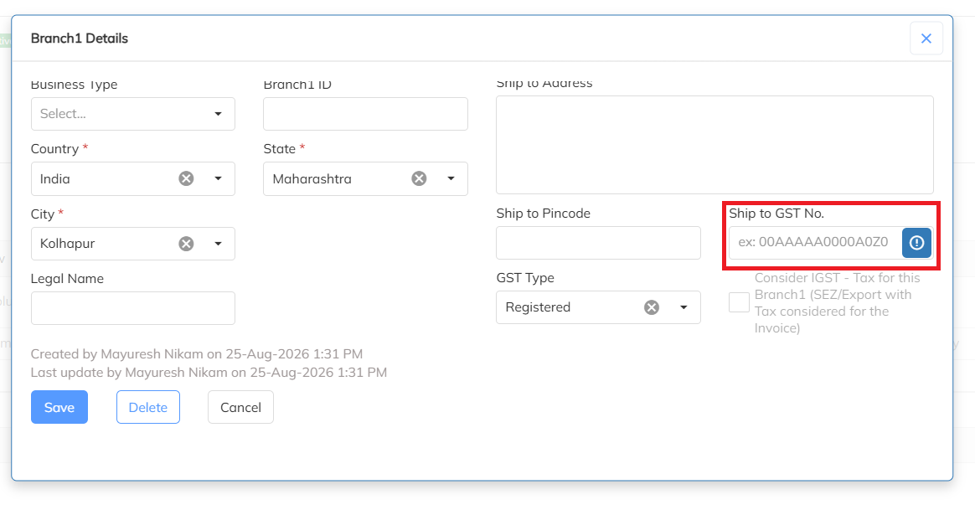
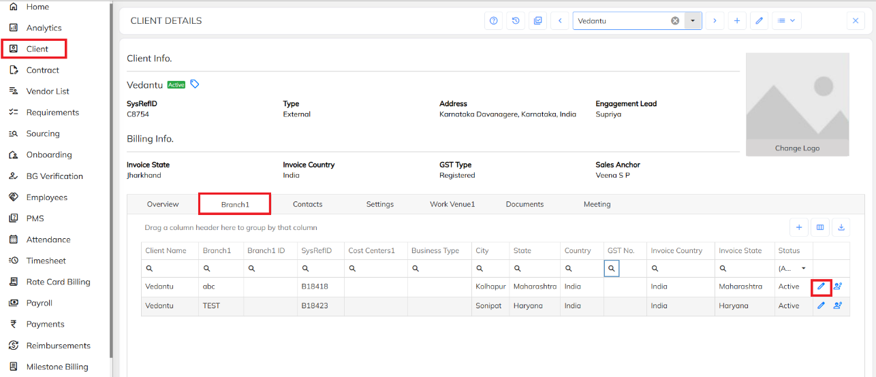 Under Client Details, verify the Ship-to GST No.
Was this article helpful?
That’s Great!
Thank you for your feedback
Sorry! We couldn't be helpful
Thank you for your feedback
Feedback sent
We appreciate your effort and will try to fix the article