Overview
While processing invoices, users may encounter the following error message:
Error Message:
GST Number NOT Yet Updated
This error occurs when the GST Number is not maintained at the appropriate level based on the selected invoice processing type.
Scenario 1: Client-Wise Invoice Processing
Error Encountered
While processing invoices using the Client-Wise Invoice Processing option, the system displays:
GST Number NOT Yet Updated
Resolution Steps
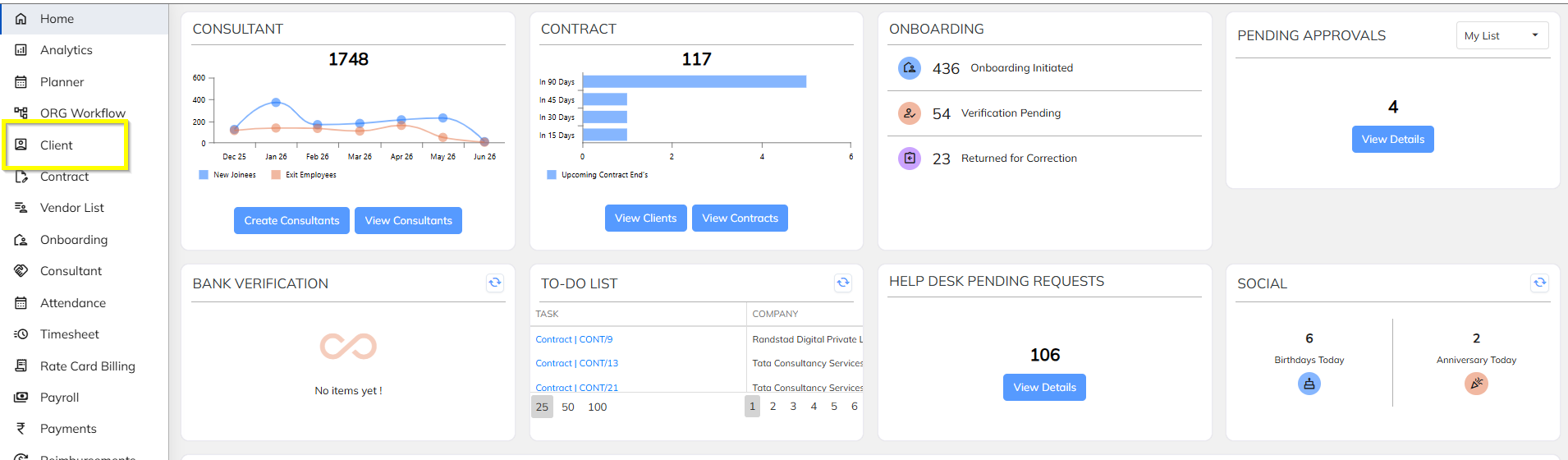
Step 1: Navigate to Client
- Go to Client
- Search and select the respective client.
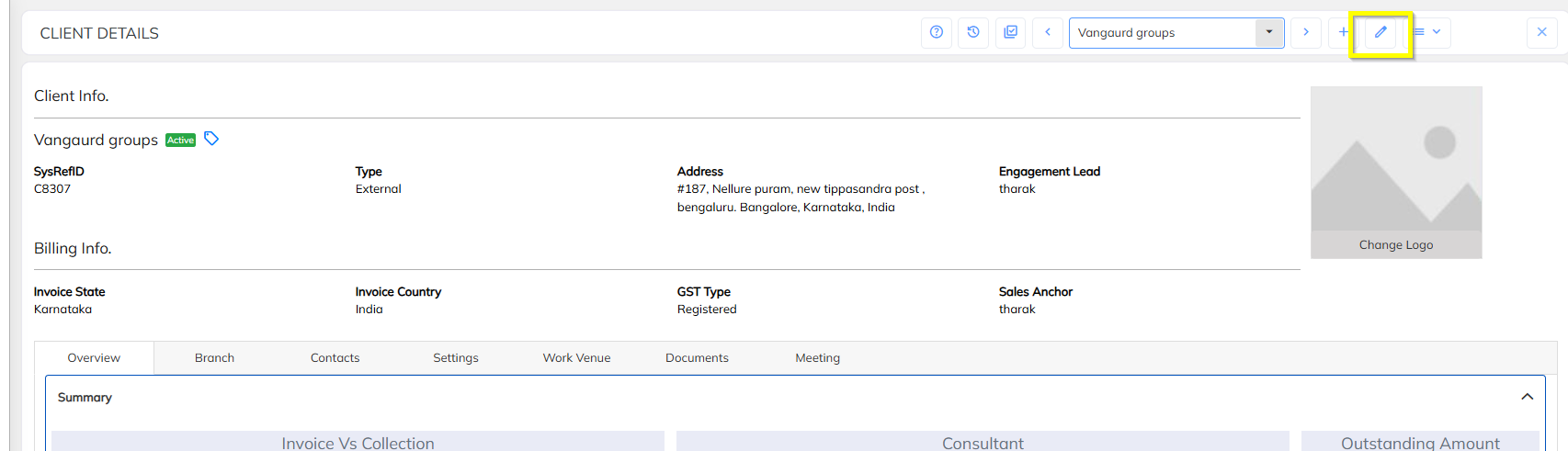
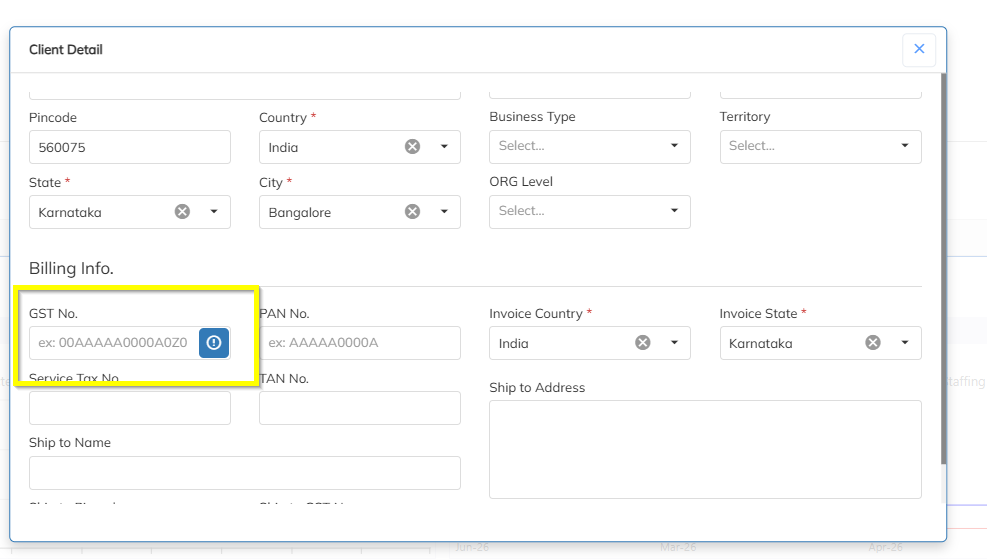
Step 2: Verify GST Number
- Open the client details.
- Check whether the GST Number field is populated.
- If the GST Number is blank, update the correct GST Number.
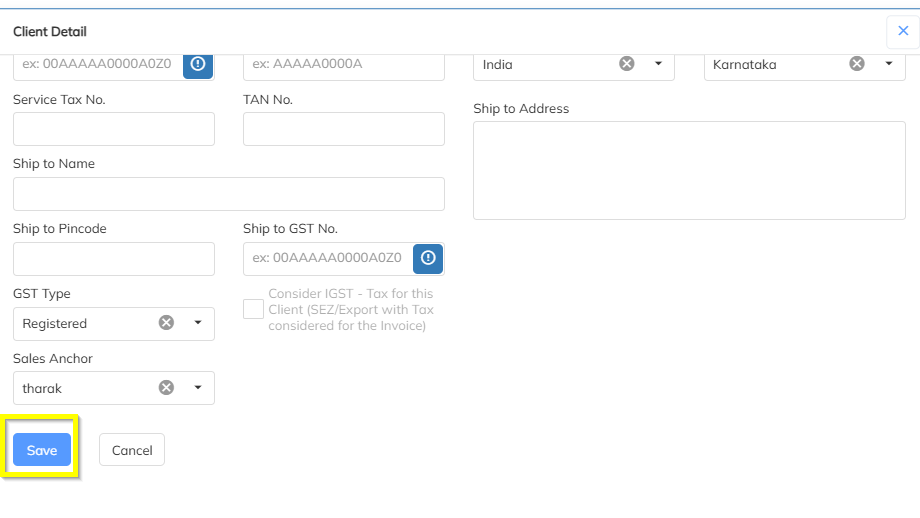
Step 3: Save the Changes
- Click Save.
Step 4: Reprocess the Invoice
- Return to Invoice Processing.
- Reprocess the invoice.
The invoice should now be processed successfully.
Scenario 2: Branch-Wise Invoice Processing
Error Encountered
While processing invoices using the Branch-Wise Invoice Processing option, the system displays:
GST Number NOT Yet Updated
Resolution Steps
Step 1: Verify Employee Branch Mapping
- Navigate to Employee Master.
- Verify that all employees included in the invoice have the correct branch assigned.

Step 2: Update Missing Branch Information
- If any employee does not have a branch assigned, update the branch details.
- Save the employee records.
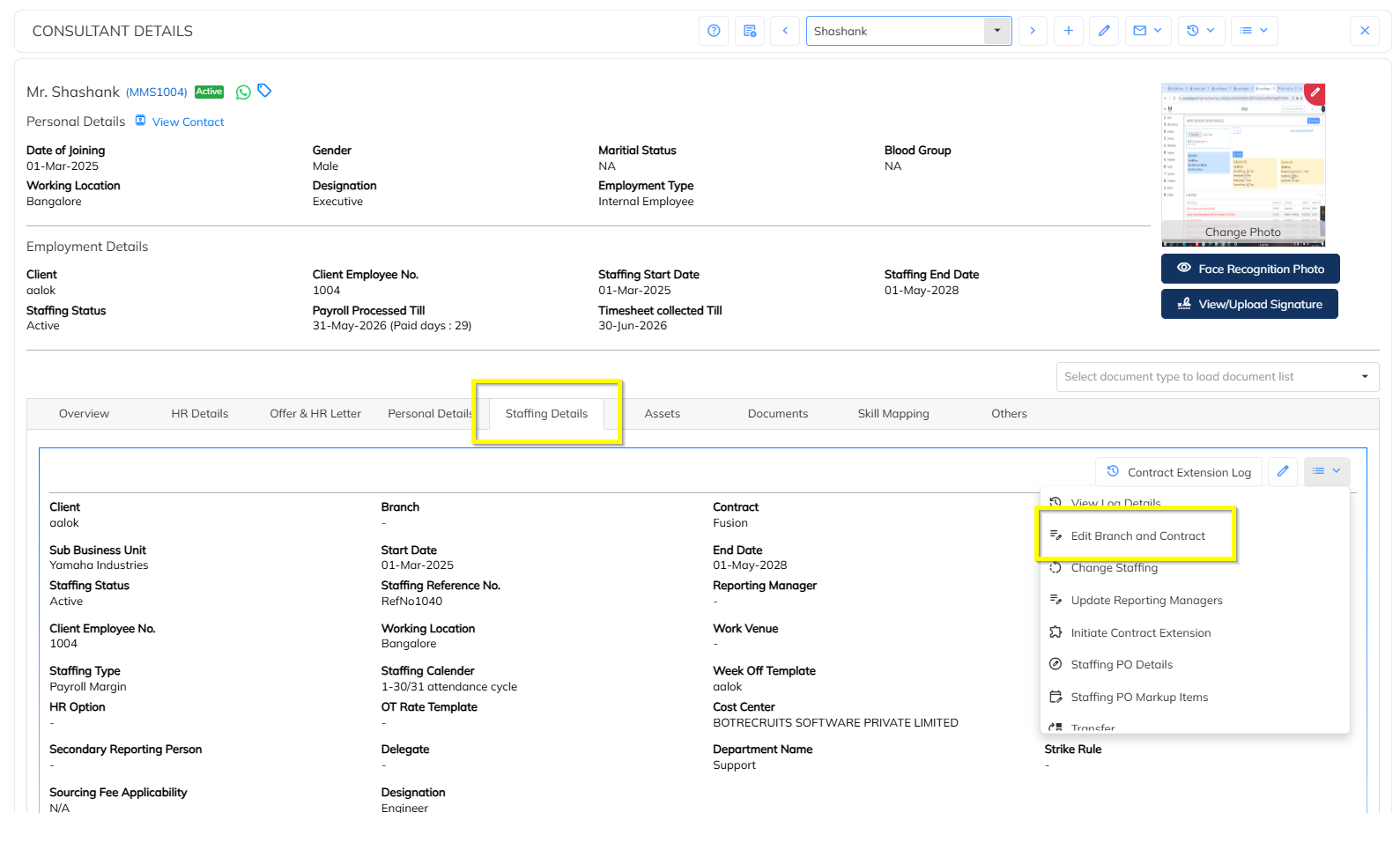
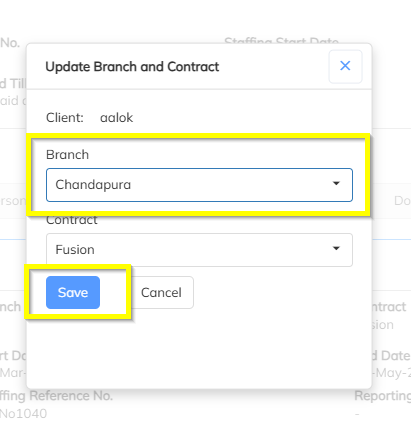
Step 3: Reprocess the Invoice
- Attempt invoice processing again.
If the error still persists, proceed to the next step.
Step 4: Verify Client Branch GST Number
- Navigate to Client.
- Open the respective client.
- Go to the Branch Details section.
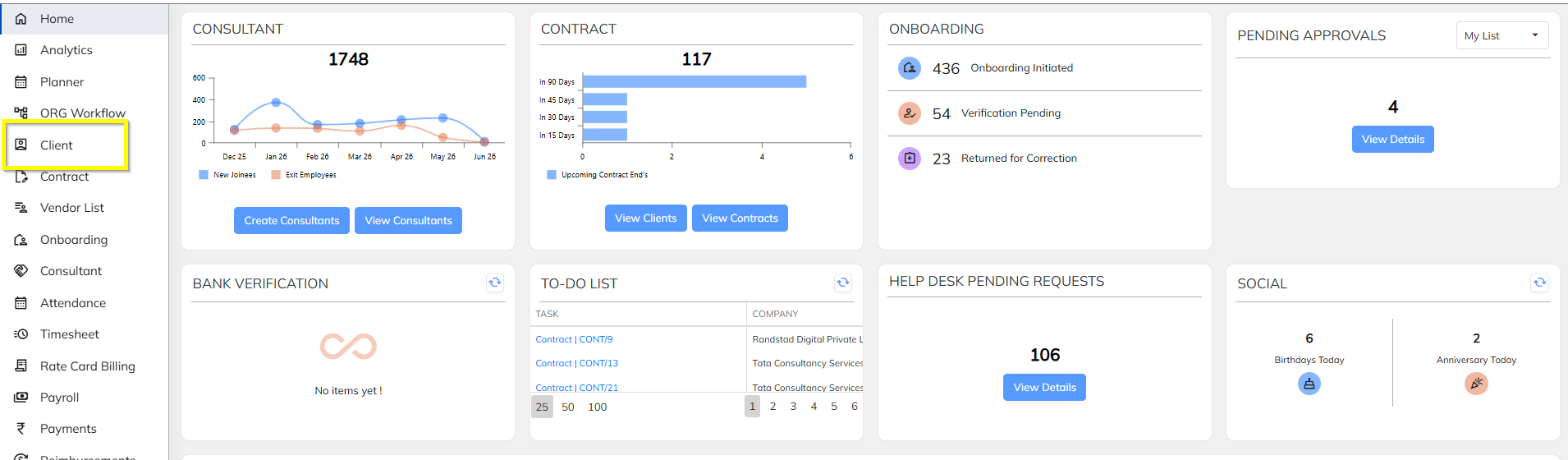
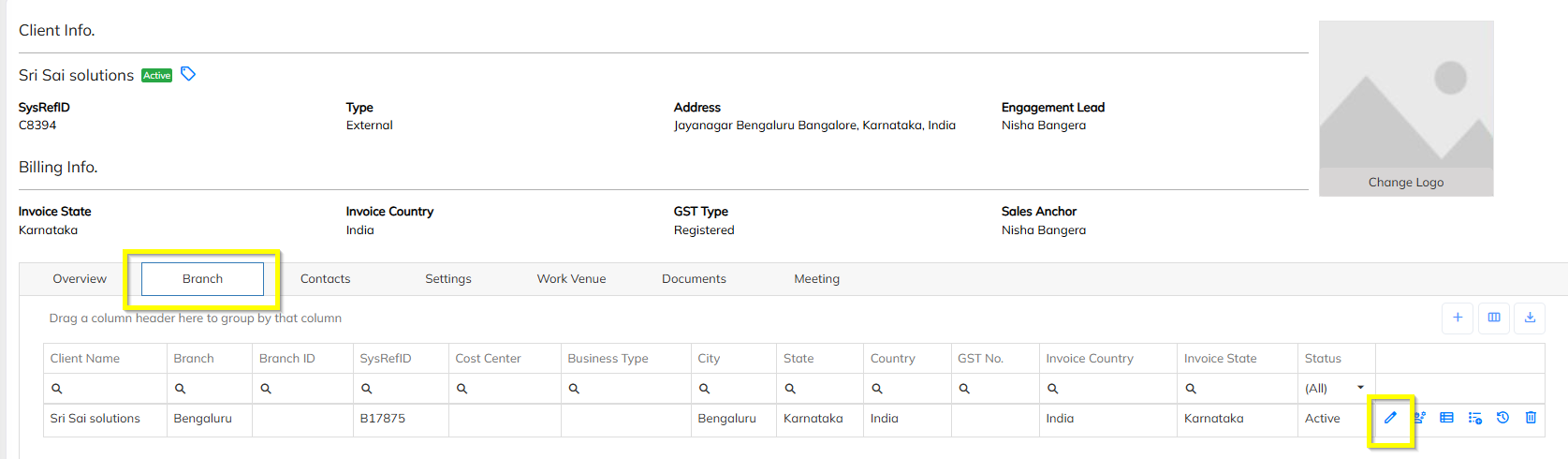
Step 5: Check GST Number at Branch Level
- Verify whether the GST Number is maintained for the selected branch.
- If GST Number is blank, update the correct GST Number.
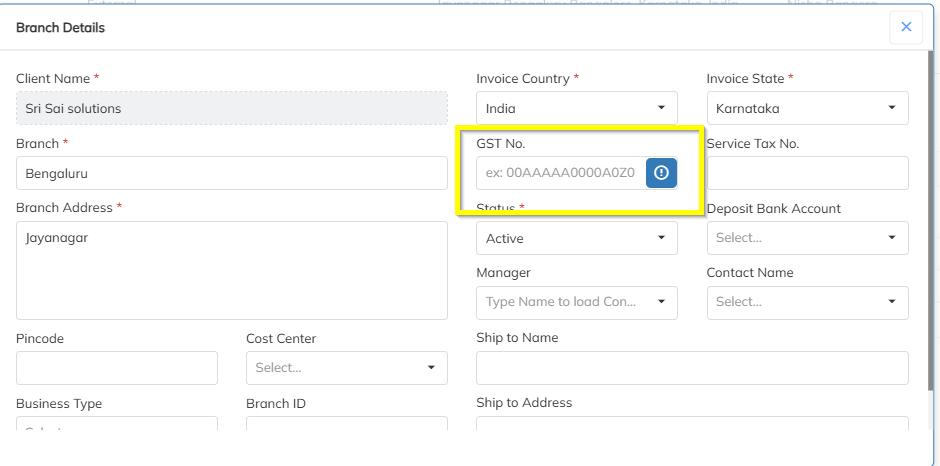
Step 6: Save the Changes
- Click Save
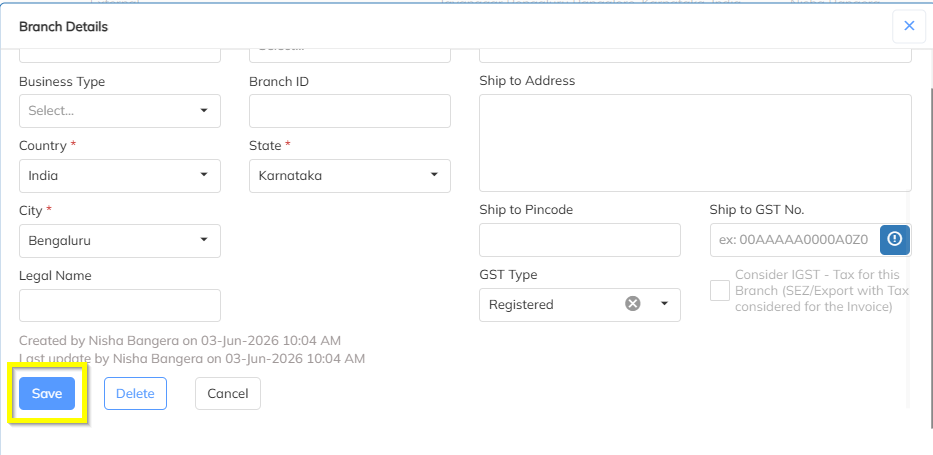
Step 7: Reprocess the Invoice
- Navigate back to Invoice Processing.
- Reprocess the invoice.
The invoice should now be processed successfully.
Summary
| Invoice Processing Type | Validation Level | Action Required |
|---|---|---|
| Client Wise | Client | Update GST Number at Client Level |
| Branch Wise | Employee Branch Mapping | Ensure all employees have Branch assigned |
| Branch Wise | Client Branch | Update GST Number at Branch Level |
| Contract Wise | Client | Update GST Number at Client Level |
| PO Wise | PO/Client | Update GST Number at Client Level/PO Level |
| PO Wise | Employee PO Mapping | Ensure all employees have PO assigned |
| Reporting Manager wise | Client | Update GST Number at Client Level |
| ER Manager wise | Client | Update GST Number at Client Level |
| Employee Wise | Client | Update GST Number at Client Level |
| Cost Center Wise | Client | Update GST Number at Client Level |
| Branch State wise | Employee Branch Mapping | Ensure all employees have Branch assigned |
| Branch State wise | Client | Update GST Number at Branch Level |
| Working State Wise | Client | Update GST Number at Client Level |
| Working Venue wise | Client | Update GST Number at Client Level |
| Zone Wise | Client | Update GST Number at Client Level |
| INB No. wise | Client | Update GST Number at Client Level |
| Project Wise | Client | Update GST Number at Client Level |
| Staffing Department Wie | Client | Update GST Number at Client Level |
Note
The GST validation is performed based on the Invoice Processing Group selected during invoice generation. Ensure GST details are maintained at the corresponding level before processing invoices.
Was this article helpful?
That’s Great!
Thank you for your feedback
Sorry! We couldn't be helpful
Thank you for your feedback
Feedback sent
We appreciate your effort and will try to fix the article