Follow the below mentioned steps to configure the Payslip template Configuration in the application.
Navigate to >>Settings >> General master >> Template library.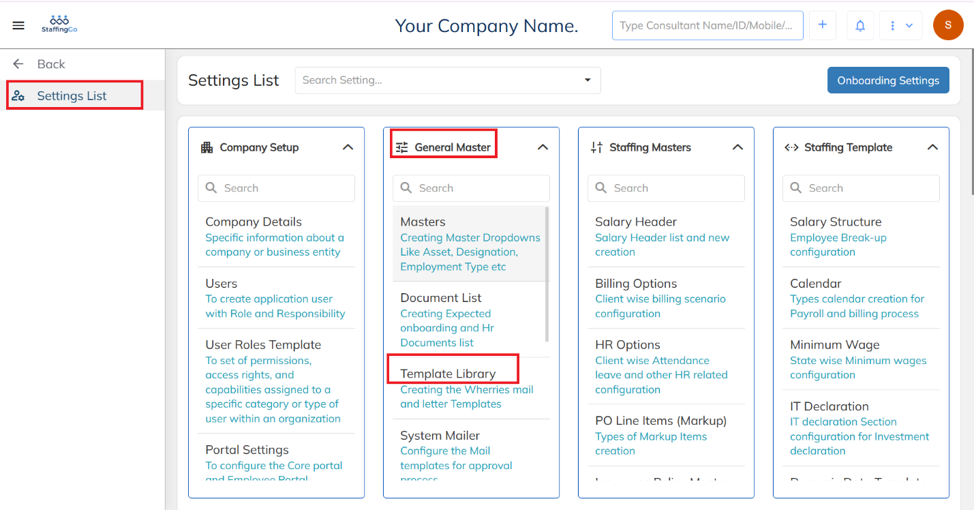 Select "Payslip" from the Template Type dropdown to configure the payslip template in the application.
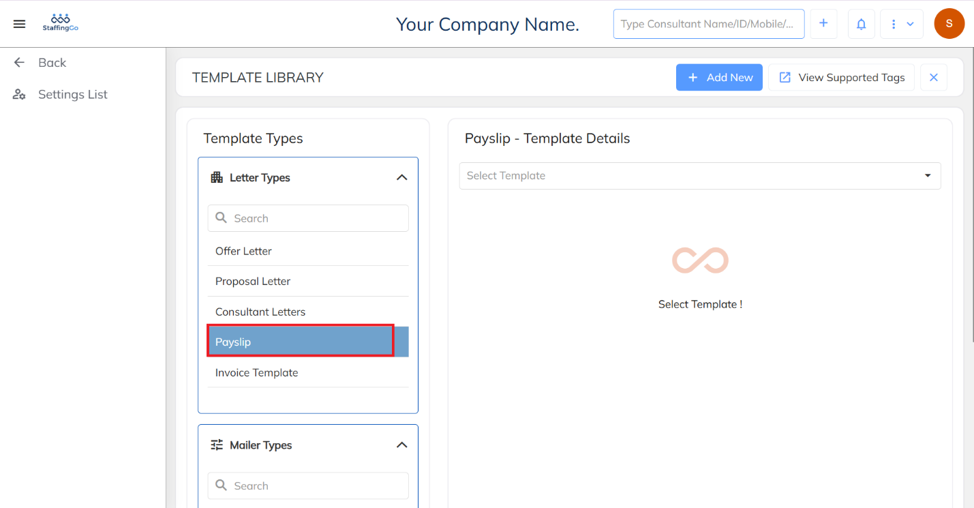
To configure a new Payslip template, select the Template Type as "Payslip" → Click on "+ Add New" → Enter the Template Title with the desired Payslip template name.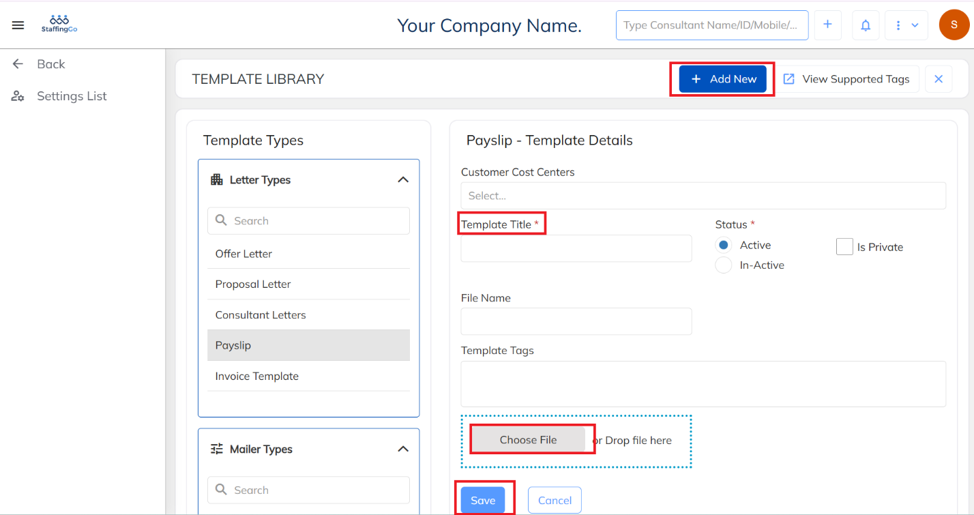
- Tag list are available in the application in the View Support Tag option on the same template configuration screen.
- Configured word documents need to upload in the application under choose file option and save the template.
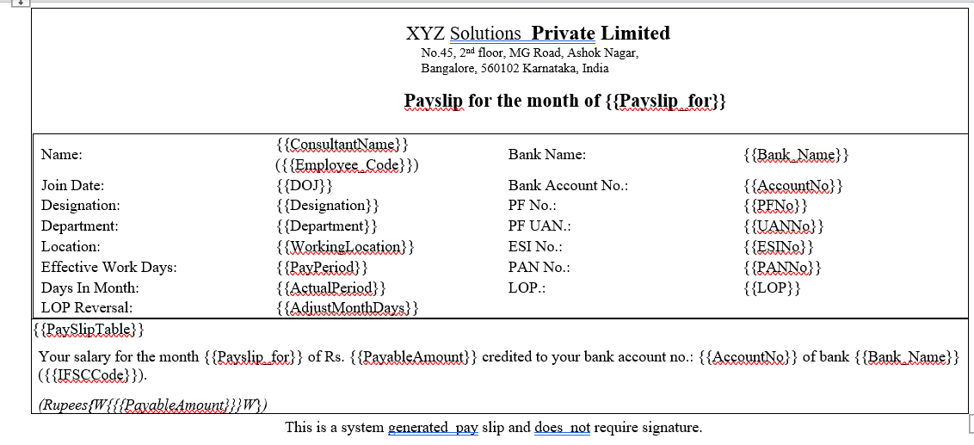
- Below is a sample Payslip template that contains tag placeholders. These tags can be replaced with the appropriate supported tags to dynamically populate employee and payroll information.
Was this article helpful?
That’s Great!
Thank you for your feedback
Sorry! We couldn't be helpful
Thank you for your feedback
Feedback sent
We appreciate your effort and will try to fix the article