Step 1: Map E&D Header under required client - contract level.
Once the headers are created and saved, User need to be linked under each applicable contract:
Navigate to selected client Contracts in the application ,Specific Contract where reimbursements component need to implement.
In contract profile >> Navigate to the Salary/Reimbursement option. Click on + symbol to map the reimbursement header.
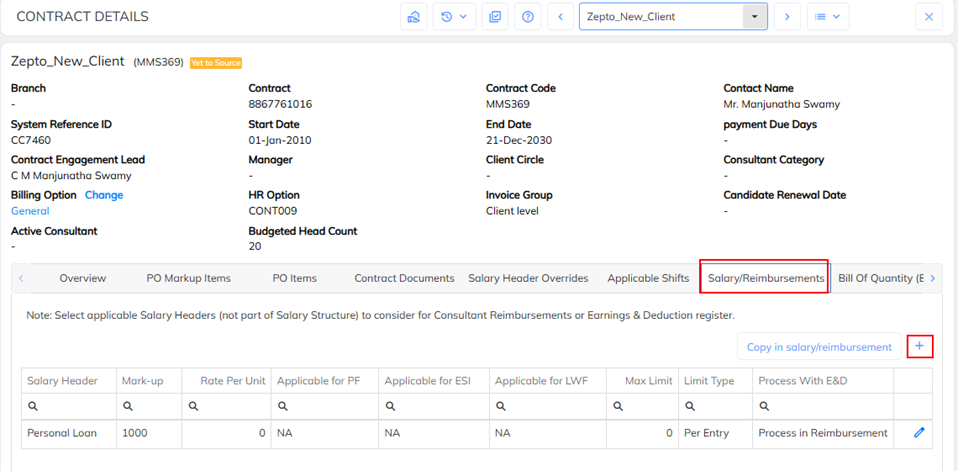
From the dropdown, choose the required E&D Header and enable additional configuration if required and save .
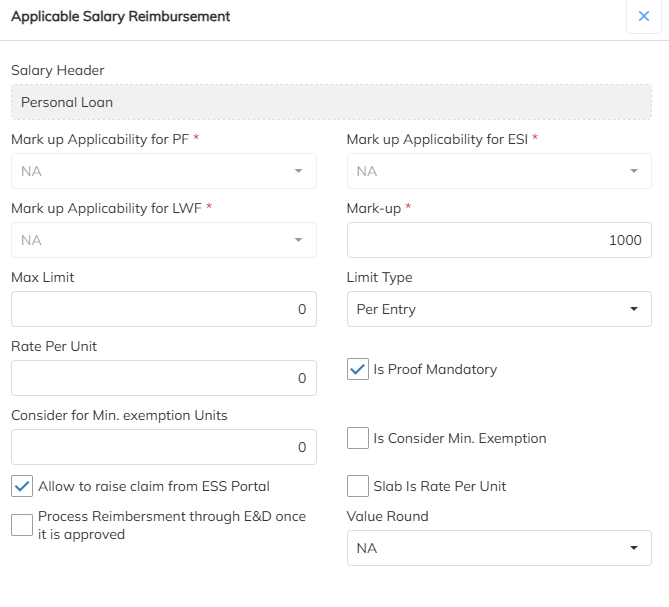 Here define the markup in terms of percentage/flat on the selected component as shown below and save.
Step 2: Reimbursement mark up computation Configuration
Claimed reimbursement can process through payroll by enabling the option process reimbursement through E&D register option under mapping the salary header in salary reimbursement option in contract level. For the same If the mark up need to compute Kindly follow the below steps to enable the configuration.
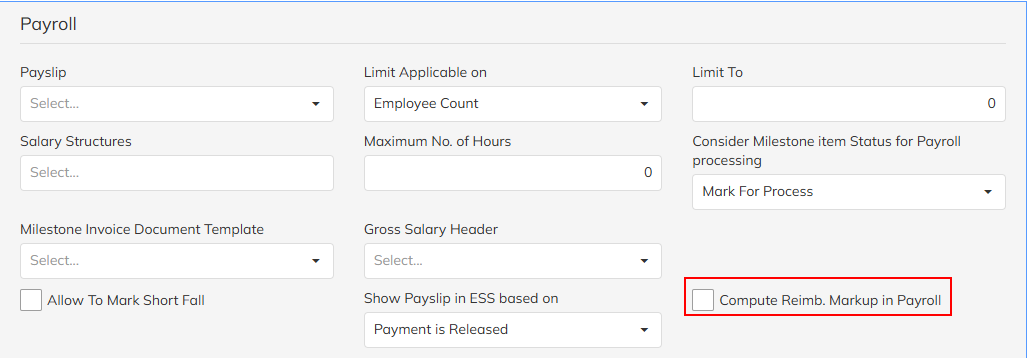
Navigate to contract module >> Select the specific client contract >> Contract options >> Payroll section >> Enable the option(Compute Reimb. Mark up in Payroll)
When this option is enabled, the system calculates and includes the reimbursement markup value (as defined in the respective reimbursement header) as part of the payroll cycle.
When Enabled:
✅ The reimbursement markup will be automatically computed and reflected in the payroll process.
✅ The computed amount will be displayed in the Earnings & Deductions (E&D) section for the respective employee.
✅ The reimbursement component will be included in the payslip and payroll register as applicable.
Was this article helpful?
That’s Great!
Thank you for your feedback
Sorry! We couldn't be helpful
Thank you for your feedback
Feedback sent
We appreciate your effort and will try to fix the article