The application provides an Adhoc Salary Processing feature that enables payroll processing for employees without dependency on timesheets.
This functionality is primarily used in scenarios where specific salary components need to be processed outside the regular payroll cycle. For example:
Processing employee incentives before the regular monthly payroll.
Paying out allowances or special payments after the completion of the regular payroll.
Any one-time or exceptional payments that do not require timesheet validation.
Using the Adhoc Salary Process, such payments can be calculated and disbursed independently for a particular month, ensuring flexibility and timely payouts without impacting the standard payroll workflow.
Follow the below mentioned steps to process Adhoc salary
A. Salary header configuration and Mapping under contract level.
- Navigate to Setting List >>Staffing Master >> Choose the Salary Header & create the salary header for Adhoc payout. Use the Item type as General Earnings , Header Type as Earnings & Header group as General Earnings. Salary header should be enable with not part of the salary structure option ( As free header ).
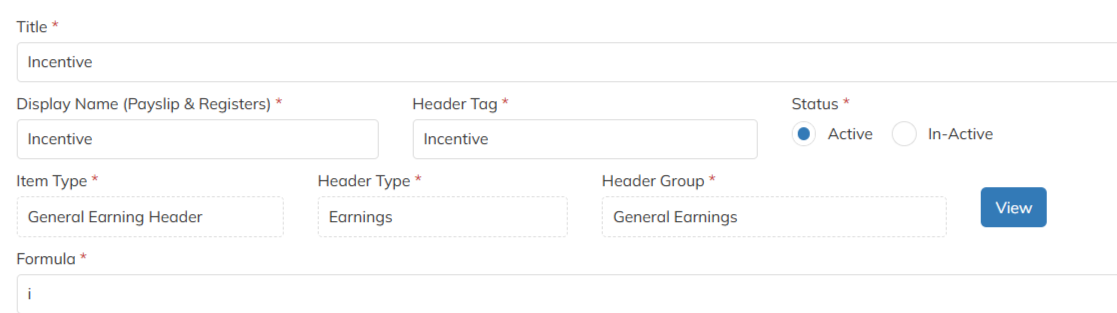
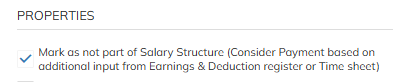
- Created salary header should mapped under specific client- contract level in Salary Reimbursement Option. Configure the mark up interns of percent / flat amount during the add up under Salary Reimbursements. If no mark up configuration in salary reimbursement option application will consider the mark up from the contract level PO line items.
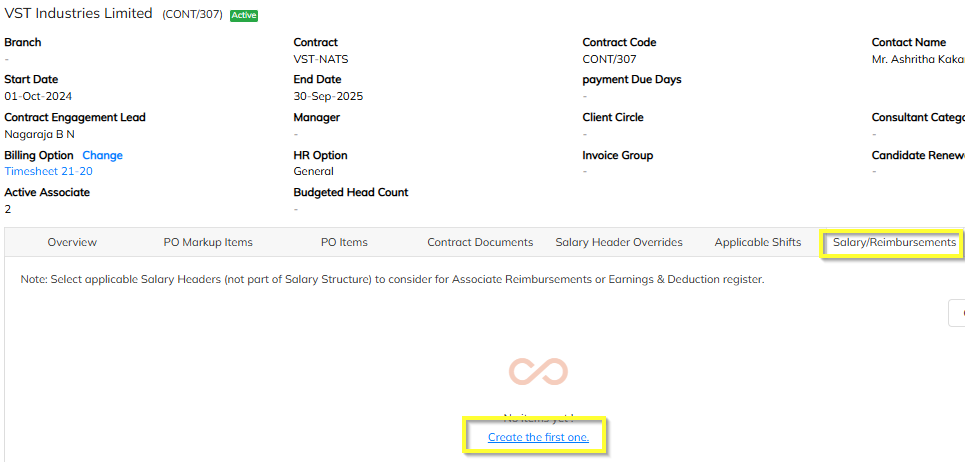
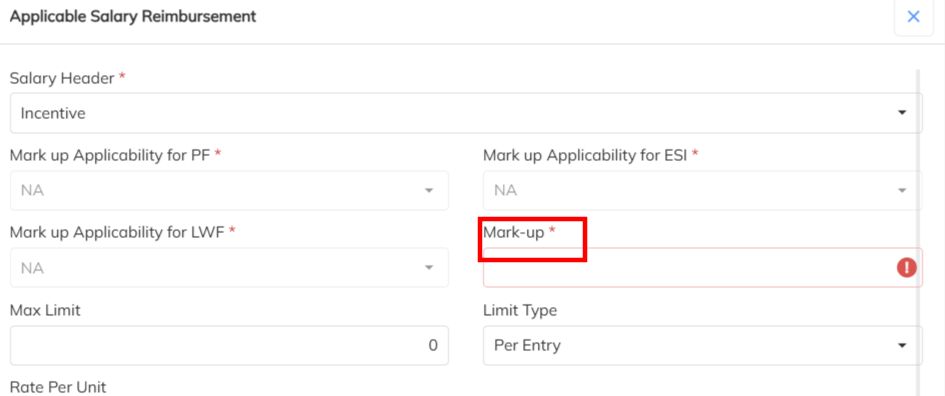
- If any additional applicability on the Adhoc salary header can enable under contract level Salary override( If Differ from client to client) / in the Master level salary header configuration ( all client in same scenario). Example : PT, PF, ESI, LWF, Bill & Pay configuration.
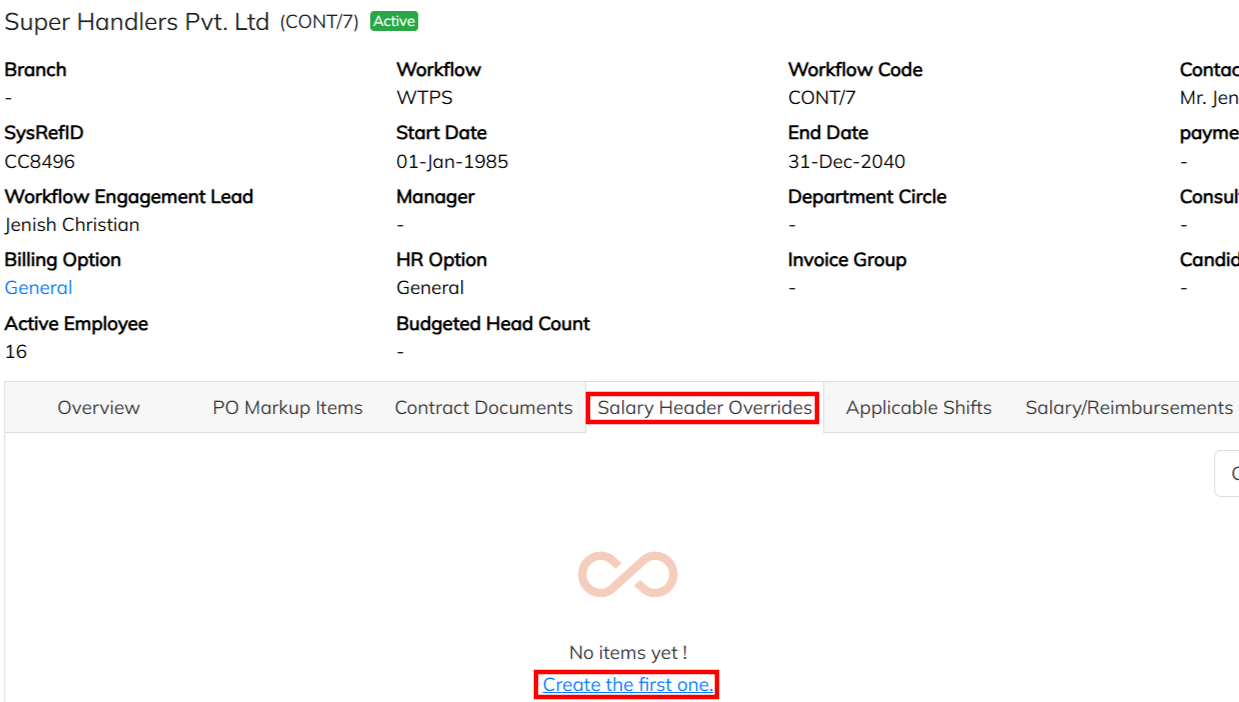
B. Adhoc amount Input updating in manually & bulk.
- Navigate to Employee Earnings & Deduction Register details update section which is available in Timesheet.
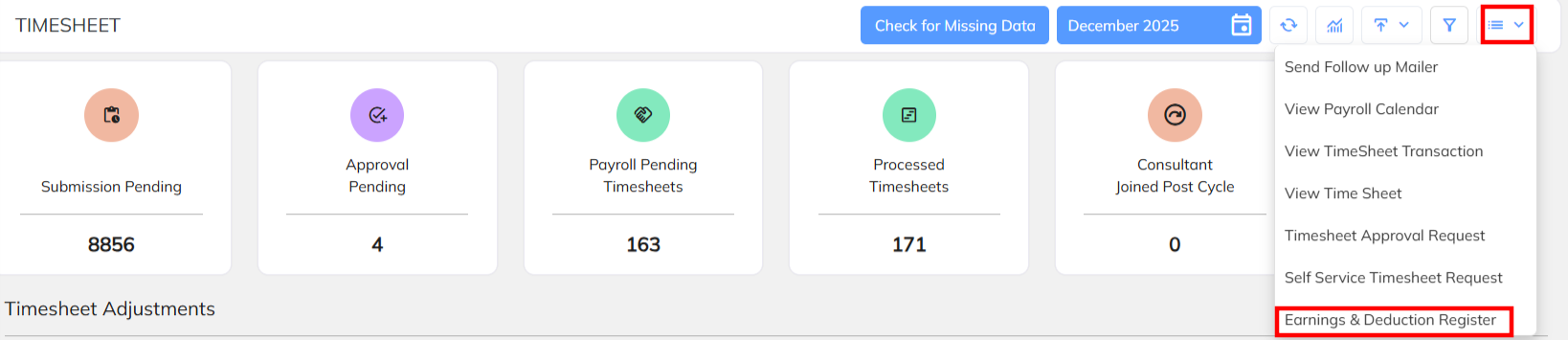
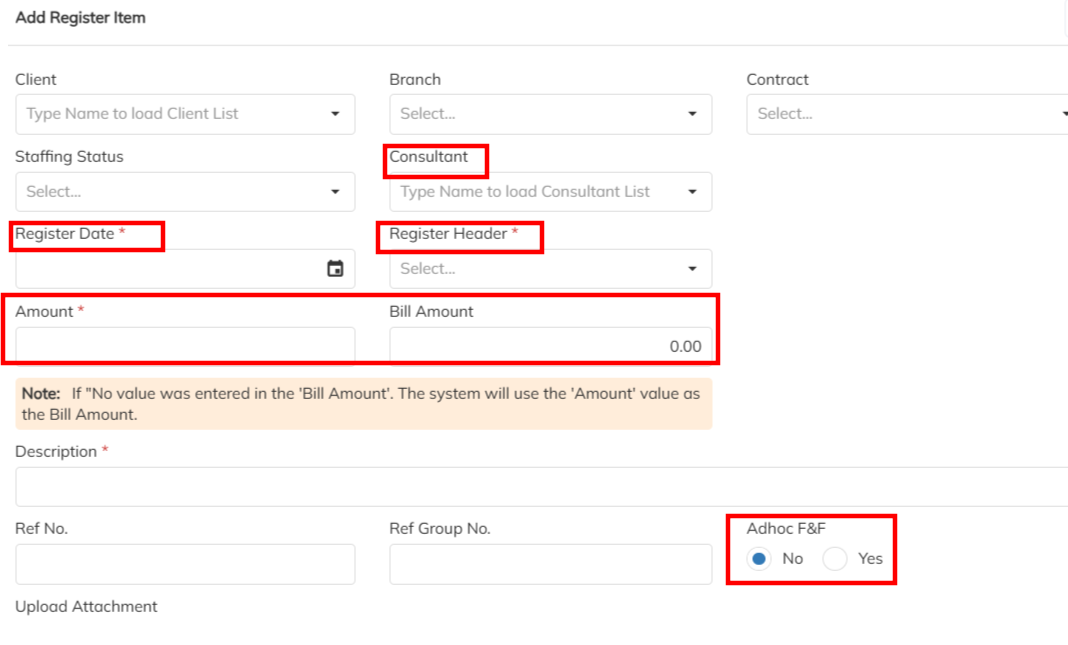
- Click on the + Symbol to add the employee Adhoc input manually and update the all inputs under the specified salary header and enable the Adhoc configuration as Yes and save the details.
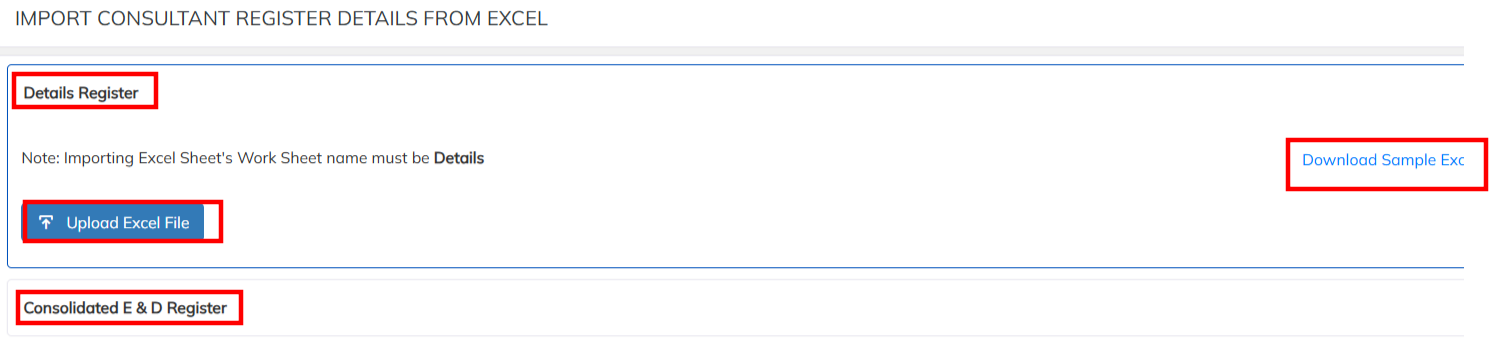
- In bulk updating navigate to bulk import in the Earnings & Deduction Dashboard and download the sample excel import under Details Register import / Consolidated E&D register import. Prepare the inputs data along with additional column status as Yes under Adhoc Amount. Upload the prepared data & validate.

- Refer the data preparation sample format.

C. Adhoc Payroll Process
- Once the input udated under E&D register Navigate to Payroll module select the Payroll pending dashboard . Adhoc inputs updated employees are available under payroll pending and Process the payroll for the same.

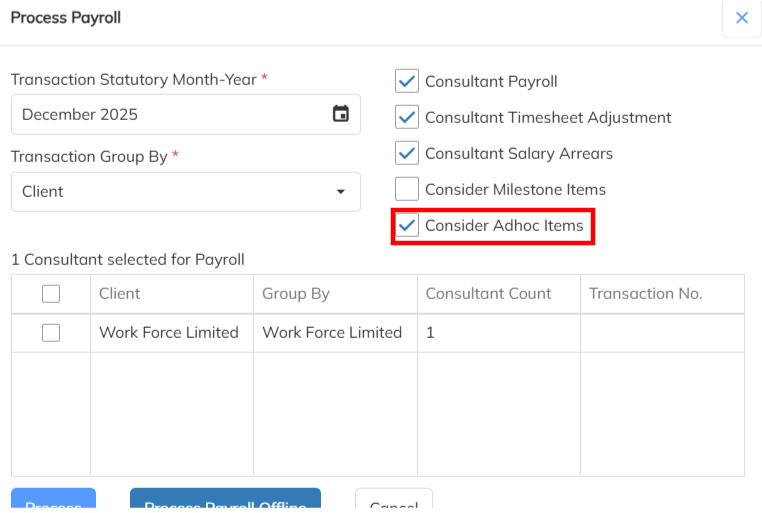
- During the Payroll Process select the consider Adhoc items and Process.
Note : During the Adhoc Salary Processing, prorated markup based on payable days is not considered for markup computation. This is because the Adhoc process is independent of payable days and does not rely on timesheet or attendance data.
Was this article helpful?
That’s Great!
Thank you for your feedback
Sorry! We couldn't be helpful
Thank you for your feedback
Feedback sent
We appreciate your effort and will try to fix the article