Help Manual Configure Markup on Adhoc Header During Salary Processing

Created by Srikanth U S, Modified on Wed, 3 Jun at 5:40 PM by Srikanth U S

Overview

StaffingGo provides flexibility to calculate markup on Adhoc Headers during salary processing. The markup can be configured in two ways:

  1. Scenario 1: Adhoc Header uses the same markup percentage configured for Salary Processing.
  2. Scenario 2: Adhoc Header uses a separate markup percentage configured specifically for that header.

Prerequisite Configuration

Before configuring markup for Adhoc Headers, ensure that the Adhoc Header is enabled for Billing Margin calculation.

Step 1: Enable Adhoc Header for Billing Margin

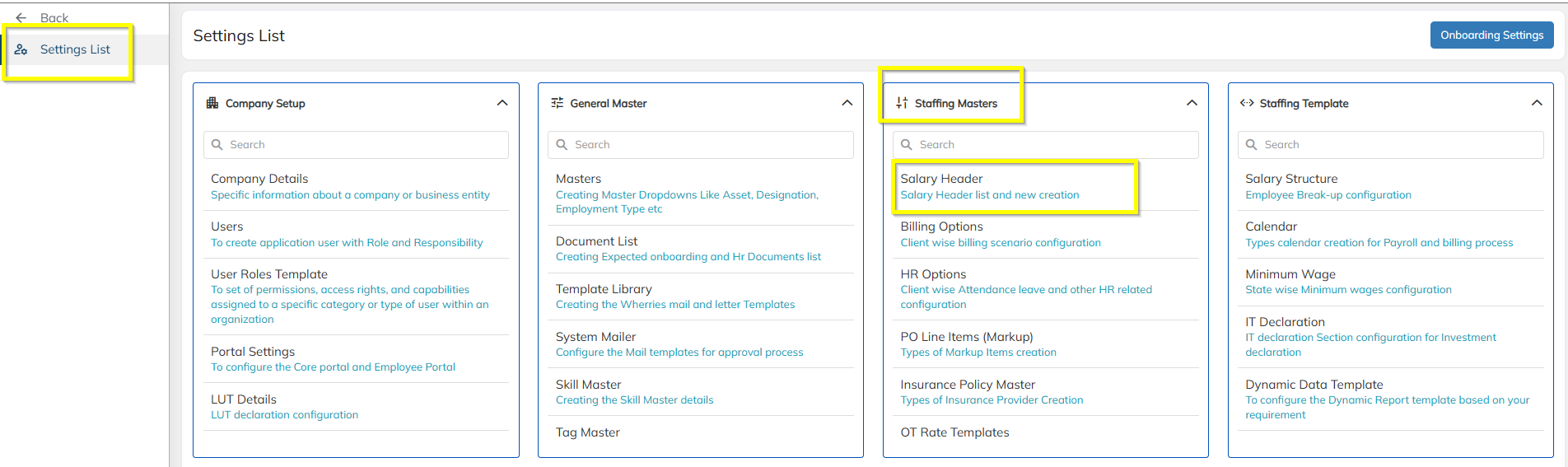
Navigate to:

Settings → Staffing master → Salary header

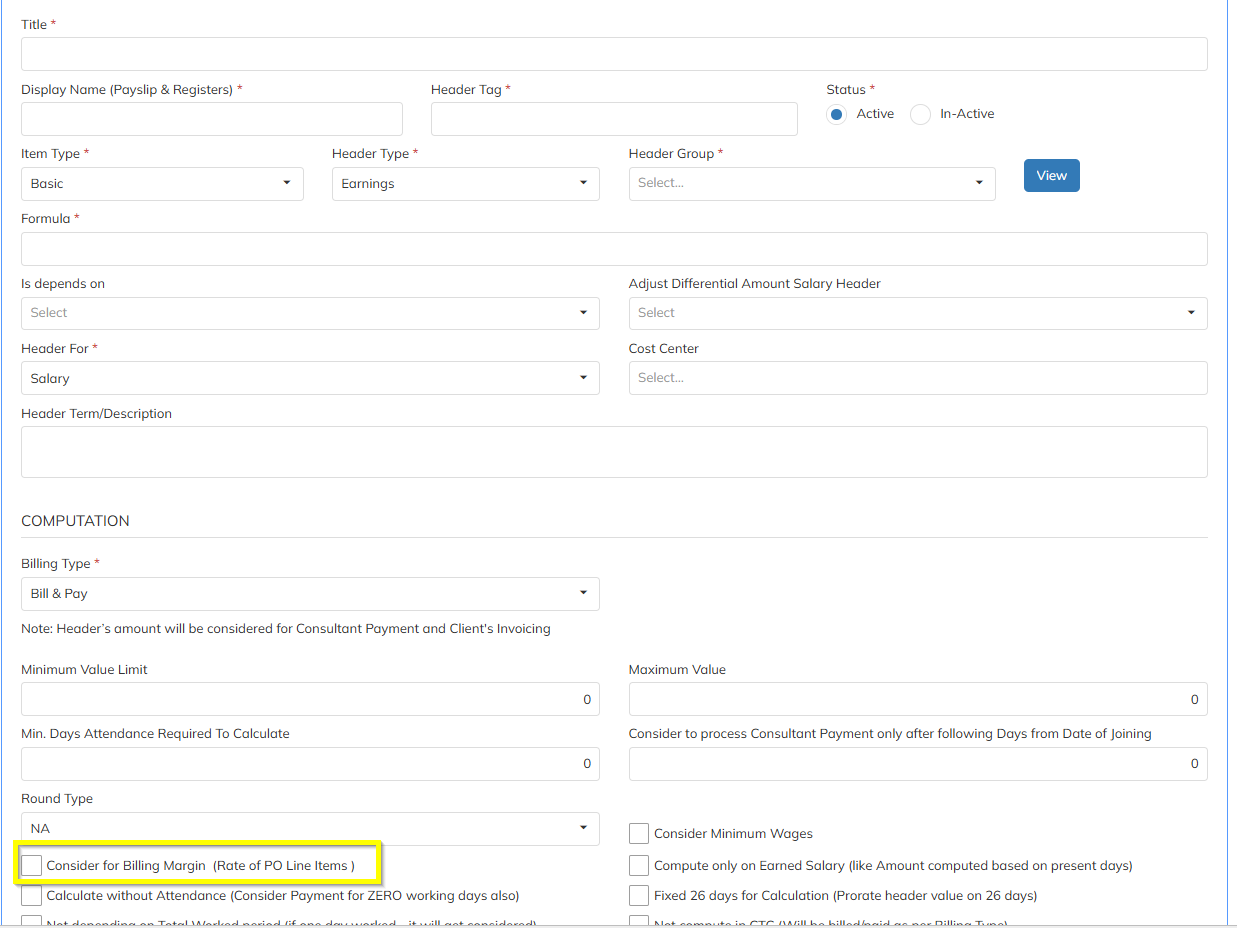
Enable the option in the salary Header:

"Consider for the Billing Margin"


Scenario 1: Salary Markup Calculation on Adhoc Header

In this scenario, the Adhoc Header will use the same markup percentage that is configured for Salary Processing.

Configuration Steps

Step 1

Navigate to:

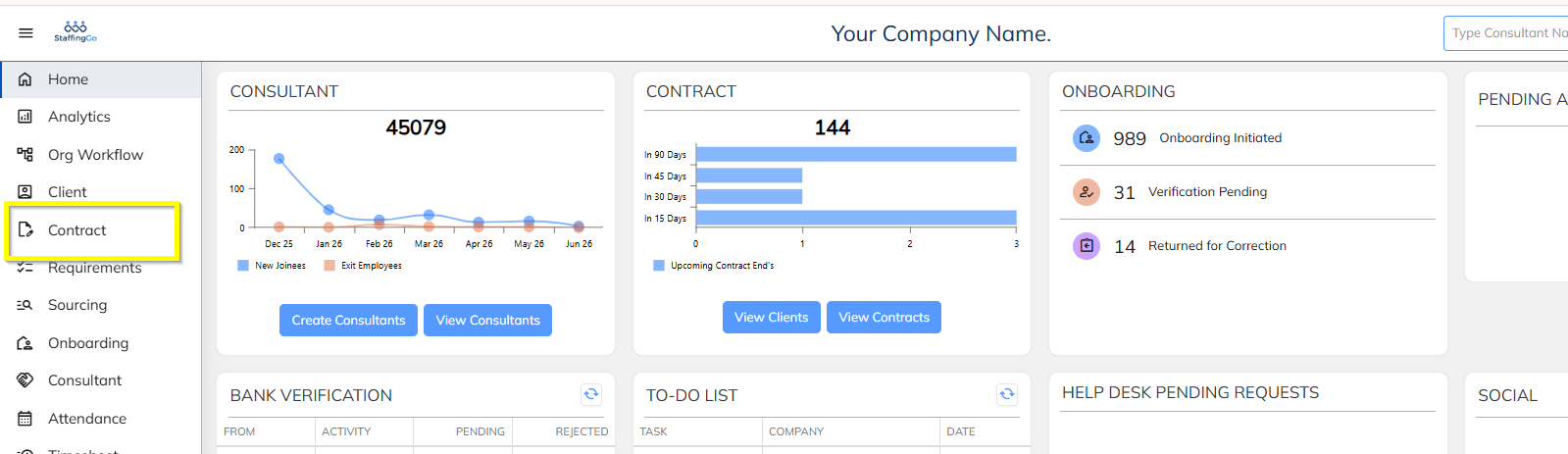
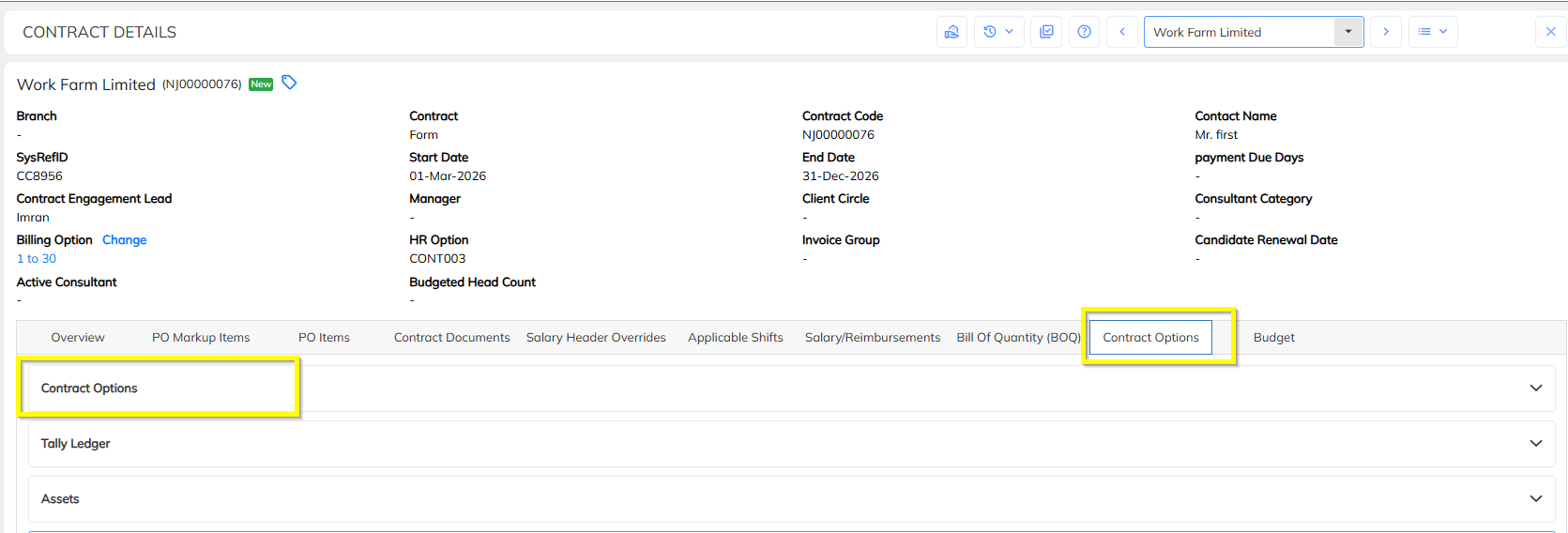
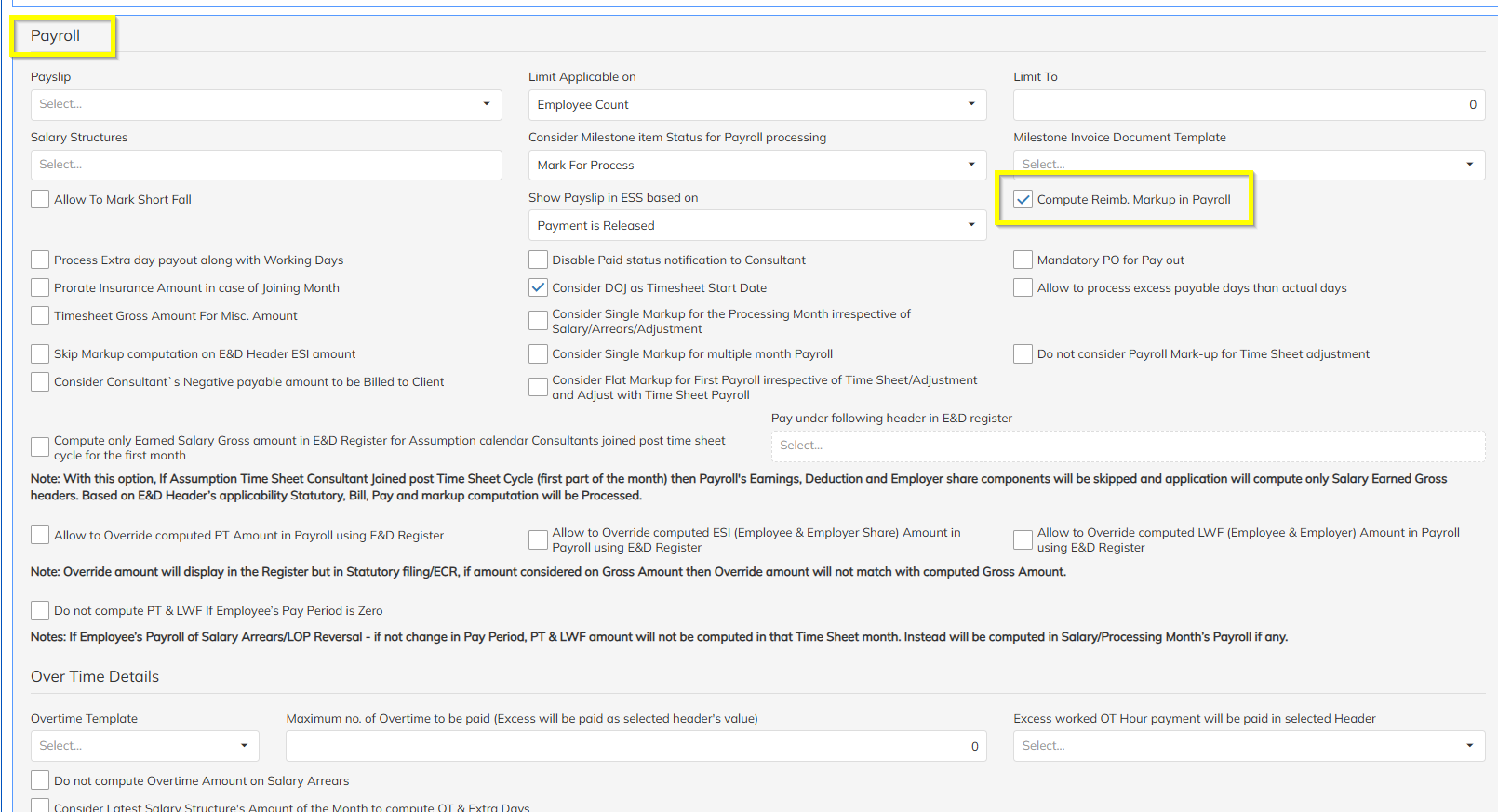
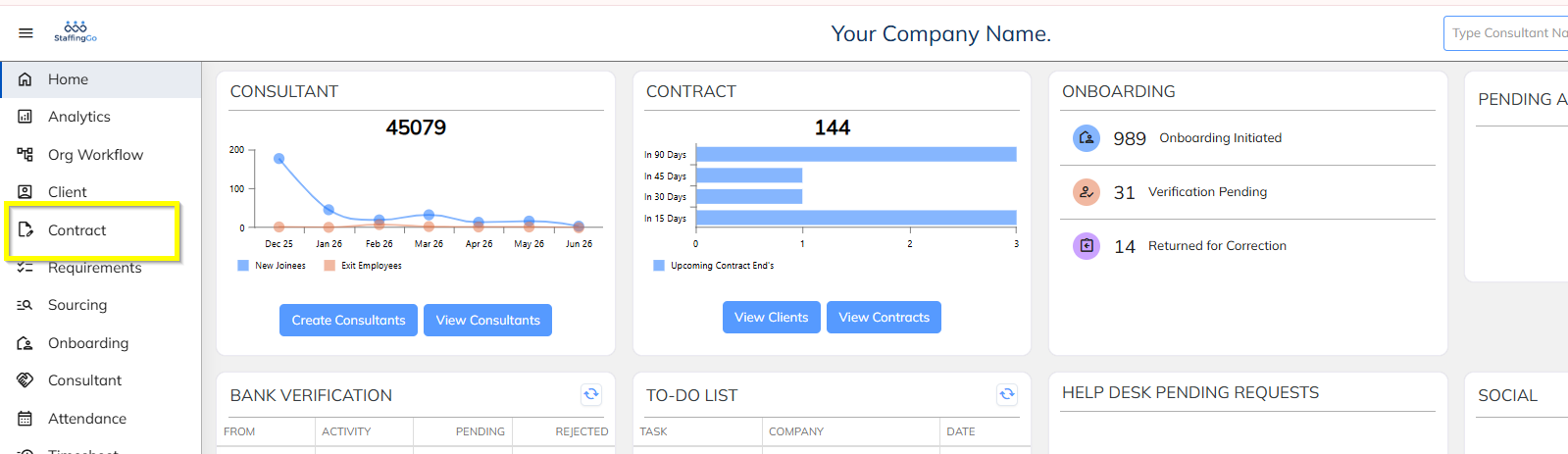
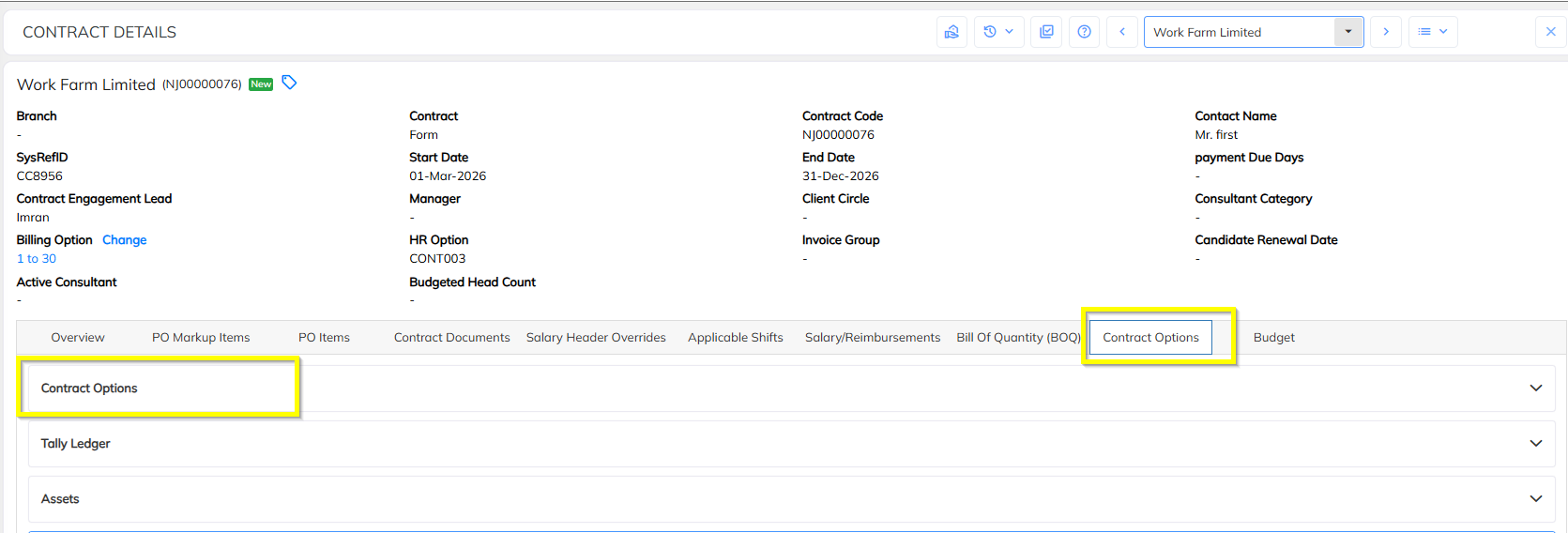
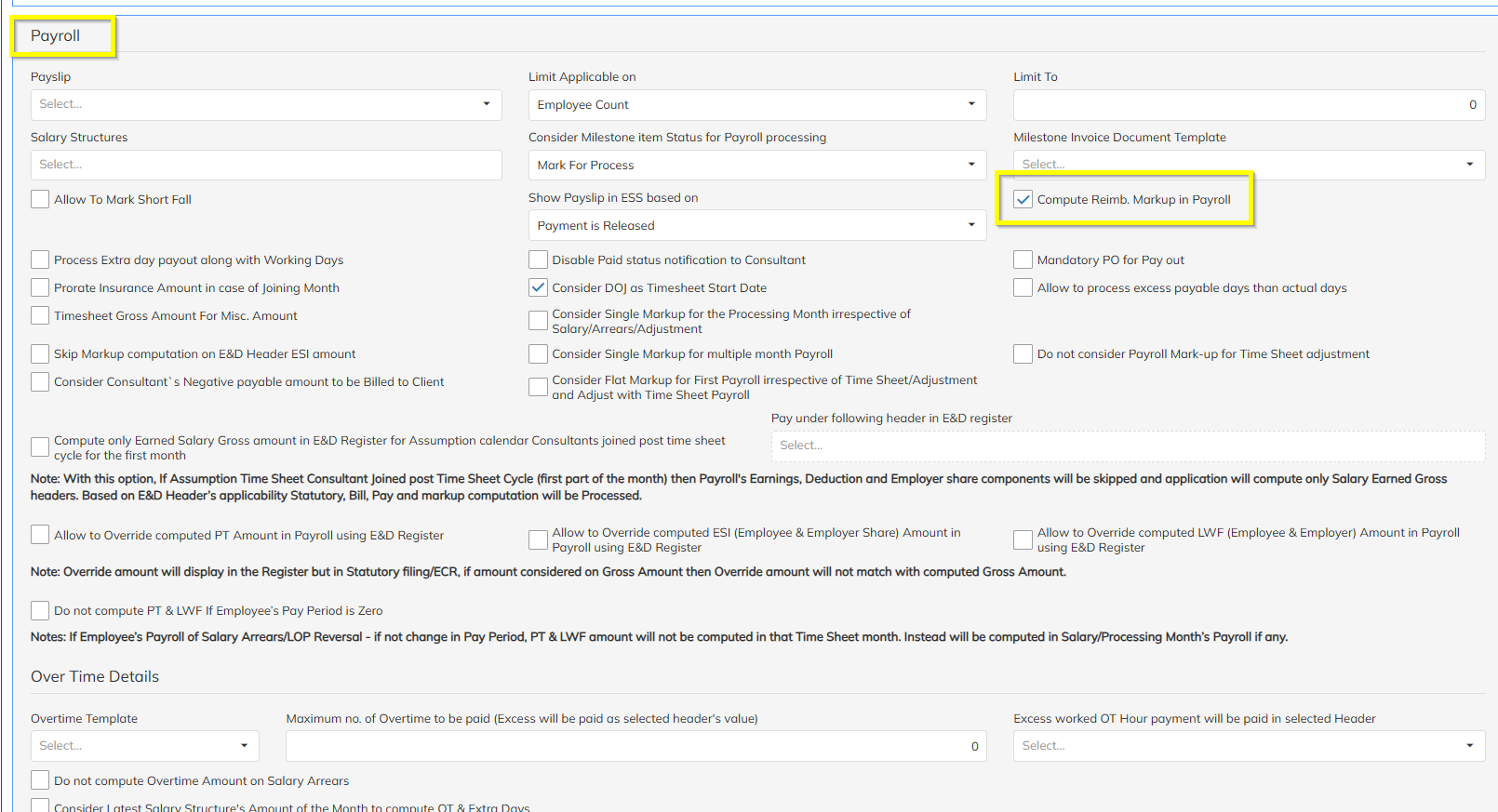
Contract Level → Contract Options → Payroll

Enable:

Compute Reimbursement Markup in Payroll


Step 2

Process the salary.

During salary processing, the Adhoc Header amount will automatically calculate markup based on the salary markup percentage configured for the contract.

Example

ComponentAmount
Adhoc Header Amount₹10,000
Salary Markup Rate10%
Markup Amount₹1,000
Billing Amount₹11,000

Result

The system applies the salary markup percentage to the Adhoc Header automatically no need to configure any rate at header level.


Scenario 2: Separate Markup Rate on Adhoc Header

In this scenario, a dedicated markup percentage is configured for the Adhoc Header. The system will use this markup instead of the salary markup percentage.

Configuration Steps

Step 1

Navigate to:

Contract Level → Contract Options → Payroll

Enable:

Compute Reimbursement Markup in Payroll


Step 2

Navigate to:

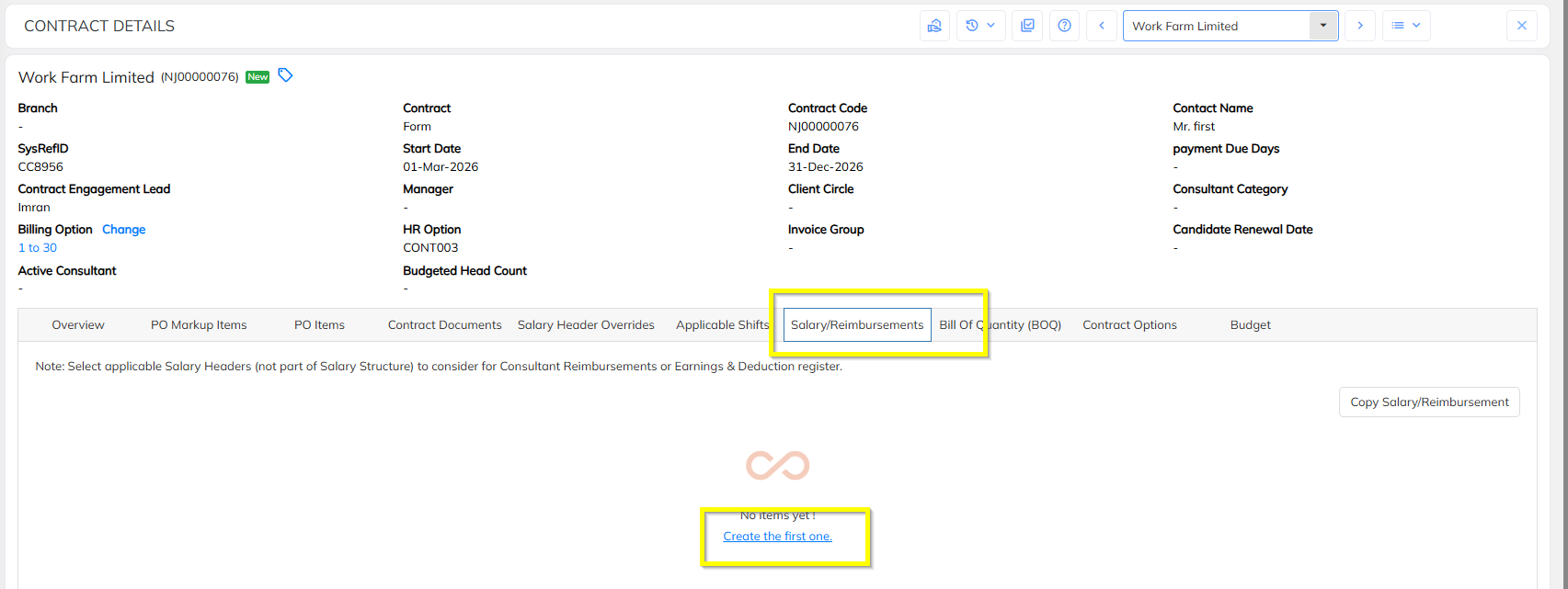
Contract Level → Salary & Reimbursement

Add the required Adhoc Header.


Step 3

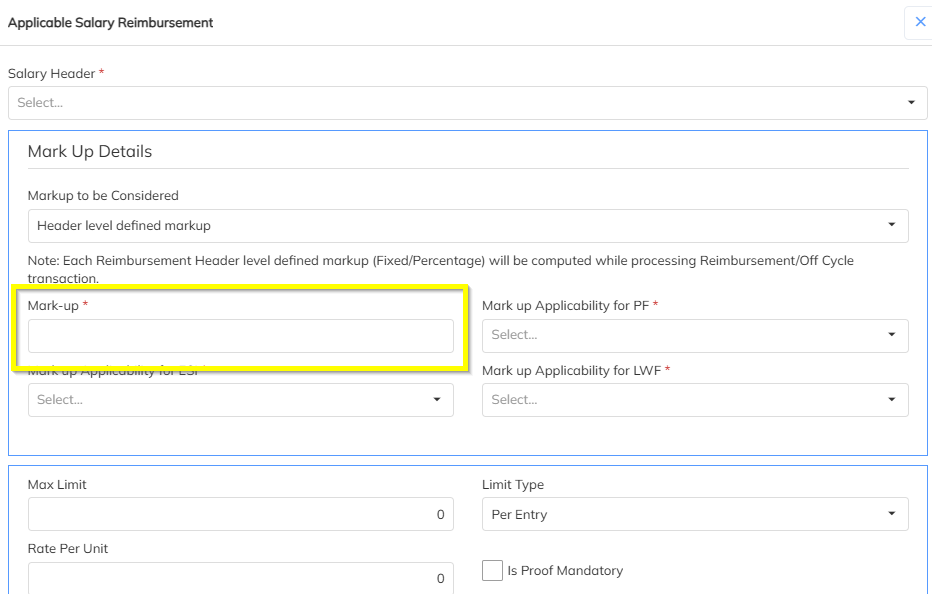
Configure the required markup percentage against the Adhoc Header.

Example:

Adhoc HeaderMarkup %
Mobile Reimbursement15%
Travel Reimbursement12%


Step 4

Save the contract configuration and process salary.

The system will calculate markup using the percentage configured specifically for the Adhoc Header.

Example

ComponentAmount
Adhoc Header Amount₹10,000
Adhoc Header Markup Rate15%
Markup Amount₹1,500
Billing Amount₹11,500

Result

The system applies the dedicated markup percentage configured for the Adhoc Header instead of the salary markup percentage.


Summary

ScenarioMarkup Source
Scenario 1Salary Processing Markup Percentage
Scenario 2Adhoc Header Specific Markup Percentage
Mandatory ConfigurationEnable Compute Reimbursement Markup in Payroll
Additional Requirement for Scenario 2Configure Markup % in Salary & Reimbursement section

Notes

  • The Adhoc Header must be configured as Consider for Billing Margin.
  • The Compute Reimbursement Markup in Payroll option must be enabled for markup calculation.
  • If a specific markup rate is configured on the Adhoc Header, the system will use that rate during billing calculation.
  • Ensure contract changes are saved before processing payroll

Was this article helpful?

That’s Great!

Thank you for your feedback

Sorry! We couldn't be helpful

Thank you for your feedback

Let us know how can we improve this article!

Select at least one of the reasons
CAPTCHA verification is required.

Feedback sent

We appreciate your effort and will try to fix the article