Overview
This help manual explains the process to override the system-calculated statutory amounts such as:
- Employees' State Insurance (ESI)
- Professional Tax (PT)
- Labour Welfare Fund (LWF)
within the StaffingGo payroll process.
The functionality allows users to:
- Enable override access at Contract level
- Create Earning & Deduction (E&D) salary headers for statutory components
- Import override amounts through E&D
- Process payroll with imported statutory values instead of system-calculated amounts
Step 1 – Enable Statutory Override Access at Contract Level
Navigate to:
Contract → Contract option→ Payroll
Action:
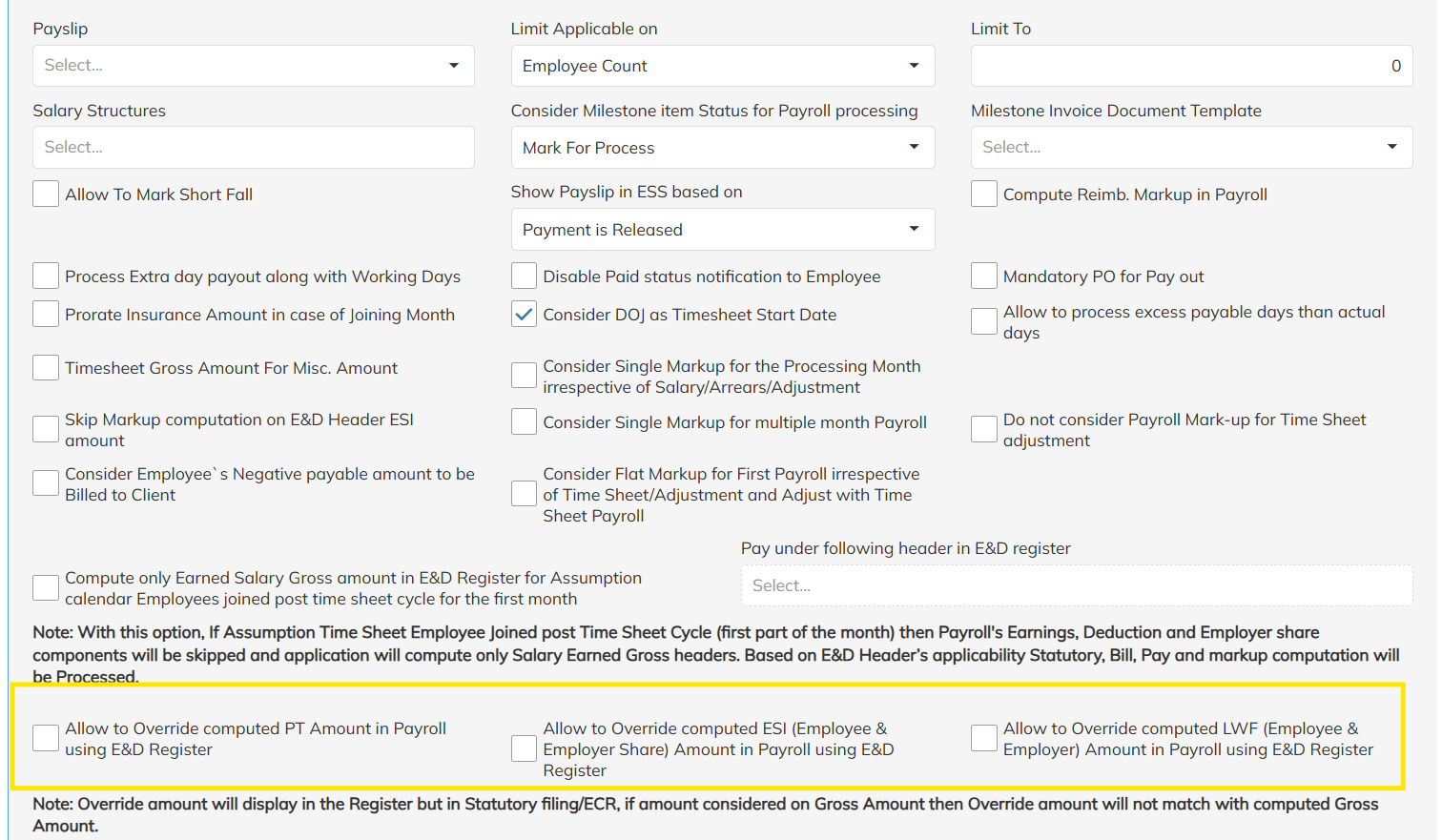
Enable the option:
✅ Allow Statutory Override
This access must be enabled for the contract before importing override amounts.
Expected Behavior:
Once enabled, the payroll process will allow imported statutory values through E&D salary headers.
Step 2 – Create E&D Salary Headers for Statutory Components
Navigate to:
Settings → Staffing Master → Salary Headers
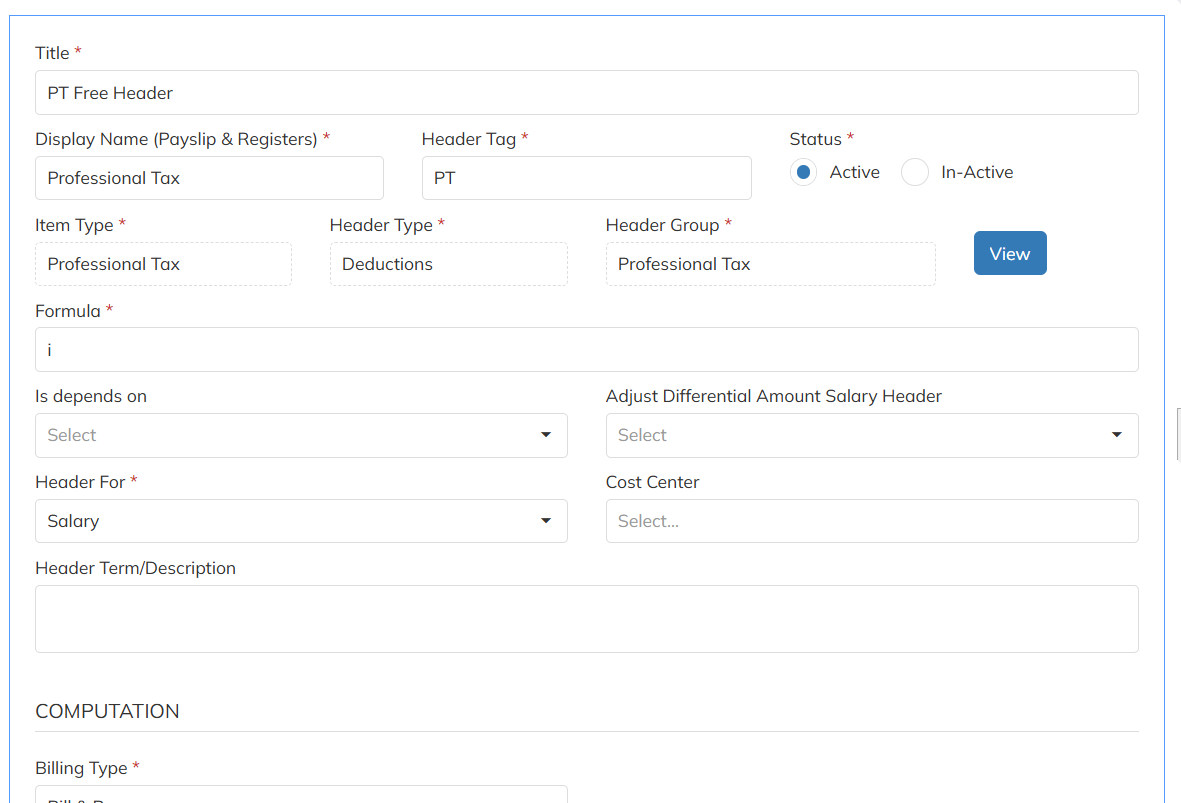
Create separate salary headers for:
- ESI Override
- PT Override
- LWF Override
Configuration Guidelines
| Field | Value |
|---|---|
| Header Type | Deduction |
| Item Type | ESI |
| Mark as not part of salary structure | Yes |
Step 3 – Import Override Amount Through E&D
Navigate to:
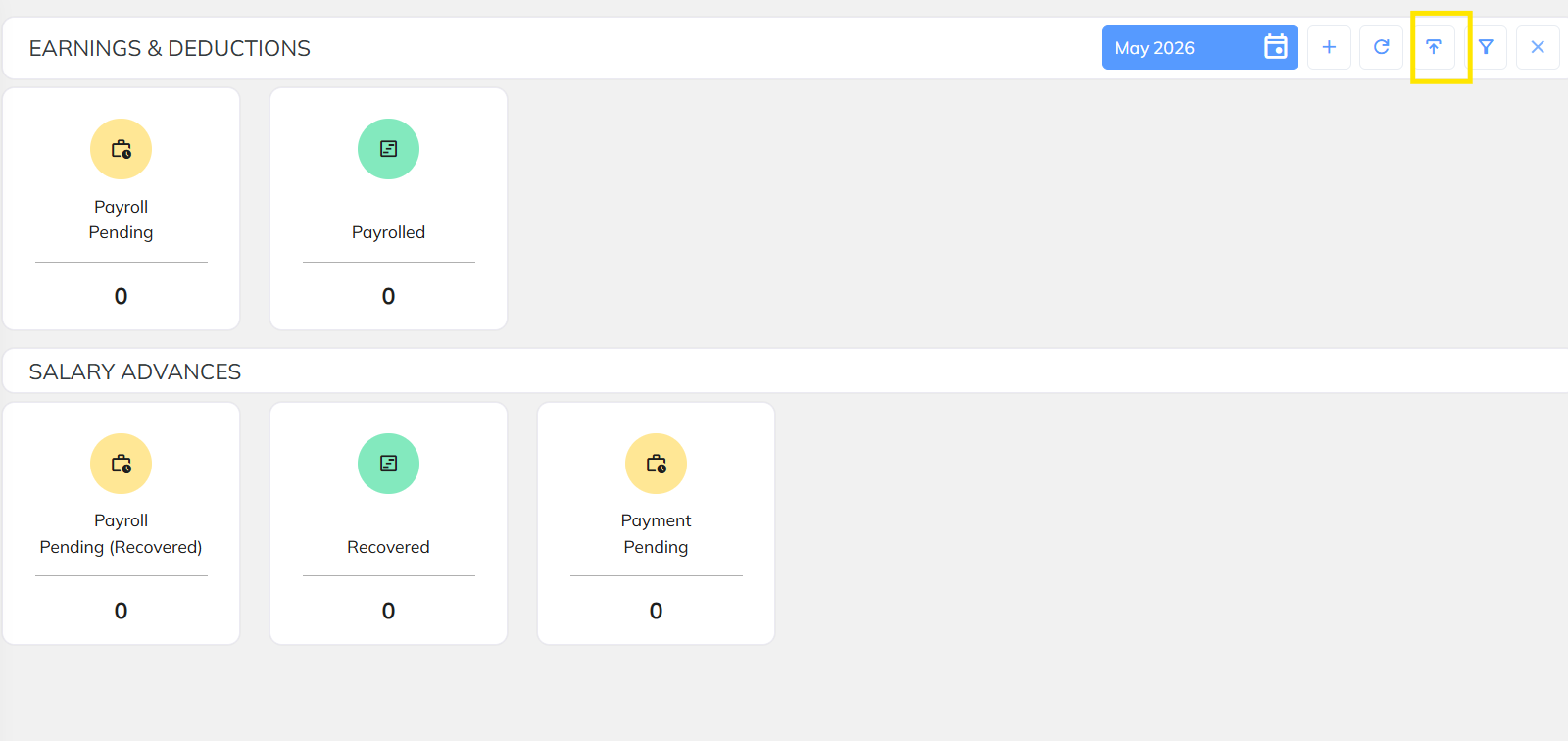
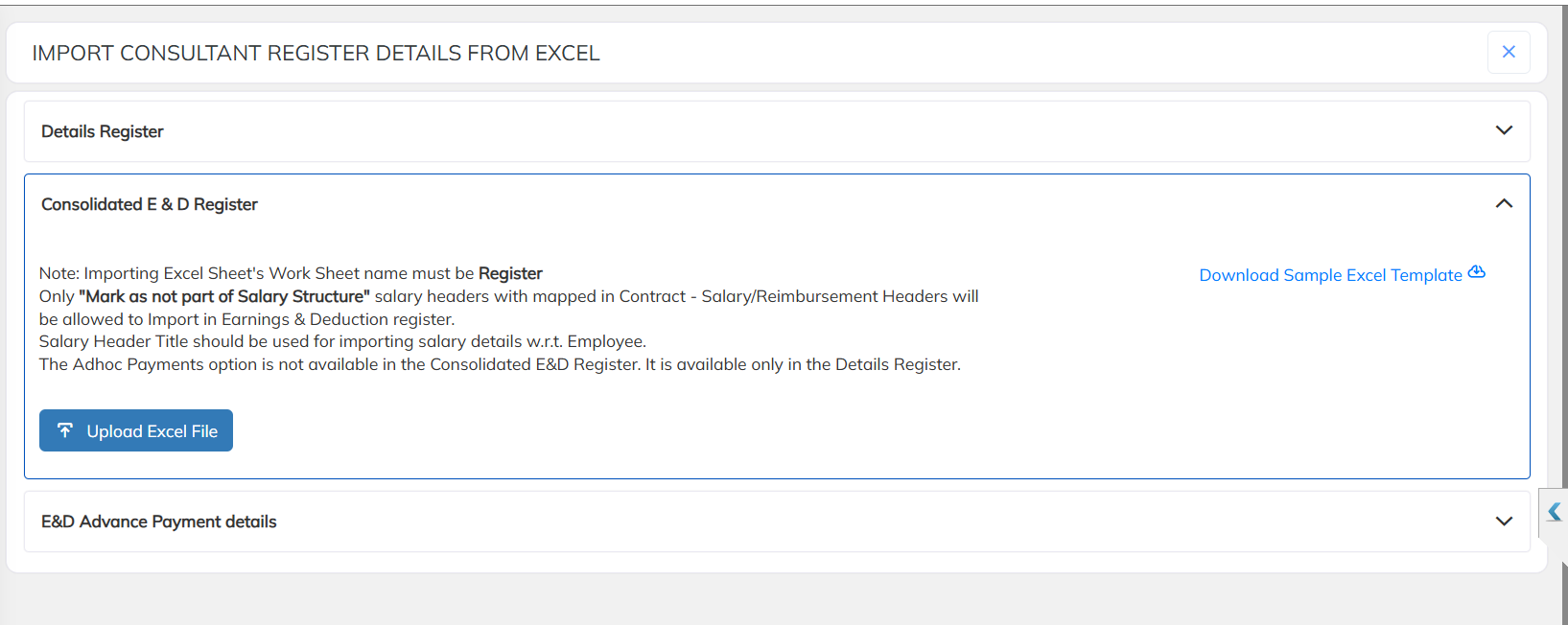
Transactions → Payroll Inputs → E&D Import
Prepare the import file with:
| Employee Code | ESI Override | PT Override | LWF Override |
|---|---|---|---|
| EMP001 | 500 | 200 | 34 |
Upload the file into the payroll input screen.
Important Notes
- Only configured statutory headers will be considered.
- Imported amount must be provided in numeric format.
- Override amount will be applied only for payroll periods where data is imported.
Step 4 – Process Payroll
Navigate to:
Payroll Processing → Process Payroll
Run payroll for the required month.
System Behavior
During payroll processing:
✅ System ignores the system-calculated statutory amount
✅ System considers the imported override amount from E&D headers
Example
| Component | System Calculated | Imported Override | Final Considered |
|---|---|---|---|
| ESI | 742 | 500 | 500 |
| PT | 250 | 200 | 200 |
| LWF | 34 | 20 | 20 |
Validation & Verification
After payroll processing:
Navigate to:
Reports → Pay Register / Statutory Reports
Verify that:
- Imported override amount is reflected
- System-calculated value is not considered
- Final payroll deductions match imported data
Important Points
- Override functionality works only when contract-level access is enabled.
- Override values are considered only through configured E&D headers.
- If no override amount is imported, system-calculated statutory values will be processed normally.
- This functionality supports month-specific statutory corrections and exceptional payroll cases.
Was this article helpful?
That’s Great!
Thank you for your feedback
Sorry! We couldn't be helpful
Thank you for your feedback
Feedback sent
We appreciate your effort and will try to fix the article