Purpose
This FAQ explains the possible reasons why LWF is not calculating for an employee and provides a systematic checklist to identify and resolve the issue.
FAQ 1: Why is LWF not calculating for an employee?
If is not calculating in payroll, validate the following steps in sequence:
Step 1: Verify LWF Gross Calculation in Payroll Summary
Open Employee Payroll Summary.
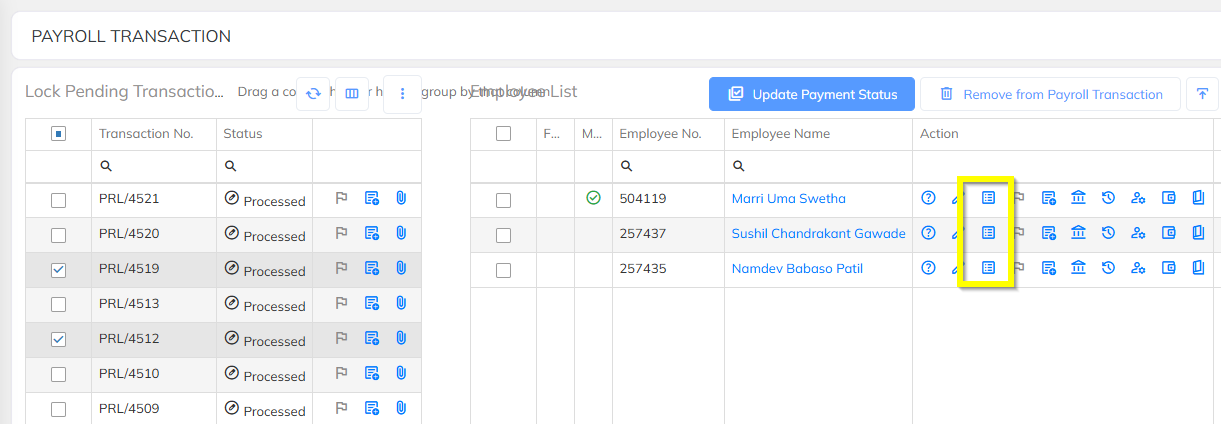
From the dropdown, select LWF Amount.
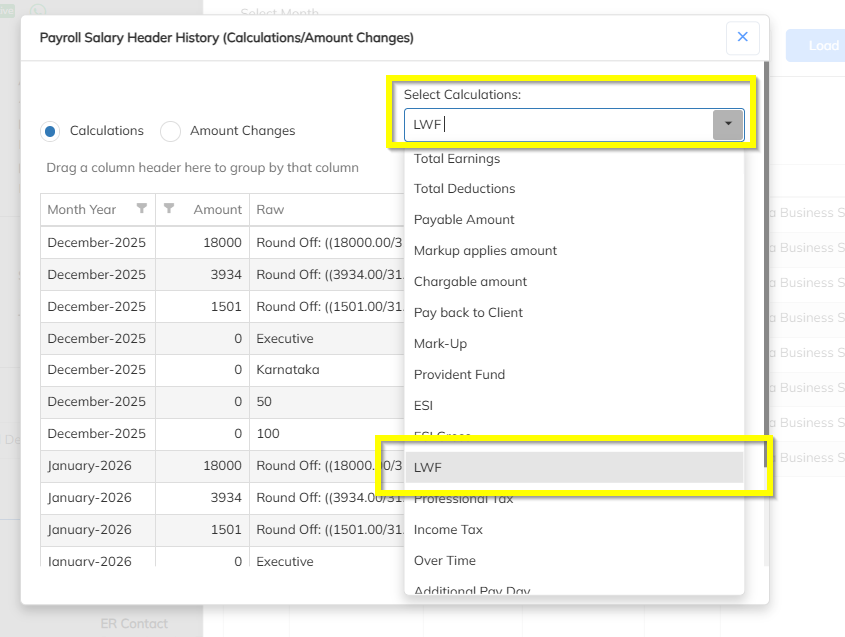
Review the LWF Gross Details:
Confirm which salary headers are considered for LWF gross.
Ensure the Total LWF Gross Amount is correct.
Check the Comments / Remarks section:
The system displays explanatory messages if LWF is not deducted (for example, below slab limit, PT not applicable, configuration issues).
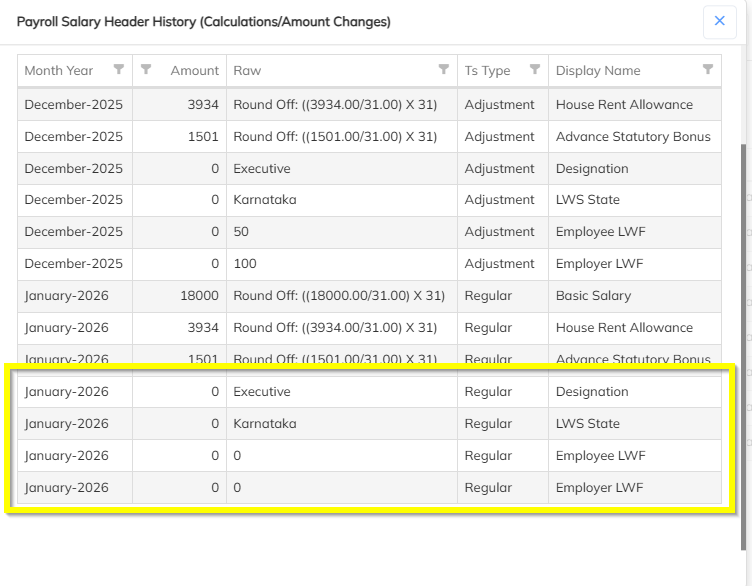
Step 2: Validate Employee Working Location
Check whether the working location is correctly mapped to the employee.
LWF is calculated strictly based on the location mapped to the employee.
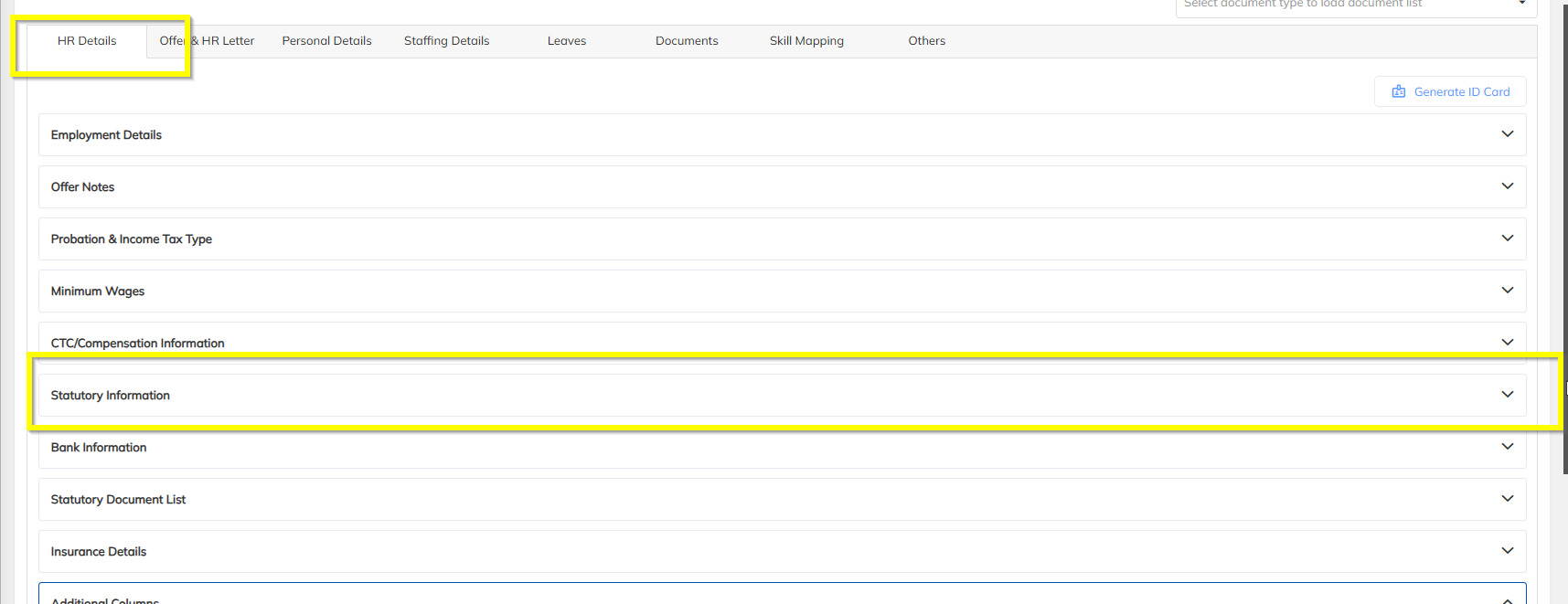
Step 3: Check LWF Applicability in Statutory Information
Navigate to Employee Statutory Information.
Verify the LWF applicability.
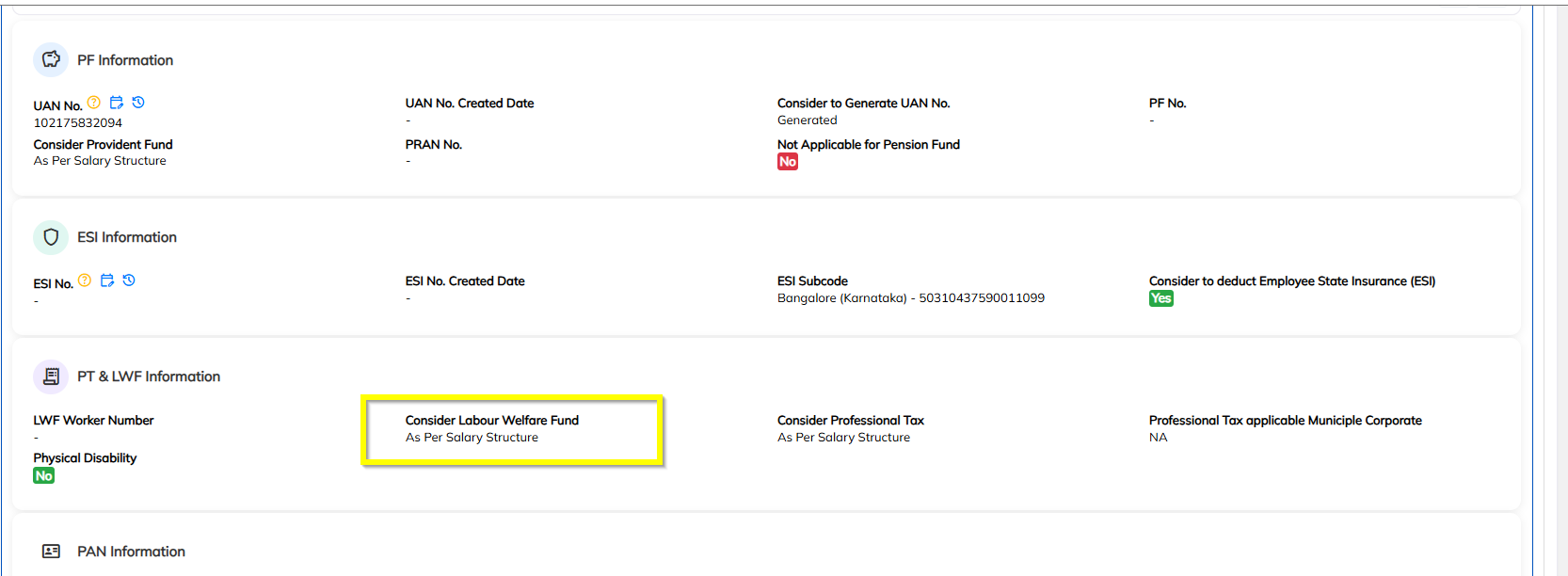
Step 4: Verify LWF Header Mapping in Salary Structure
Open the Employee Salary Structure.
Confirm that the LWF header is mapped correctly.
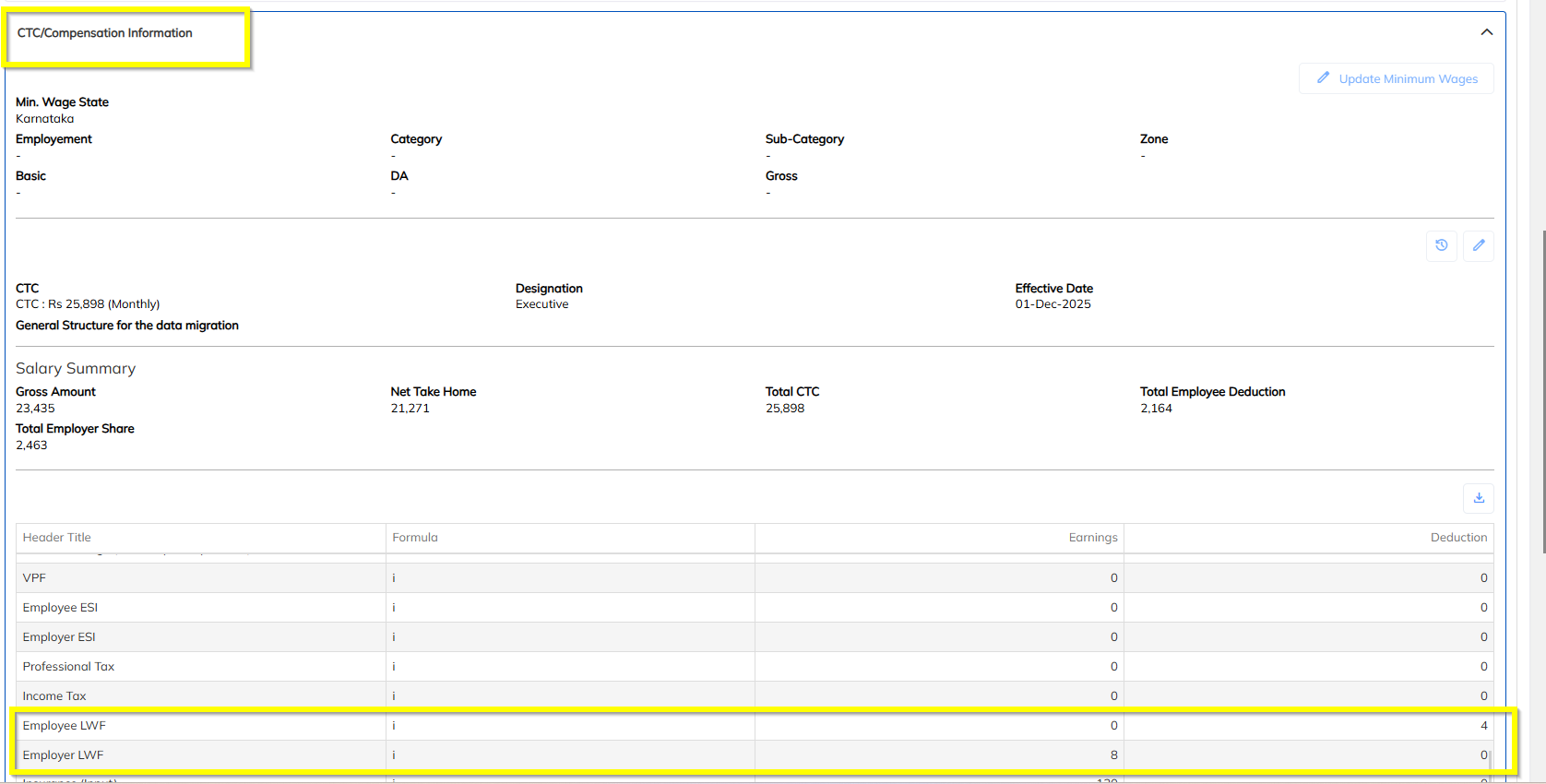
Step 5: Check State wise information in the under complience Statutory Information
In Compliance Statutory Information, check the state wise slab and applicablity
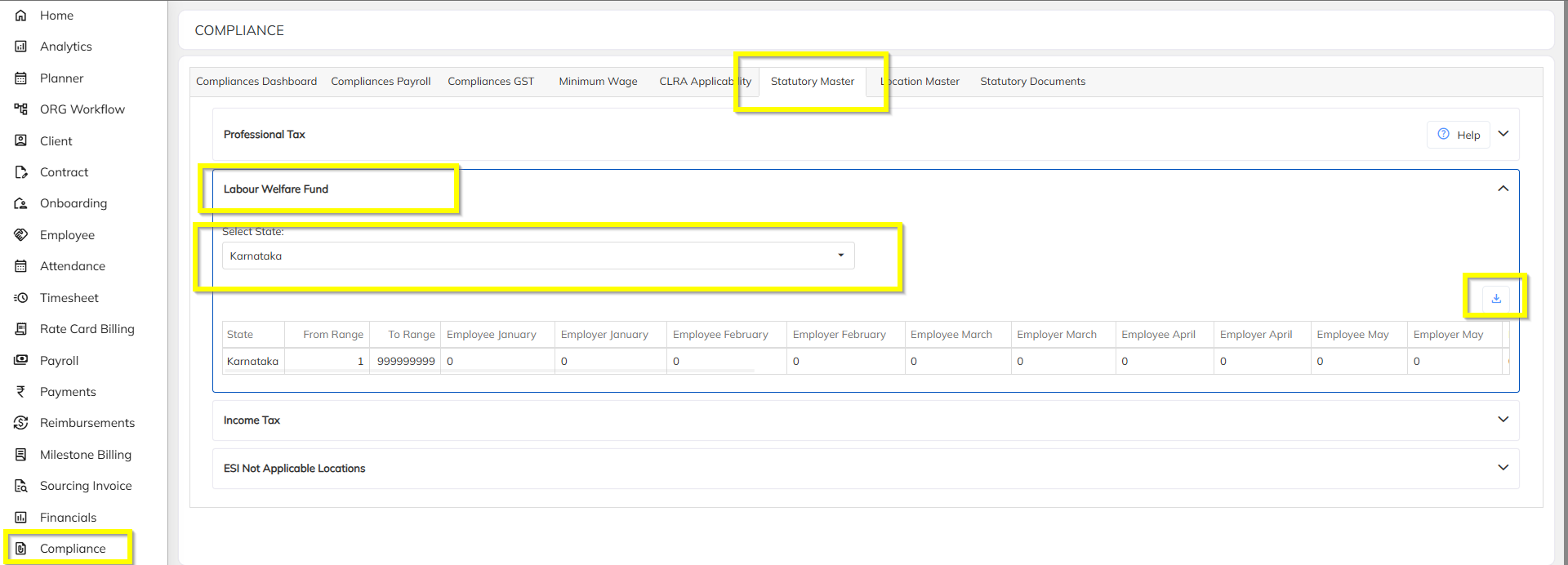
Step 6: Review Contract-Level Salary Overrides
Check if any Contract-Level Salary Override has been applied.
Overrides may alter LWF-applicable gross or deduction behavior.
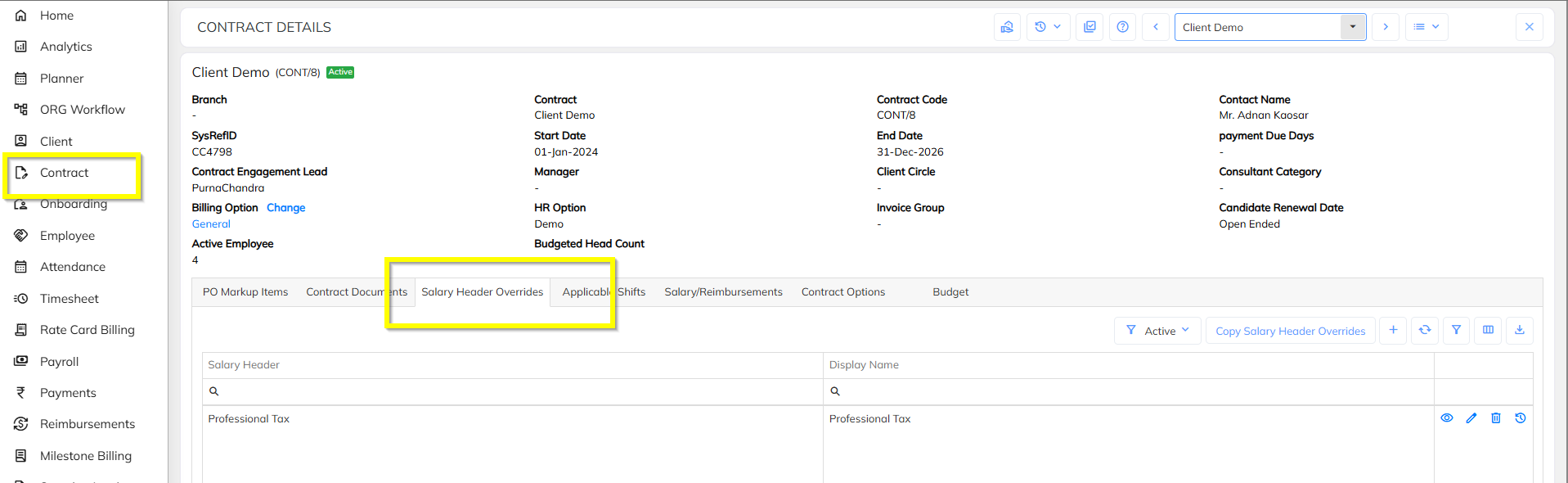
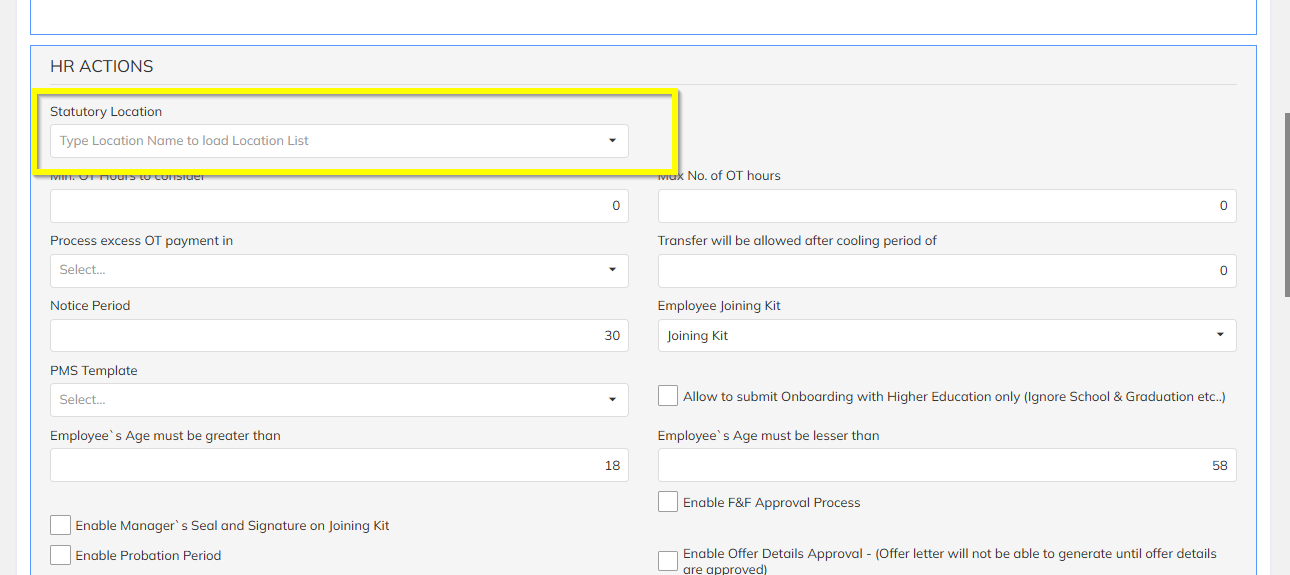
Step 7: Verify Statutory Location at Contract Level (HR Options)
Open the Contract → HR Options section.
Check whether a Statutory Location is mapped at the contract level.
If a statutory location is mapped:
LWF will be calculated based on the contract-level location,
Not the employee’s default location.
Summary Checklist
| Check Area | Validation Point |
|---|---|
| Payroll Summary | LWF gross and comments verified |
| Employee Location | Correct working location mapped |
| Statutory Info | LWF applicable for selected state |
| Salary Structure | LWF header mapped |
| Statutory Flags | LWF not disabled |
| Contract Override | No conflicting salary override |
| Contract HR Options | Correct statutory location applied |
If all the above checks are correctly configured and LWF is still not calculating, it is recommended to review LWF slab configuration and effective dates at the system level.
Was this article helpful?
That’s Great!
Thank you for your feedback
Sorry! We couldn't be helpful
Thank you for your feedback
Feedback sent
We appreciate your effort and will try to fix the article