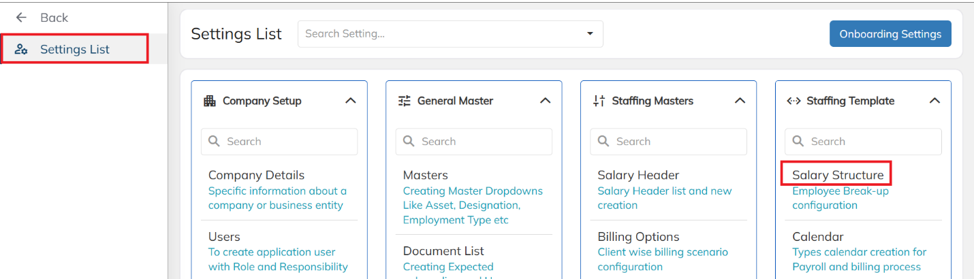
- Navigate to Settings → Staffing Template → Salary Structure.
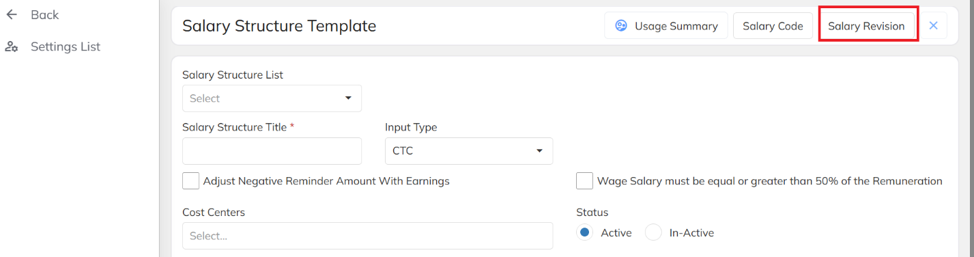
Click on Salary Revision.
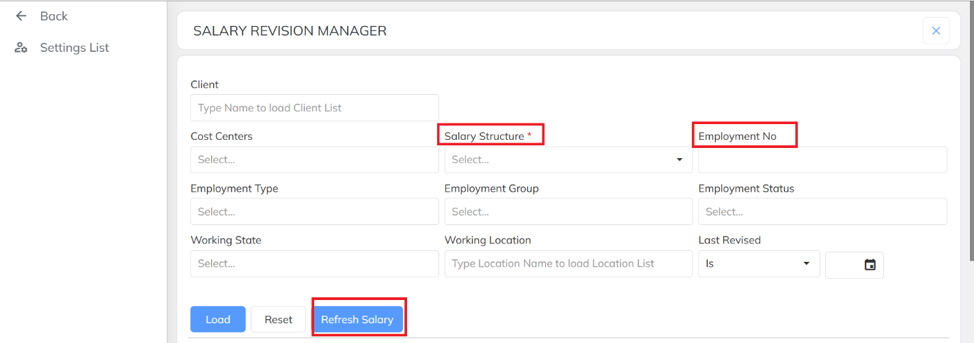
- Select the Salary Structure Template and Employee Number, then click on Refresh Salary to update the employee's salary details.
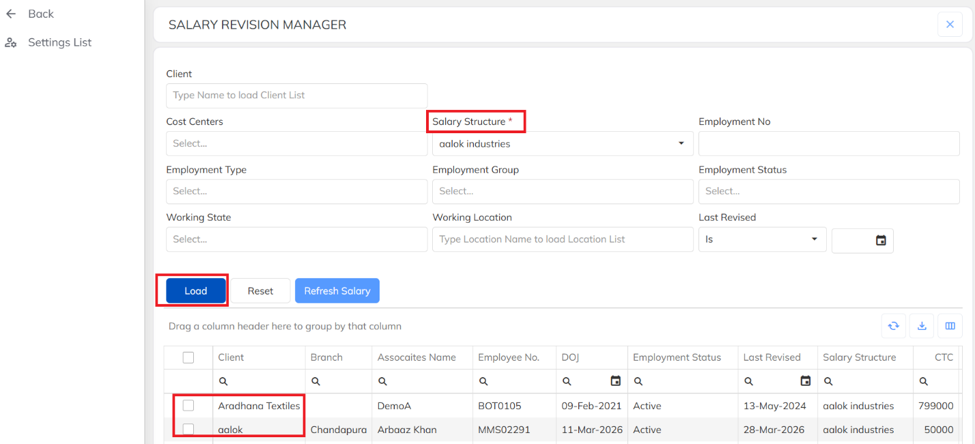
- How to Refresh Salary structure in Bulk.
Select the Salary Structure Template, then click on Load. The list of clients associated with the selected salary structure will be displayed. Select the required clients, then click on Refresh Salary to refresh the salary structure for all employees under the selected clients in bulk.
Was this article helpful?
That’s Great!
Thank you for your feedback
Sorry! We couldn't be helpful
Thank you for your feedback
Feedback sent
We appreciate your effort and will try to fix the article