Perform the following steps to add missing salary headers to a salary structure:
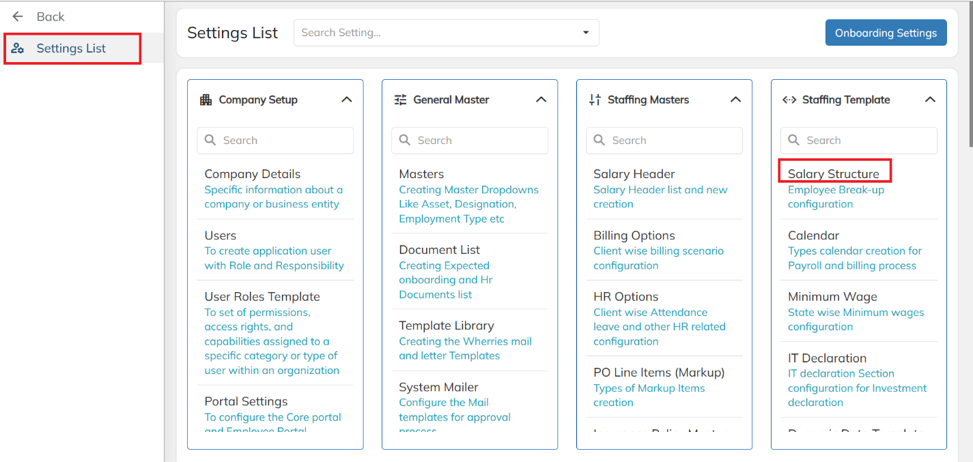
- Navigate to Settings and, under the Staffing template, select Salary Structure.
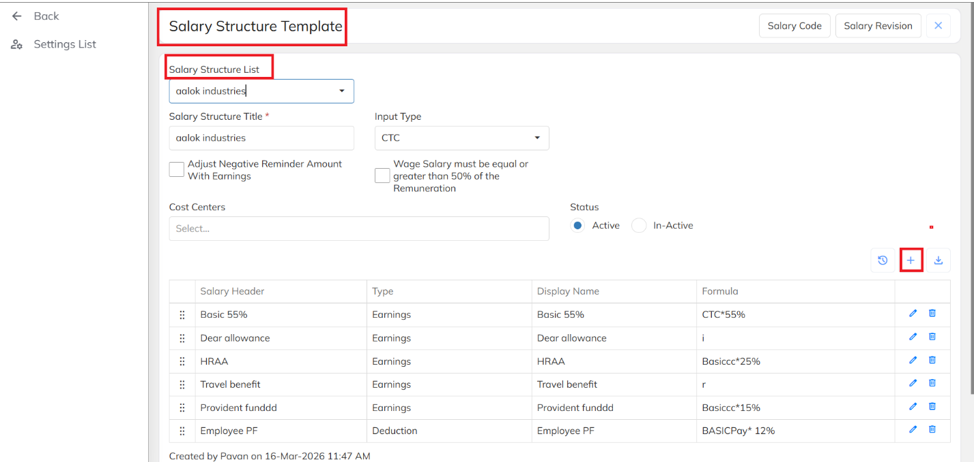
Select the required Salary Structure Template, and click on Add icon.
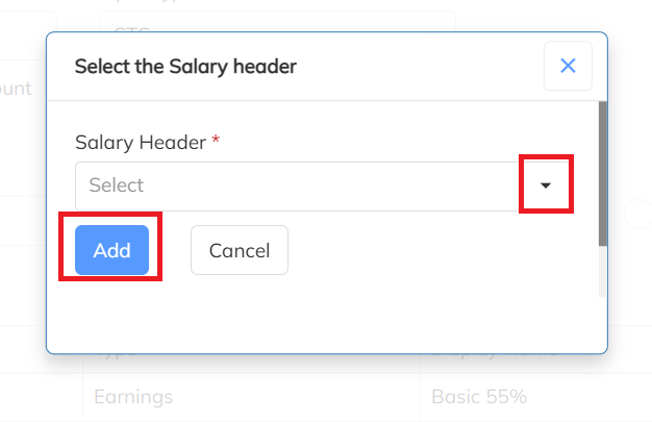
- Choose the required Salary Header and click on Add. Then click on save.
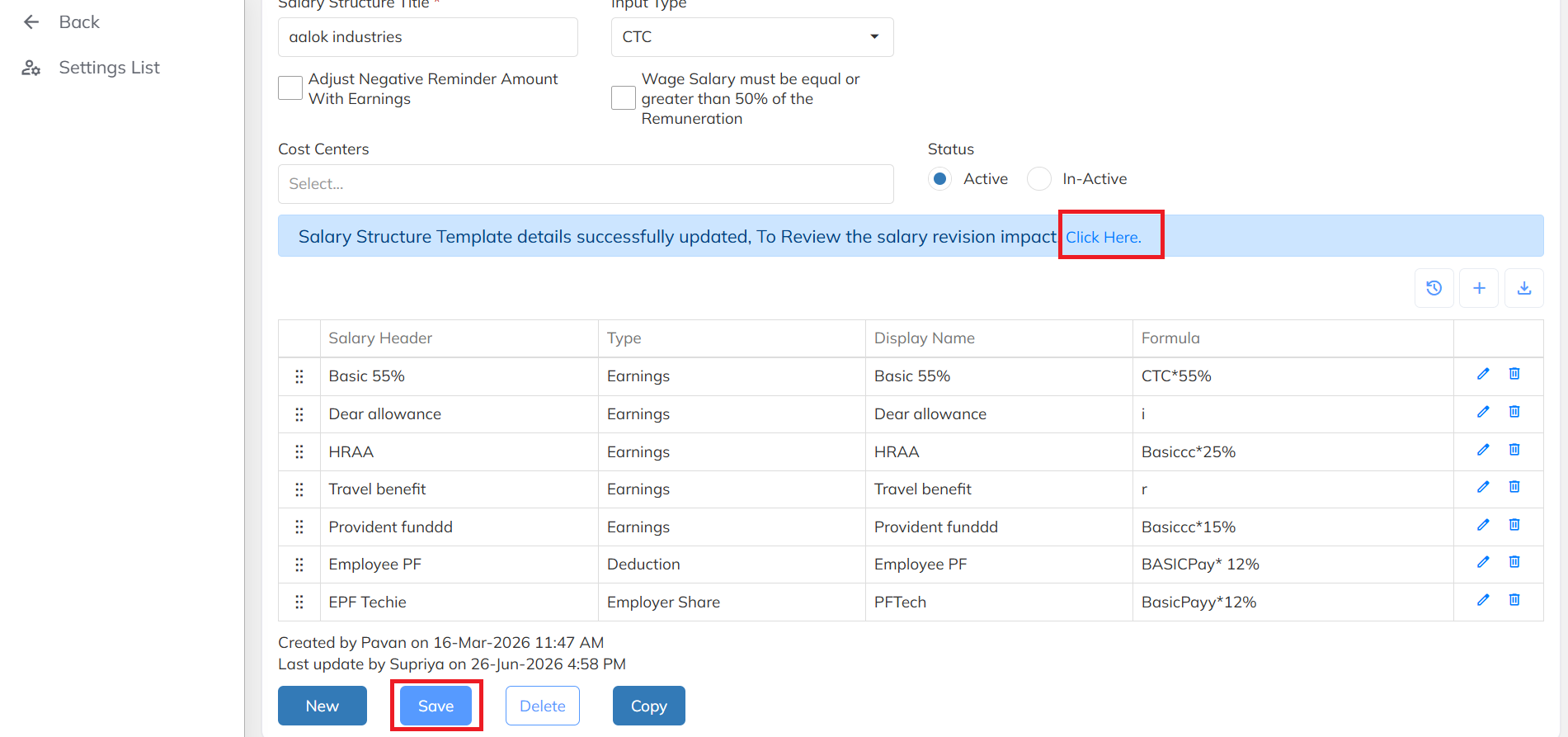
- After saving the changes, click on Click Here to Review the Salary Revision Impact.
Select the required Client and click on Refresh Salary to update the salary structure. 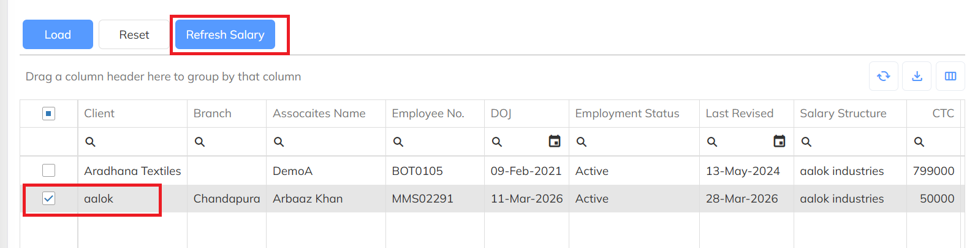
Was this article helpful?
That’s Great!
Thank you for your feedback
Sorry! We couldn't be helpful
Thank you for your feedback
Feedback sent
We appreciate your effort and will try to fix the article