To provide access to the Tally Ledger Configuration and related ledger details, please ensure the following permissions are enabled for the concerned user/admin:
- Tally Master Access → Set to Full.
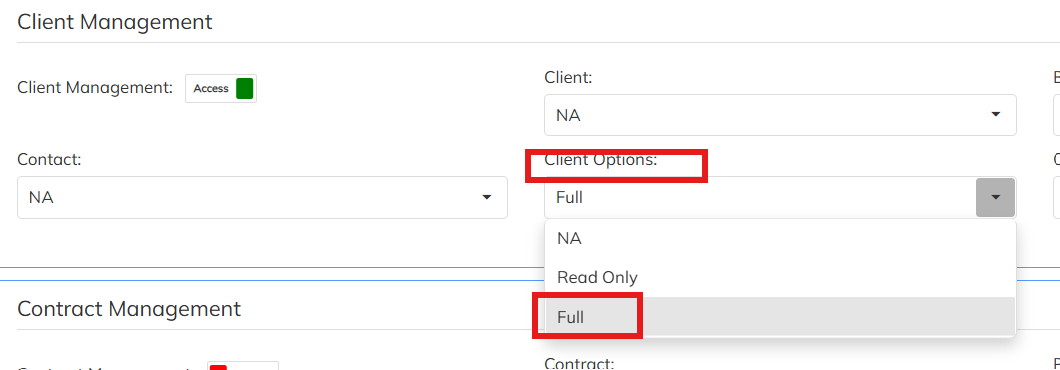
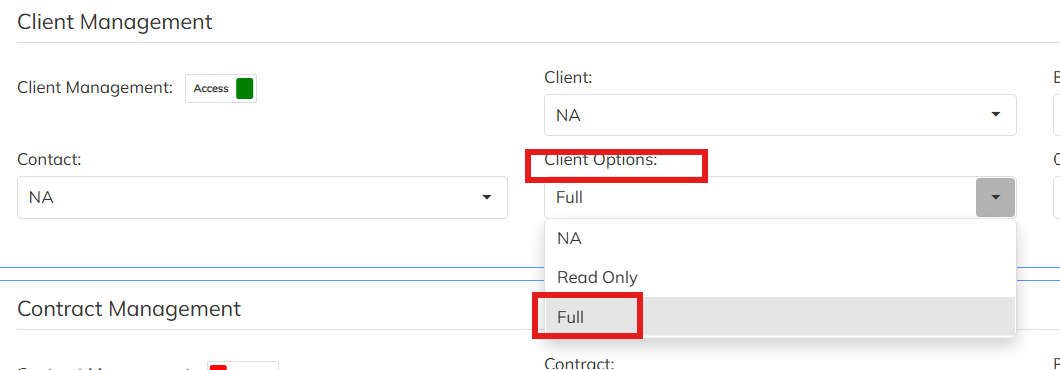
- Client Management Access → Set to Full under the Client Options section, as the Ledger Configuration option is available within the Client module.
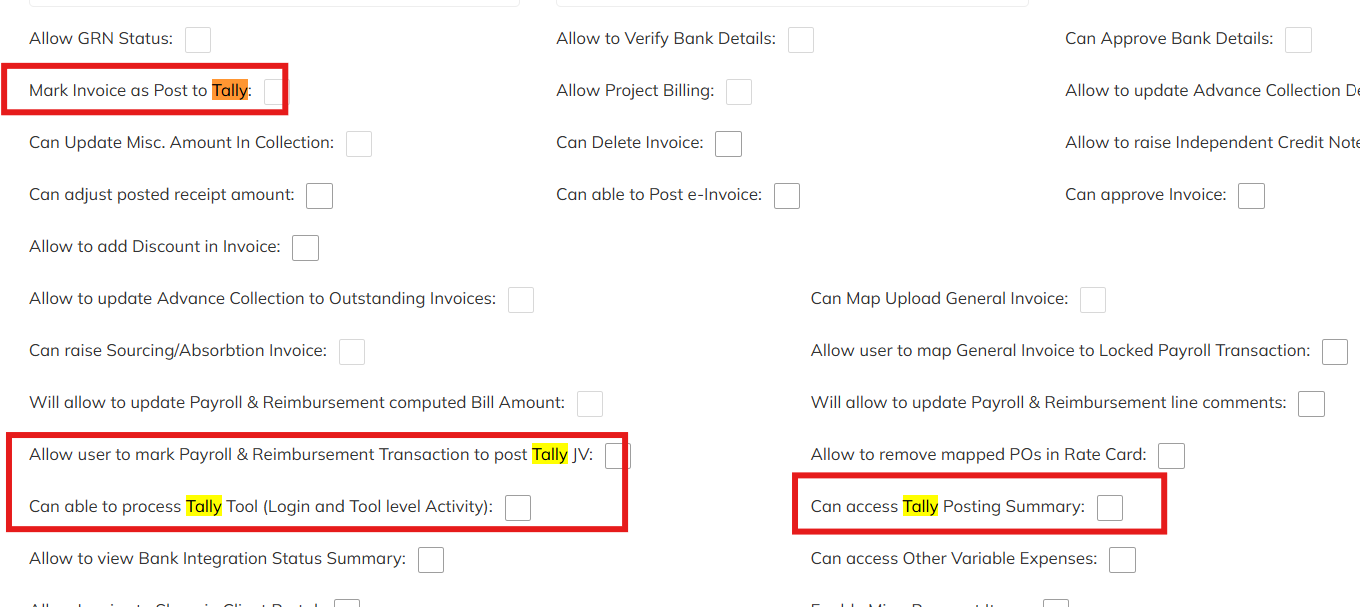
- Enable the following checkboxes:
- Mark Invoice as Post to Tally
- Allow user to mark Payroll & Reimbursement Transaction to post JV
- Can able to process Tally Tool (Login and Tool level Activity)
- Can access Tally Posting Summary
Once the above permissions are provided, users who require access to Tally Ledger details and related Tally functionalities will be able to view and manage the required configurations.
Was this article helpful?
That’s Great!
Thank you for your feedback
Sorry! We couldn't be helpful
Thank you for your feedback
Feedback sent
We appreciate your effort and will try to fix the article