Overview: Month Lock Manager Functionality in Staffing Application
The Month Lock Manager is used to lock or unlock payroll months in the application. Once a month is locked, no further changes can be made to payroll, attendance, or statutory data for that period
- Prevents reprocessing of payroll ( additional amount process & Late payroll process ), reimbursements, and invoices after statutory compliance filing for the selected month. Late process will causes the non compliance for statutory
- Admin-level control required to follow the month on month client locking process.
Access & Permissions
- Only selected users with "Month Lock Manager" access in the user role template can able to perform the month lock process on month on month.
- Admin-level control required to lock and unlock the client from month lock manager
Setup Steps:
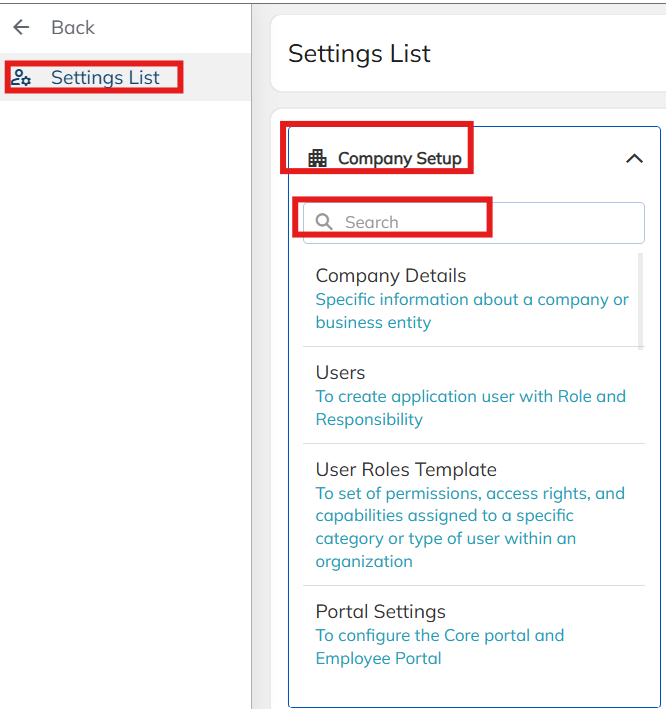
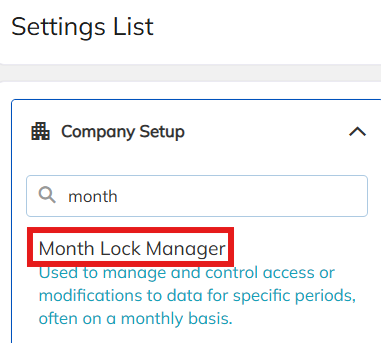
- Navigate to Settings → Company Setup → Search "Month Lock Manager"
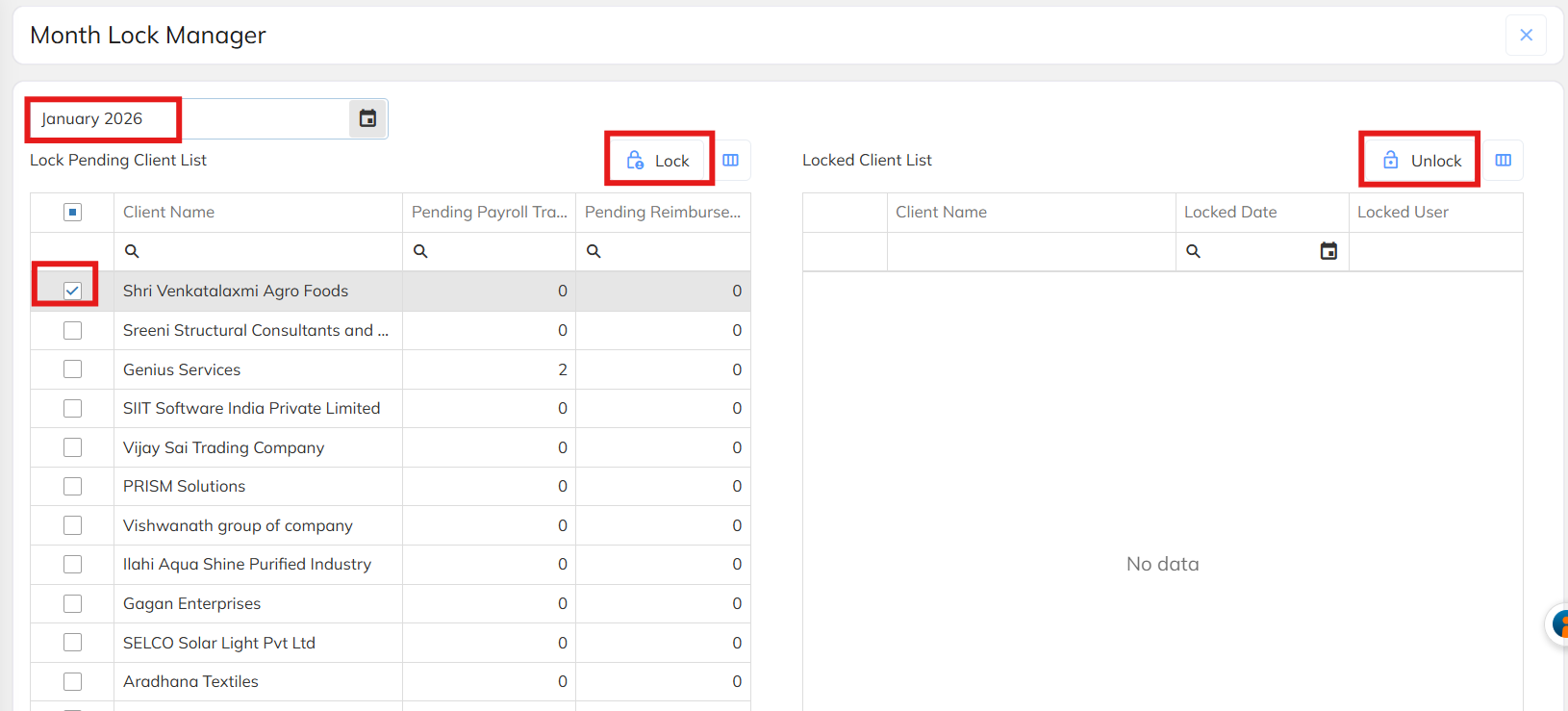
- Select the month to be locked (e.g., February)
- Click "Select and Lock"
- Once locked, system locks all payroll, reimbursement, and invoice processing for that month/client.
Scope of Lock
- Applies to:
- Payroll
- Reimbursements
- Invoicing
- Lock is client-specific (per client, per month)
- Any additional processing must be done for future months only
Purpose & Compliance Rationale
- Prevents mis-processing and non-compliance of payroll/reimbursement transactions after statutory filings are closed for the same month.
- Stops duplicate or erroneous transactions from being run in the same month post-compliance
- Ensures data integrity aligned with statutory filing requirements
Unlocking Process
- In emergency cases, an admin user must manually unlock the specific client's locked month
- Only after unlocking will the system allow transactions to be processed again
Note
- Admin User: Ensure "Month Lock Manager" access is granted in the User Role Template for authorized users
- Admin User: After statutory filings are completed, lock the relevant month for each client to prevent non-compliant reprocessing
- Admin User: If emergency processing is needed for a locked month, unlock the specific client's month-lock before proceeding
- Team: Communicate to all payroll/reimbursement processors that any additional transactions post-lock must be processed for future months only
Was this article helpful?
That’s Great!
Thank you for your feedback
Sorry! We couldn't be helpful
Thank you for your feedback
Feedback sent
We appreciate your effort and will try to fix the article