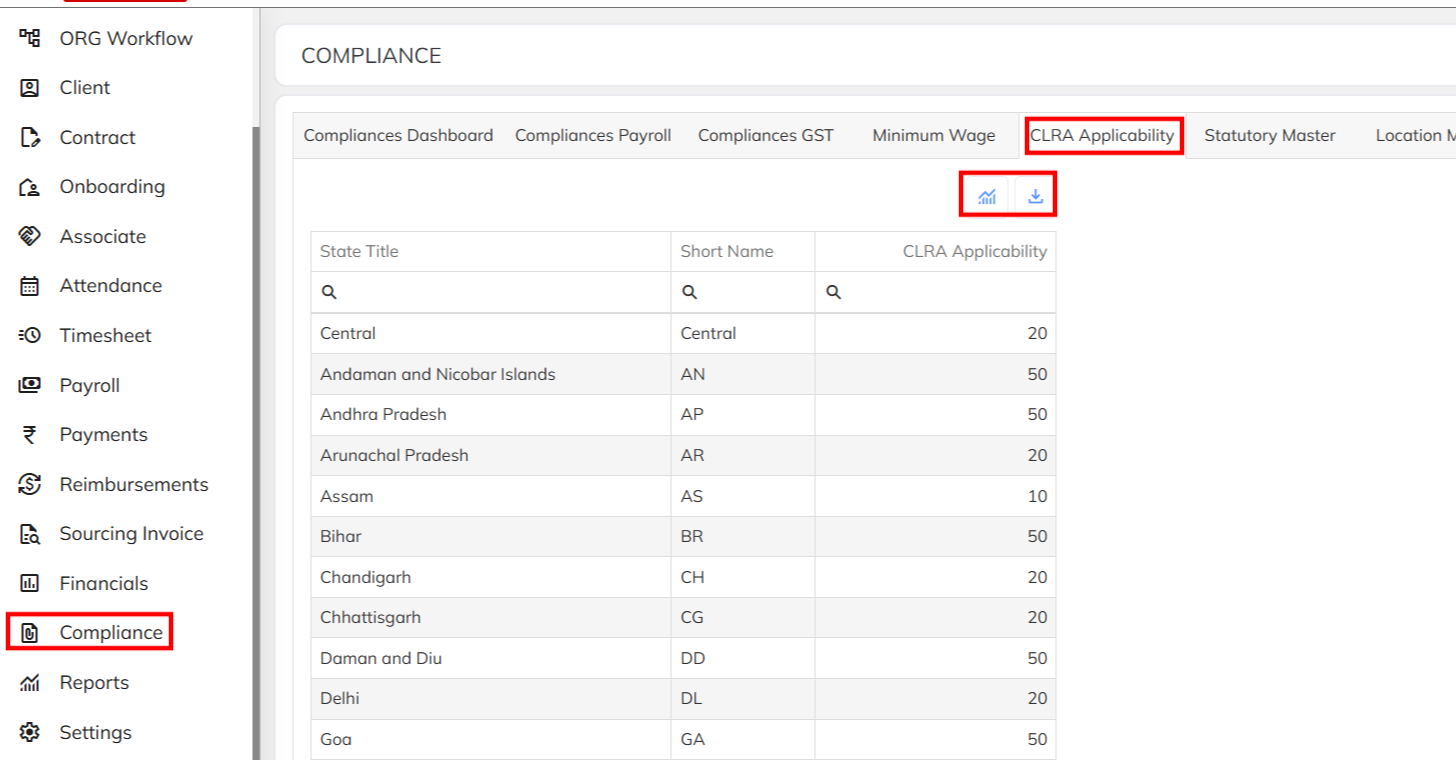
In the StaffingGo Application to access the CLRA Applicability threshold head count data follow the below mentioned steps :
1. Navigate to Compliance Module >> CLRA Applicability Dash board >> Generate the Report.
Compliance Module is access based.
Was this article helpful?
That’s Great!
Thank you for your feedback
Sorry! We couldn't be helpful
Thank you for your feedback
Feedback sent
We appreciate your effort and will try to fix the article