- Manual Way
Navigate to Employee Profile, Click on HR Details.
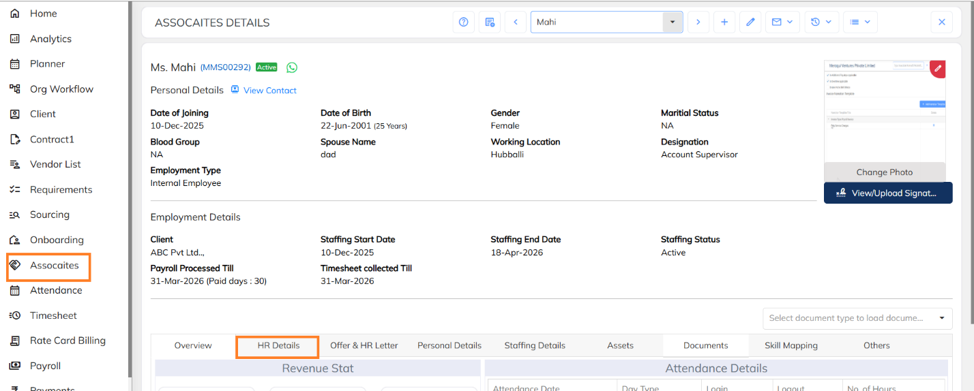
- Under HR details, click on statutory information.

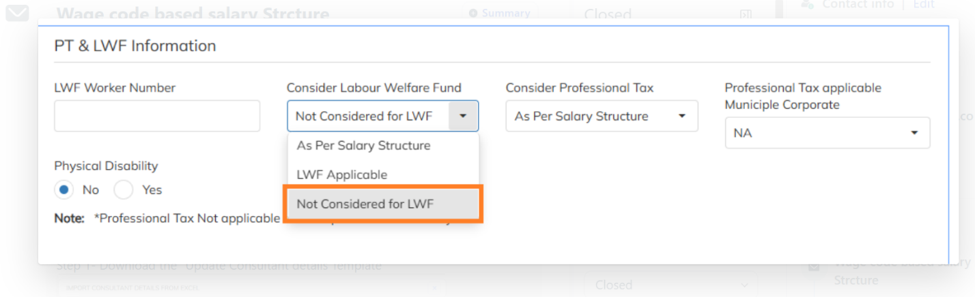
- Under Statutory Information, navigate to PT & LWF Information. In the Consider Labour Welfare Fund section, select Not Considered for LWF.
- Bulk way:
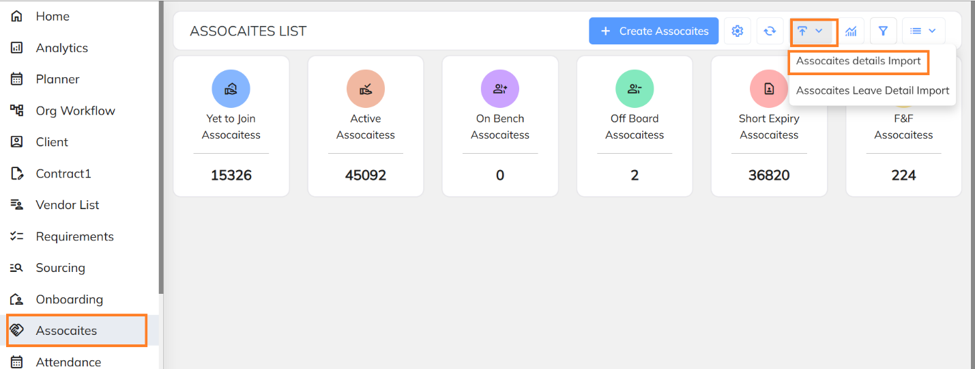
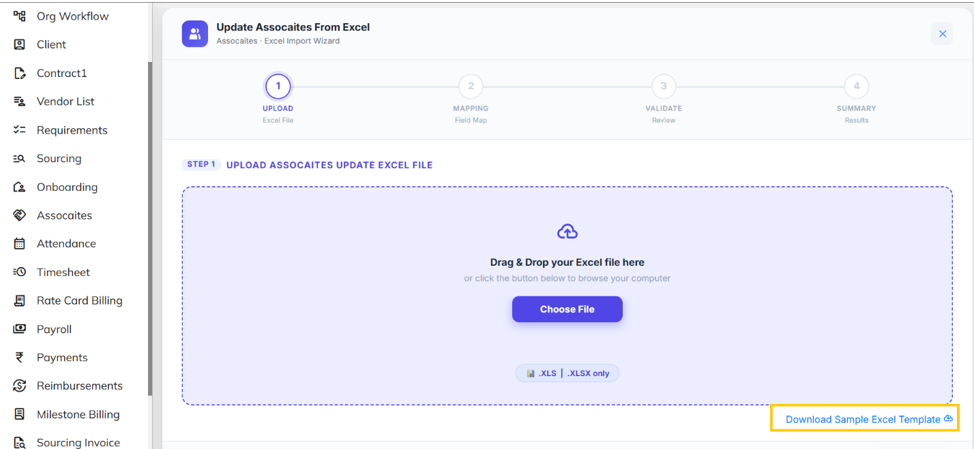
- Navigate to Consultant / Associate section, click on Import option, under that click on Associate details import.
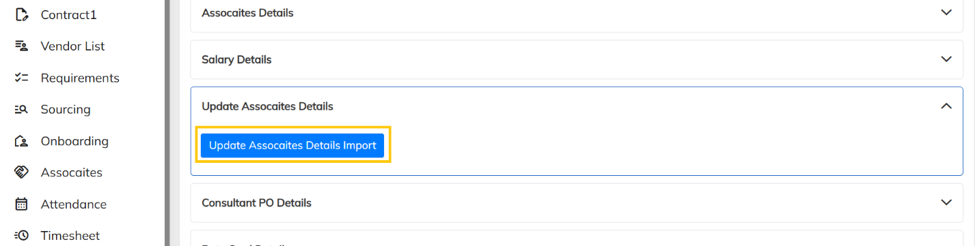
- Click on update Associate details import.
- Download the Sample excel template.
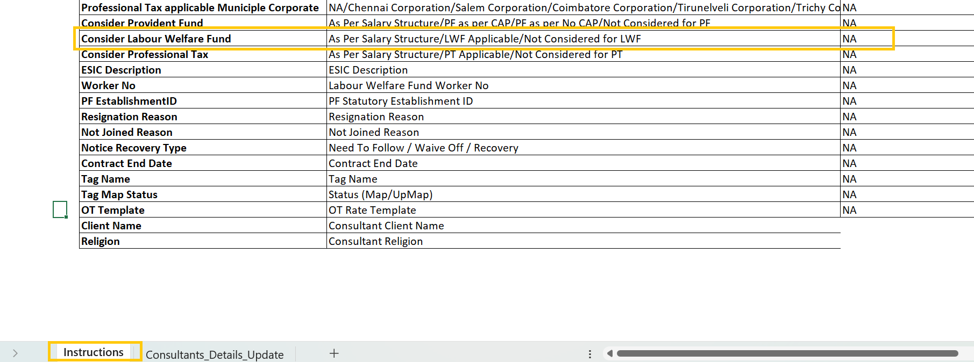
- Copy the column header- Consider Labour Welfare Fund.
- Paste the above header in "Consultant details update" in the same template sheet.
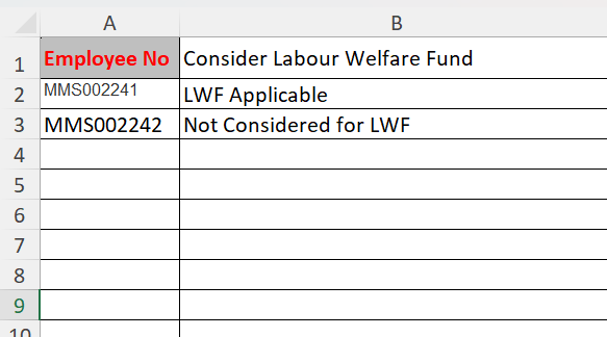
- Fill-up the Employee IDs and update LWF consideration as applicable.
- Save and upload this file in "Update consultant details" import.
- Paste the header in excel sheet and fill in the required details.
Was this article helpful?
That’s Great!
Thank you for your feedback
Sorry! We couldn't be helpful
Thank you for your feedback
Feedback sent
We appreciate your effort and will try to fix the article