During the Finical year investments & Proofs needs to collect from the employee to finalise the TDS computation and validation of the deduction in the application.
Follow the below mentioned steps to collection of proof from the employee & Proof verification process in the application. This activity is mandatory to finalise the TDS verification in the application.
STEP -1 : Enable access to employees to upload the proof against the declared investments in ESS Portal & also additional investments updating with Proof
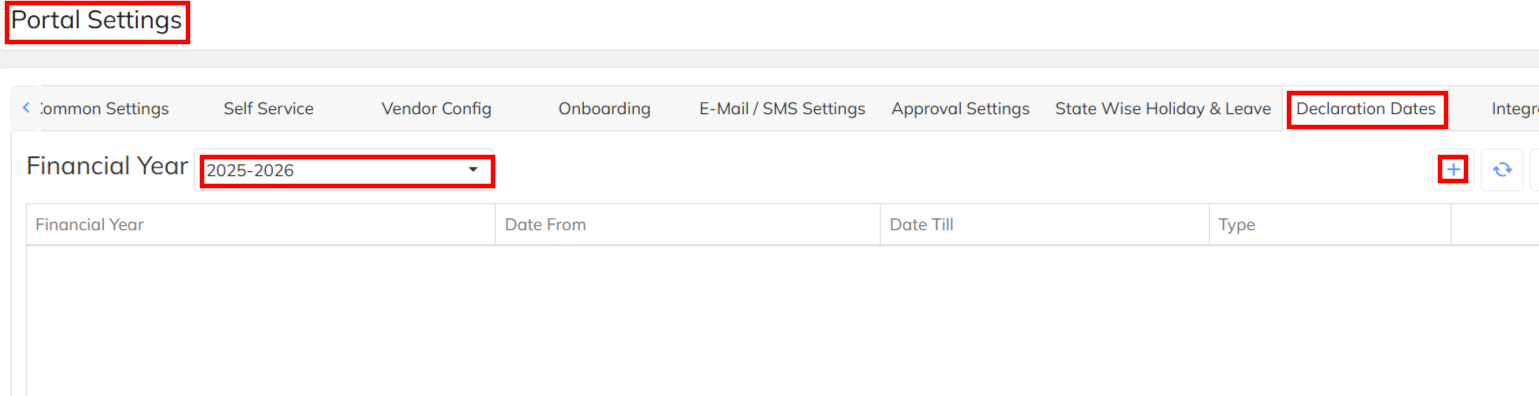
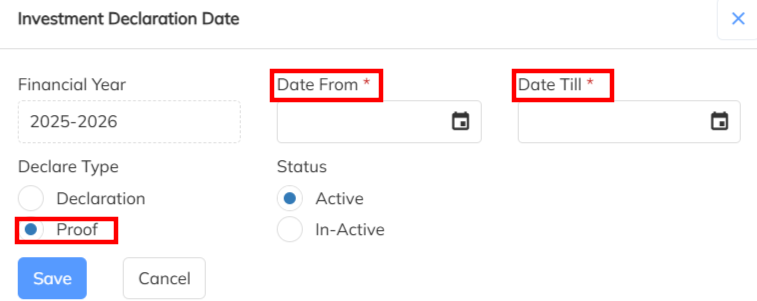
- Navigate to Setting List >> Company Set Up >> Portal Setting >>Declaration Dates>> Enable the specific cut off date to access by employee in ESS portal to upload proof.
- Share notification mailer also to employee regarding proof & investments updating in the ESS Portal using bulk consultant communication mailer.
- Once the access enabled with cut off dates employee can able to access in ESS portal to upload the proof until date closed. Once the cut off date closed portal will not allow to upload the proof. This access is applicable all employees except resigned.
- Along with proof updating employee can alter(increase/ decrease) the previously declared investment details and new investments can also able to define along with proof.
- After Proof update submission of declaration in compulsory form ESS Portal. If the investment status in Draft/ Submission pending will not consider the payroll for exemption.
STEP -2 : Proof Verification Process from the User
- Once employee submit the investment & proof from ESS portal will restrict to modified the details by the employee
- Navigate to Employee dashboard Module >> Select the Investment Declaration >> User can able to access both Submitted & Draft & Submission Pending employees details.

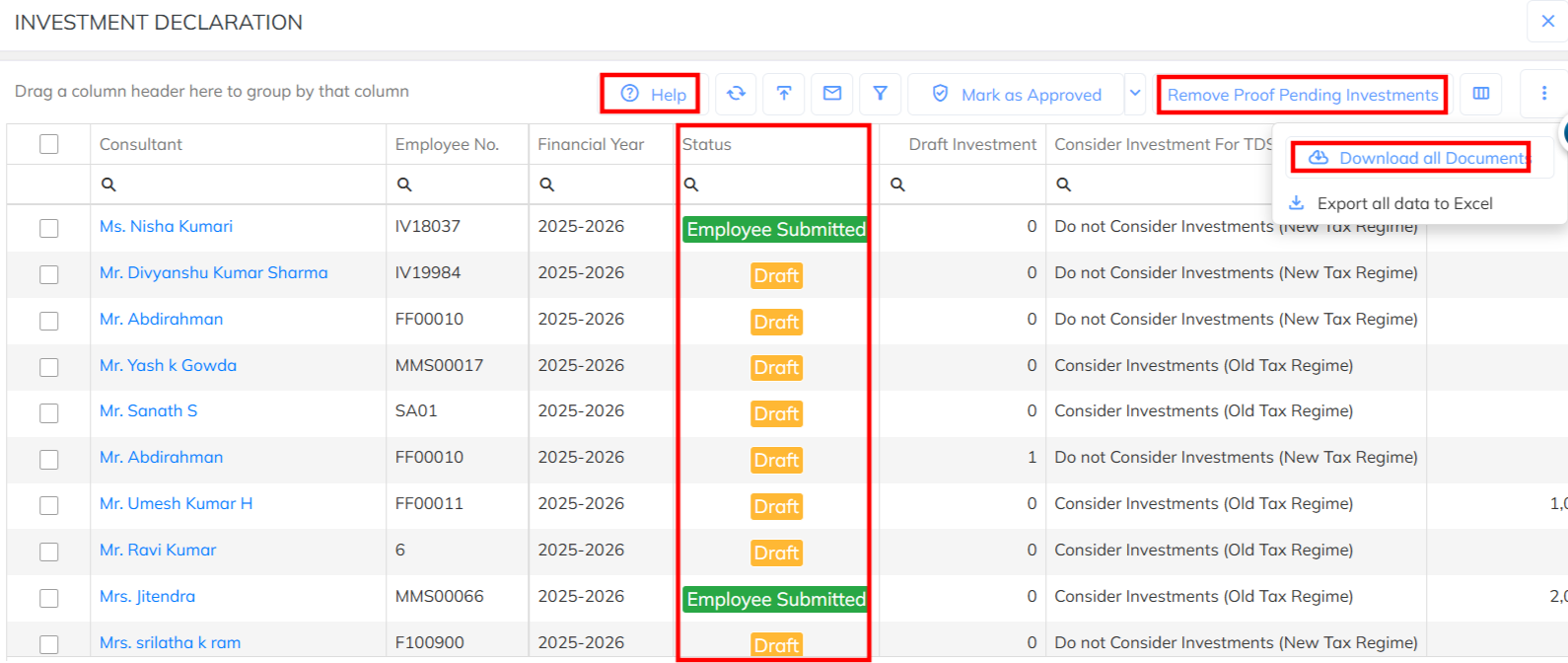
- Based on the Status which are under Employee submitted those can review with the proof details. Draft will not consider for the exemption for the payroll & TDS Computation.
- Employee investment & proof submission & verification activity by user need to complete before payroll .So that verified details will consider for the payroll TDS computation & deduction . Not submitted/Draft status employees will not consider for the exemption in payroll.
- Use the Help Note to clarification of the Investment Status consideration details.
- Using the Download documents option able to download the proof documents in the zip folder format.
- During the Proof verification individual employees declared investment & proof need to verify and finally need to update the status with Approved Investment. Verified & Approved investments only will consider for the TDS computation.
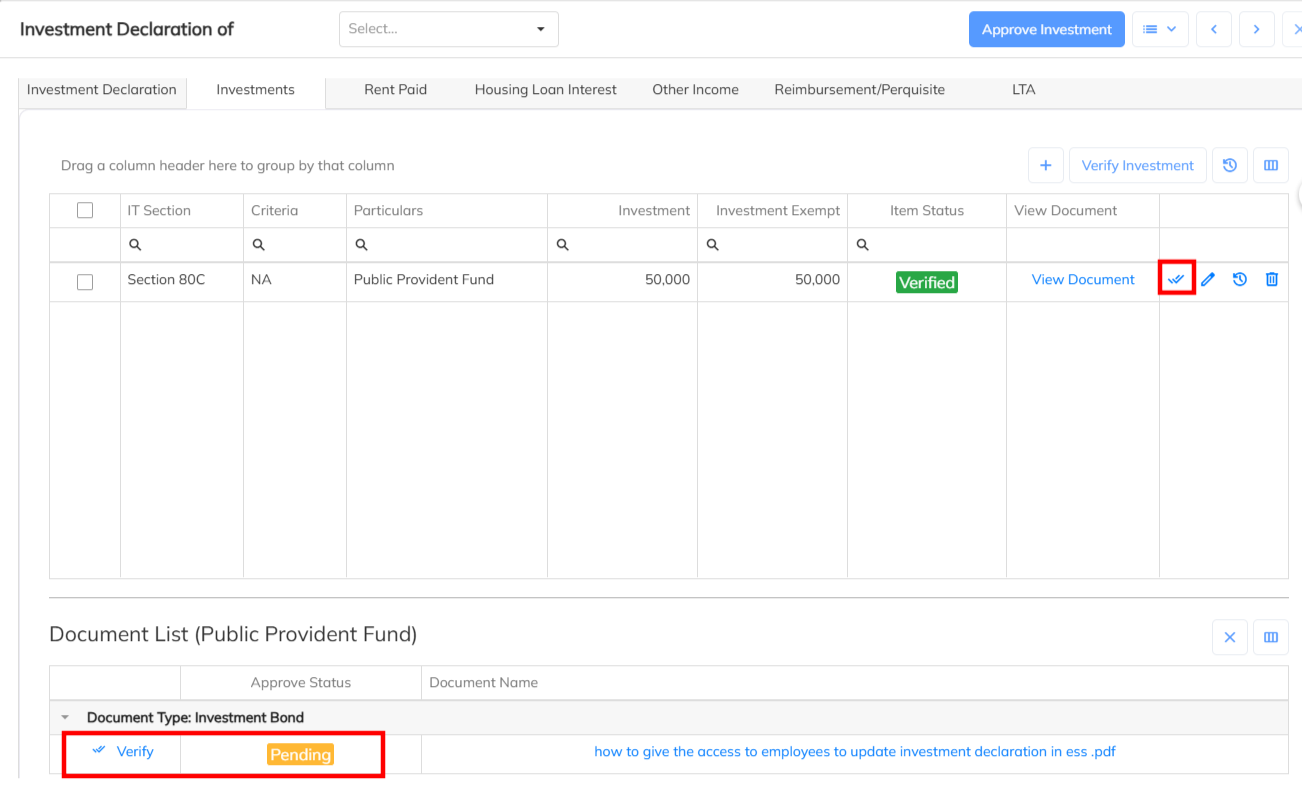
- In bulk if need to remove the attachment missed investment declaration from the application use the Remove Proof Pending Investments option to delete. Removed investment will not consider and No impact in the payroll.
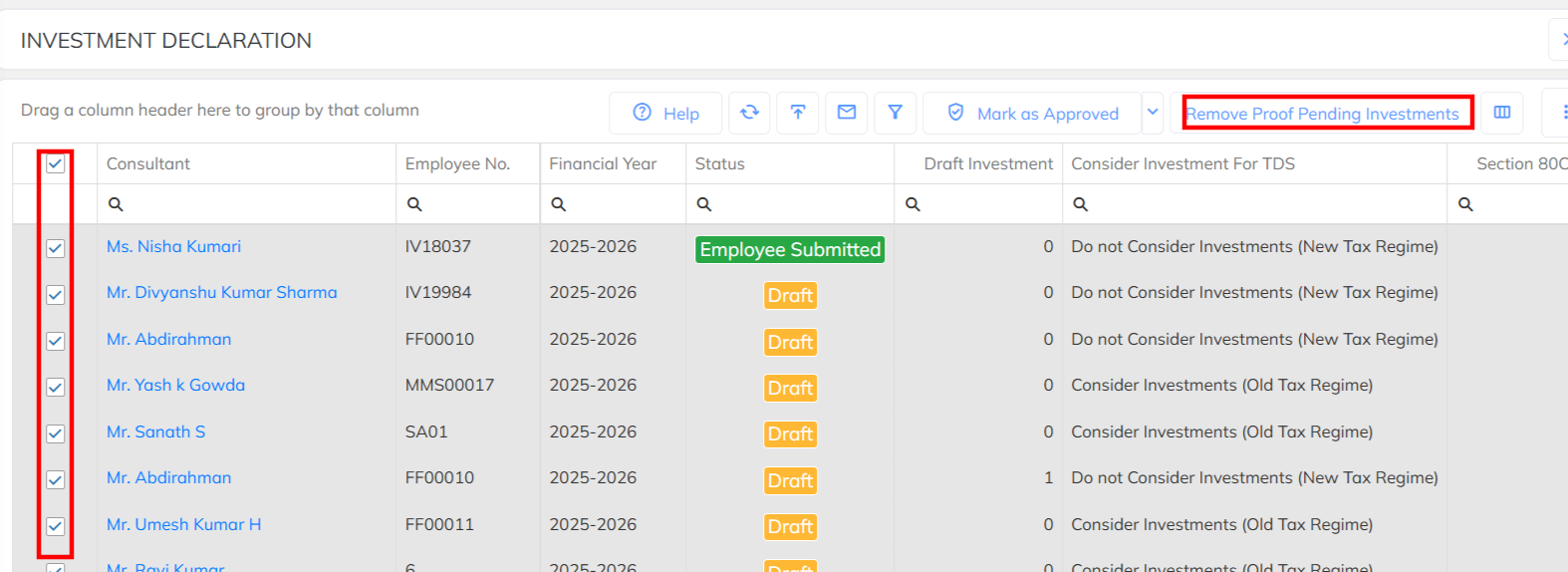
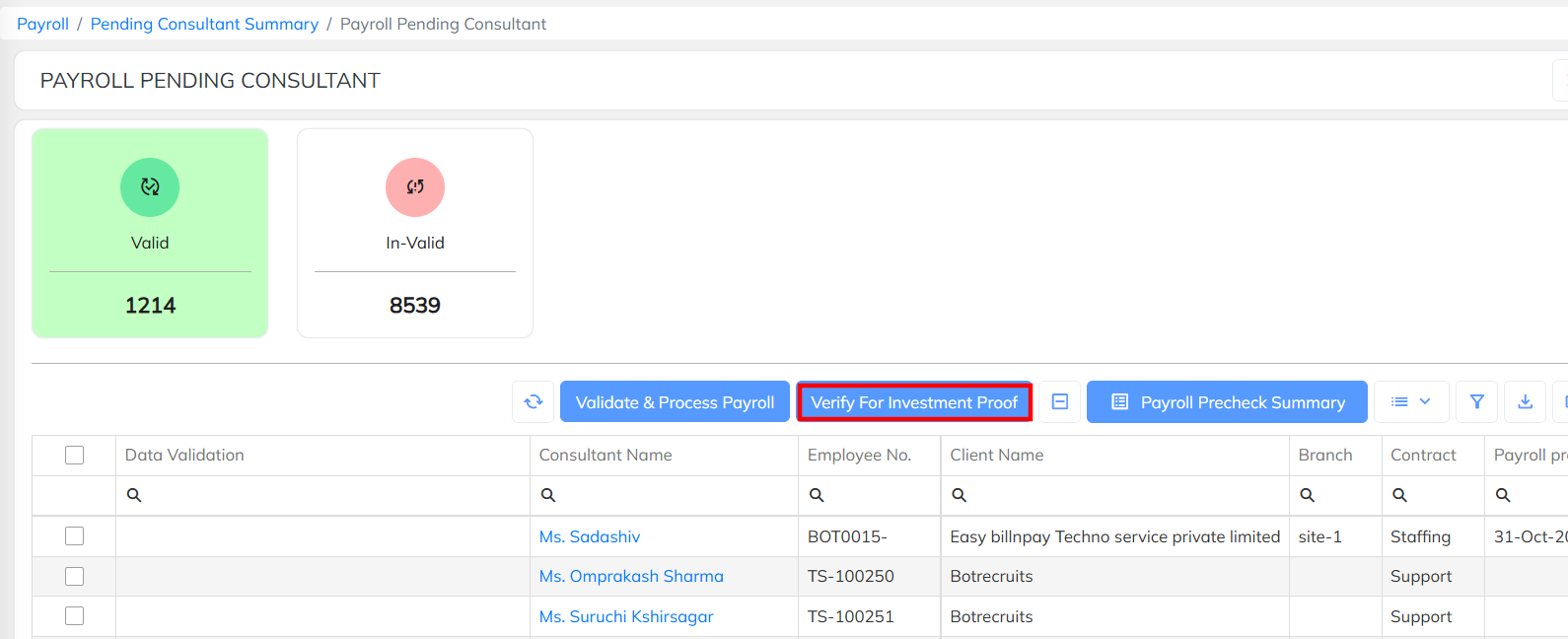
- Remove Proof pending& investment verification functionality available in the payroll pending also , During the payroll also we can able to perform the same.
STEP -3 : Bulk Employees TDS verification with Report :
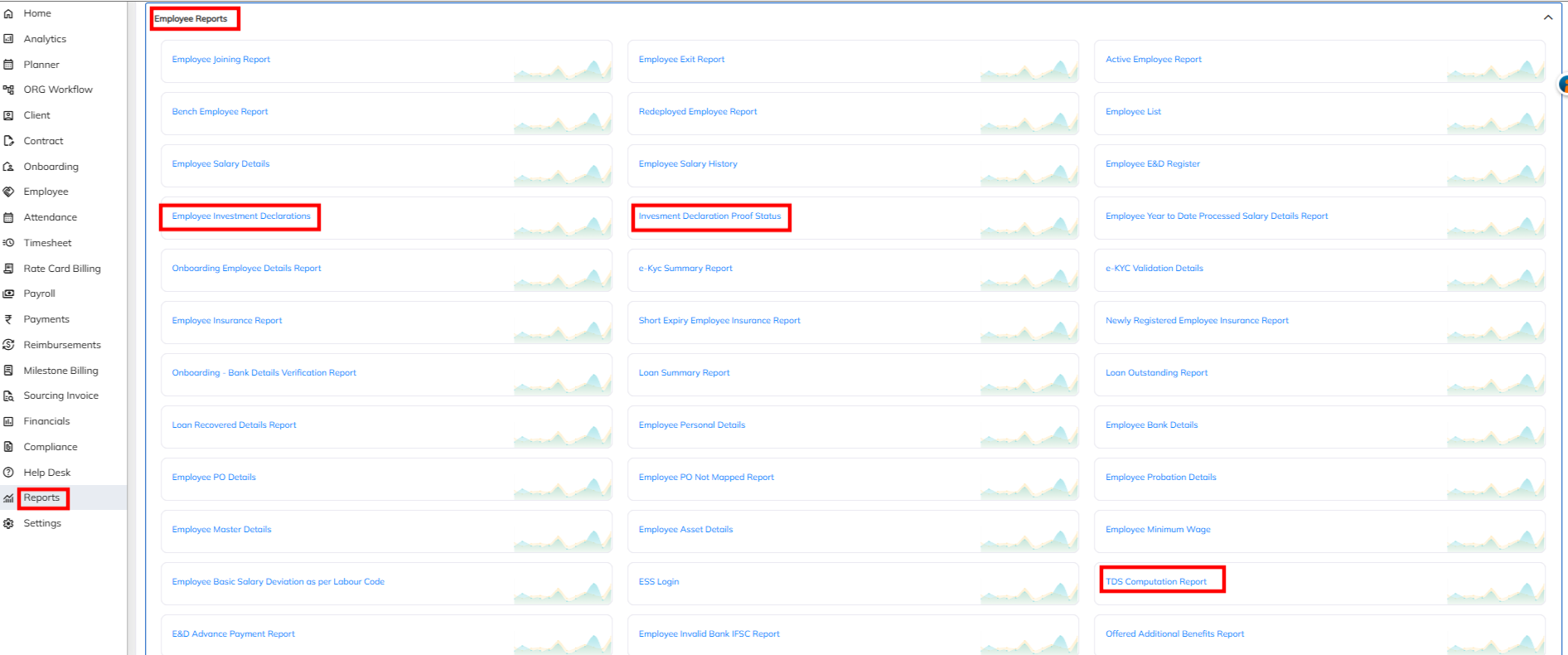
- Navigate to Reports >>Consultant/ Associate/ Employee Report>> Access the TDS computation Report & Investment declaration report/ Investment Declaration Proof Submission >> Based on the income tax financial year generate the report and validate the details.
- For TDS verification and consideration applicable salary header need to enable with Income tax applicability. If not configured same will not considered for taxable.
- For FLAT TDS configuration Tax slab will not applicable.
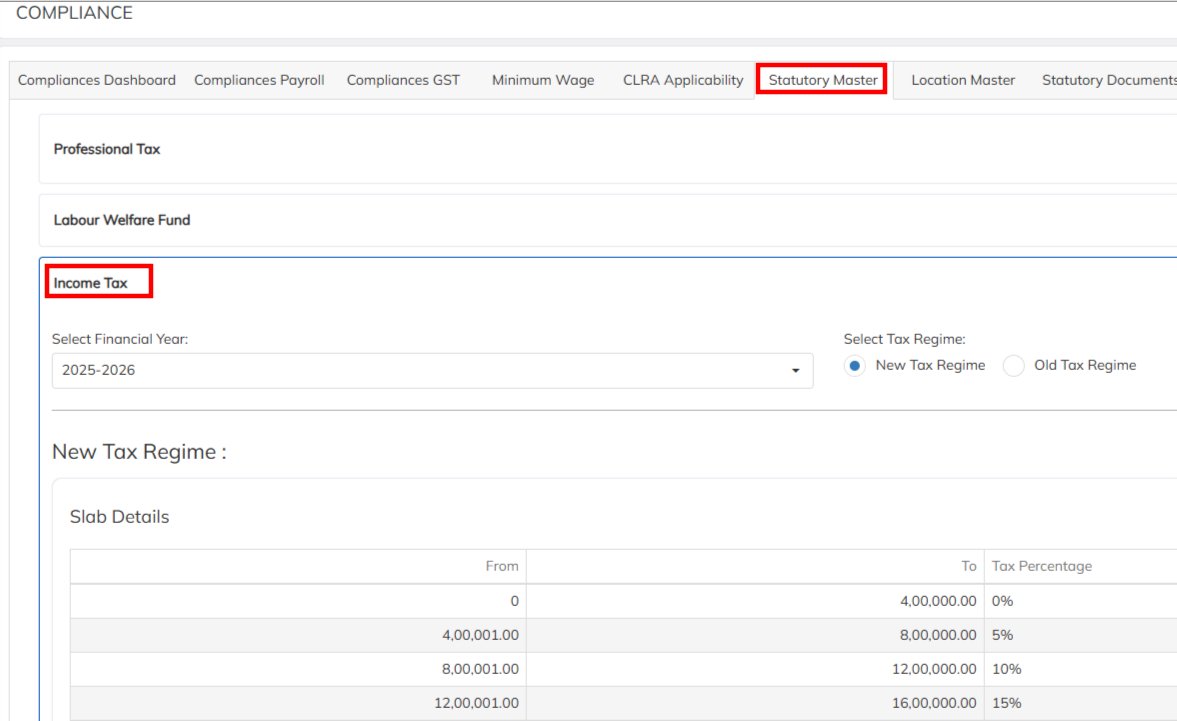
- To access the Tax Regime & slab details access the Statutory Master with income tax option under compliance module.
Note :
1. Behalf of the employee User can defined the employee investment & Proof along with verification completion.
2. After cut off period closed in ESS Portal, If any specific employee need to allow the ESS portal access can able to provide using the Allow to update Investments in ESS option. This functionality available till 10 days from the day of enabled and Auto disable the access. 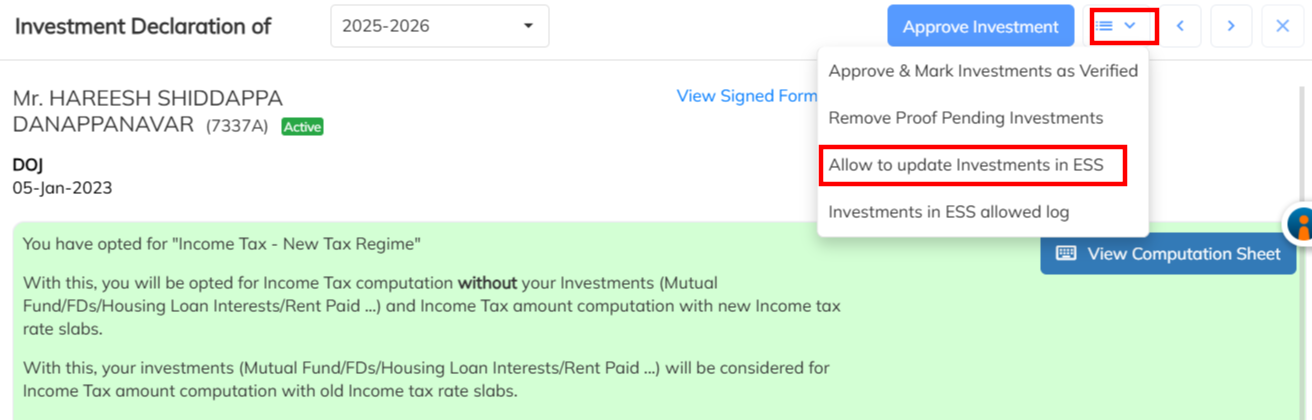
3. Investment Declaration accessible functionality is based on the User Access. Which are the user having the investment declaration access those can able to perform the verification process.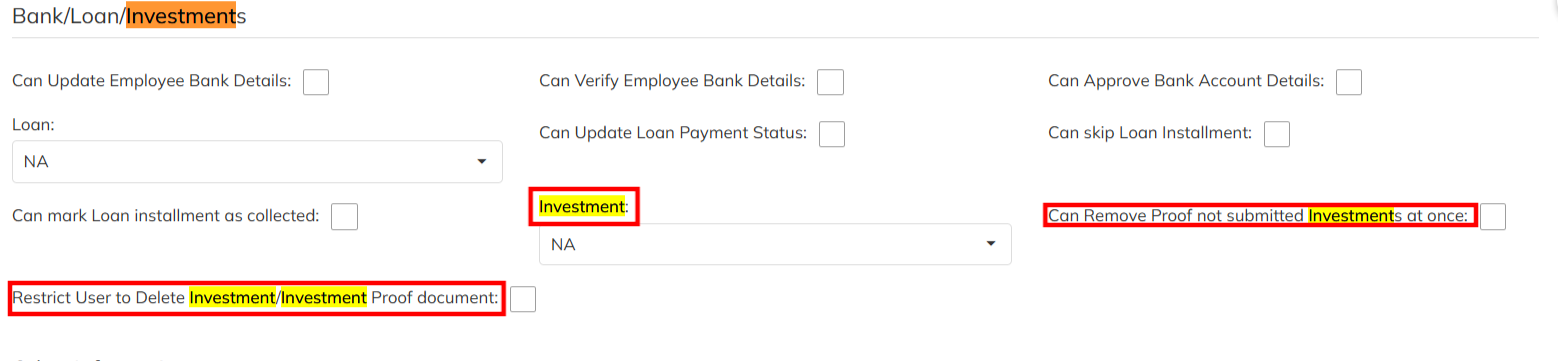
Was this article helpful?
That’s Great!
Thank you for your feedback
Sorry! We couldn't be helpful
Thank you for your feedback
Feedback sent
We appreciate your effort and will try to fix the article