This guide explains the steps to upload investment declaration proof documents on behalf of an employee in the system.
Steps to Upload Investment Declaration Proof
Go to Employee Module>>Click on the side Menu >>Select Investment Declaration.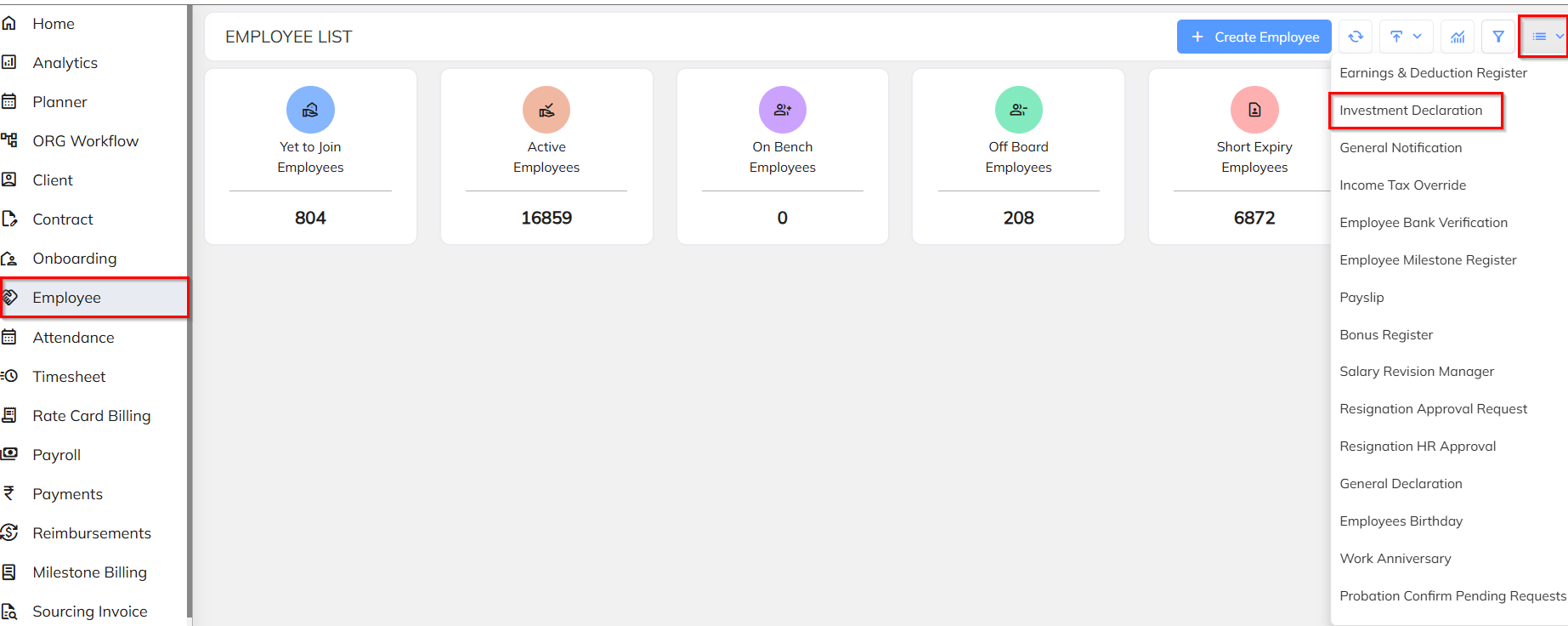
Select the Employee>>go to the Investment tab>>Click on the Edit (✏️) icon.
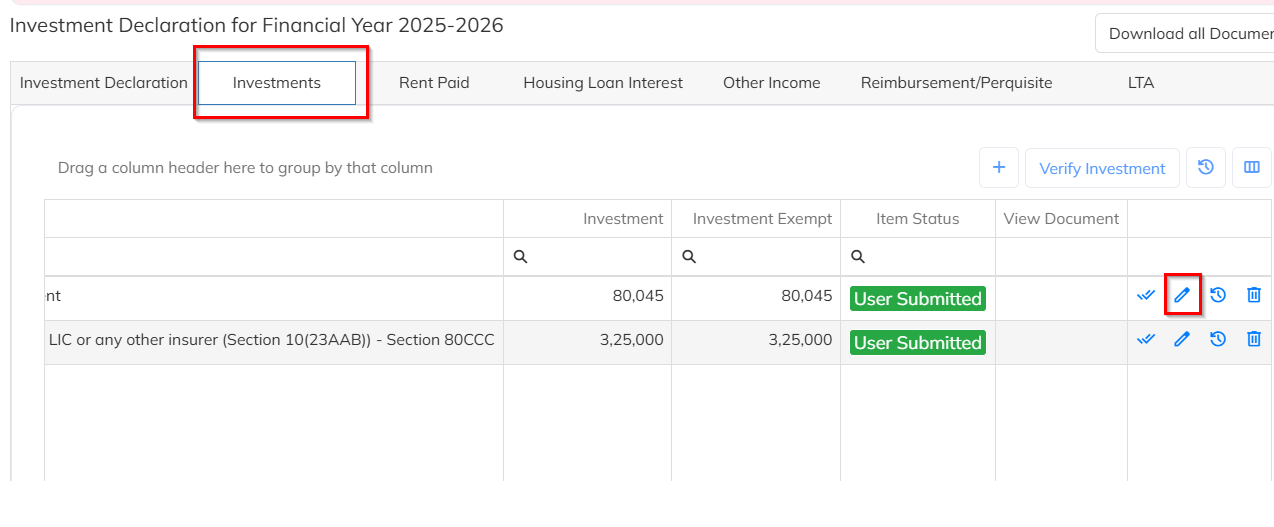
Click on “Click here to add the proof attachments”
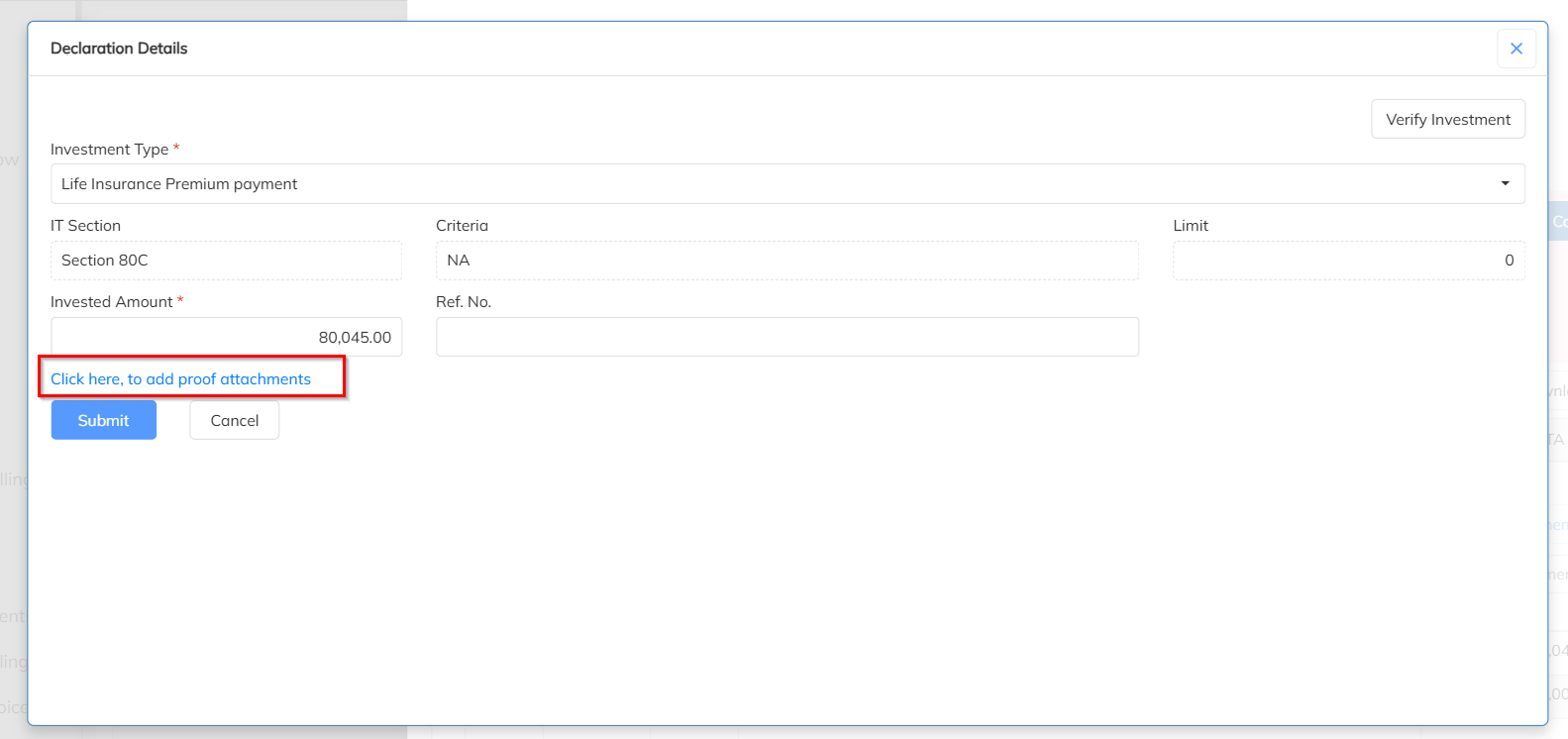
You will see a ‘+’ (Add) icon. Click on the ‘+’ icon.
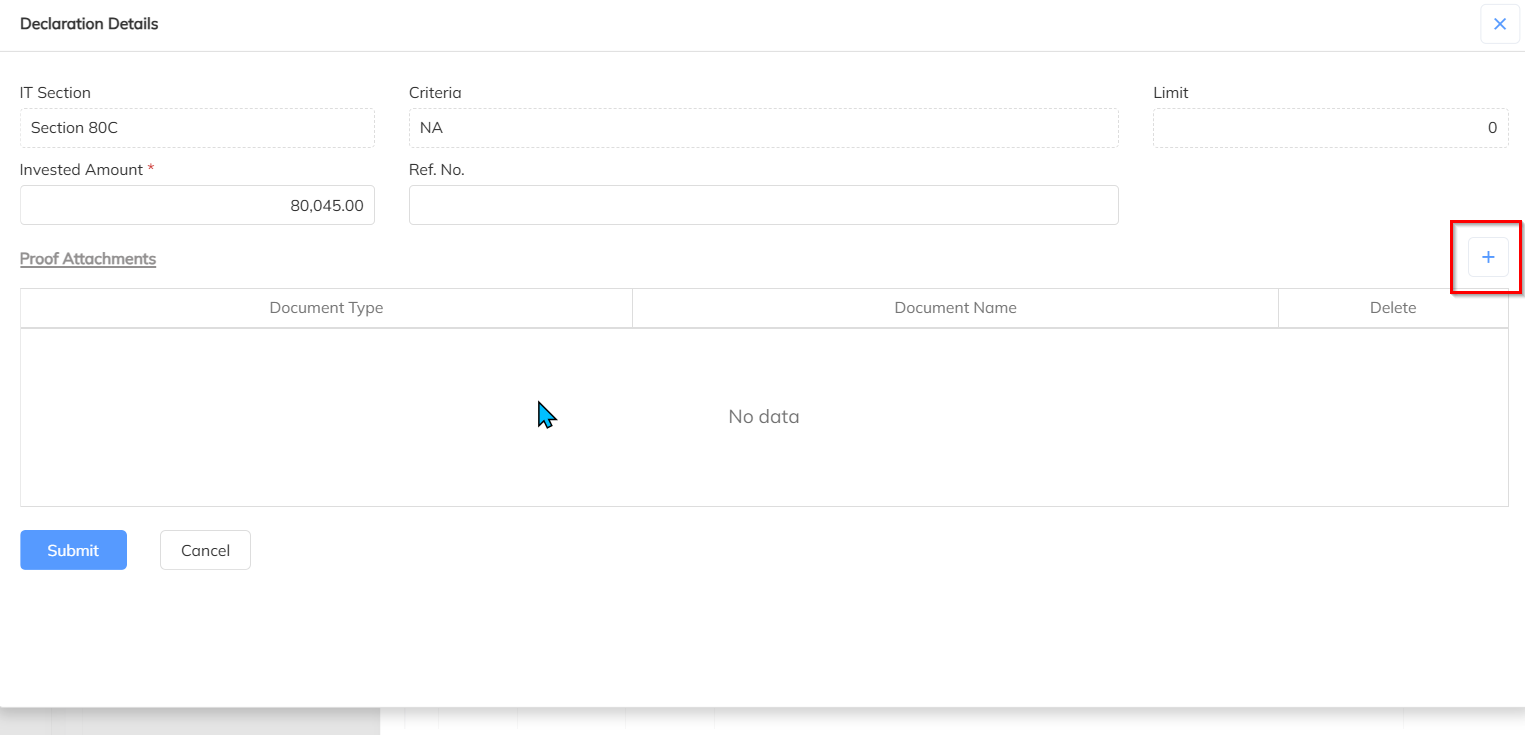
Upload the required file>>Select or mention the Document Type.>>Click on Save to complete the process.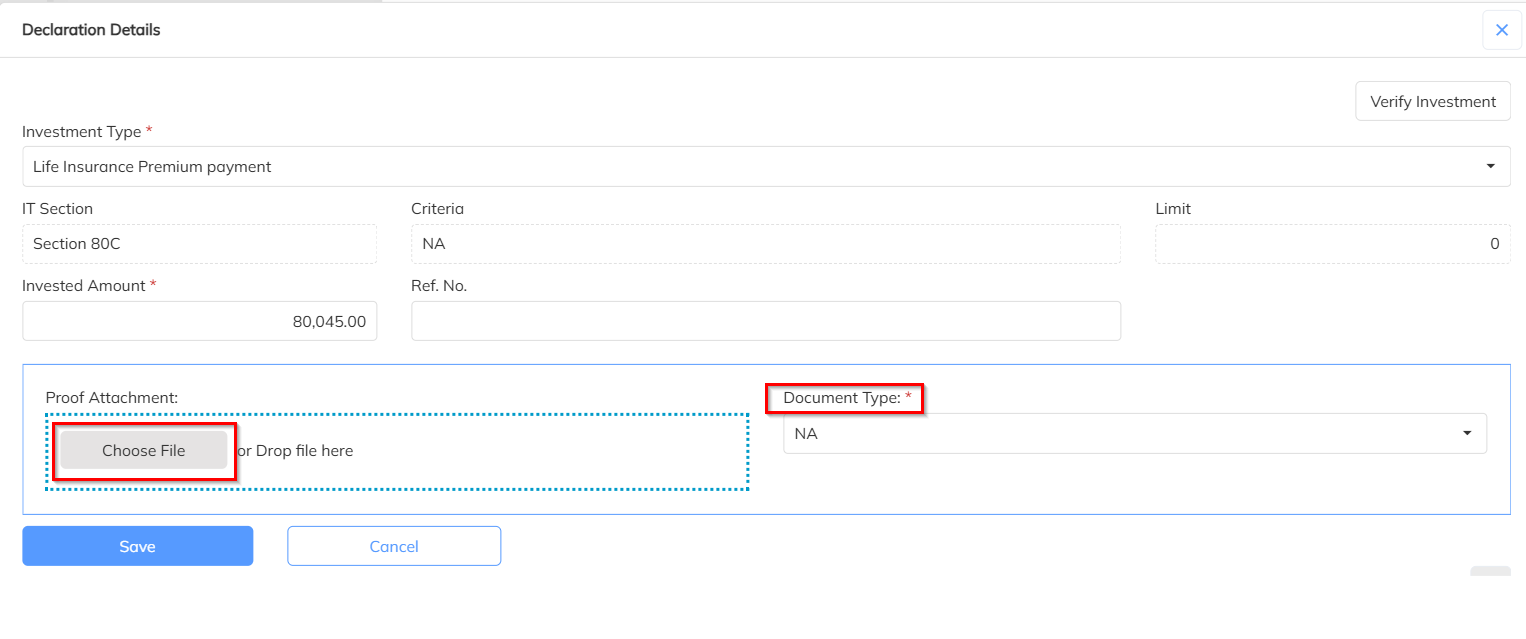
Was this article helpful?
That’s Great!
Thank you for your feedback
Sorry! We couldn't be helpful
Thank you for your feedback
Feedback sent
We appreciate your effort and will try to fix the article