This guide explains how to remove pending investment declarations for employees where proofs have not been uploaded, specifically for employees under the Old Tax Regime.
Steps to Remove Proof Pending Declarations
Navigate to the Employee Module >>Click on the Menu (three dots) available on the right side >>Select Investment Declarations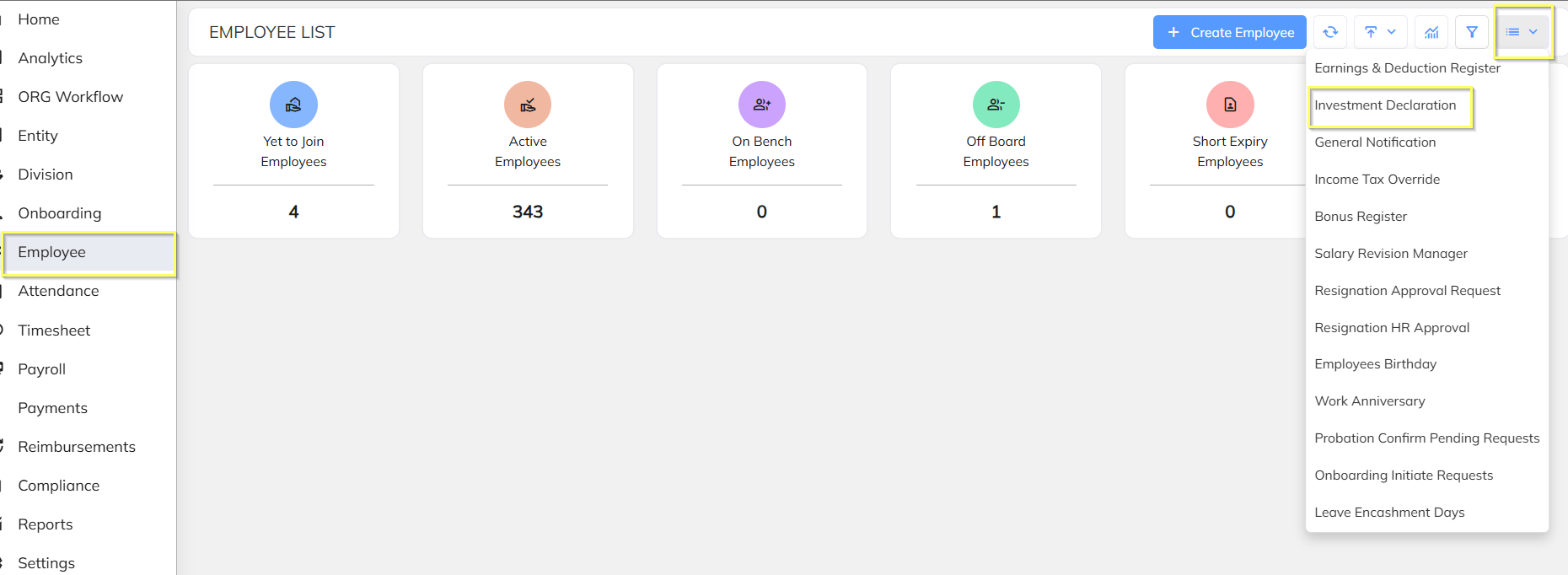
To filter the employee with Old/New Tax Regime.
Follow below steps:
Click on Filter icon, a filter tab gets open >> select the Declaration Type (Old/New tax Regime)>> then click on Load.
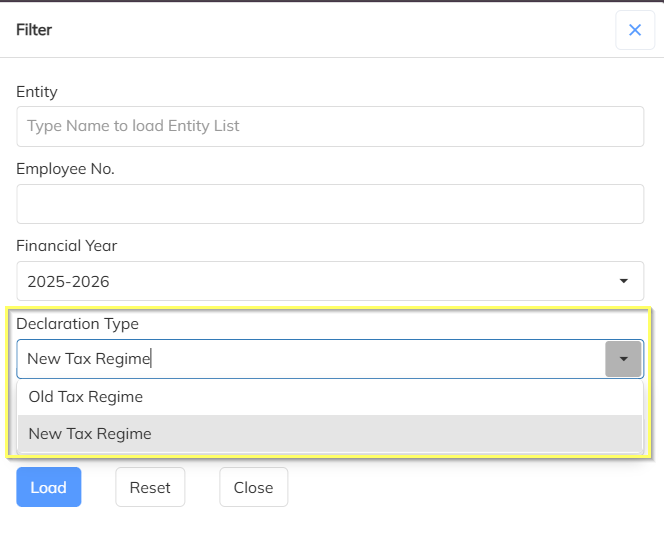
Once this is done the employees with the filtered declaration type employees will be displayed.
Select employees and >>Click on Remove Proof Pending Items.
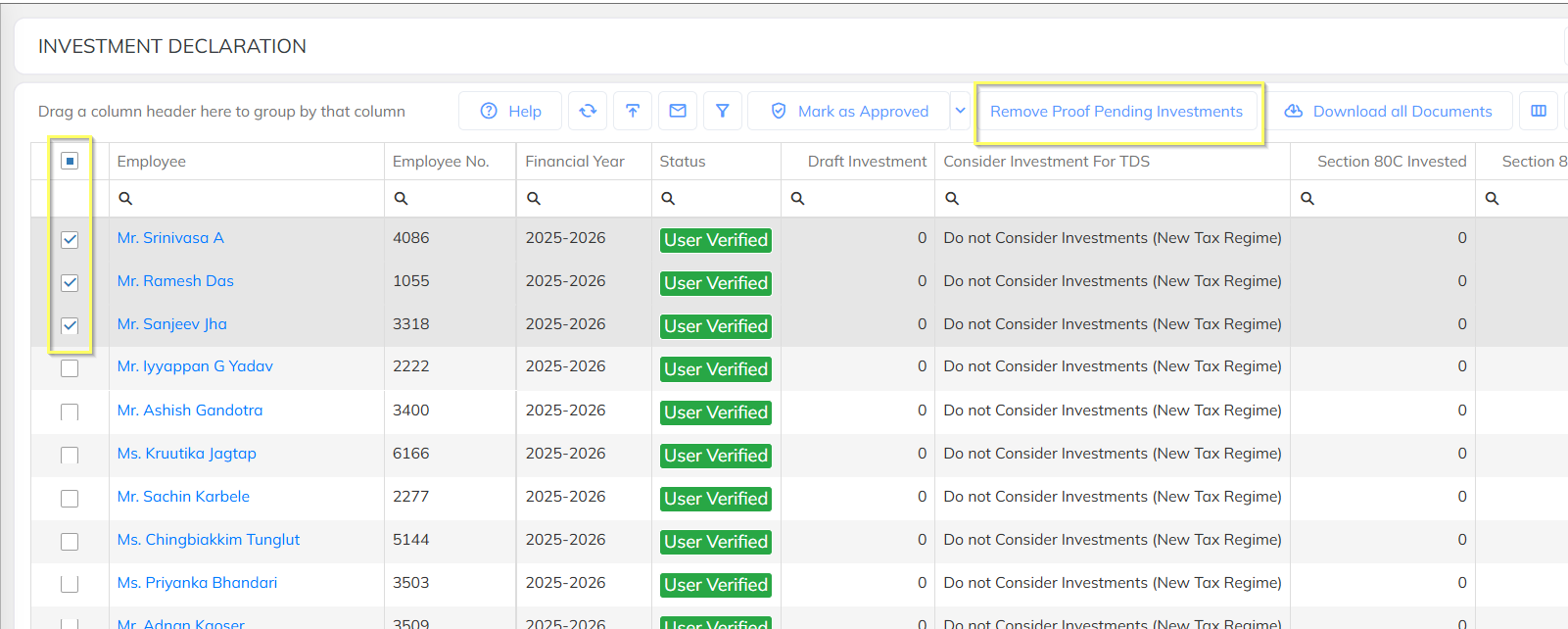
Upon doing the above action the employees whose declarations proofs where not submitted declaration will update as zero.
Was this article helpful?
That’s Great!
Thank you for your feedback
Sorry! We couldn't be helpful
Thank you for your feedback
Feedback sent
We appreciate your effort and will try to fix the article