Accordingly, Wage Salary must constitute at least 50% of the employee’s Total Cost to Company (CTC).
If the total of allowances exceeds 50% of the CTC, the excess amount shall be treated as wages for statutory compliance purposes. This provision ensures fair wage distribution and uniform calculation of statutory benefits.
Key Implications:
Impacts with these Changes:
StaffingGo Implementation:
Based on the updated Labour Code regulations, we have introduced a new feature that enforces the 50% Wage Salary validation.
Below is an overview of the steps and the specific areas where this validation has been implemented, in accordance with the latest Labour Code requirements:
ENABLING WAGE MINIMUM VALIDATION AT PORTAL SETTINGS
To enable the Wage Minimum validation follow the below mentioned steps :
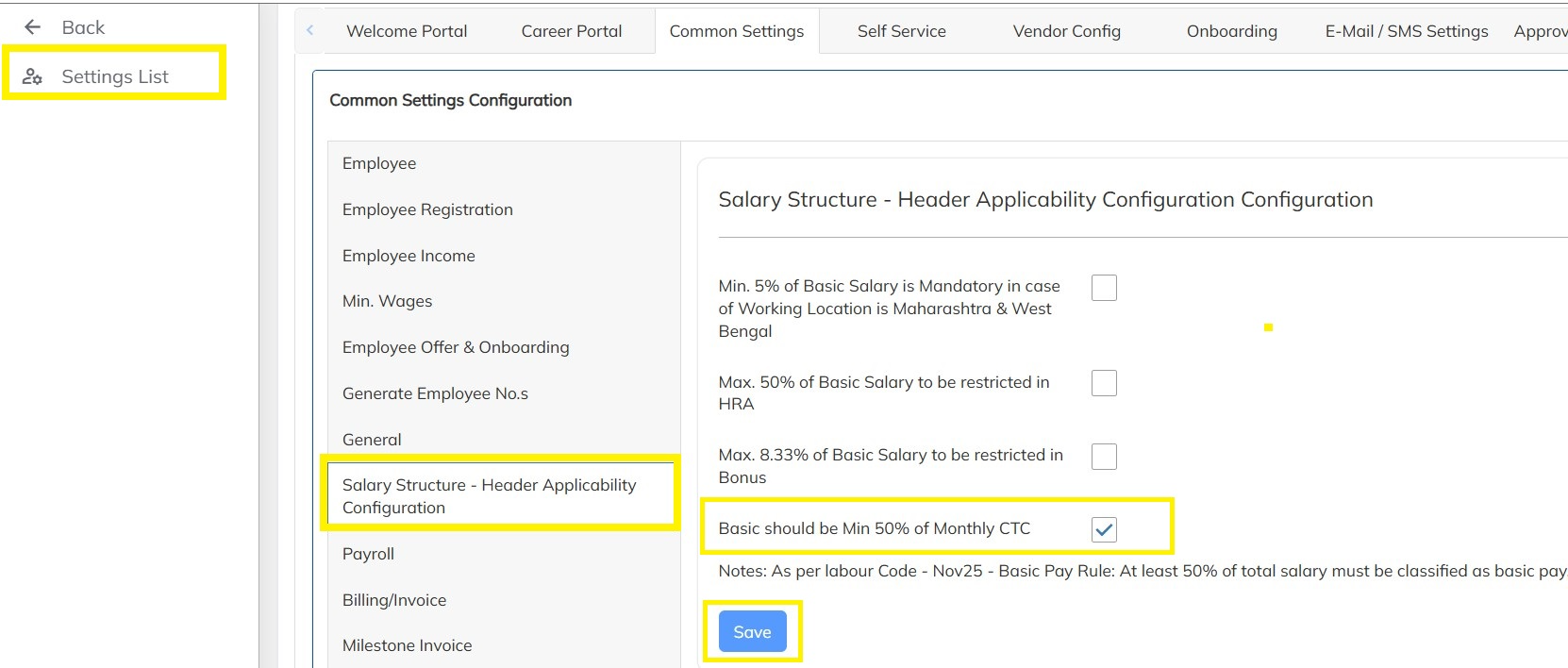
- Click on Settings-->Company Setup --> Click on Portal Settings -->Common Settings --> Click on Salary Structure - Header Applicability Configuration Configuration option --> Enable the Wage Salary should be minimum 50% of Monthly CTC checkbox and Click on save as shown below:
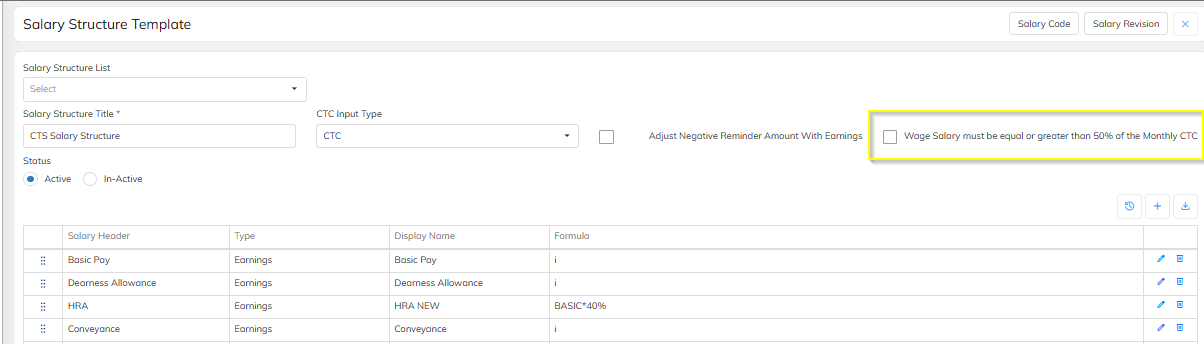
- Also, Same configuration to be enabled at Salary structure level(Wage Salary must be equal or greater than 50% of the Monthly CTC) to consider as per new wage labour code.
Now the Validation has been enabled at master level, It will applicable for salary structure update with effective date & Salary refresh. Default will consider. one can observe the validations taking place at the below Modules:
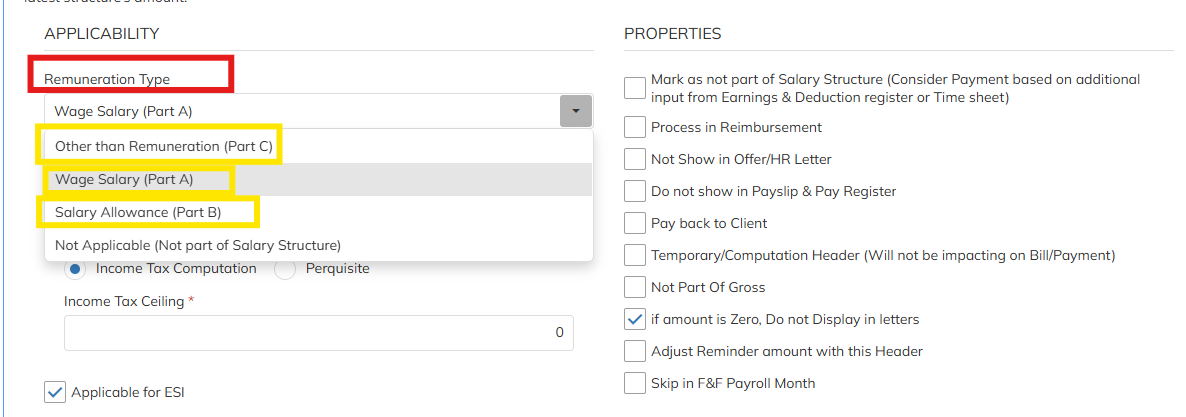
- Includes the Salary Headers applicable part such as PART-A, PART-B & PART-C mapping and defining under the Remuneration Type .
- Wage Salary (PART A)
- Salary Allowance (PART B)
- Other Than Remunaration (PART C) , These mapping associates the specific category with Total Remuneration ( Total Remunaration = Wage Salary + Salary Allowance) & TOTAL CTC =(Wage Salary + Salary Allowance + Other Than Remunaration ) . Refer the attached excel details for the Total remuneration as per the New wages clode.
- Salary specification with remuneration basis details bifurcation can able to get in the employee Level Salary Structure , If the salary header mapped with specification as Part A,B & C
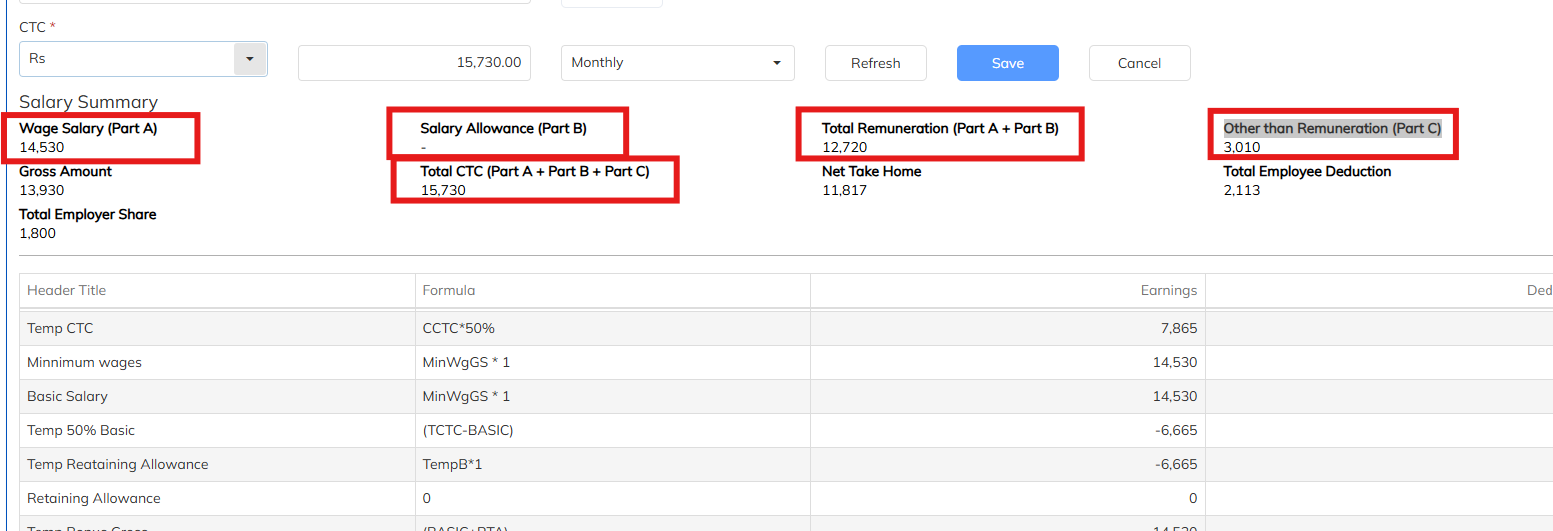
- Updating the Salary Structures at Employee level
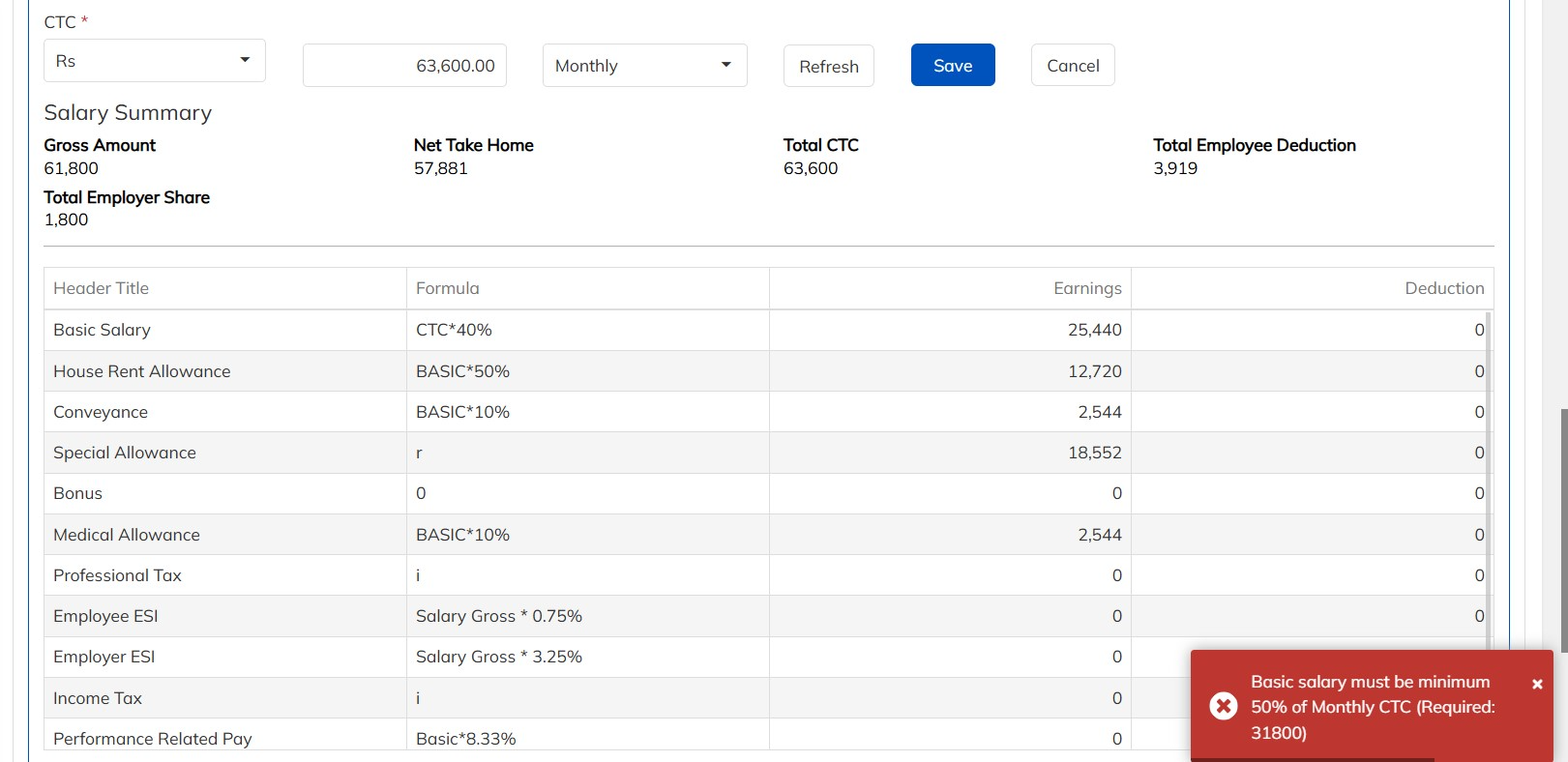
- Creation of Salary structures with respect to all Input types: CTC, Gross, NTH and Basic
- Updating the Salary Structures at Bulk Level
- Refreshing the salaries at the Salary Revision Manager level
- Creation of Salary codes with respect to the Salary Structures.
- Creation Salary Codes in Bulk
- Updating Salary codes with respect to the Employees at Employee level
- Updating Salary codes with respect to the Employees using Bulk
EMPLOYEE WAGE SALARY DEVIATION AS PER LABOUR CODE REPORT
- If the users wants to obtain details about the number of employees who have deviation in Wage Salary amount as per the Labour code, they can obtain it from the Employee Basic Salary Deviation as per Labour Code Report which can be generated as below:
- Navigate to Reports-- >> Select Employee/Consultant Reports
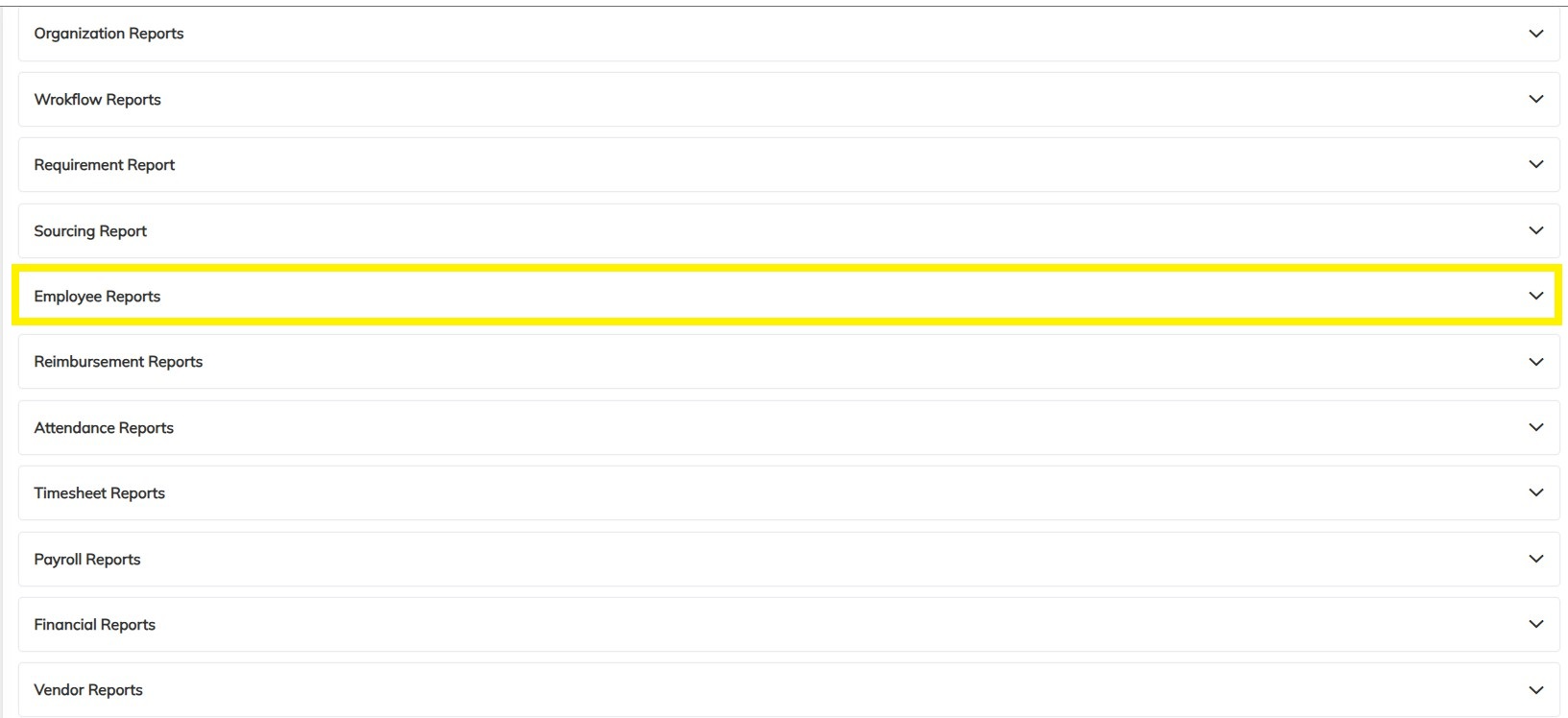
- Click on Employee Wage Salary Deviation as per Labour Code Report as shown below
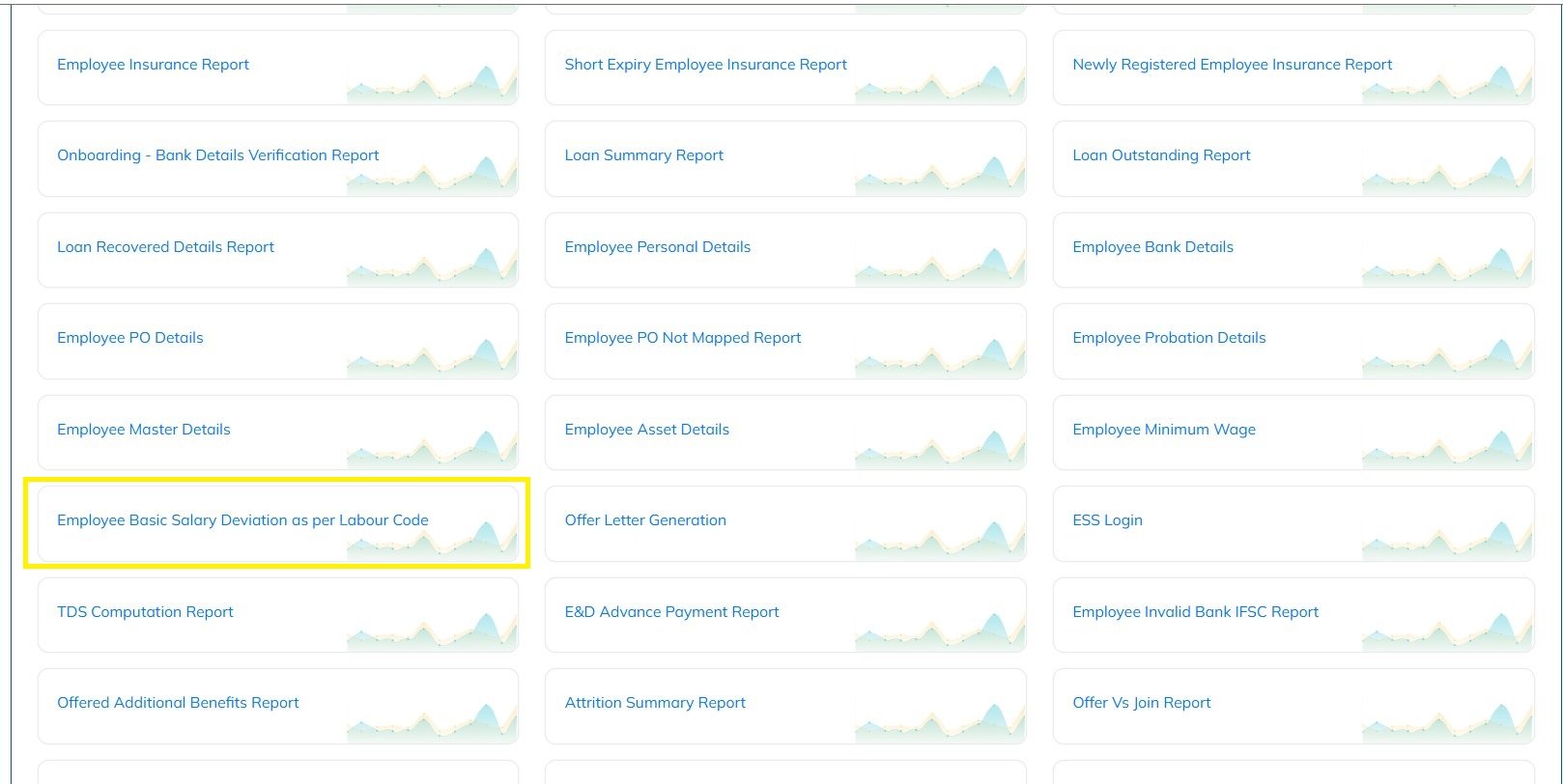
- Select the specific filters required if any and Click on Generate
- Verify the downloaded and updated the employee basic details accordingly.
Appointment Letter is compulsory to share to employees.
As per the Industrial Employment (Standing Orders) Act, 1946 and reinforced under the Code on Wages, 2019 and Occupational Safety, Health and Working Conditions (OSH) Code, 2020, every employer is required to provide a written employment contract / appointment letter to employees at the time of joining.
The appointment letter serves as a legal record of employment and must clearly specify the terms and conditions of employment.
StaffingGo Implementation:
We have introduce the both Offer & Appointment Letter in the application with respect to status.
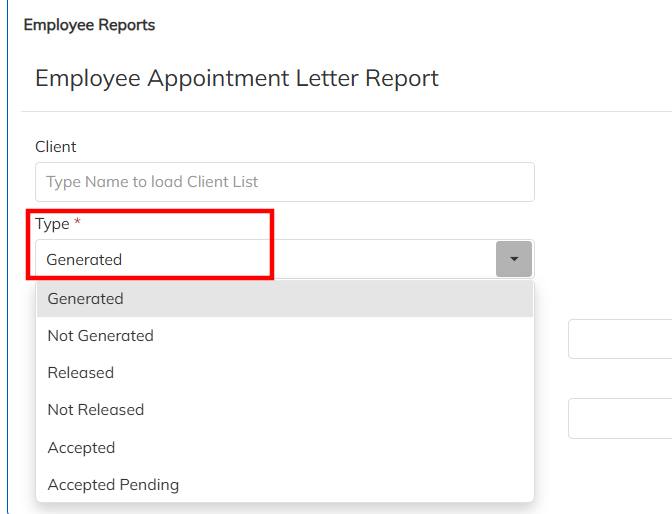
Ex: Letter generated, Not generated , Released, Not release , Employee Accepted , Accept pending based on these category report can able to generate
- Navigate to Reports >>Employee Reports >> choose Employee Offer Letter Report & Employee Appointment Letter Report

- During the Letter generation select the Letter type and generate the report accordingly.
Gratuity applicable for Fixed term employees after 1 years of DOJ.
the provisions of the Payment of Gratuity Act, 1972 (as amended), Fixed-Term Employees are eligible for gratuity after completion of 1 year of continuous service, instead of the standard 5-year requirement applicable to permanent employees.
Gratuity for fixed-term employees becomes payable on completion of the fixed-term contract period, provided the employee has completed at least one year from the Date of Joining (DOJ).
Key Highlights
Applicable only to Fixed-Term Employees
Minimum eligibility: 1 year of continuous service
Gratuity is calculated on Basic Salary + Dearness Allowance
StaffingGo Implementation:
We have introduce the FTE employee filed in the application. In order to enable the configuration follow the below mentioned steps :
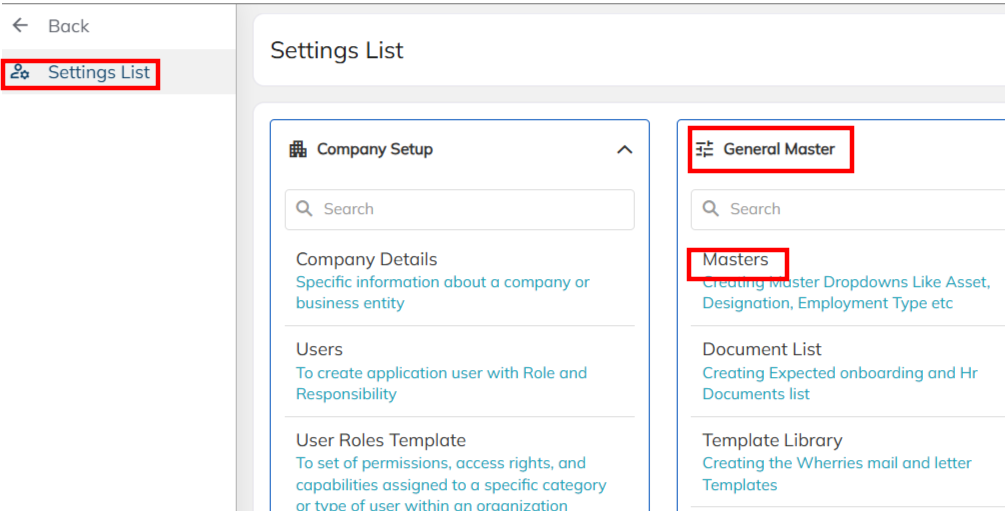
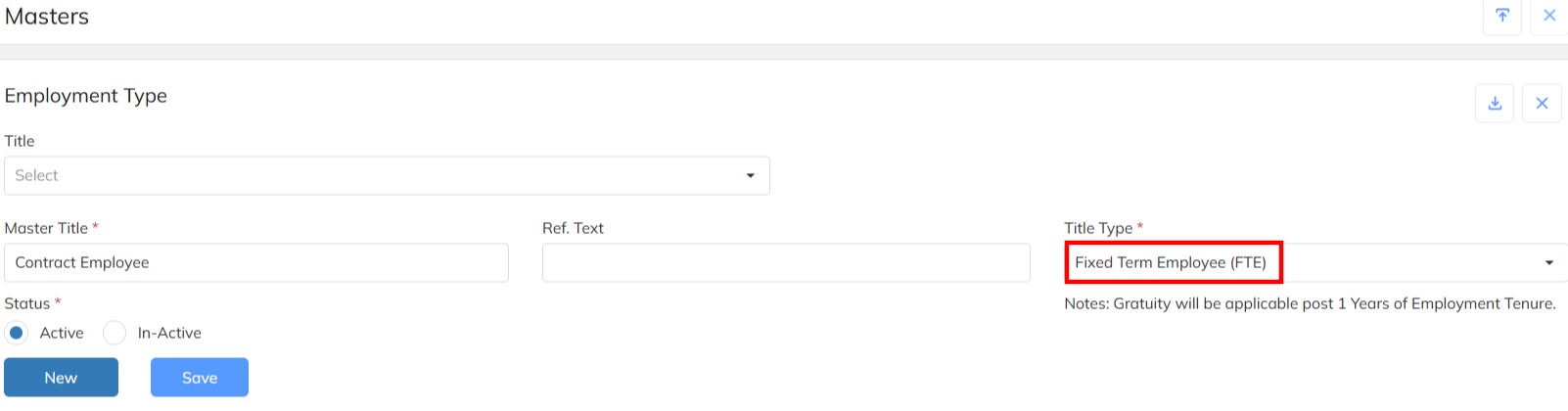
- Navigate to Setting >> General Master >> Master >> Choose the Employment type option and map the employment Title Type as Fixed Term Employee and save.
- Once employee , employment status update as Resigned In F&F details employee gratuity applicability & not applicability status will reflect based on the No of days completed from DOJ.
- In the Gratuity computation consider the employee Basic salary.
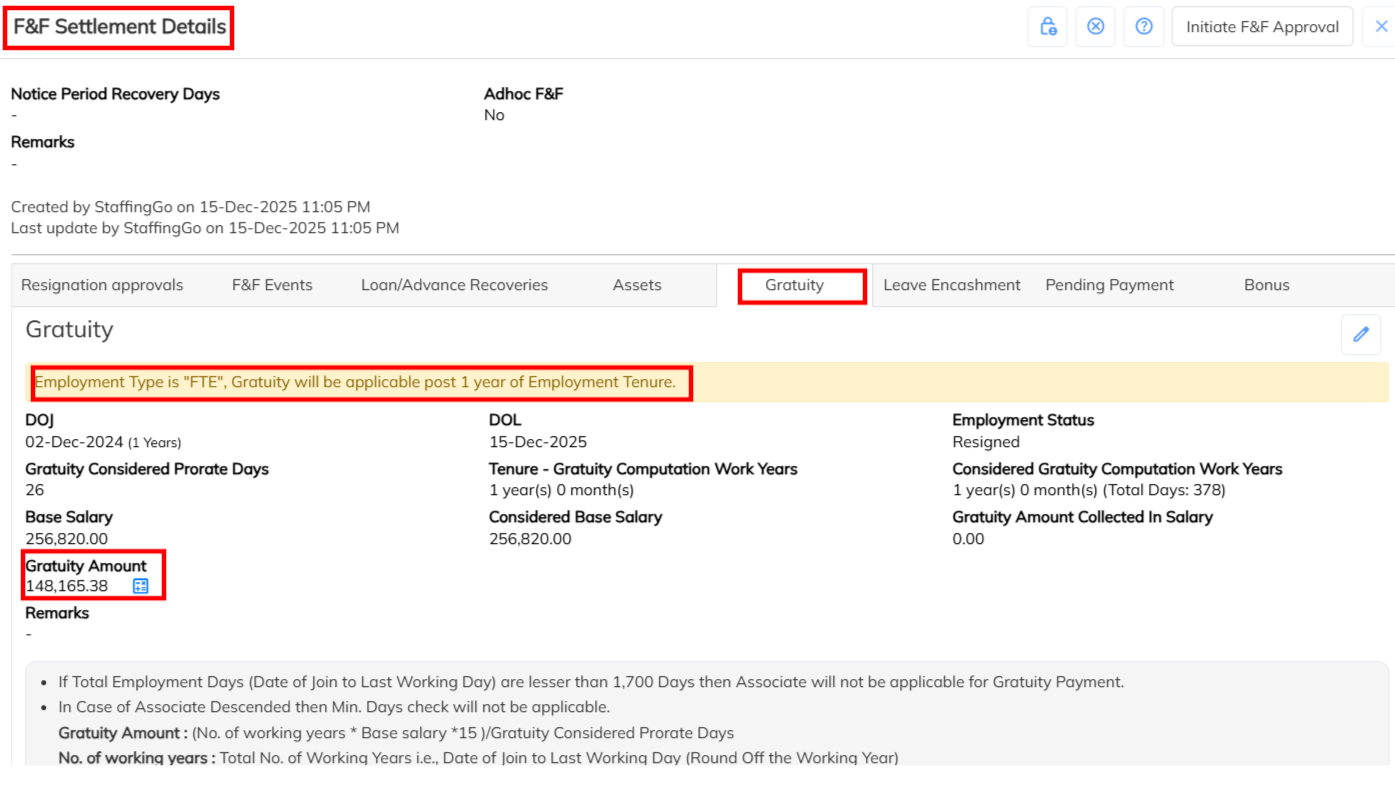
- F&F gratuity complete review , we have supported the gratuity details in the Exit Report.
- Navigate to Report >> Employee Reports >> Employee Exit Report generate based on the LWD will get all the F&F details for review.

ESI Consideration on Wages Salary
The definition of “wages” used to determine ESI eligibility has been revised under the New Labour Code -meaning more employees are likely to fall within ESI thresholds even if gross salary appears high.
Components included in “wages” for ESI now are Basic Pay + Dearness Allowance + Retaining Allowance. Certain allowances like HRA, overtime, bonus etc. are excluded, but if allowances exceed 50 % of total pay they may be partly included in wages.
Impact: Because of this, employees previously excluded (due to narrow wage definitions) might now be eligible for coverage under the ESI scheme.
StaffingGo Implementation:
Based on the updated Labour Code regulations, we have introduced a new feature that enforces the 50% wages salary consideration for ESI validation.
Below is an overview of the steps and the specific areas where this validation has been implemented, in accordance with the latest Labour Code requirements:
During the Salary header configuration introduce the Mark as Wages Salary option . This configuration must should enable on the ESI applicability salary header. Based on this configuration 50% wages validation for ESI consideration.
