Salary Structure – Header Applicability Configuration Steps
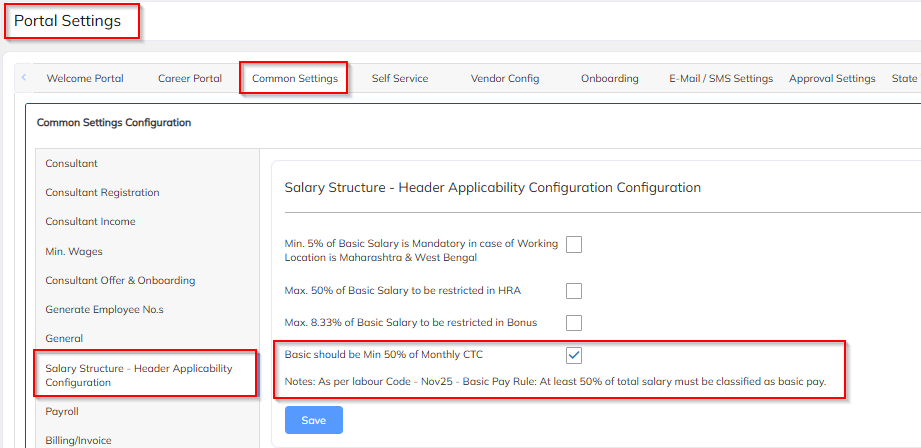
Step 1: Go to: Settings->Company Setup->Portal Settings->Common Settings->Salary Structure – Header Applicability Configuration
Enable Basic should be Min 50% of Monthly CTC
To validate Basic salary check and ESI calculations
Step 2: Configure BASIC = 50% of CTC
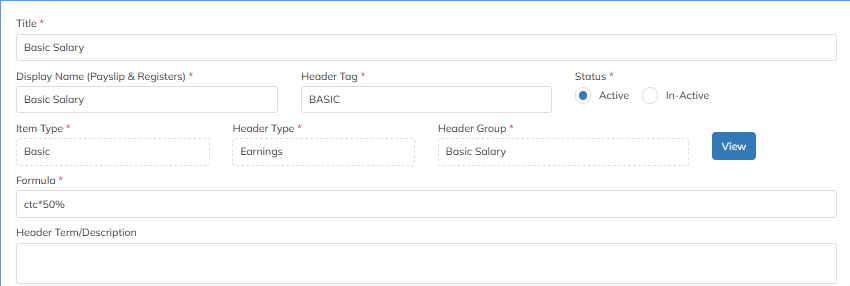
Select BASIC:
Calculation Type → Percentage of CTC
Percentage → 50
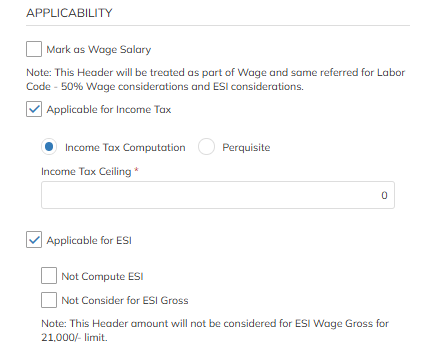
Calculation Base for ESI → BASIC
Under only Basic header enable Applicable for ESI
Save
Step 3: Configure Employer ESI
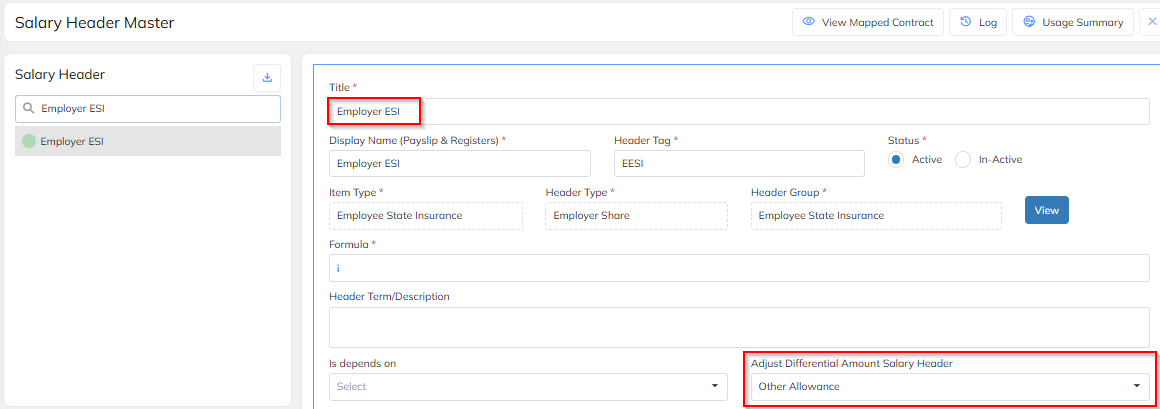
Select ESI:
Calculation Base → BASIC
ESI % → As per rule (0.75% employee / 3.25% employer or as configured)
Adjust Differential Amount Salary header as Other allowance to adjust remaining amount during offer or salary process if values are going beyond CTC.
Save
Was this article helpful?
That’s Great!
Thank you for your feedback
Sorry! We couldn't be helpful
Thank you for your feedback
Feedback sent
We appreciate your effort and will try to fix the article