Based on the updated Labour Code regulations, we have introduced a new feature that enforces the 50% Basic Salary validation.
Below is an overview of the steps and the specific areas where this validation has been implemented, in accordance with the latest Labour Code requirements:
ENABLING BASIC MINIMUM VALIDATION AT PORTAL SETTINGS
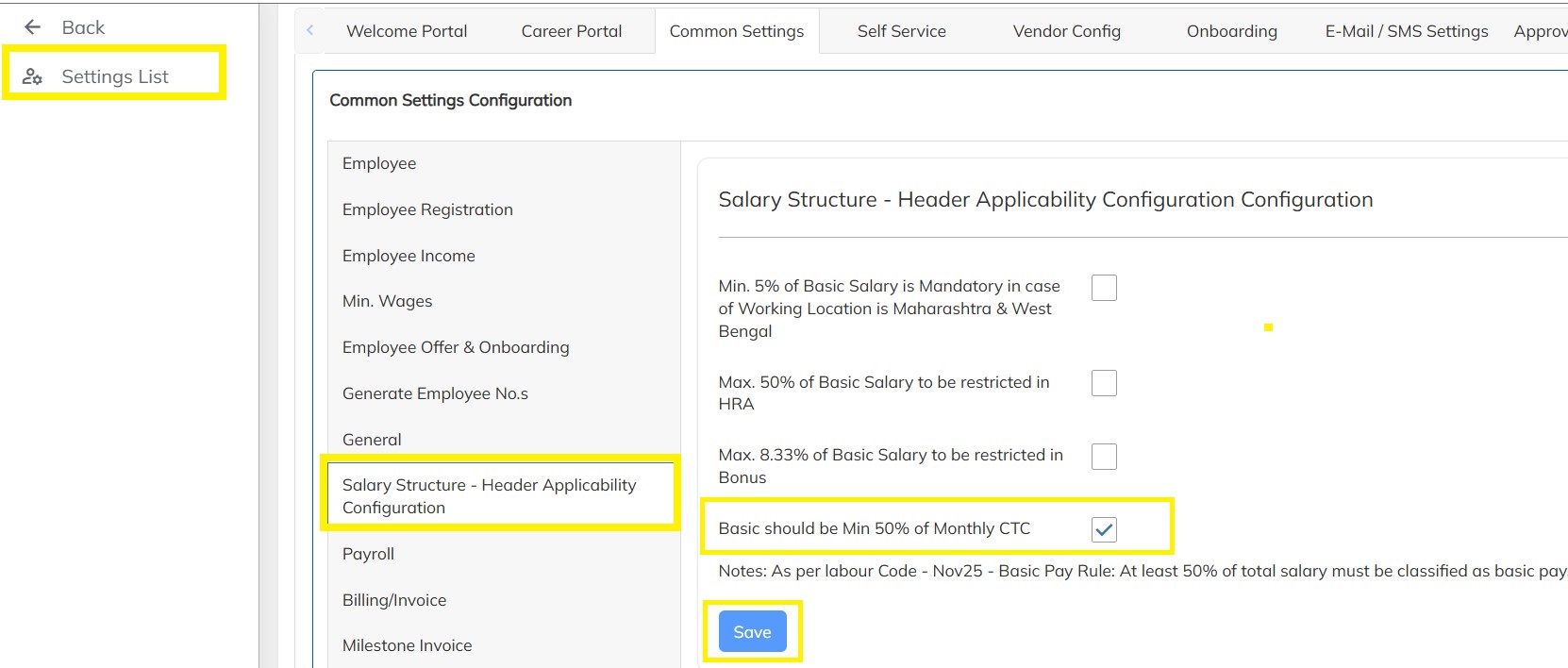
To enable the Basic Minimum validation we have to enabled the option at the Master level as shown below:
- Click on Settings
- Under Company Setup --> Click on Portal Settings
- Click on Common Settings --> Click on Salary Structure - Header Applicability Configuration Configuration option --> Enable the Basic should be Min 50% of Monthly CTC checkbox and Click on save as shown below:
Now the Validation has been enabled at master level, and one can observe the validations taking place at the below Modules:
- Updating the Salary Structures at Employee level
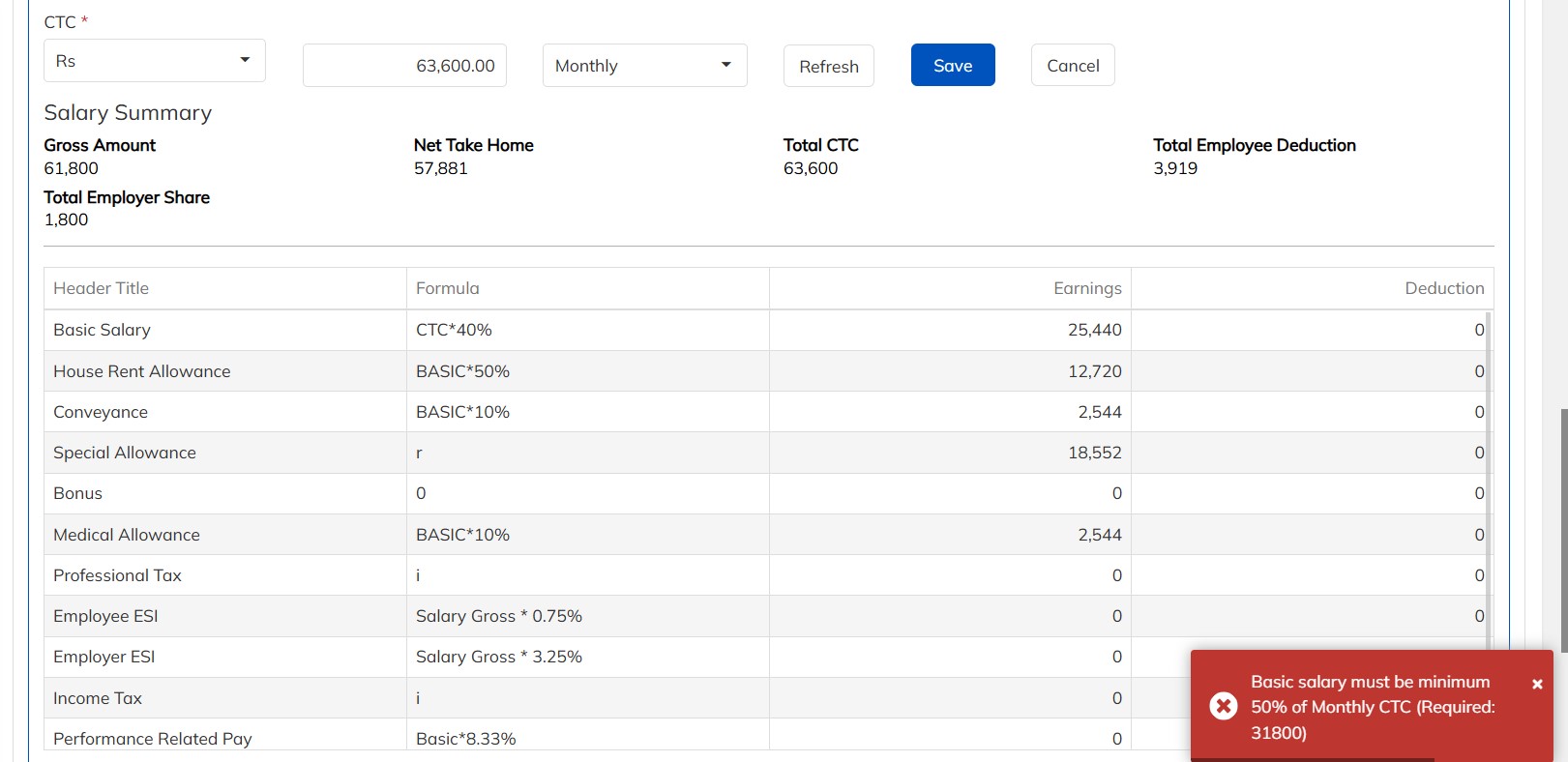
- Creation of Salary structures with respect to all Input types: CTC, Gross, NTH and Basic
- Updating the Salary Structures at Bulk Level
- Refreshing the salaries at the Salary Revision Manager level
- Creation of Salary codes with respect to the Salary Structures.
- Creation Salary Codes in Bulk
- Updating Salary codes with respect to the Employees at Employee level
- Updating Salary codes with respect to the Employees using Bulk
EMPLOYEE BASIC SALARY DEVIATION AS PER LABOR CODE REPORT
- If the users wants to obtain details about the number of employees who have deviation in Basic amount as per the Labor code, they can obtain it from the Employee Basic Salary Deviation as per Labor Code Report which can be generated as below:
- Go to reports
- Click on Employee/Consultant Reports
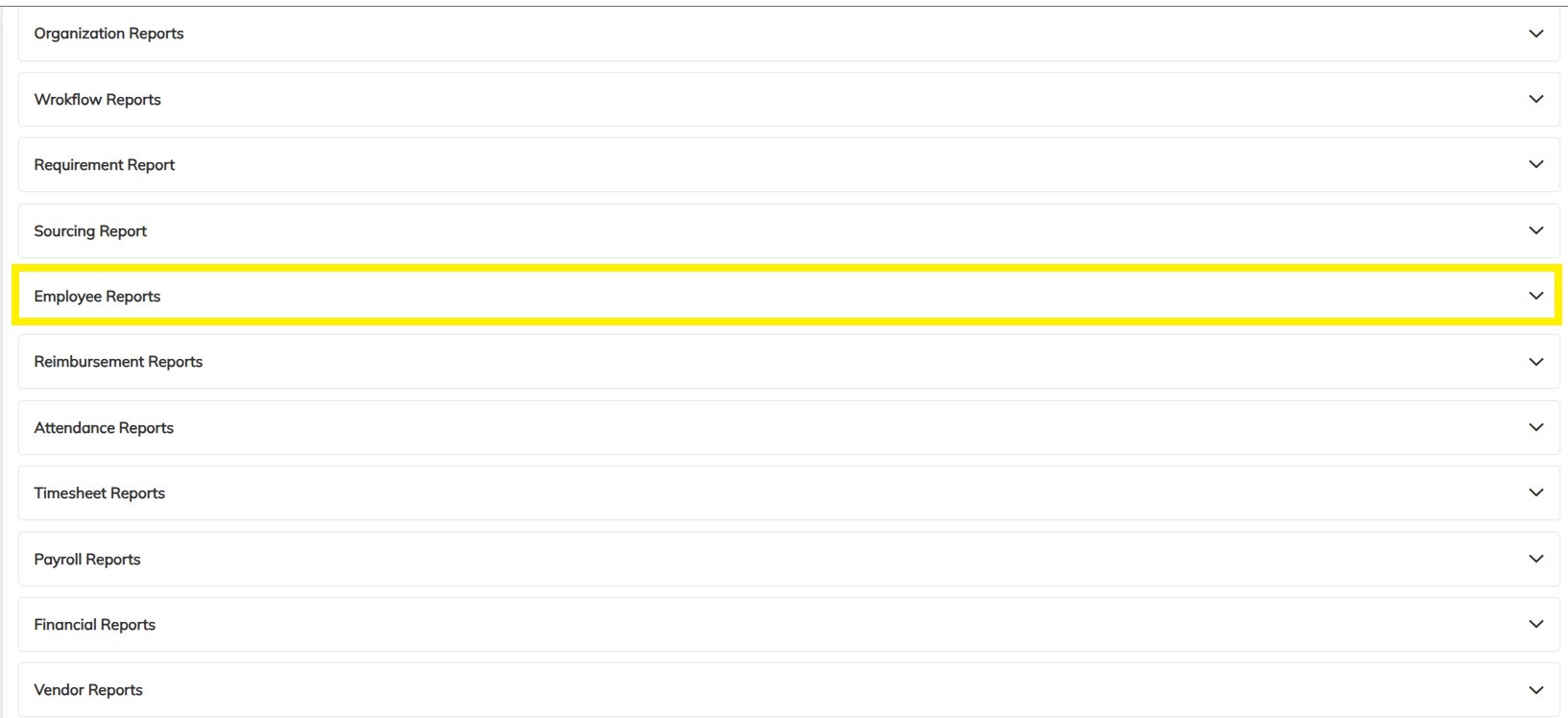
- Click on Employee Basic Salary Deviation as per Labor Code Report as shown below
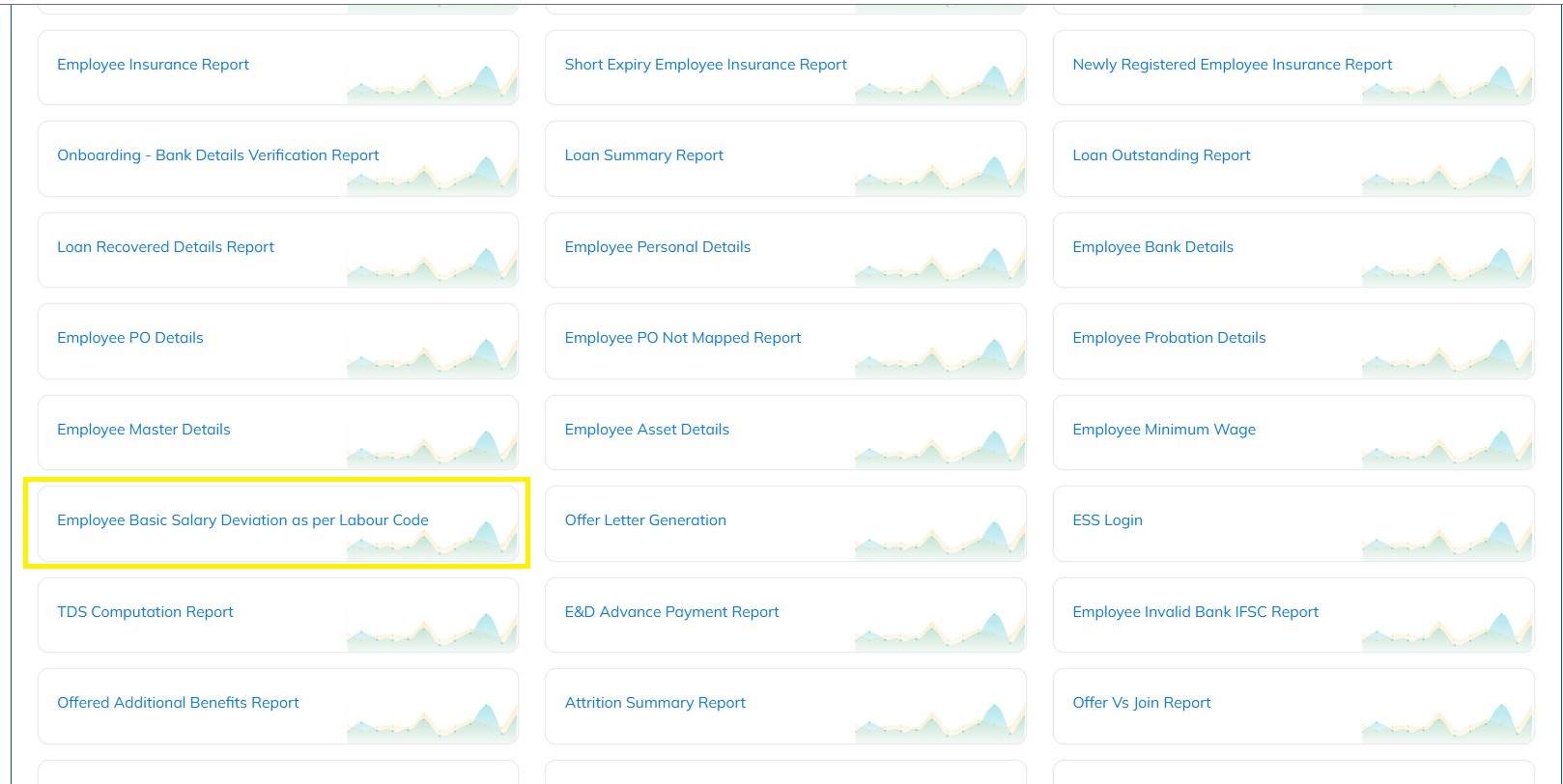
- Select the specific filters required if any and Click on Generate
- Verify the downloaded and updated the employee basic details accordingly.
Was this article helpful?
That’s Great!
Thank you for your feedback
Sorry! We couldn't be helpful
Thank you for your feedback
Feedback sent
We appreciate your effort and will try to fix the article