As per the new Labour code on ESI ESI eligibility based on gross wage ≤ ₹21,000 .Once covered, employee continues till end of contribution period even if wages exceed limit . ESI Cycle Period follows as mentioned below.
1st April – 30th September
1st October – 31st March
ESI Applicable on below mentioned components
Basic Pay
Dearness Allowance (DA)
Retaining Allowance
ESI Excluded on the below mentioned components.
HRA
Bonus
Overtime
Conveyance
Statutory bonus
Gratuity
As per this wages code in-order to achieve the set up ESI applicability criteria from Gross Salary to on Specific components ( (BASIC+DA) follow the below mentioned steps :
This configuration process helps to disable the ESI functionality on Gross and consider only the specified salary components which has been enabled with ESI Applicability.
METHOD 1: If the Salary header configuration in Master level all over the client, Set up the configuration in Master level configuration.
- Navigate to Setting List >>Staffing Master >> Salary Header >> Select the specific salary header which are not applicable to ESI.
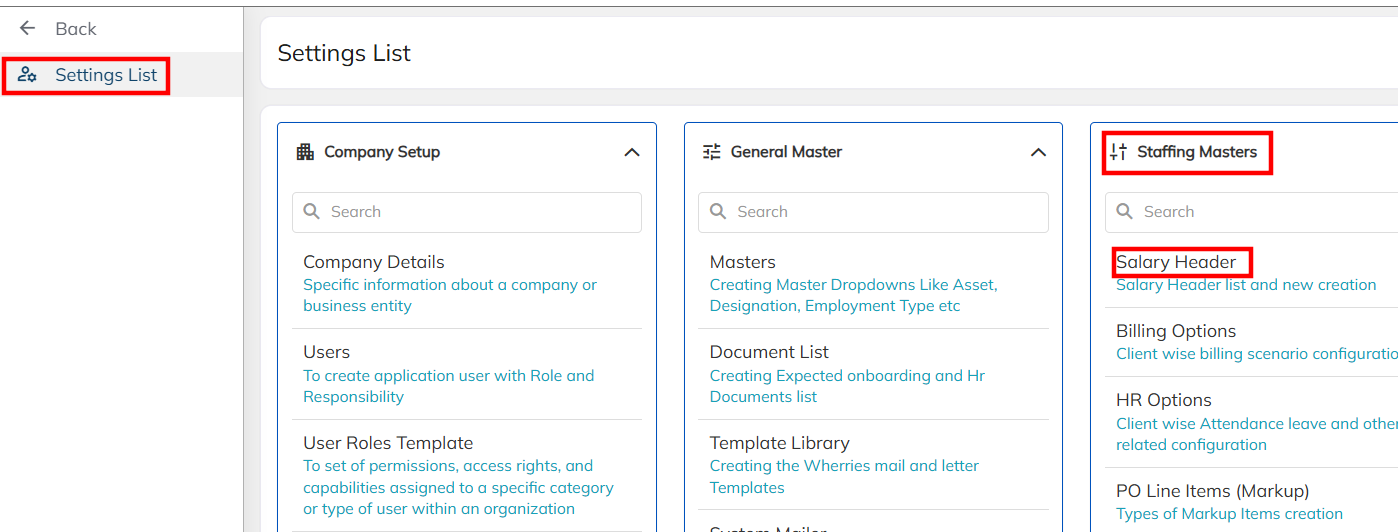
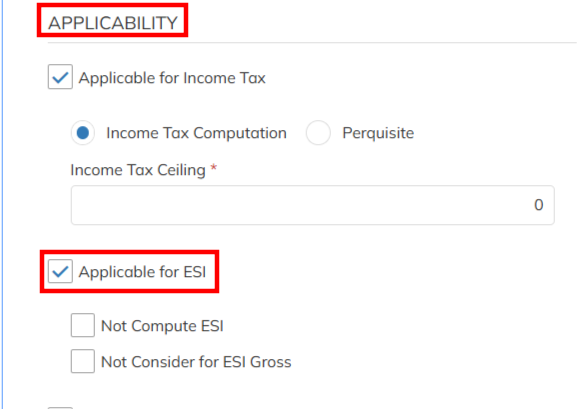
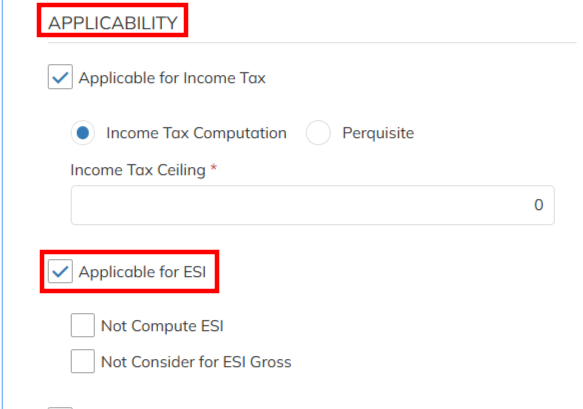
- Disable the Applicable for ESI option functionality configuration and save the salary header. Enable the ESI applicability only on the applicable salary header Based on this configuration only Applicable for ESI enabled salary header consider for payroll for ESI computation. ESI applicability disabled salary header will not consider for the ESI computation.
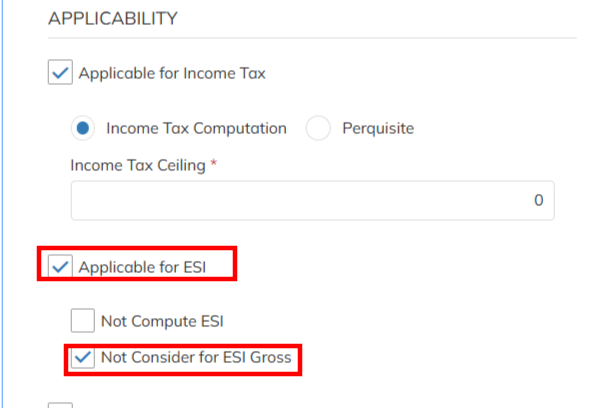
- If the Salary header applicable for ESI but not to consider for the ESI Gross amount in order avoid the ESI not applicability based on ESI gross amount disable the Not consider for ESI Gross configuration and save. According to the configuration salary header will consider for ESI computation and same amount will not consider for the ESI gross.
METHOD 2: If the Salary header configuration for specific client level follow the configuration set up under contract level.
- Navigate to Selected Client Contract >>Salary Header Override >>Add Salary Header/ select the already available Salary header (Select the specific salary header which are not applicable to ESI. )
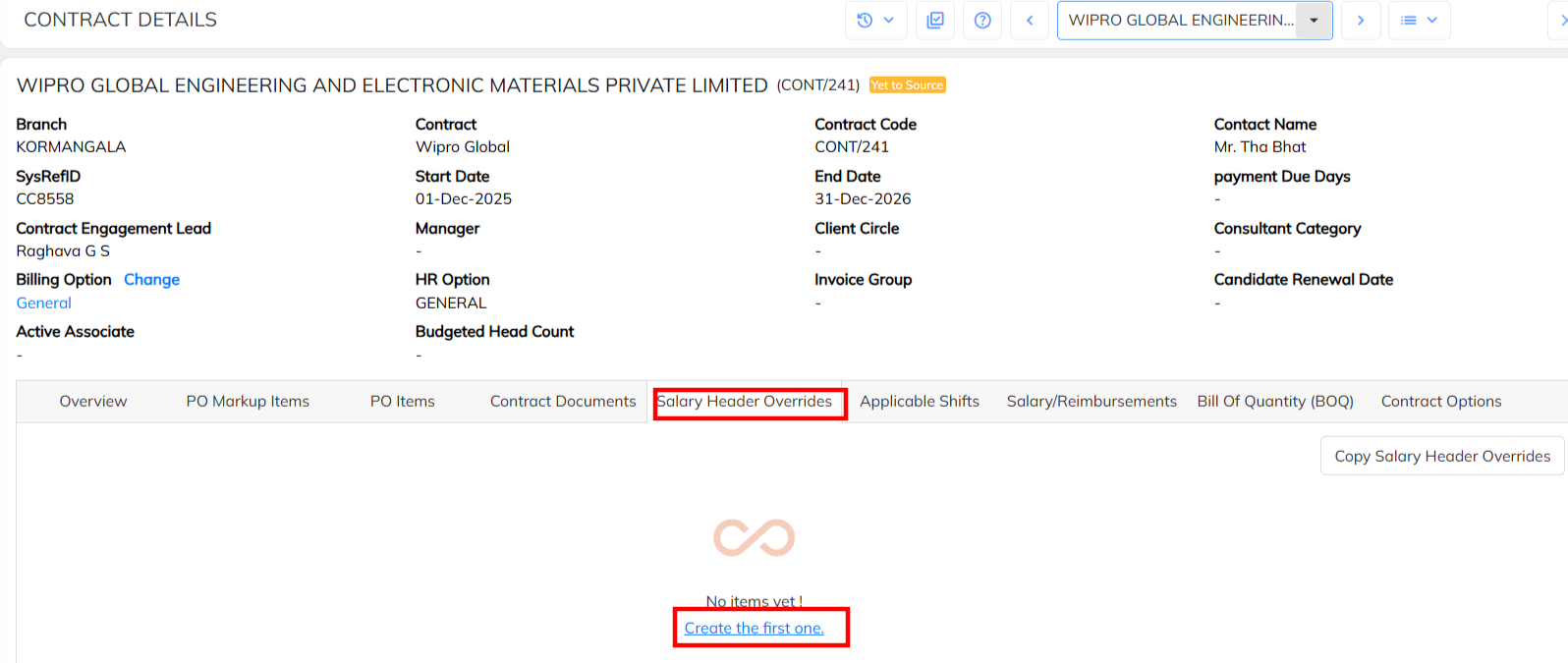
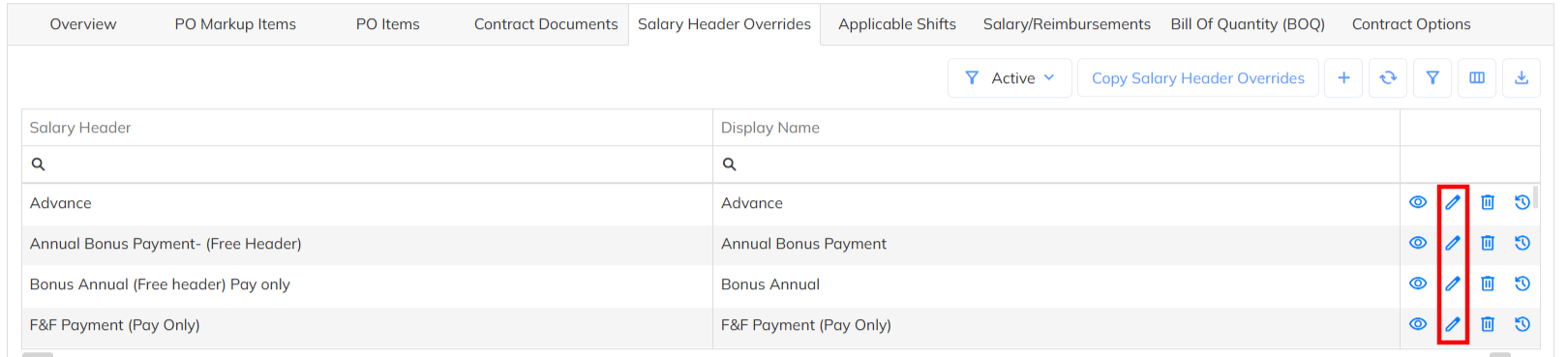
- Disable the Applicable for ESI option functionality configuration and save the salary header. Based on this configuration only Applicable for ESI enabled salary header consider for payroll for ESI computation. ESI applicability disabled salary header will not consider for the ESI computation.
Note : Once the mentioned configuration done Update the employee salary details with Effective date to get the aligned ESI computation changes effectively. For new joiner auto configuration will considered.
Was this article helpful?
That’s Great!
Thank you for your feedback
Sorry! We couldn't be helpful
Thank you for your feedback
Feedback sent
We appreciate your effort and will try to fix the article