Overview
The application provides the flexibility to configure and map multiple salary structures and offer/appointment/HR letters based on different client requirements.
This document outlines the step-by-step process for mapping at both the Client Level and Contract Level. Applicable client / contract salary structure only can able map & view the same structure for selected client/ contract employees. This will avoid the confusion to salary mapping with having drop-down.
There are Two levels at which Salary structure & Offer , Appointment/ HR Letter can be map in the application
- Client Level : Client level mapped will generate.
- Contract Level : Contract level mapped Salary structure will generate tagged employees under the same contract.
1.Client-Level Salary structure mapping :
follow the below mentioned steps to map the Salary structure at the client level :
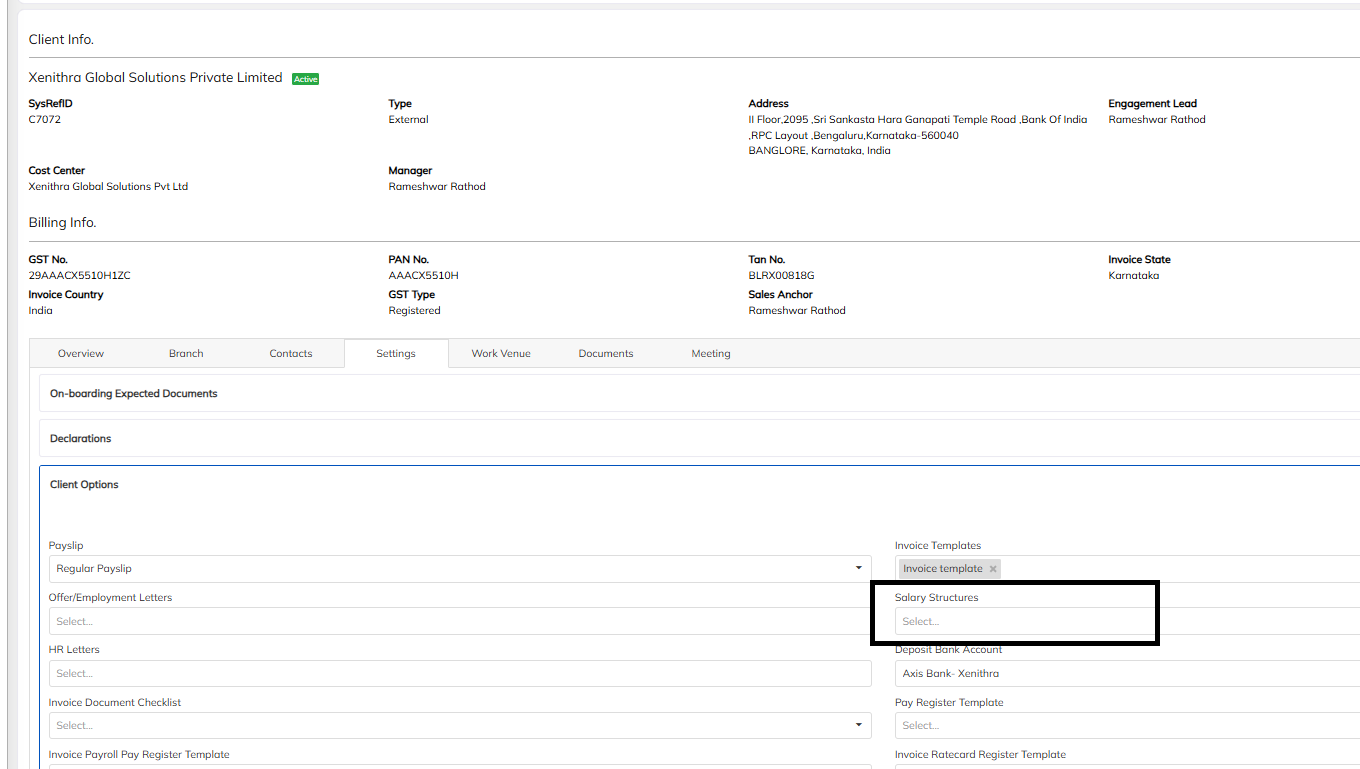
- Navigate to the Clients Module >> Select the specified the client >> Navigate to client profile >>Chose the Setting option which is available under client profile.
- Select the Setting option >> navigate to Client Option >>Map the client specified Salary structure and save. we can able to map the multiple salary structure in the same.
2. Contract-Level Salary Structure Mapping
follow the below mentioned steps to map the Salary Structure at the Contract level :
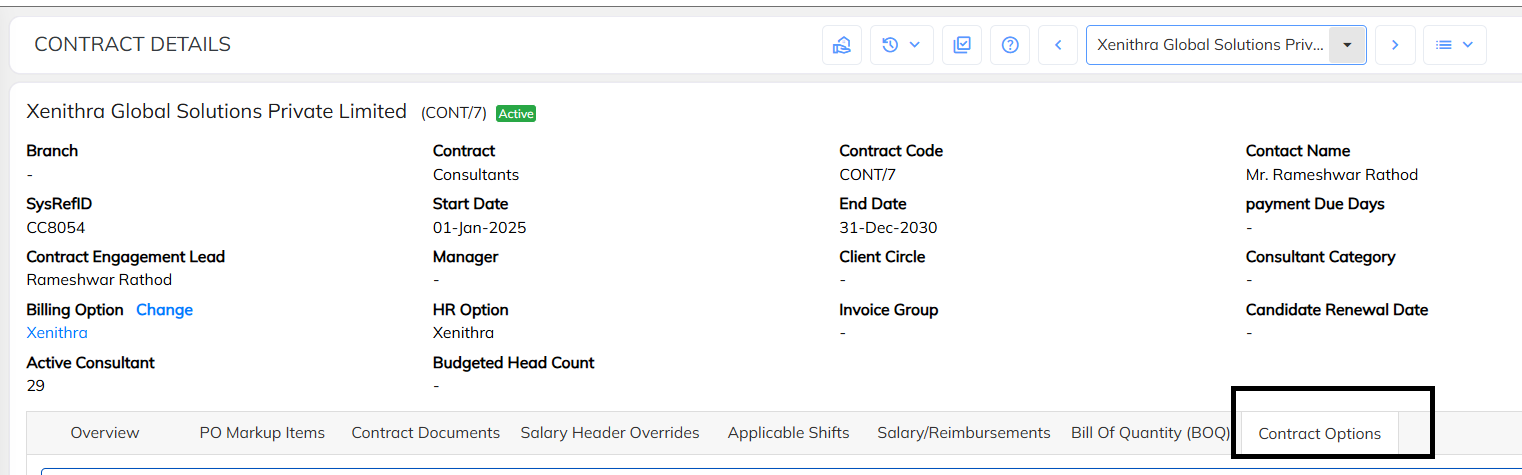
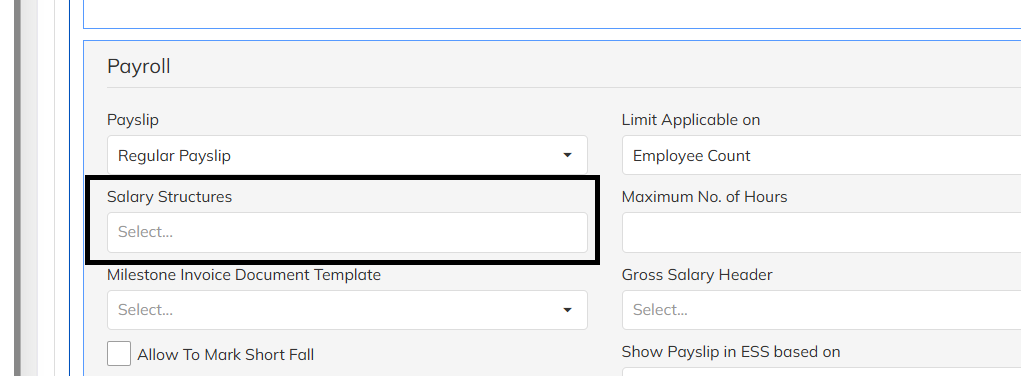
- Navigate to the Contract Module >> Select the specified the client contract >> Navigate to contract profile >>Chose the Contract option which is available under contract profile.
- Select the Contract option >> navigate to Contract Option >>Map the client specified salary structure under and save.
Offer/Appointment letter mapping Process
For the multiple offer/Appointment letter configuration w.r.to different client process, in the application we have an feasibility of the Offer/Appointment letter mapping in the application.
Client levels at which offer/Appointment/HR letter can be map in the application
Client Level : Client level mapped will generate.
1.Client-Level Offer/Appointment/HR letter mapping :
follow the below mentioned steps to map the Offer/Appointment letter at the client level :
Navigate to the Clients Module >> Select the specified the client >> Navigate to client profile >>Chose the Setting option which is available under client profile.
Select the Setting option >> navigate to Client Option >>Map the client specified Offer/Appointment/HR Letter and save. We do have multiple letter mapping functionality in the same option.

Was this article helpful?
That’s Great!
Thank you for your feedback
Sorry! We couldn't be helpful
Thank you for your feedback
Feedback sent
We appreciate your effort and will try to fix the article