Purpose
To maintain statutory compliance, authorized signatures must be uploaded and updated as required in the Compliance Register. This functionality ensures that the correct signature is reflected in all relevant statutory documents.
Steps to Upload a Signature
Login to the portal with the appropriate administrative credentials.
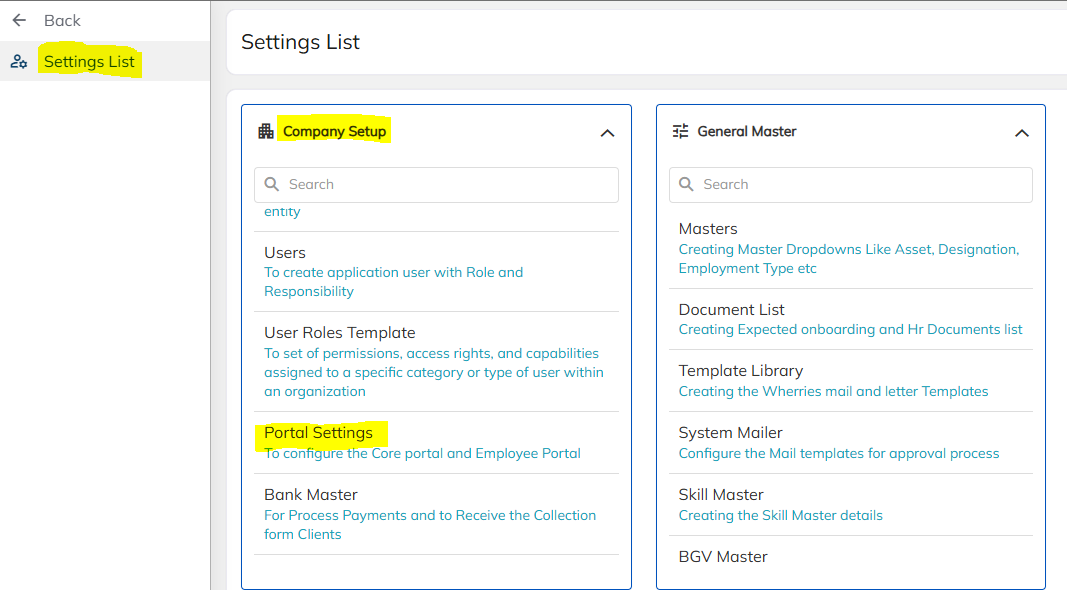
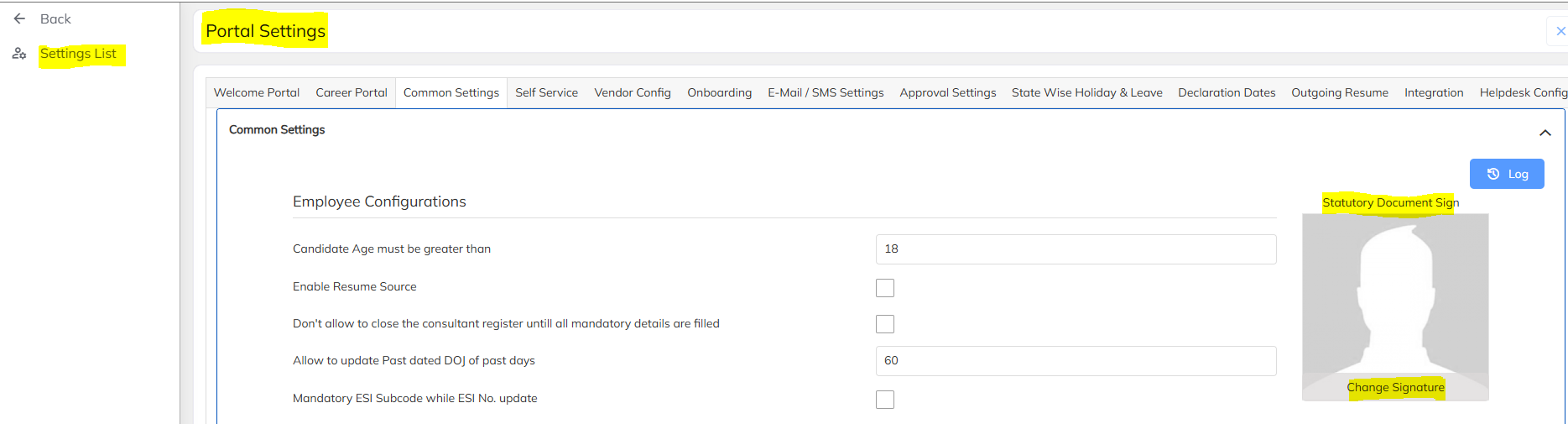
Navigate to:
Locate the section labeled:
Click on the Upload option to add the required signature.
Select the signature file from your system and confirm the upload.
Note: Ensure the signature image is in an acceptable format (e.g., JPG, PNG) and clearly visible.
Steps to Modify an Existing Signature
Follow the same navigation path:
Under Statutory Document Sign, click on the Change option.
Upload the new signature file.
Save the changes to update the record in the Compliance Register.
FAQs
Q: Can multiple signatures be uploaded?
A: Only one active signature can be maintained at a time. Uploading a new one will replace the existing signature.
Q: Who can upload or modify the signature?
A: Only users with administrative or compliance roles can perform this action.
Was this article helpful?
That’s Great!
Thank you for your feedback
Sorry! We couldn't be helpful
Thank you for your feedback
Feedback sent
We appreciate your effort and will try to fix the article