How to Enable the Pay register & invoice details in client portal login:
Step 1: Need to enable access to specific user to initiate to Payroll & Invoice transaction to client portal.
Need to enable the access for the user to share/initiate the pay register & invoice to client portal. Based on the access only particular user can initiate the payroll transaction & invoice to client login. Fallow the below-mentioned steps to enable the access
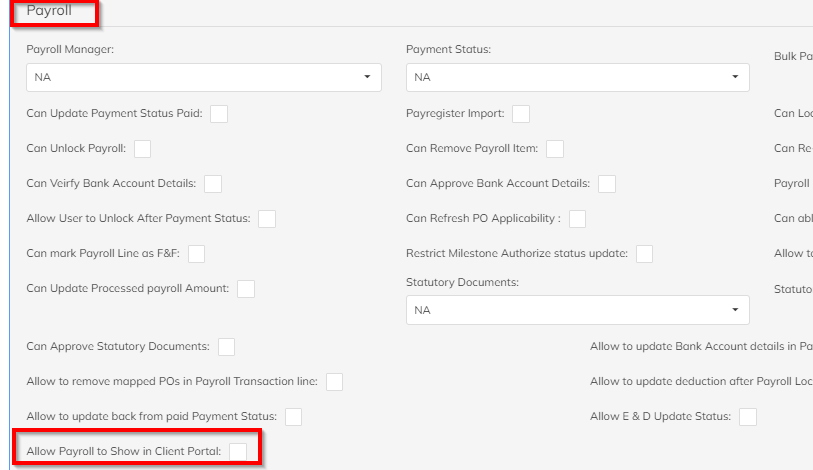
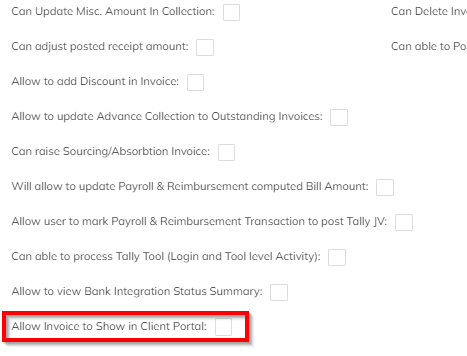
- Settings >> Company Setup >> Users Roll Template>> Under Payroll Module enable Allow Payroll to show in client portal. Same configuration which available under invoice module.
Payroll Module screenshot-1
Invoice Module screenshot -2
Step 2: Need to enable the Payroll & Invoice view access to the respective client reporting manager in their login.
- Navigate to specific client which needs to enable the invoice & payroll view in the client portal.
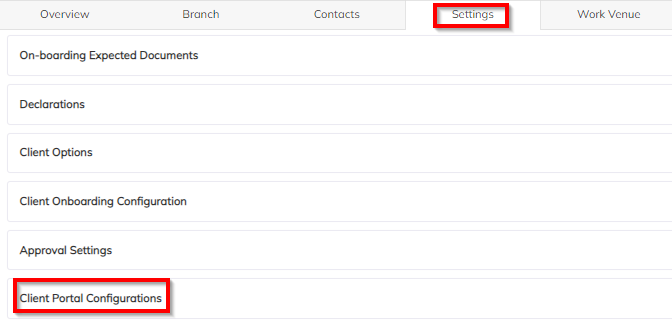
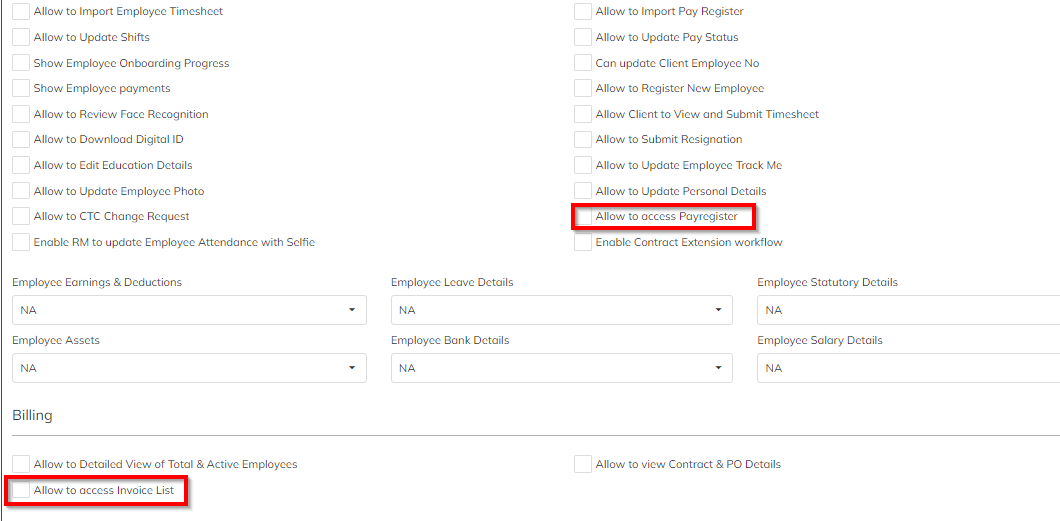
- Click on Client à Navigate to Setting optionà>Client Portal ConfigurationàEnable Access to Pay register & Enable Access to Invoice List and save.
Step 3: Share to selected Payroll transaction & Invoice to client
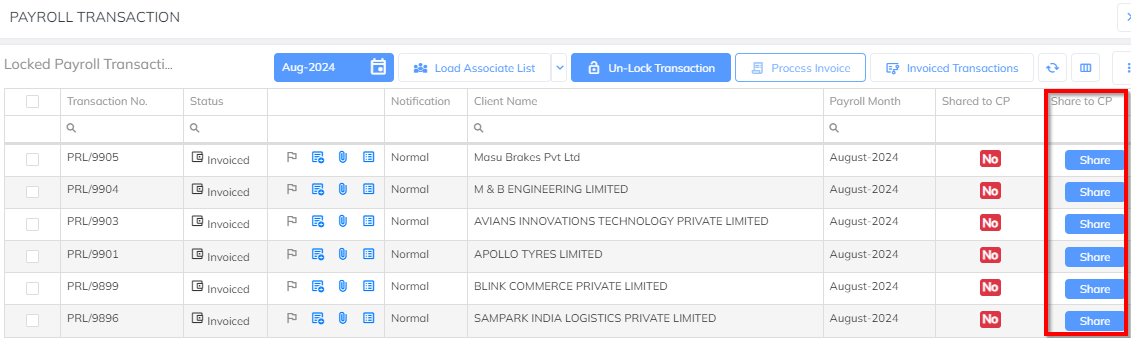
- Once Payroll has been processed & locked, In locked status we can share the selected payroll transaction to client. Share functionality is available in Locked status. Select the specific transaction and share to the client login using the share option. Refer screenshot.
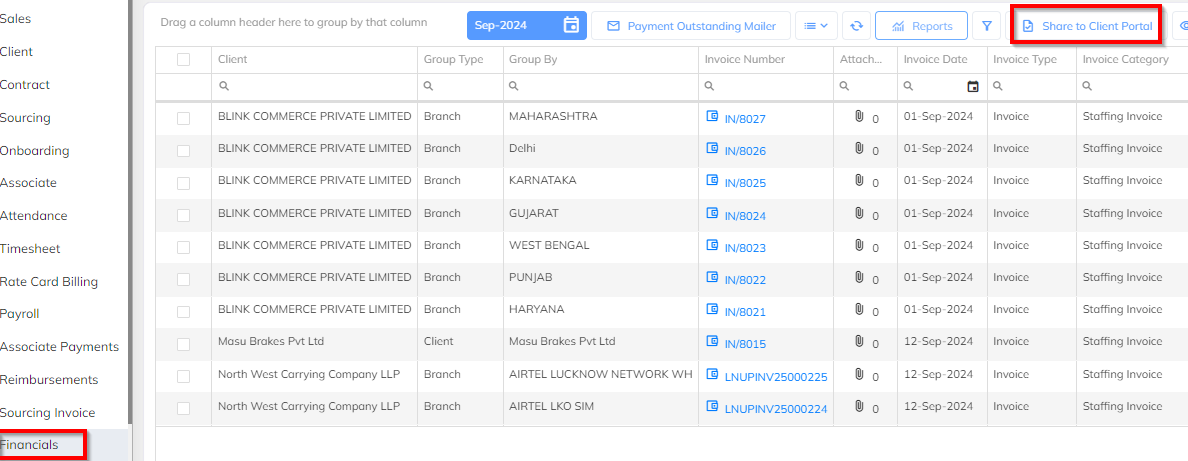
- Once the Invoice has been generated, In processed status, we can share the selected invoice to client. Share functionality is available in processed status. Select the specific invoice and share to client login using the share option. Refer screenshot.
Step 4: In Client Login Shared Invoice & Pay register View
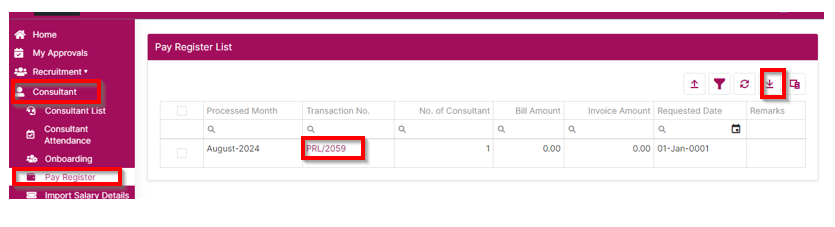
- In the client portal login under Consultant -->> Pay register option, shared pay register will be available. User can able view the payroll details and can export in the report format. Refer the screenshot.
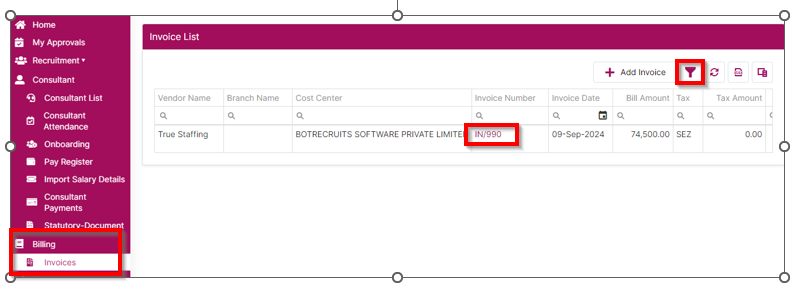
- In the client portal login under Billing-->> Invoice option , shared Invoice will available. User can view the invoice details and can export in the report format. Using available filter option can filter invoice category-wise invoice list. Refer to the screenshot.
Was this article helpful?
That’s Great!
Thank you for your feedback
Sorry! We couldn't be helpful
Thank you for your feedback
Feedback sent
We appreciate your effort and will try to fix the article