Purpose
This manual explains how to generate single and bulk E-Invoices from the E-Invoice Bin, and how to view generated E-Invoices, including IRN and QR code details.
Navigation Path
Financials → E-Invoice Bin
Generate E-Invoice
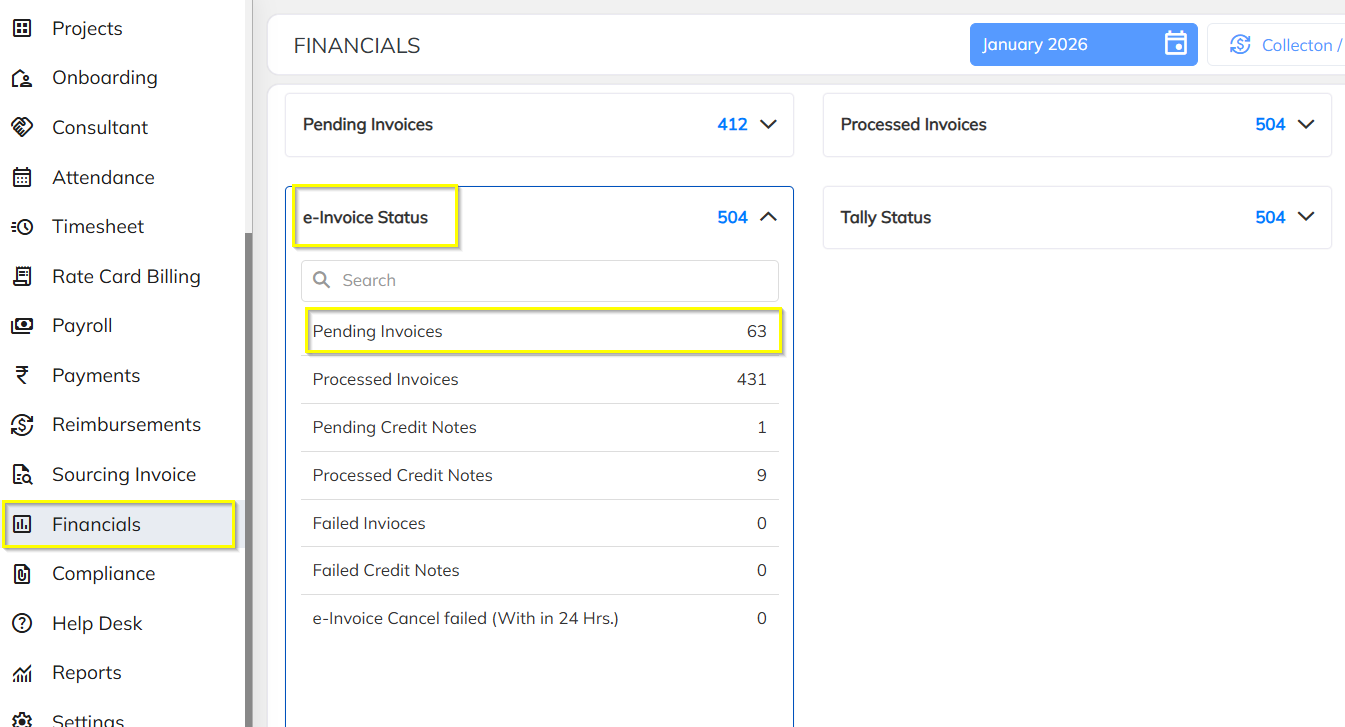
Step 1: Open Pending Invoices
Navigate to the Financials module.
Click on E-Invoice Bin.
Click on Pending Invoices.
All pending invoices will be listed on the screen.
Generate Single E-Invoice
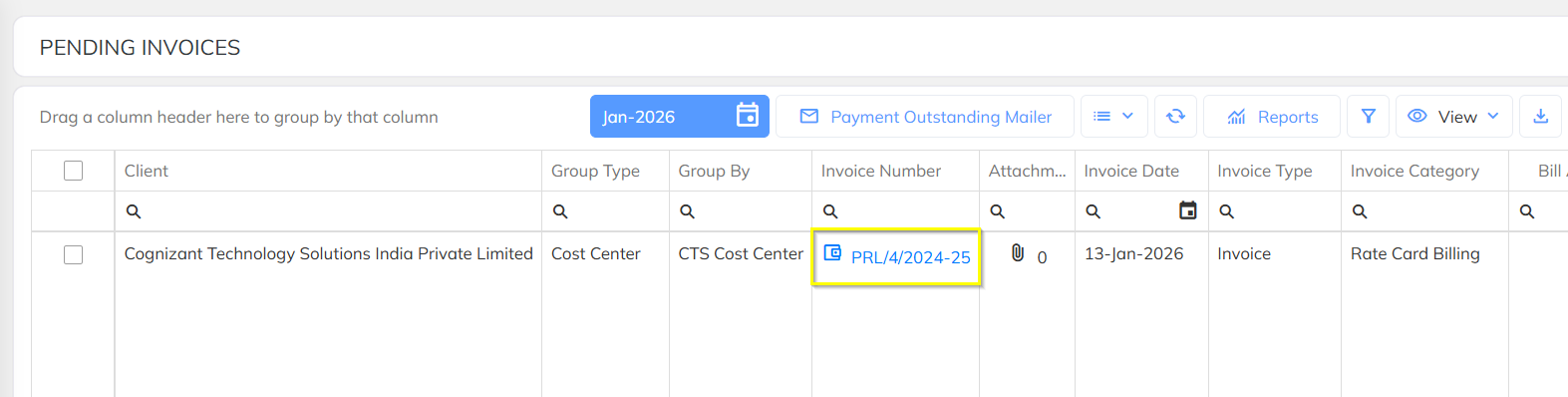
Step 2: Open Invoice
Click on the Invoice Number for which E-Invoice needs to be generated.
The invoice details screen will open.
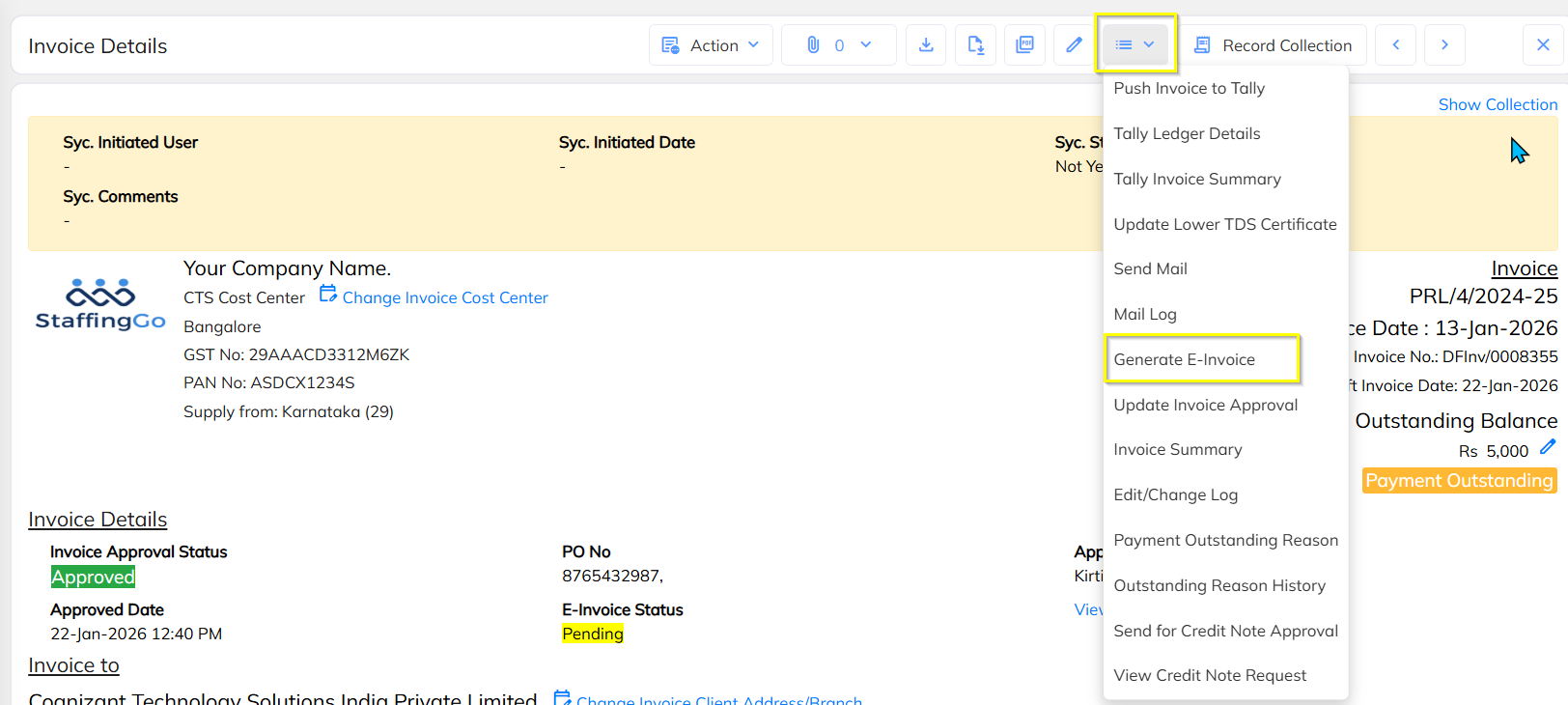
Step 3: Generate E-Invoice
Click on the three-dot (⋮) menu on the top-right corner.
From the dropdown, select Generate E-Invoice
Step 4: Confirmation
A confirmation popup will appear.
Click Yes to proceed.
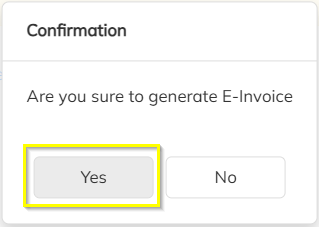
✅ The invoice will be pushed to the E-Invoice Portal, and IRN will be generated.
Generate Bulk E-Invoices
Step 5: Select Multiple Invoices
From Pending Invoices, select all invoices to be generated.
Click on the three-dot (⋮) menu.
From the dropdown, click Generate E-Invoice.
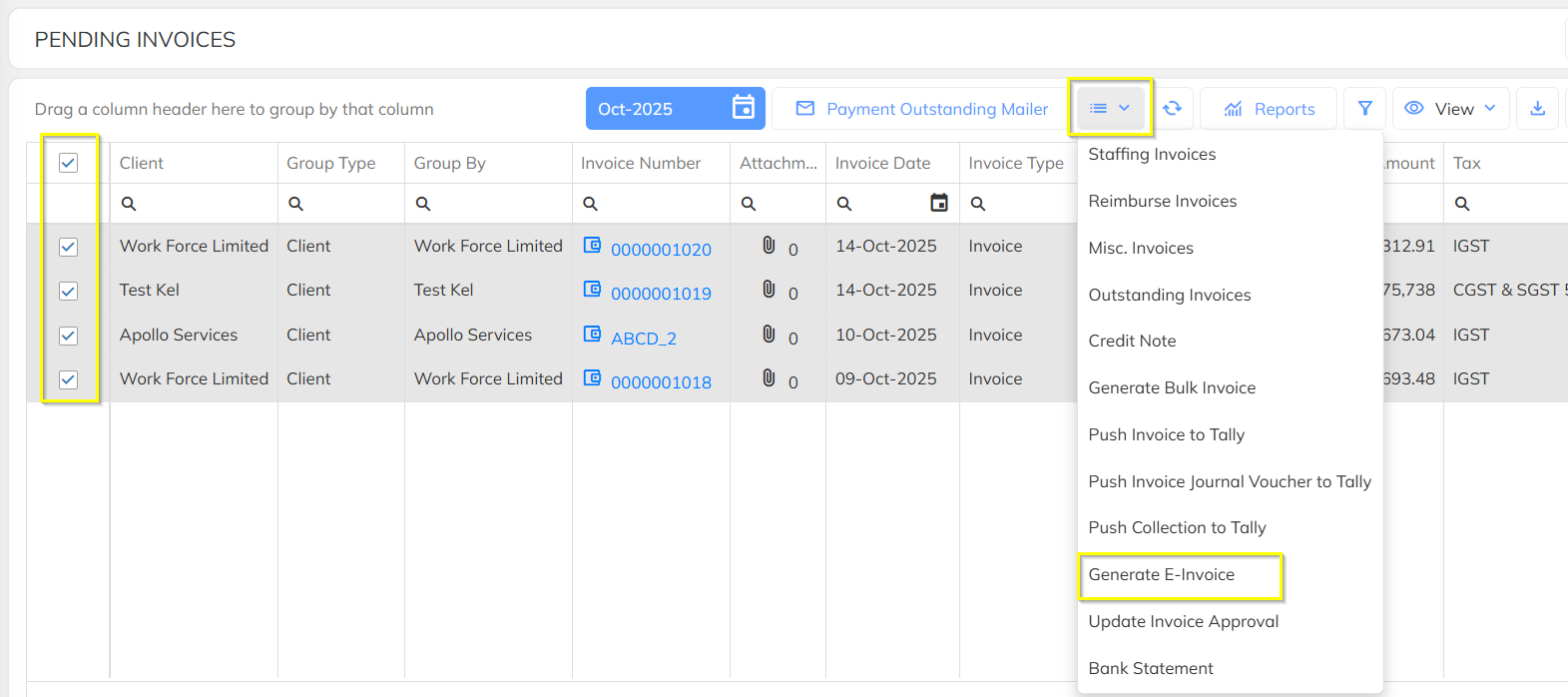
A confirmation popup will appear.
Click Yes to confirm.
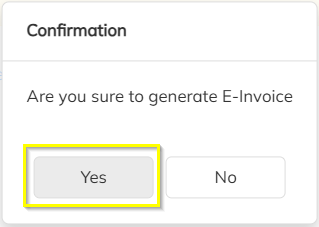
✅ All selected invoices will be pushed to the E-Invoice Portal.
View Generated E-Invoice
Step 7: Open Processed Invoices
Navigate to Financials → E-Invoice Bin.
Click on Processed Invoices.
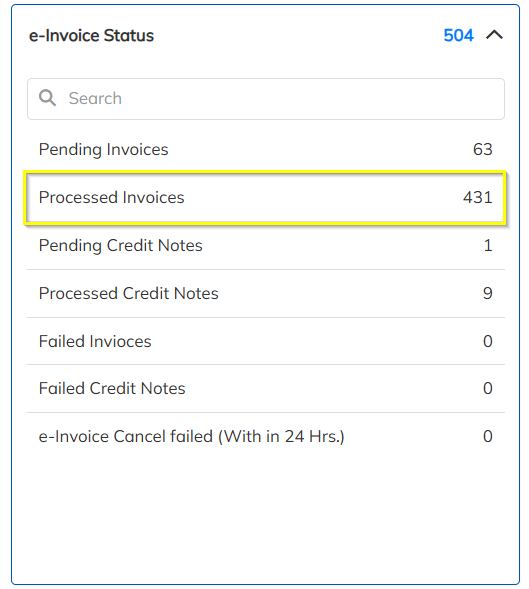
Step 8: View E-Invoice Details
Click on the Invoice Number to open the invoice.
Scroll to the Invoice Details section.
Click on View E-Invoice Post Details.

Step 9: View E-Invoice with QR Code
The E-Invoice will be displayed with:
Invoice Number
IRN
QR Code
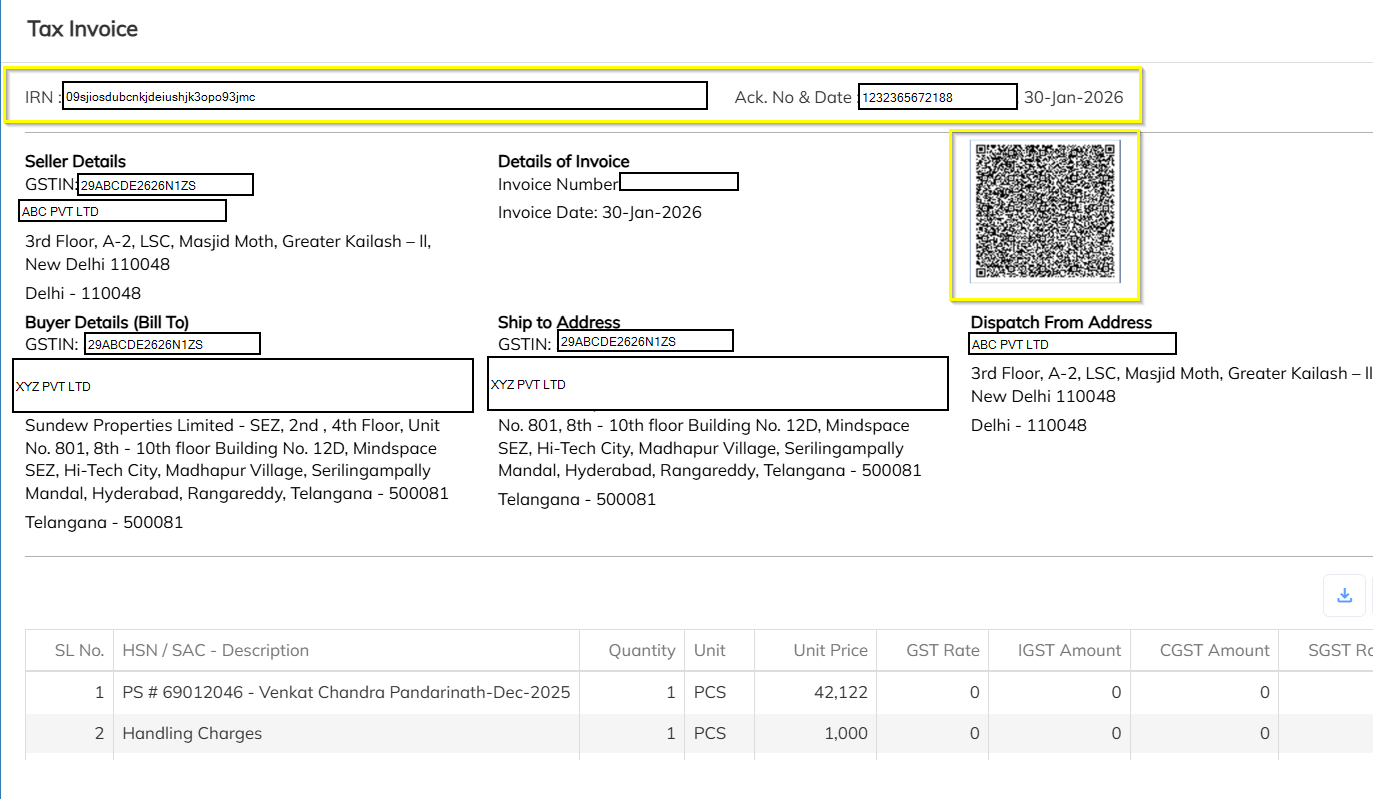
Important Notes
E-Invoice can be generated only for eligible invoices.
Once IRN is generated, invoice cannot be edited.
Any correction requires cancellation and regeneration as per GST rules.
Was this article helpful?
That’s Great!
Thank you for your feedback
Sorry! We couldn't be helpful
Thank you for your feedback
Feedback sent
We appreciate your effort and will try to fix the article