The timesheet is used to record the hours worked by employees during a specific payroll period. Timely and accurate submission ensures correct payroll processing and proper project tracking.
Initial Status
- By default, all employees’ timesheets are in Submission Pending status but we need to import Day level timesheet please follow process mentioned below
Timesheet → Dashboard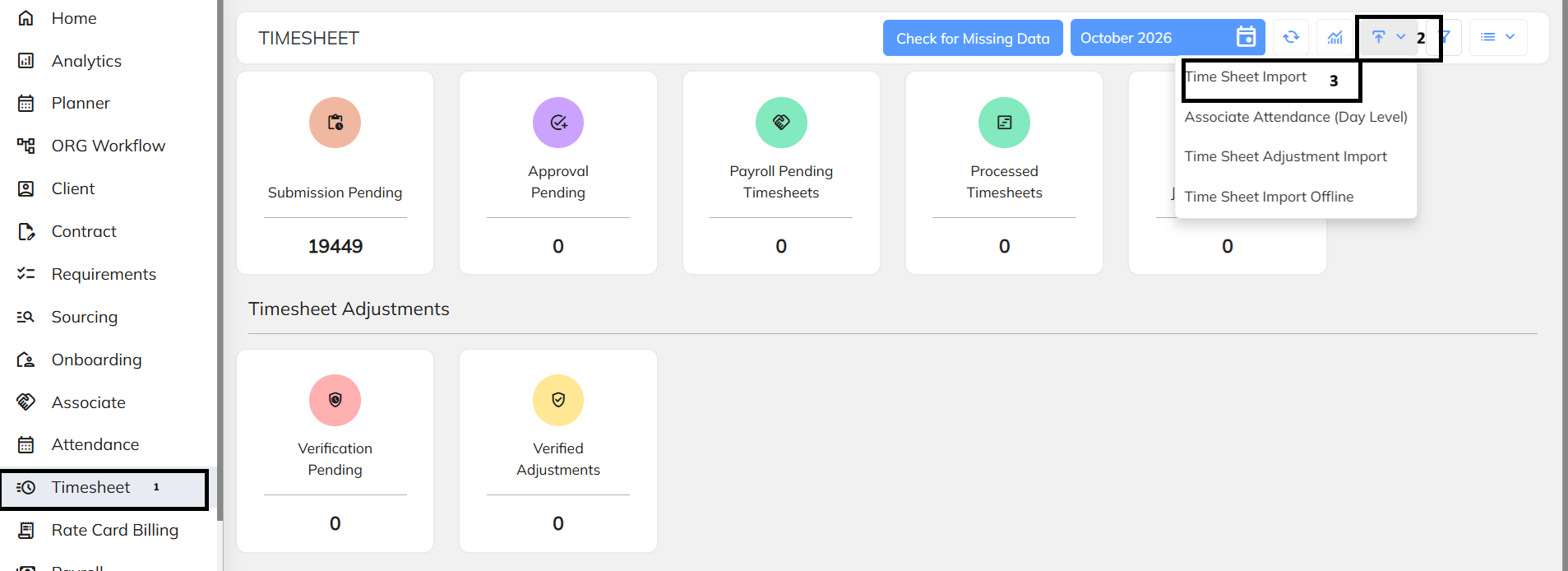
Select the Details before downloading the sample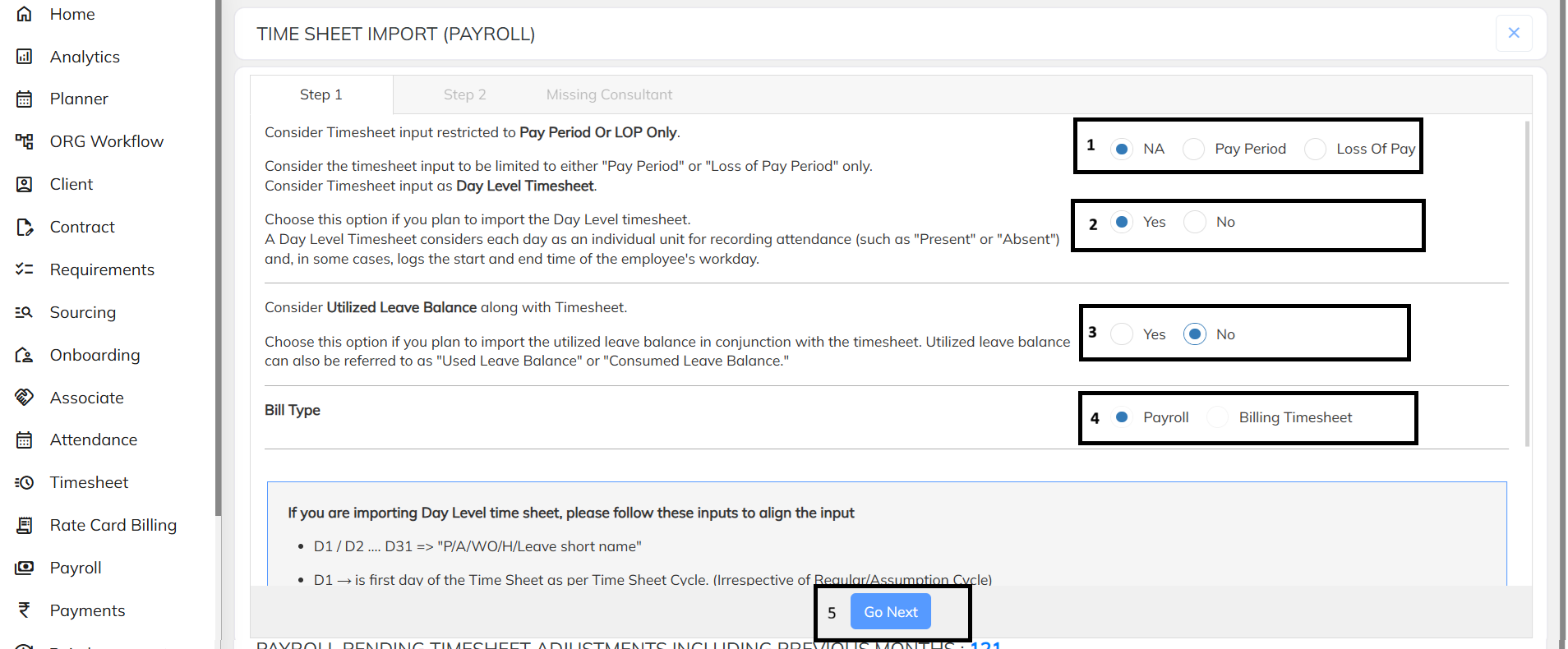
Select Timesheet Input Type
- Choose NA, Pay Period, or Loss of Pay (LOP) as per the client's timesheet requirement.
- Timesheet input can be configured for Day Level Timesheet.
Day Level Timesheet
- Select Yes if attendance needs to be captured day-wise.
- Each day can be recorded as Present, Absent, Week Off, Holiday, or Leave.
- Day-level timesheet can also capture employee In-Time and Out-Time, where applicable.
Utilized Leave Balance
- Select Yes if utilized/consumed leave balance needs to be imported along with the timesheet.
- Select No if leave balance is maintained separately.
Bill Type
- Select Payroll when the timesheet is being imported for payroll processing.
- Select Billing Timesheet when the input is intended for billing purposes.
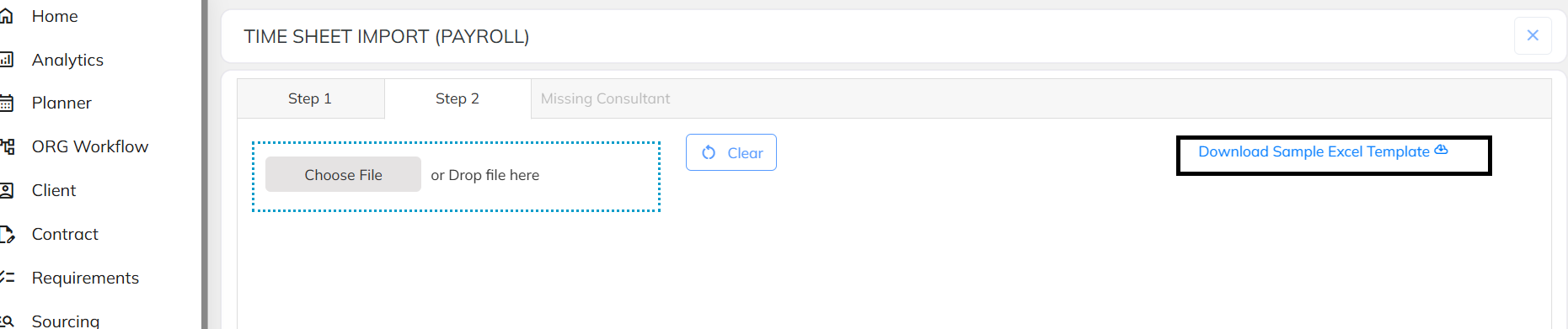
- Click on Go Next to download sample file.
Day-Level Input Format
- For day-level timesheet, use D1 to D31 for daily attendance inputs.
- Enter the applicable P/A/WO/H/Leave short name against each day.
- D1 represents the first day of the Timesheet Cycle, irrespective of the Regular/Assumption Cycle.
- Attaching the sample file for reference.
- Upload the prepared once all detail are filled.
Was this article helpful?
That’s Great!
Thank you for your feedback
Sorry! We couldn't be helpful
Thank you for your feedback
Feedback sent
We appreciate your effort and will try to fix the article