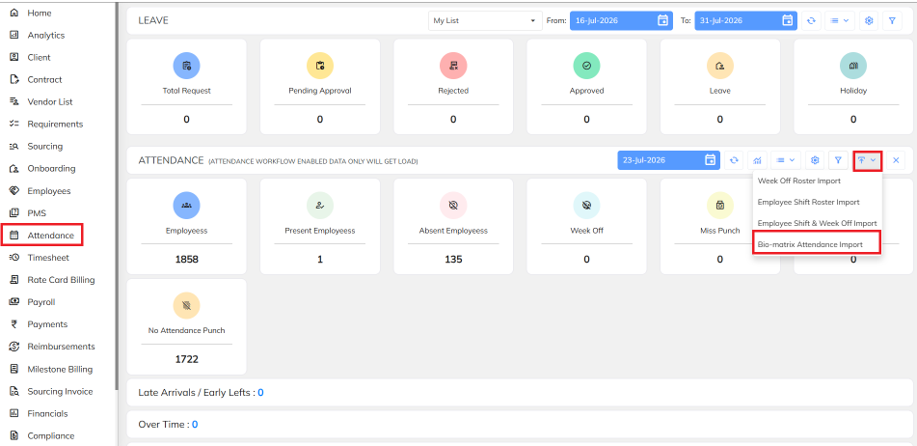
- Navigate to Attendance → Import → Bio-Matrix Attendance Report.
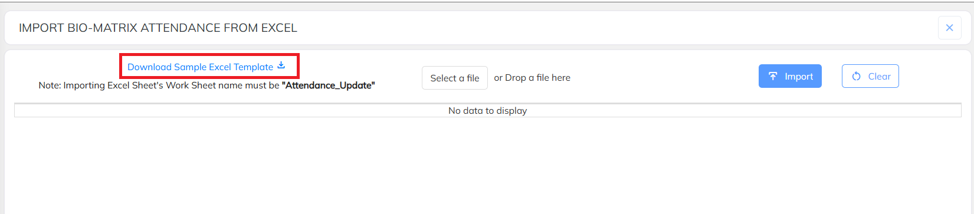
- Download Sample excel template.
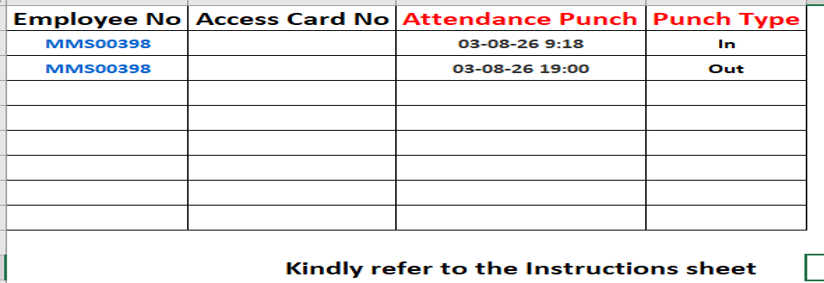
- Prepare the attendance data in the prescribed format as per the sample template, ensuring that all required fields and details are entered correctly.
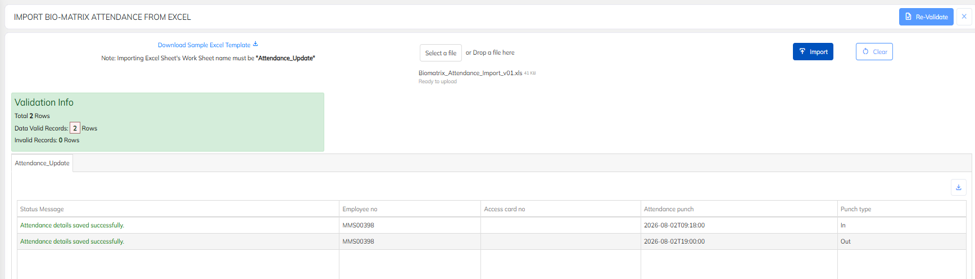
- After preparing the attendance data, click on Choose File, select the prepared Excel file, and proceed with the upload.

- After selecting the file, the system will validate the uploaded data. If the data is correct, the records will be displayed under the Valid section. If there are any errors, the records will be displayed under the Invalid section for correction.
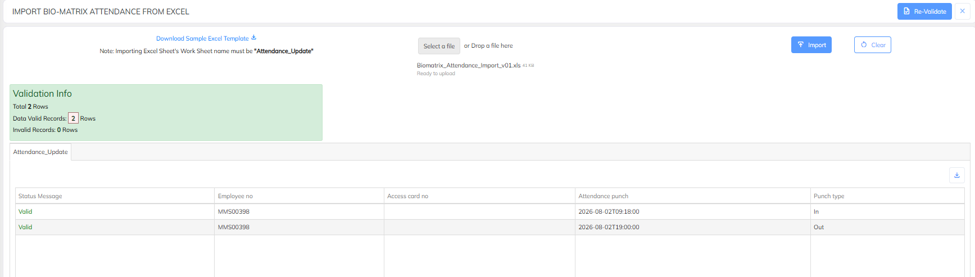
- Once the data has been validated and all records are displayed under the Valid section, click Import to upload the attendance data into the system.
Was this article helpful?
That’s Great!
Thank you for your feedback
Sorry! We couldn't be helpful
Thank you for your feedback
Feedback sent
We appreciate your effort and will try to fix the article