In the application, We do have functionality leave approval matrix. Under the same, all raised leaves request by the employees will trigger to respective approver as per the approval matrix.
Behalf of the Leave Approver , From the core application Admin user can able to perform the Leave approval. Follow the below mentioned process to follow the same.
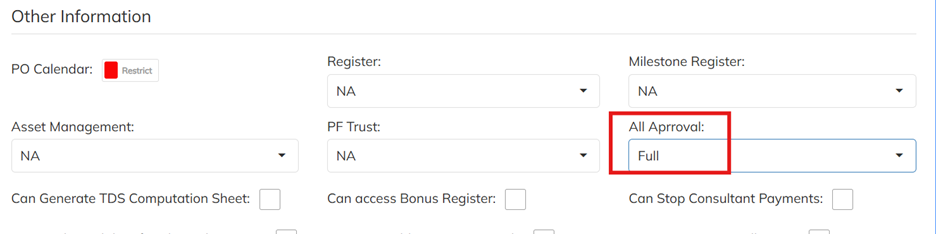
1. Enable the Access to User : Navigate to User >> User mapped User Roll template >> Enable the All Approve access to Full and save . Re-login with application after enabling the access. Refer the attached screenshot for the access configuration.
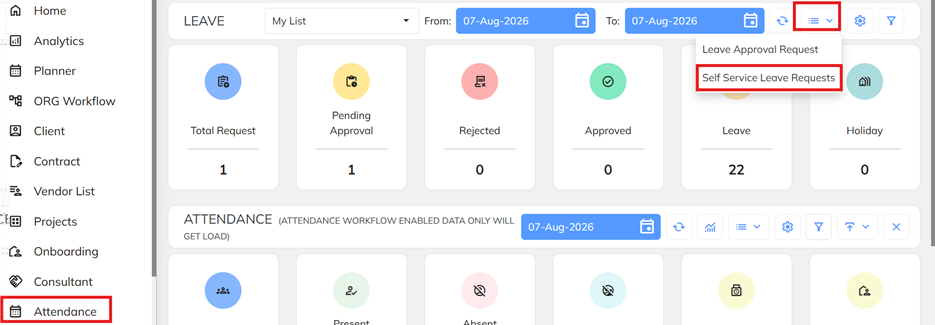
2. Leave Approve from the Admin login : Navigate to Attendance Dashboard >> Select the Extension option under the Leave with Self Service leave Request.
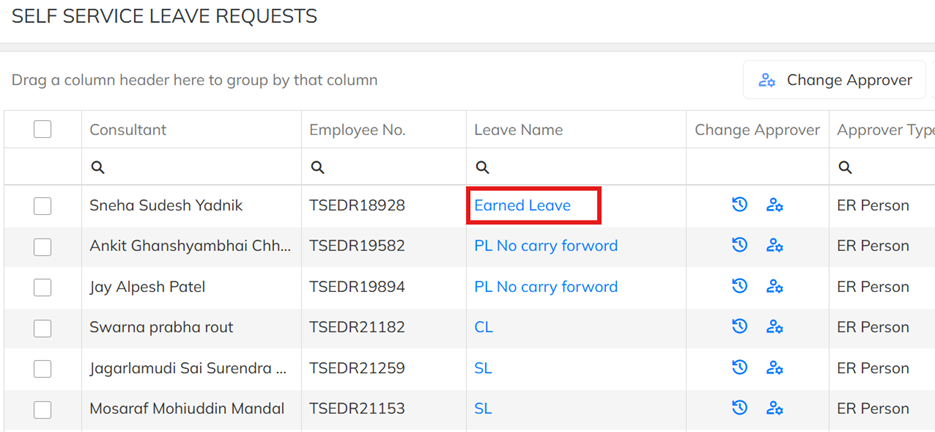
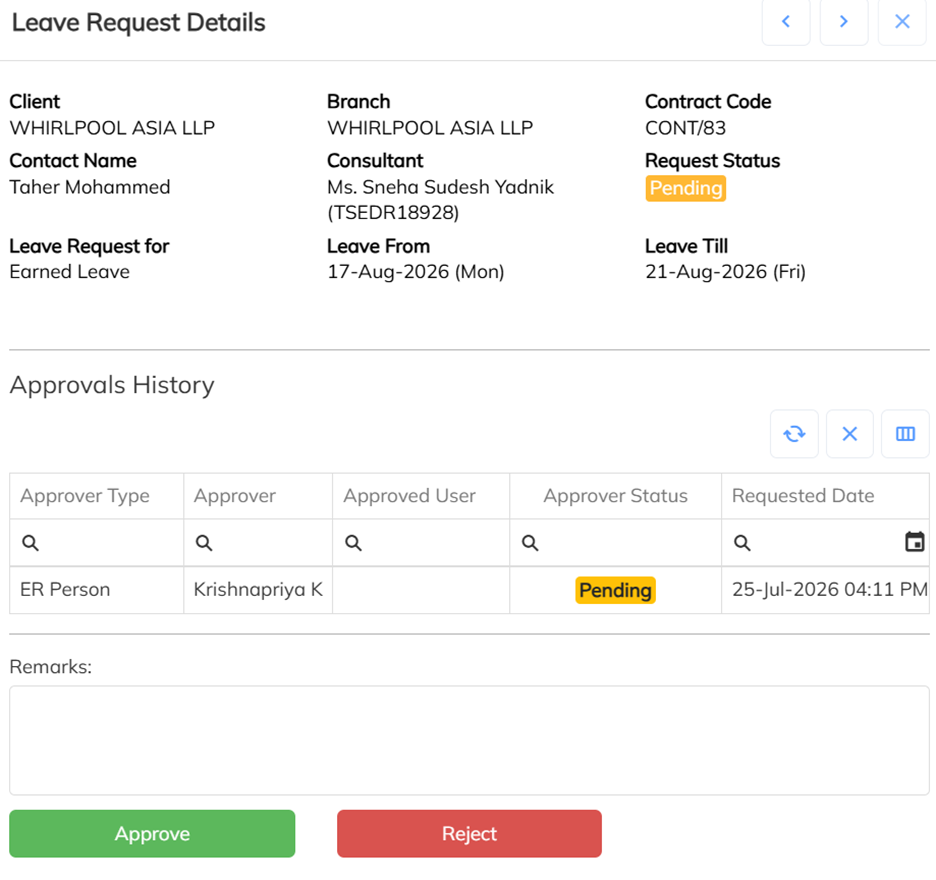
Select the employee need to approve the leaves and click on the leave name , Page will navigate to Approve / Reject page. Perform the Approve process.
Was this article helpful?
That’s Great!
Thank you for your feedback
Sorry! We couldn't be helpful
Thank you for your feedback
Feedback sent
We appreciate your effort and will try to fix the article