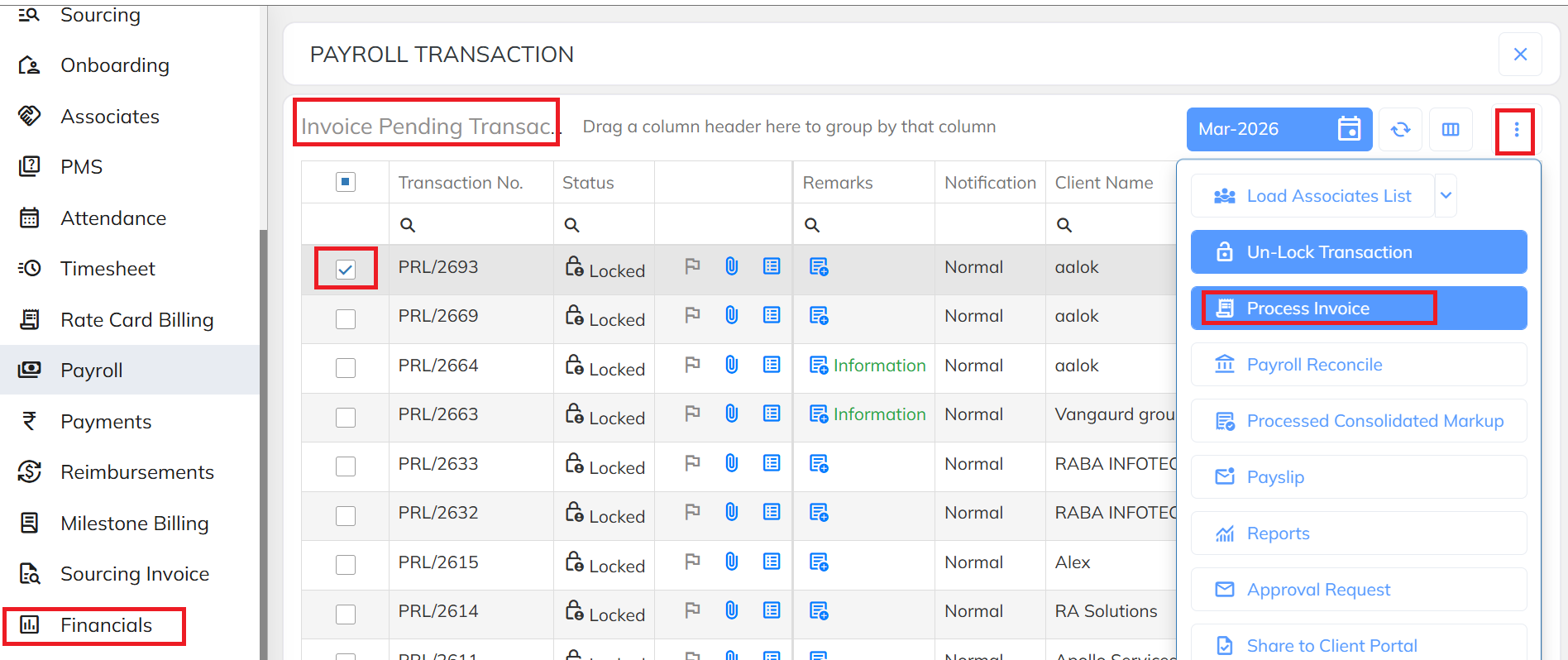
- Navigate to the Financial section, go to the Invoice Pending tab, select the required transaction, click the Three-Dot menu, and select Process Invoice.
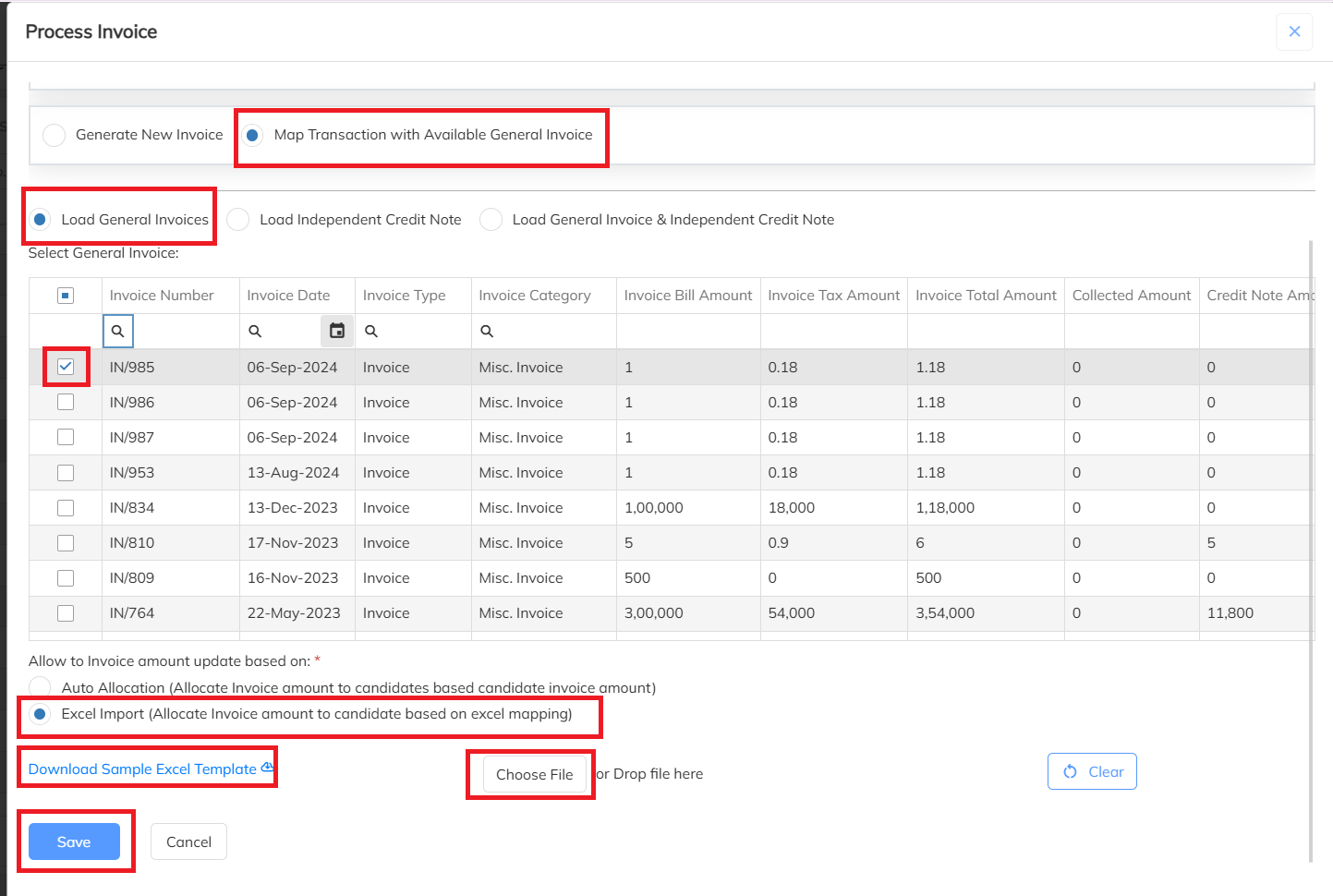
- Navigate to Map Transaction with Available General Invoice → Load General Invoices → Select the Invoice Number → Click Excel Import → Download the Sample Excel Template → Fill in the required details → Upload the file → Click Save.
- Below is the sample Excel template for mapping the invoice against employees.

Was this article helpful?
That’s Great!
Thank you for your feedback
Sorry! We couldn't be helpful
Thank you for your feedback
Feedback sent
We appreciate your effort and will try to fix the article