This guide explains how to create Associate in Staffinggo through both Manual and Bulk options.
Manual Associate Creation process
Step 1: Start the Associate Creation Process
You can start in two ways:
Method 1
- Login as an Administrator/User with access to create a Associate.
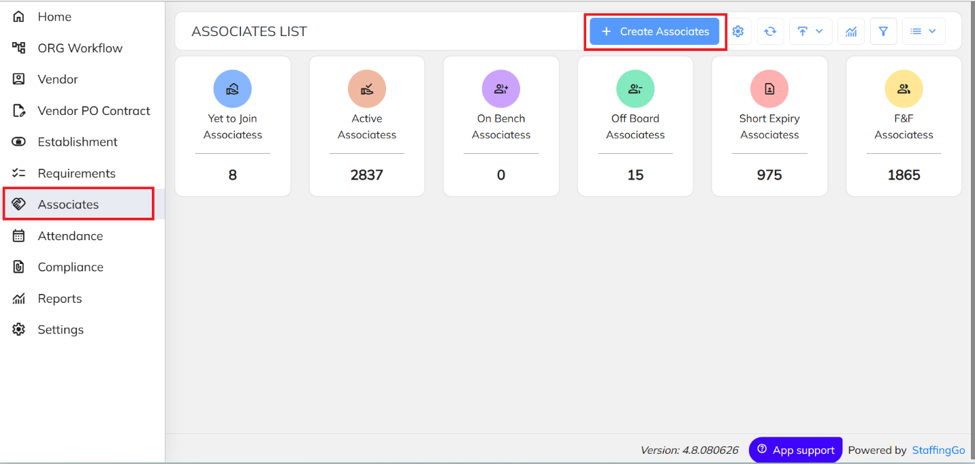
- Click the “+” icon on the top-right corner.
- Select “Create Associate”.
Method 2
- Navigate to the Associate menu to view the list of consultants.
- Click the “+” icon to create a new Associate.
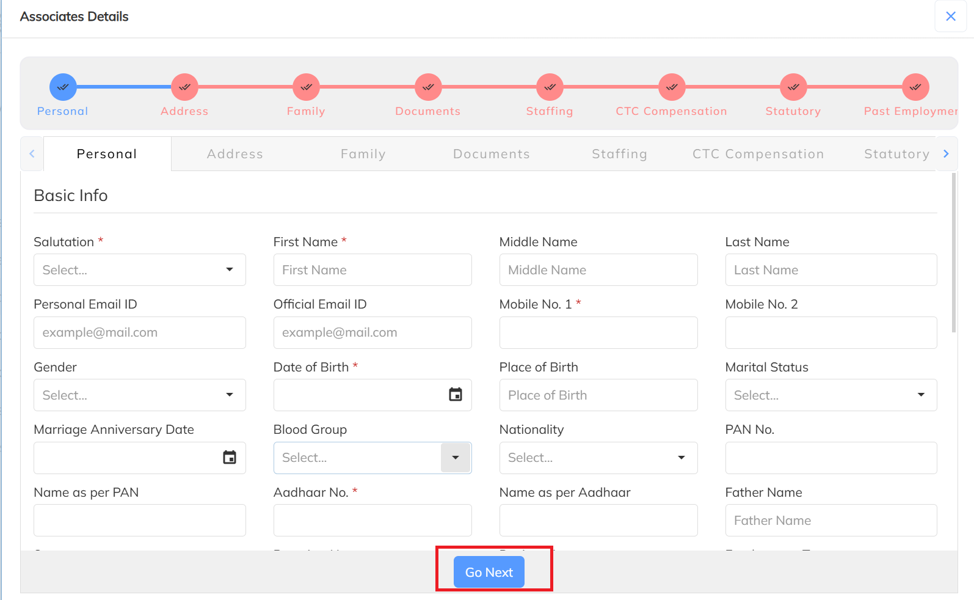
Update all the relevant Associate details as per the different section available and Click on Go Next to move to the Next section and click on Previous to go to the previous section.
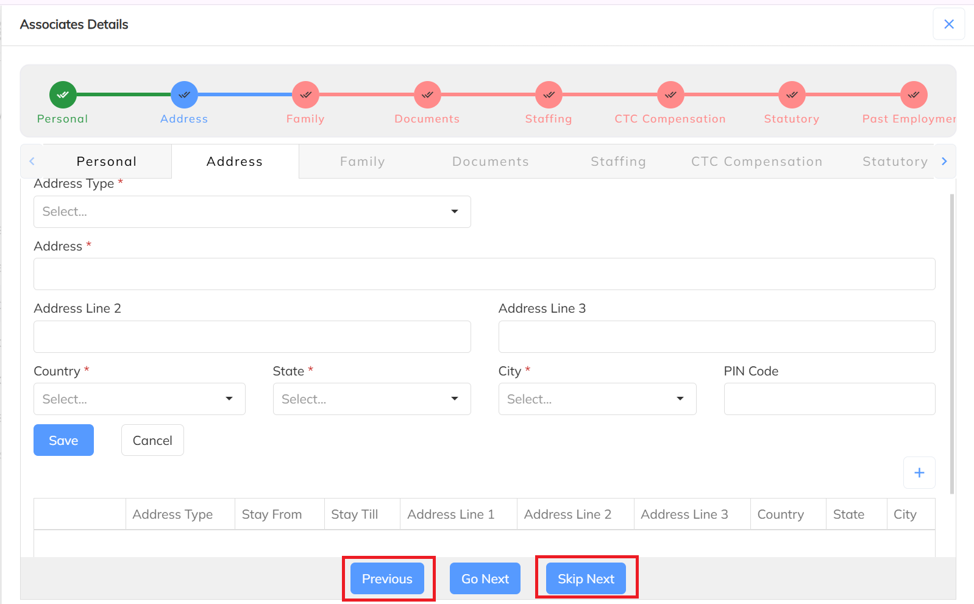
- Click on Previous to go the Previous section and Click on Skip next if you want to update the details later.
Once all consultant details are updated successfully, the View Details tab will be displayed. Click View Details to review the updated consultant information.
Once the associate is created successfully, the record will be available under the Yet to Join Associates section.
- Bulk Associate Creation:
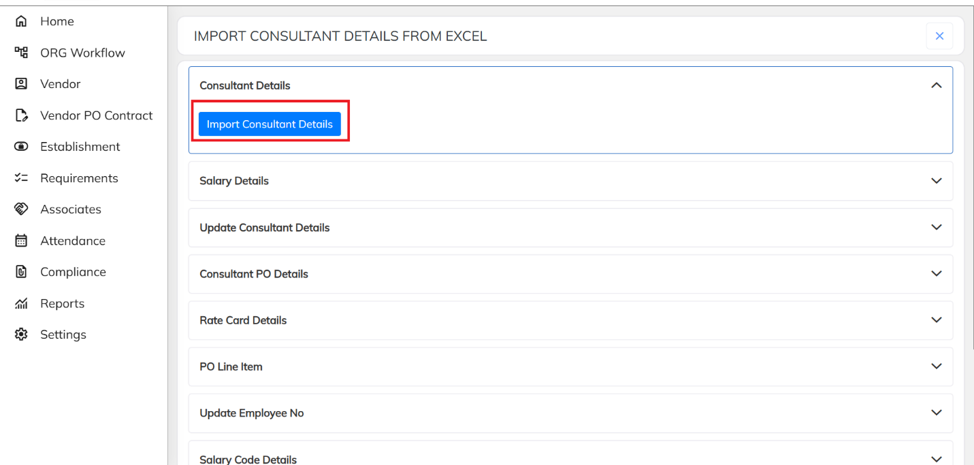
Click on Associate and select the Associate Details Import option in the application, as shown below.
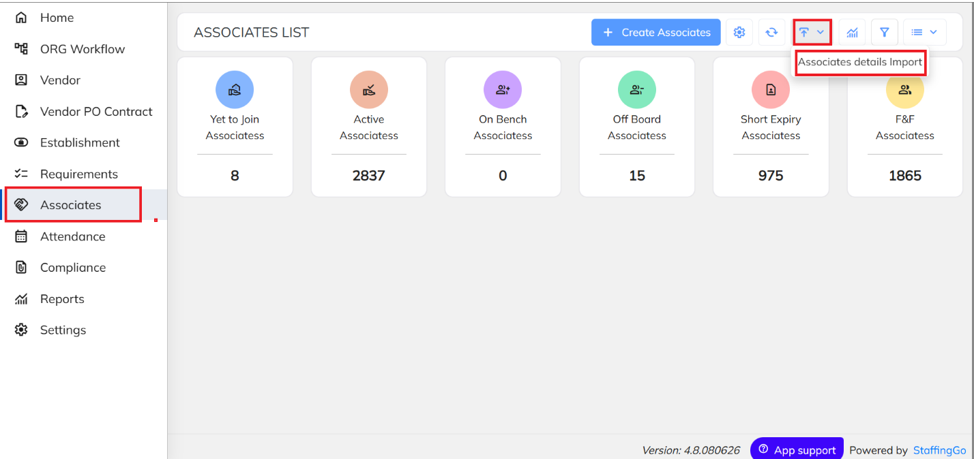
Click on Import Consultant Details.
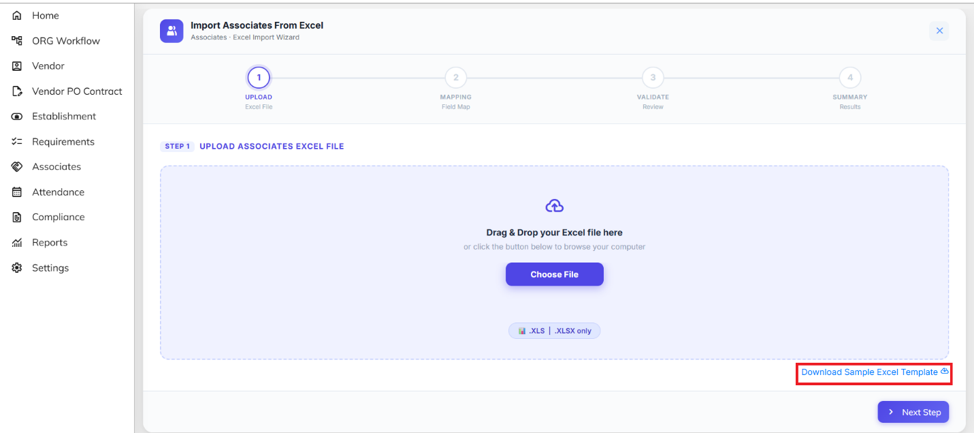
- Click on the Download Sample Excel Template to download the template.
Fill all the details mainly the details which are red marked in the excel sheet while referring to the instructions sheet to understand the format.

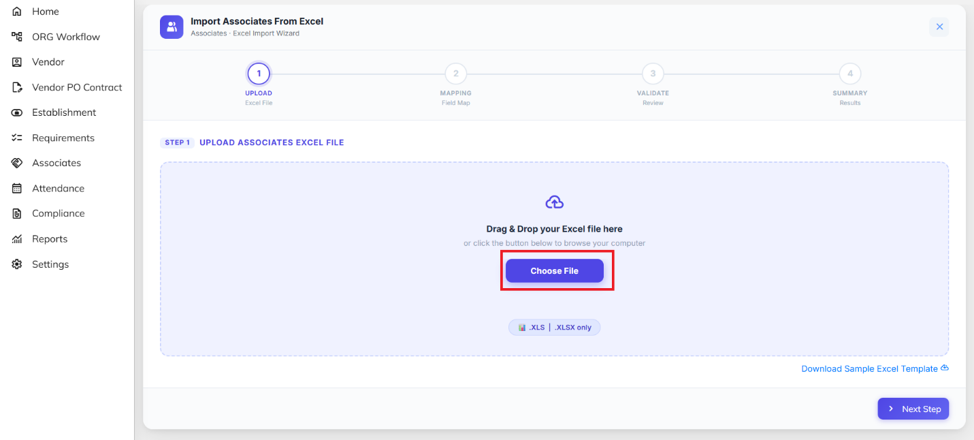
Click on Choose file and upload your file.
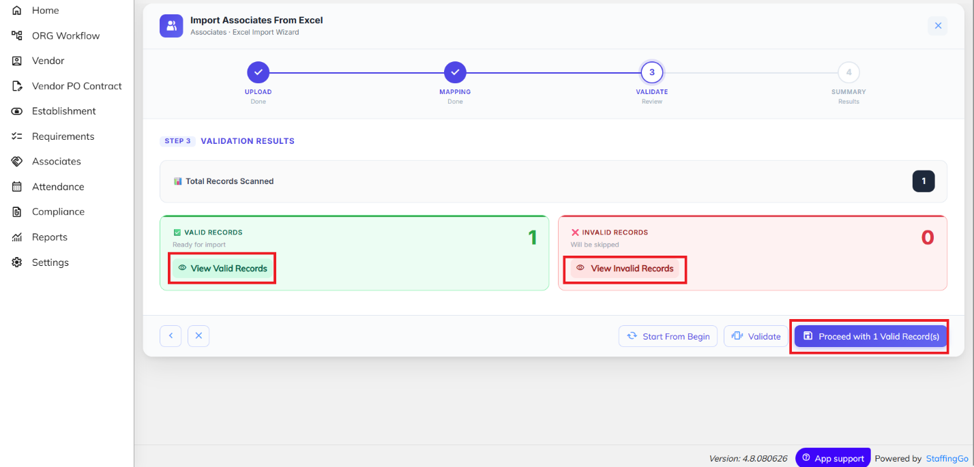
- After uploading the file, the system will validate the data. If all details are correct, the status will be displayed as Valid. If any data is incorrect or missing, the status will be displayed as Invalid. Review and correct the highlighted errors, then re-upload the file.
- If all records are validated successfully and no errors are found, click on Proceed with valid records to complete the process.
Was this article helpful?
That’s Great!
Thank you for your feedback
Sorry! We couldn't be helpful
Thank you for your feedback
Feedback sent
We appreciate your effort and will try to fix the article