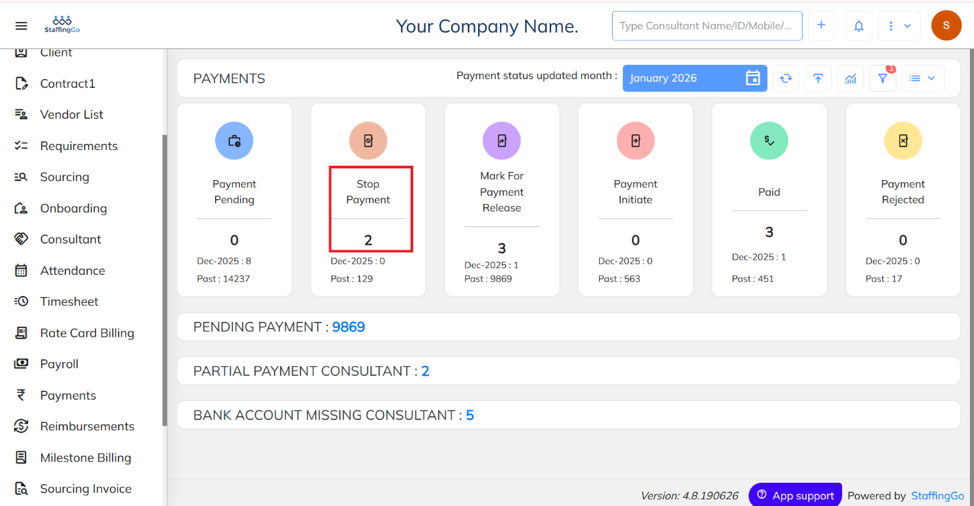
- Navigate to the Payment section and click on the Stop Payment option.
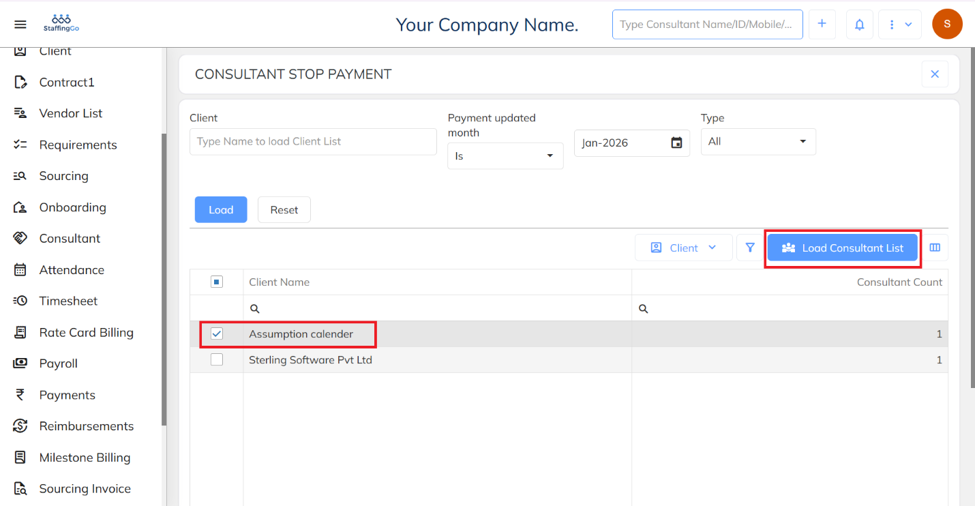
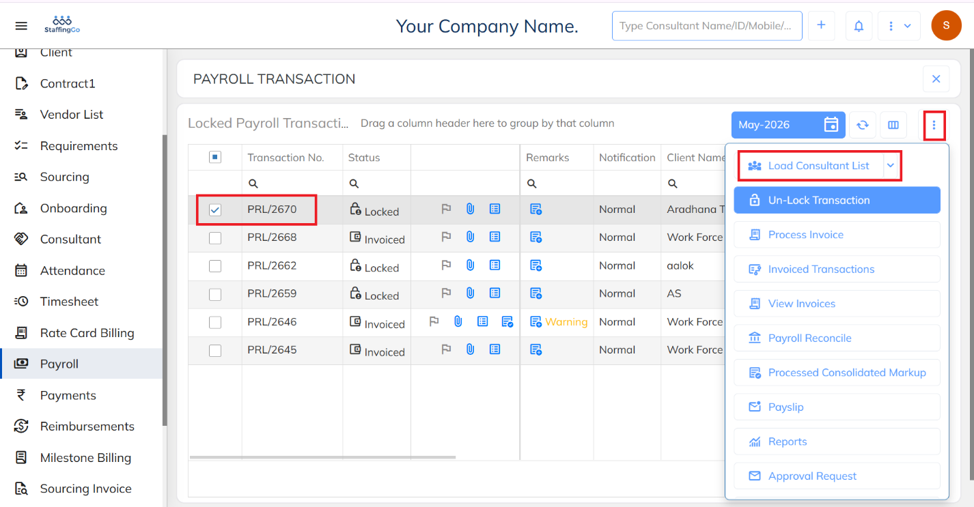
- Select the required Client and click on Load Consultant List.
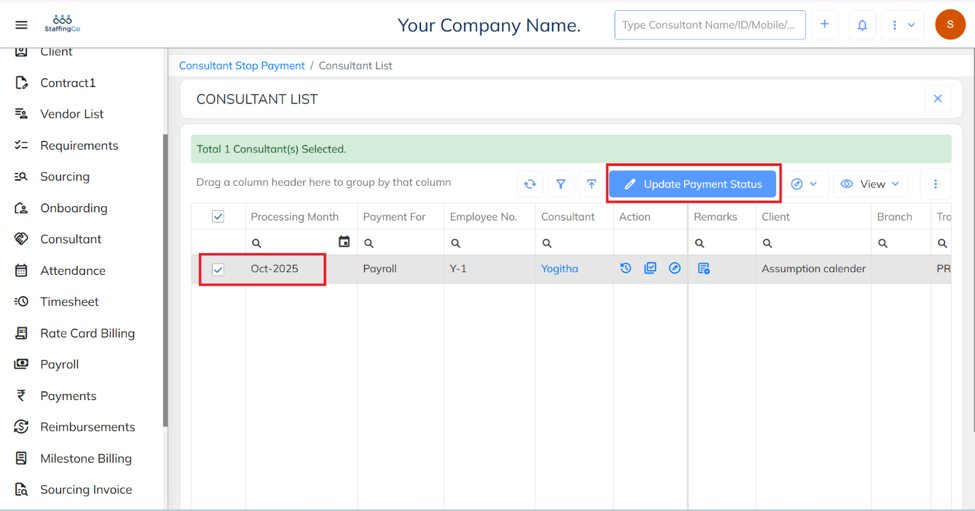
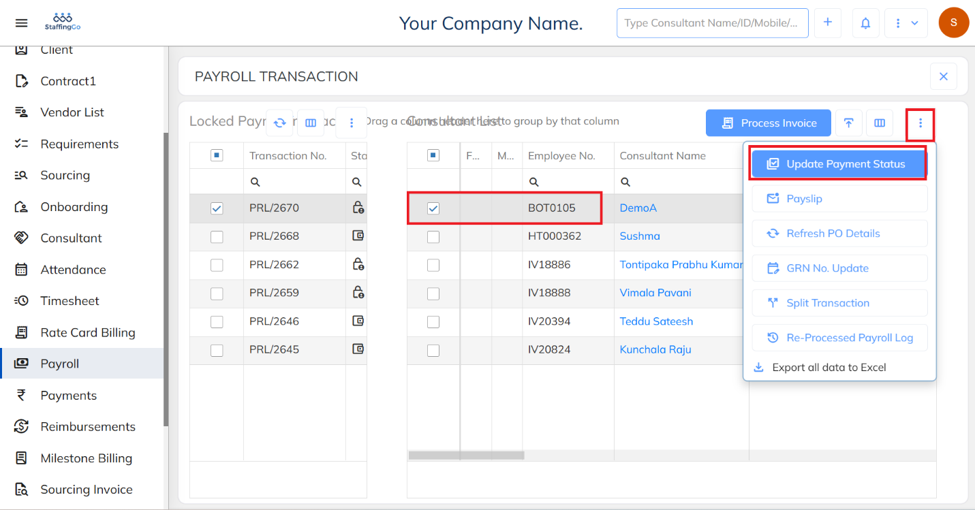
- Select the required Consultant and click on Update Payment Status.
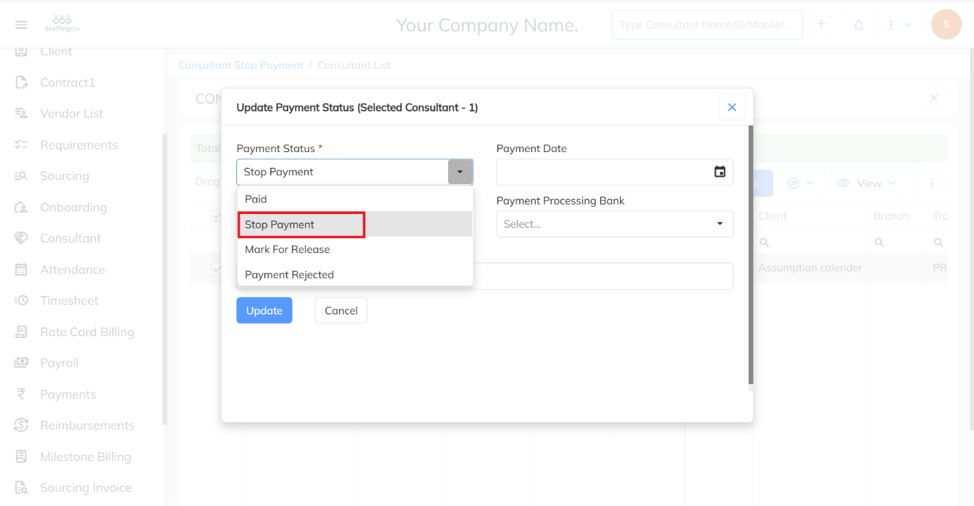
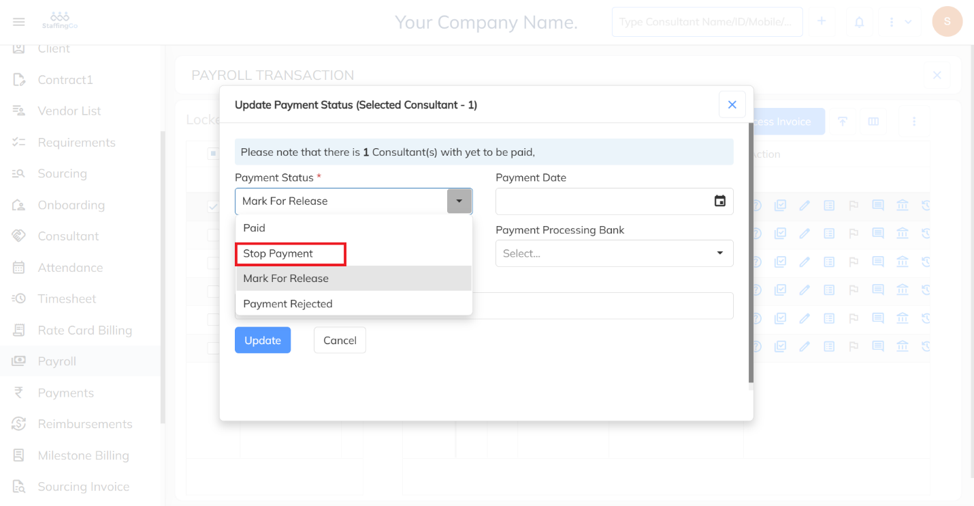
Click on Stop Payment to place the employee's salary on hold.
To update in Bulk:
- Navigate to the Payment section and click on the Import option.
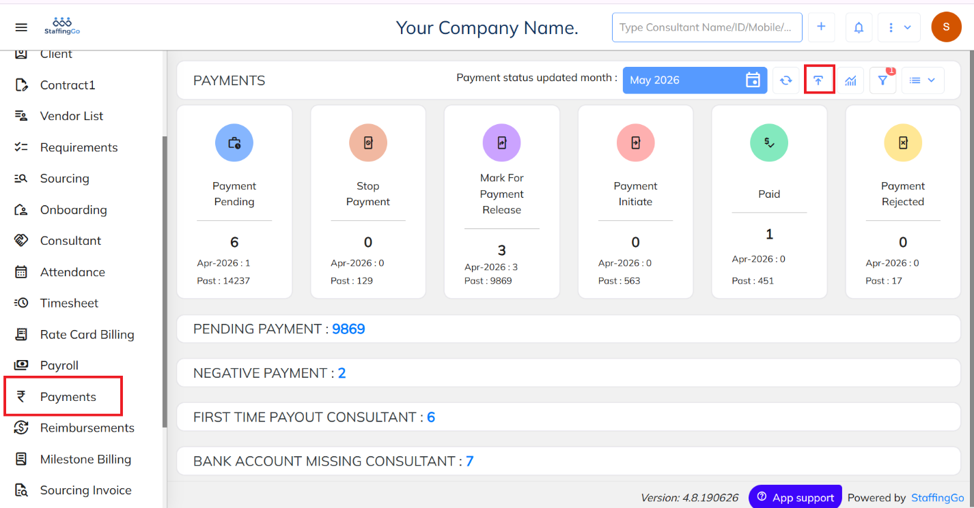
- Download the sample excel template.
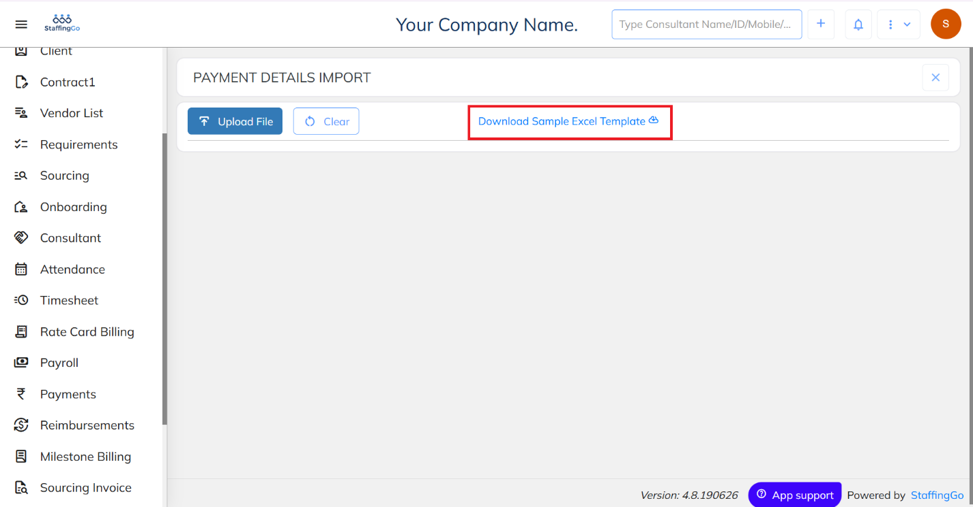
- Fill in the required details and save your file.

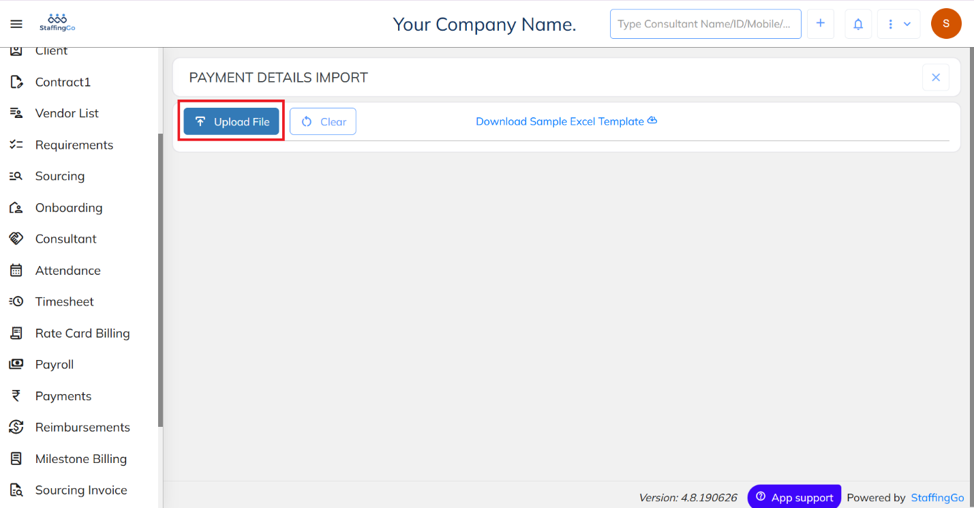
- Click on Choose File, select the required file, and upload it to the system.
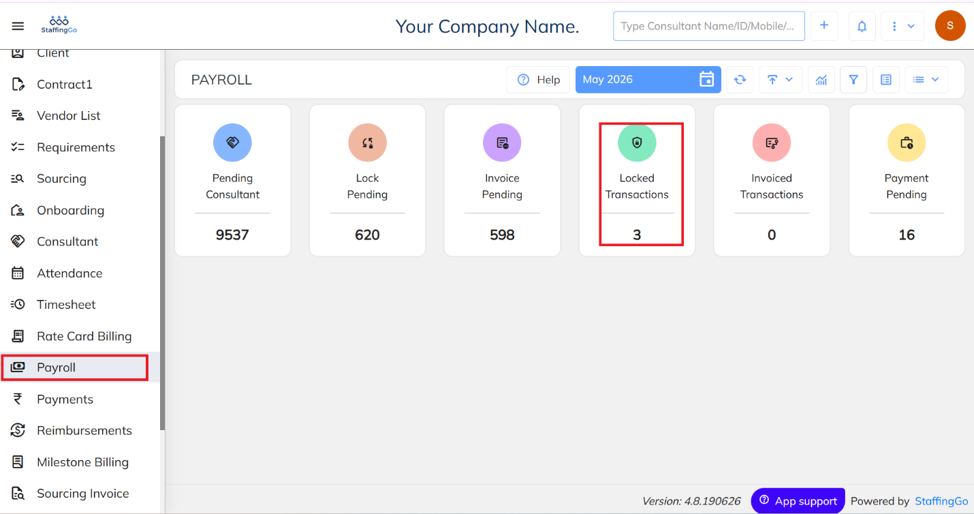
- Alternatively, the same action can be performed through the Payment section.
- Navigate to the Payroll section and click on Locked Transactions.
- Select the required Client and click on Load Consultant List.
- Select the required Consultant and click on Update Payment Status.
- Click on Stop Payment to place the employee's salary on hold.
Was this article helpful?
That’s Great!
Thank you for your feedback
Sorry! We couldn't be helpful
Thank you for your feedback
Feedback sent
We appreciate your effort and will try to fix the article