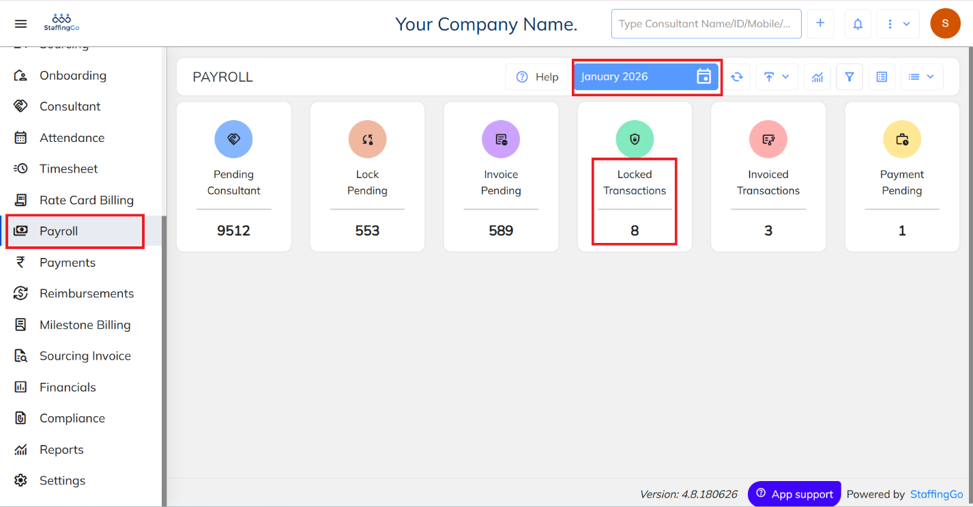
- Navigate to Payroll → Select the required Month → Click on Locked Transactions.
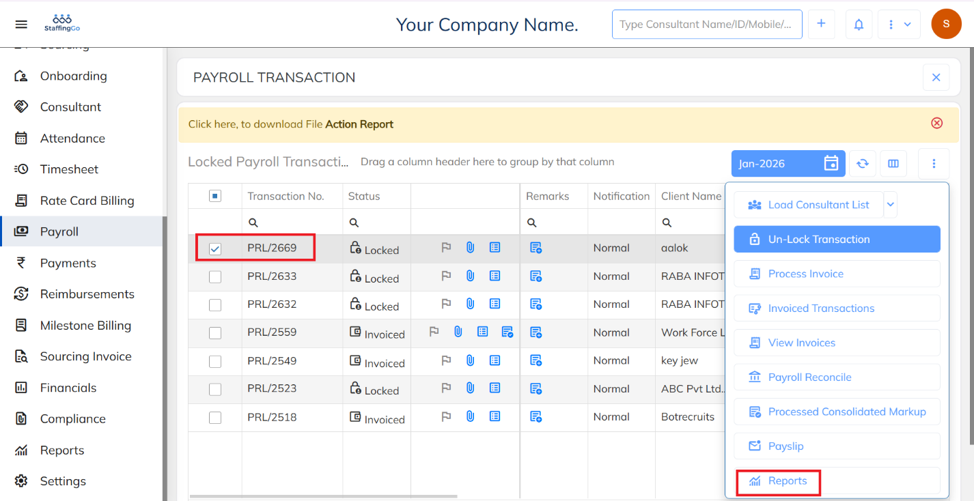
- Select the required Transaction → Click on the three-dot (⋮) icon to view available actions
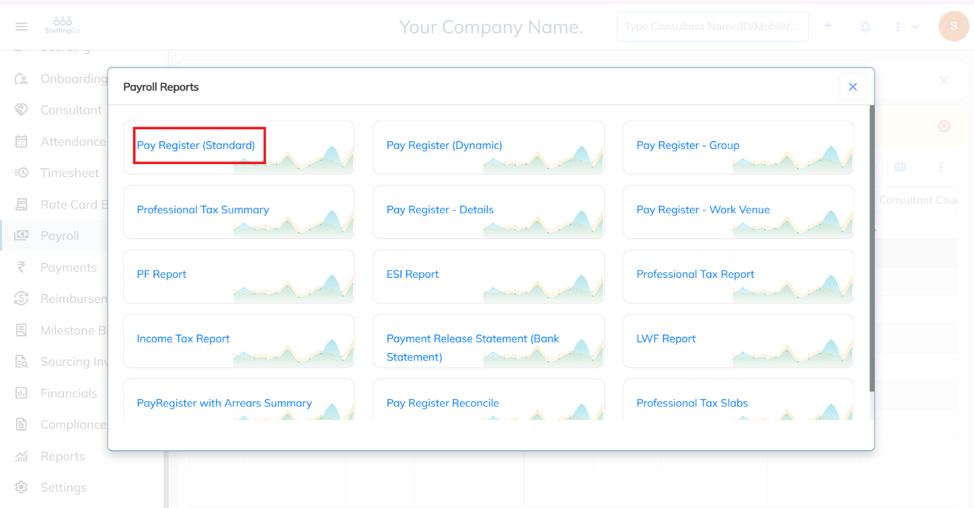
- Click on Pay Register Standard from the available options.
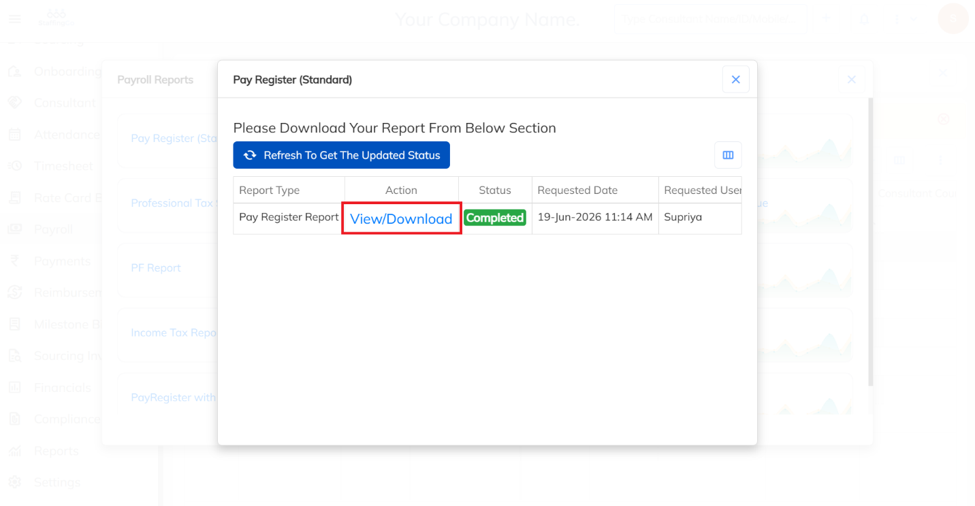
- Click on View/Download:
- From the downloaded report below, you can view the UTR Number.

Was this article helpful?
That’s Great!
Thank you for your feedback
Sorry! We couldn't be helpful
Thank you for your feedback
Feedback sent
We appreciate your effort and will try to fix the article