To Download employee Salary details report please follow the steps below:
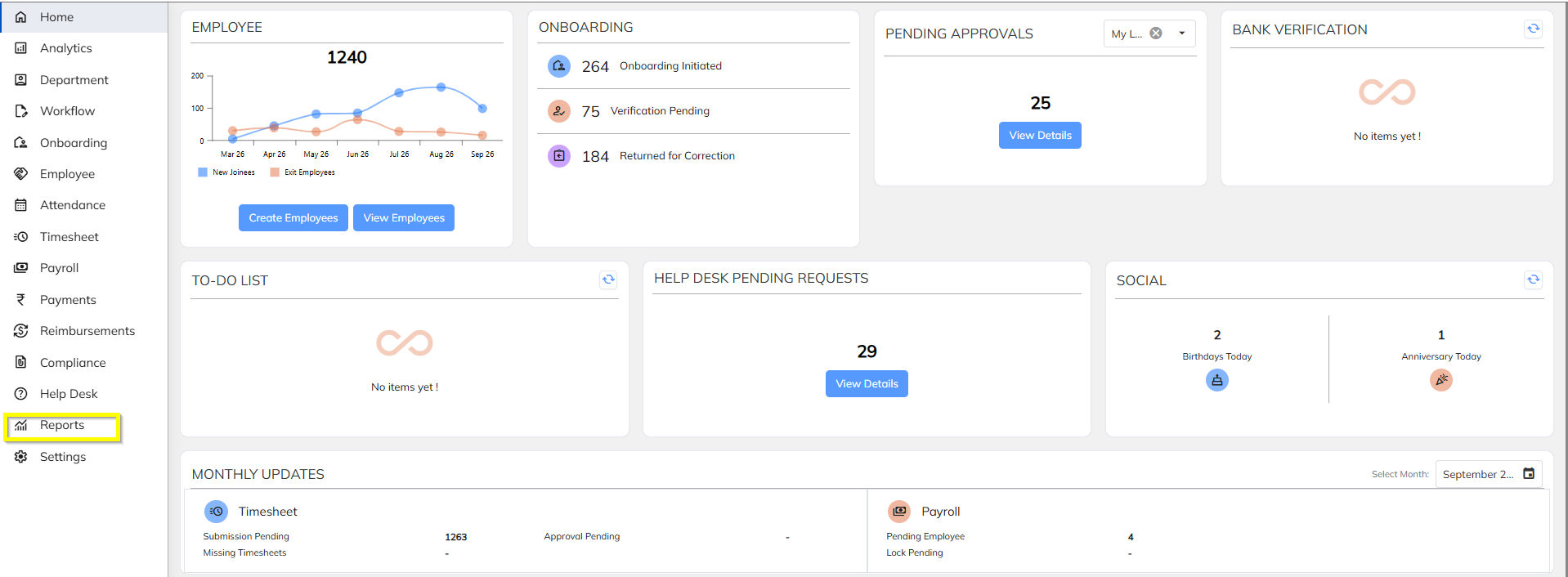
- Navigate to the report Section
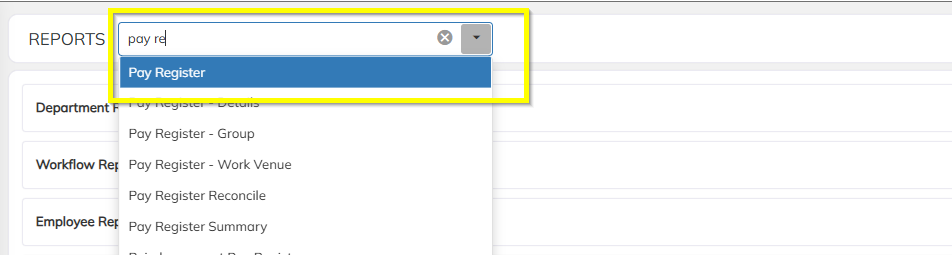
- In report section search the Payregister report
- Click on the Payregister details report
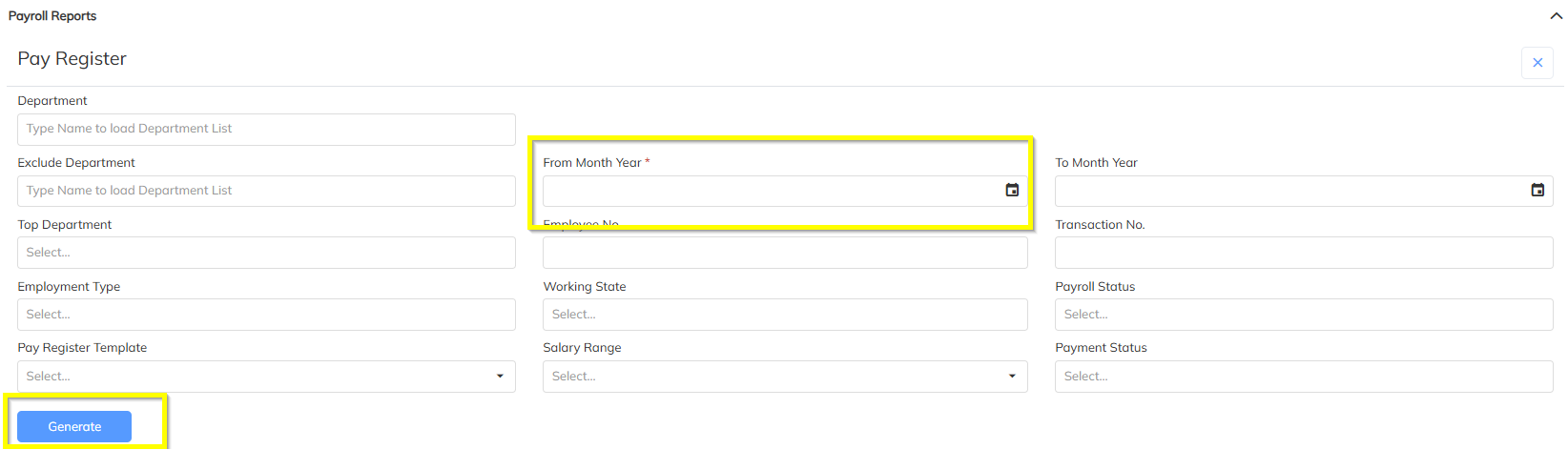
- Select the Payroll month and Click on generate button and wait for few min
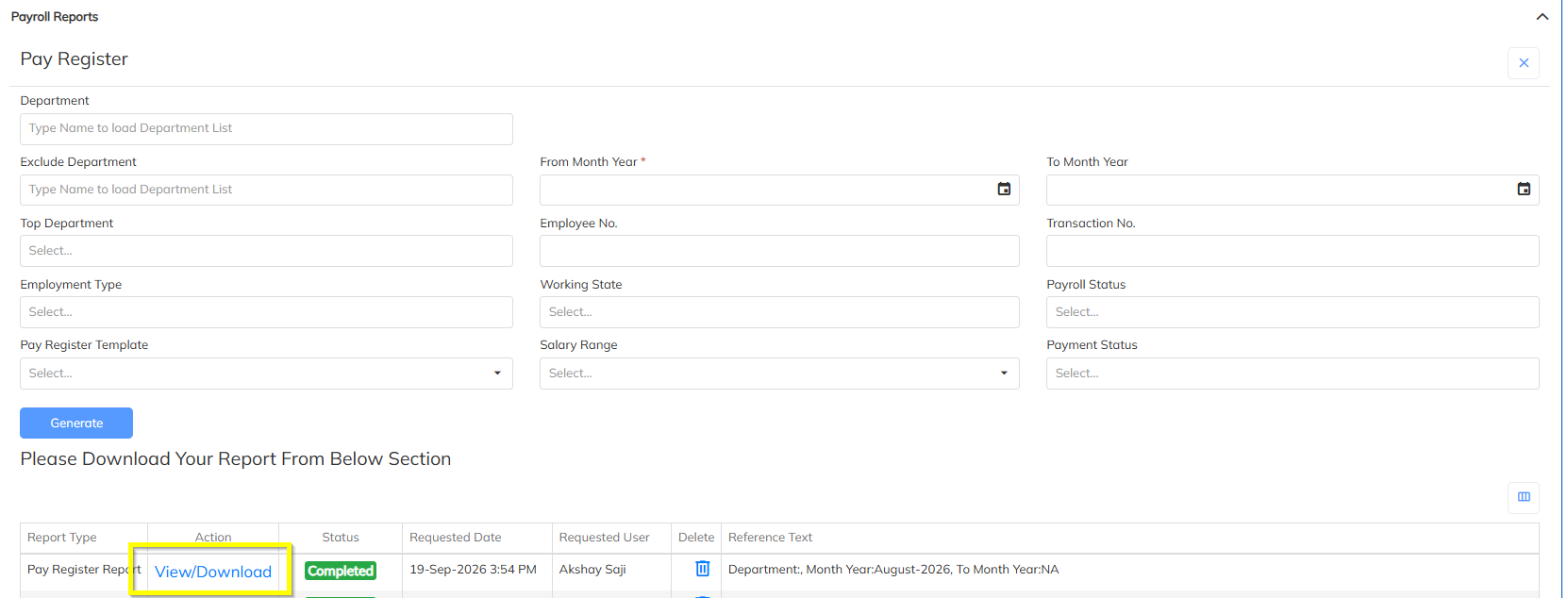
- Click on View/Download and The report is generated your system, Please check in your downloads
Was this article helpful?
That’s Great!
Thank you for your feedback
Sorry! We couldn't be helpful
Thank you for your feedback
Feedback sent
We appreciate your effort and will try to fix the article