Confirmation letter generation and same as release to employee for acceptance acknowledge from the Employee ESS portal.
Letter Generation Process
Follow the steps below mentioned to Letter generation
- Navigate to Employee section and open the Employee profile page.
- In Employee page click on the Offer and HR letter section.

- Click on the Generate option and choose the appropriate Letter category to generate.
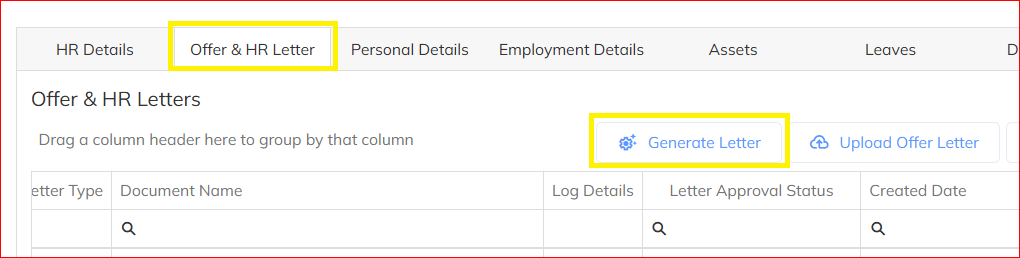
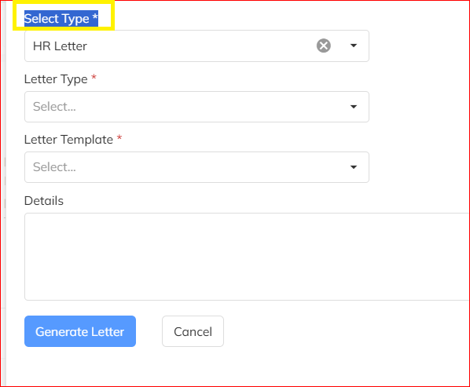
- Choose the Letter category need to generate in the application.
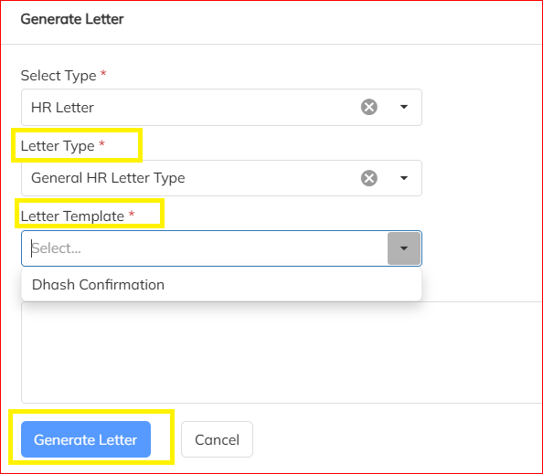
- Choose the respective HR Letter template from the letter template list.
- Follow the wizard to input all the mandatory details marked with *symbol and other information.
- Click on Generate Letter to create the Confirmation letter for the candidate.
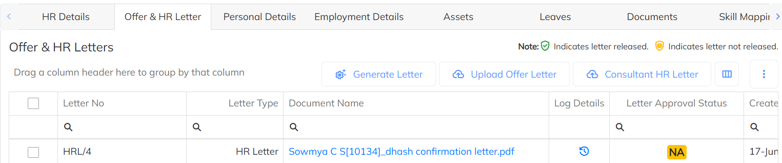
- You can view generated offer letter in the Confirmation letter section.
Offer letter Release & Mail to candidate.
- Generated offer letter can be send to the candidate as an attachment through mail in the application and as well initiate for release to view in the employee portal. Generated offer letter can be released to the candidate to accept the offer from the onboarding portal.
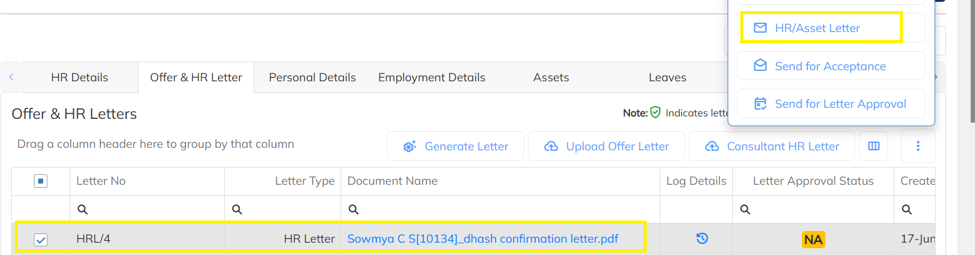
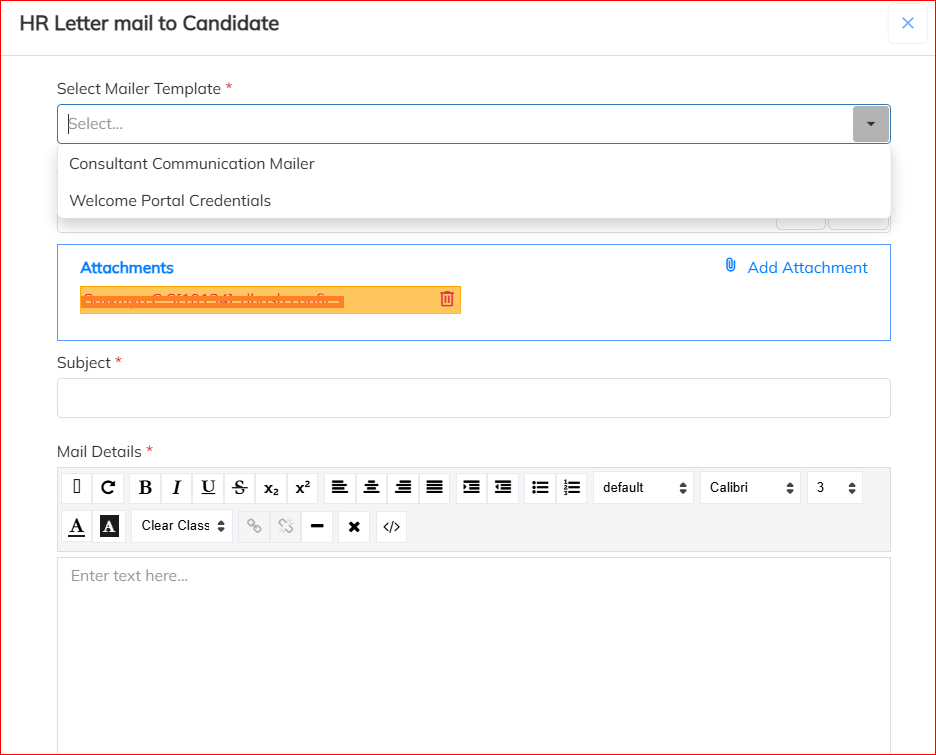
- Select the generated Letter and click on the HR/Asset Letter mail option and send the letter mail to candidate.
Was this article helpful?
That’s Great!
Thank you for your feedback
Sorry! We couldn't be helpful
Thank you for your feedback
Feedback sent
We appreciate your effort and will try to fix the article