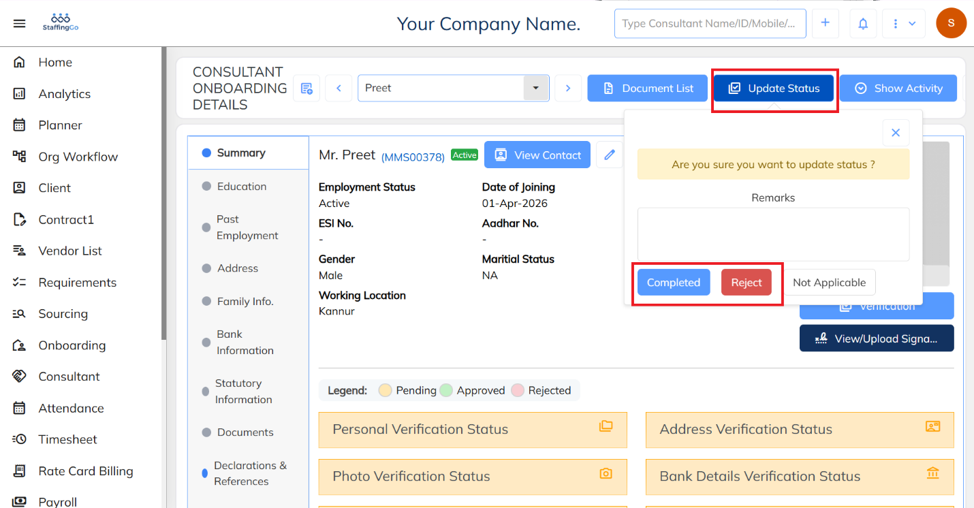
- If the employee is still in the Onboarding stage, update the onboarding status to Completed. Only after the onboarding process is completed, employee will be able to view payslips in the ESS portal.
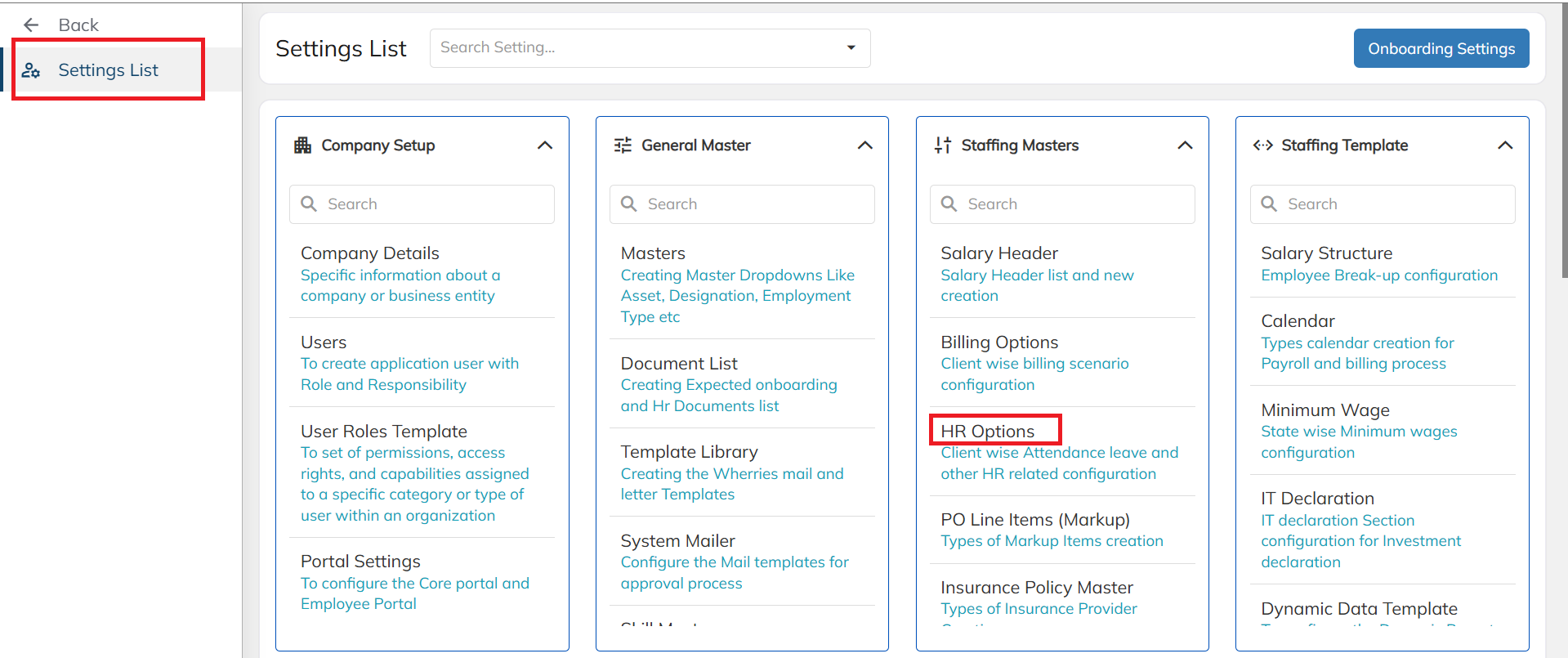
- Navigate to Settings list, under that click on HR options.
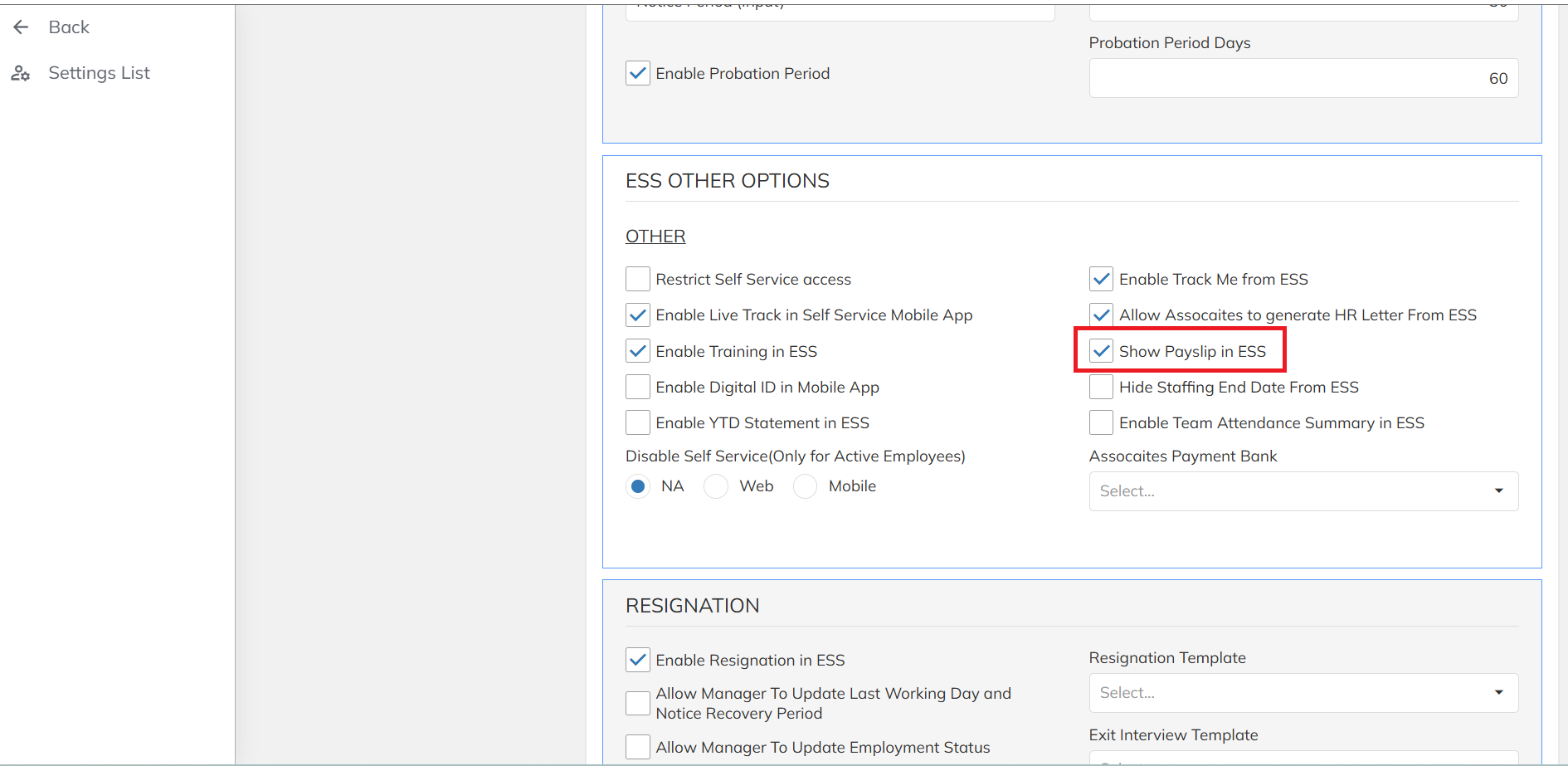
- Select the HR Option. Under the ESS Other Options, enable the Show Payslip in ESS option. If this option is disabled, the Payslip menu will not be visible in the ESS portal.
Was this article helpful?
That’s Great!
Thank you for your feedback
Sorry! We couldn't be helpful
Thank you for your feedback
Feedback sent
We appreciate your effort and will try to fix the article