To update an employee's onboarding status:
Navigate to Onboarding Section, Click on Onboarding Initiated.
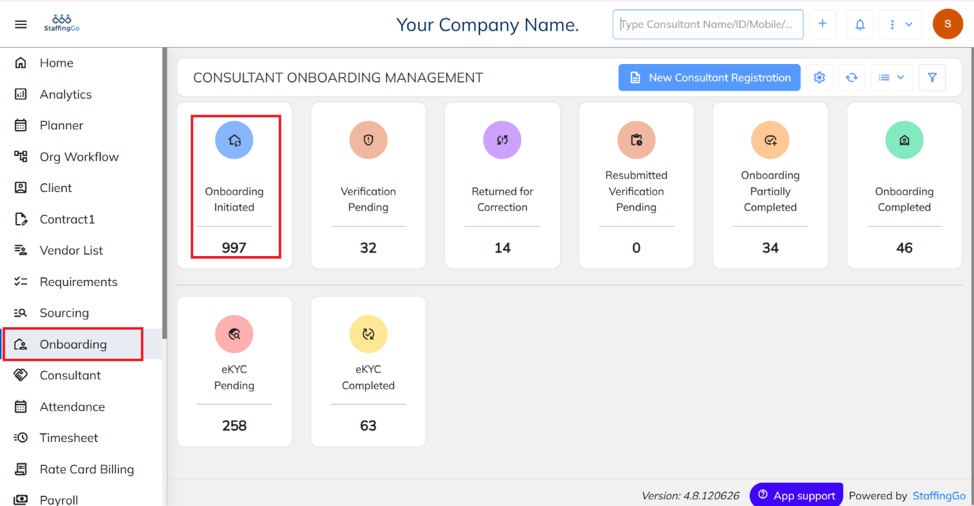
Select the employee/candidate whose status needs to be updated.
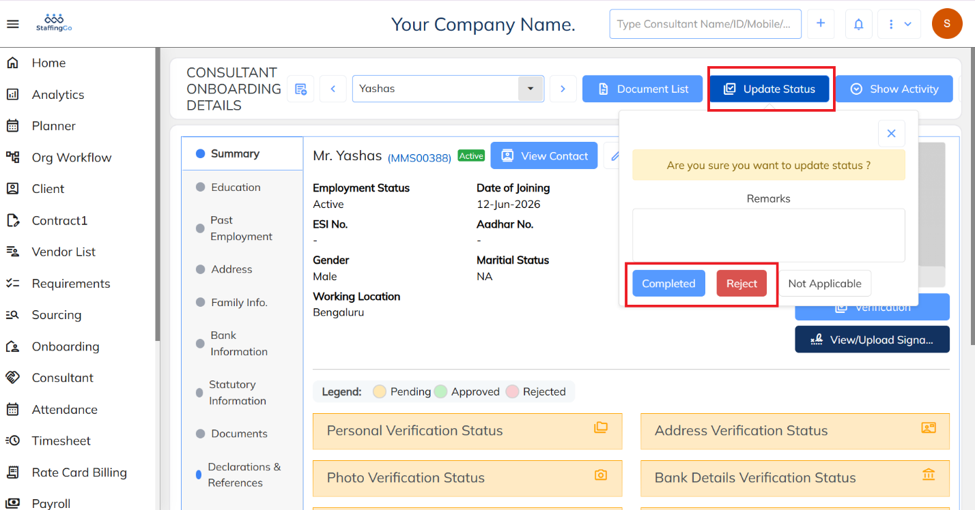
Click on the Update Status option and select the appropriate onboarding status as Completed or Rejected.
Was this article helpful?
That’s Great!
Thank you for your feedback
Sorry! We couldn't be helpful
Thank you for your feedback
Feedback sent
We appreciate your effort and will try to fix the article