Navigate to Settings List, Under Staffing Masters, Select HR options.
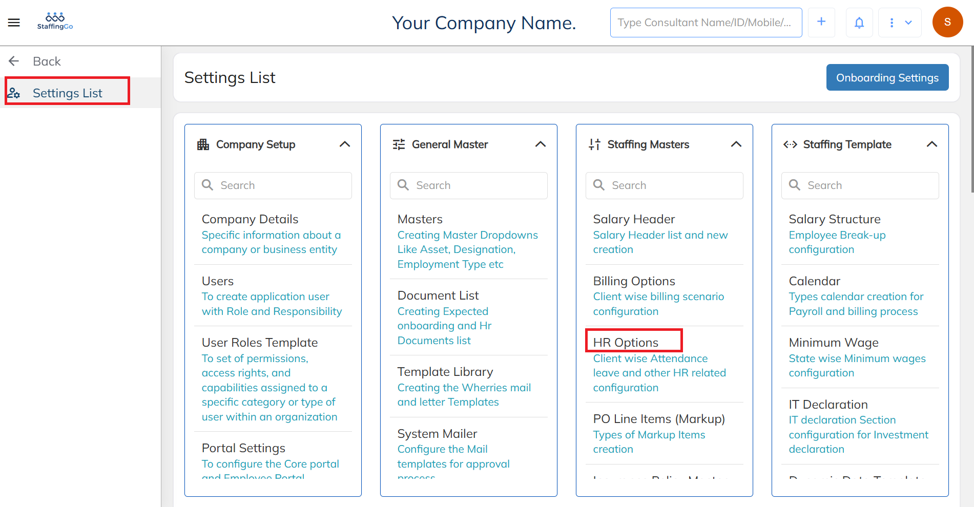
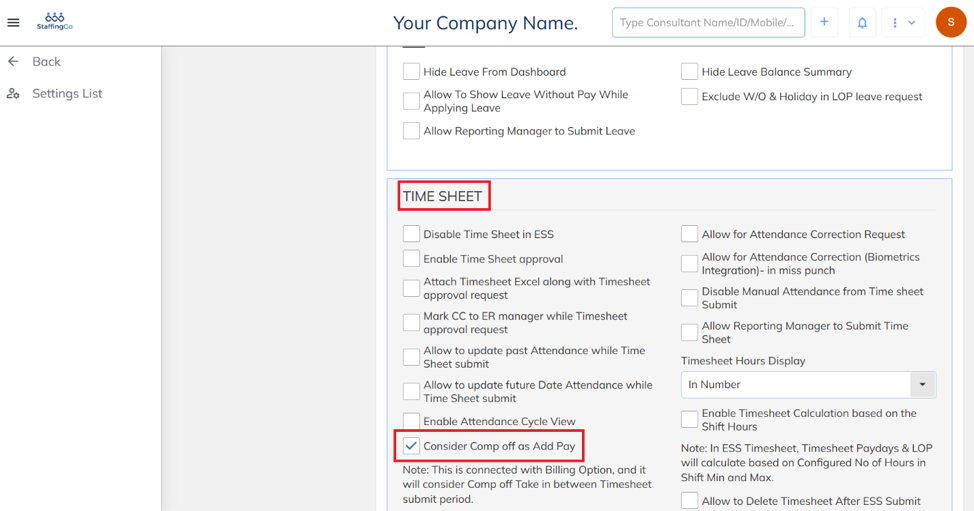
Select the HR option, then under the Timesheet section, enable the Consider Comp Off as Additional Day option.
Was this article helpful?
That’s Great!
Thank you for your feedback
Sorry! We couldn't be helpful
Thank you for your feedback
Feedback sent
We appreciate your effort and will try to fix the article