In the Rate Card Billing Invoice, the allowance amount can be marked as Included or Not Included.
If you want the allowance amount to be considered in rate card billing invoice.
Perform the following steps:
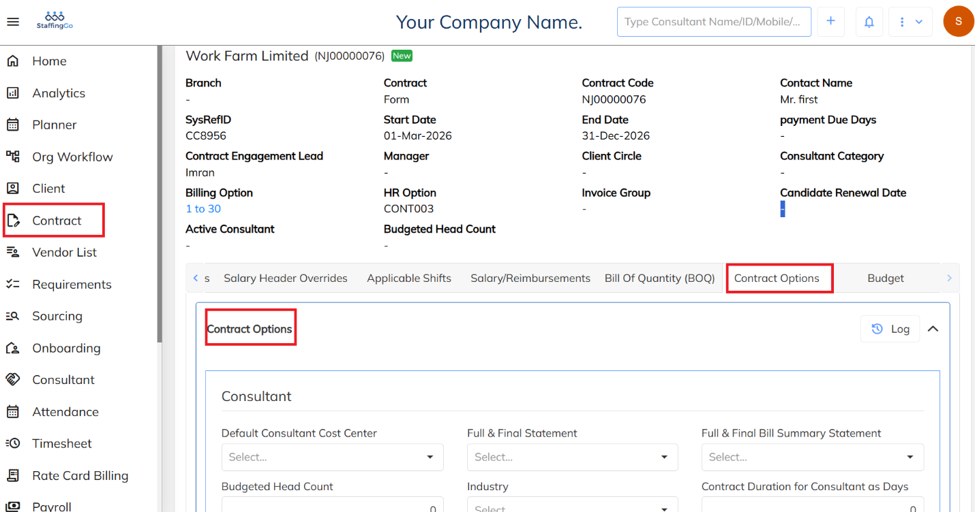
Navigate to Contract → Select the Required Contract → Go to Contract Options → Click on Contract Options.
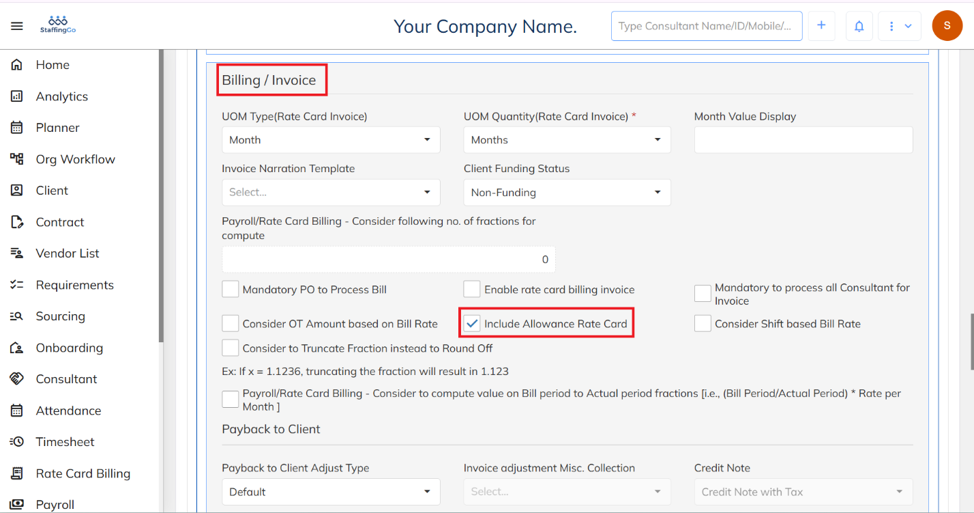
Navigate to the Billing/Invoice section → Enable the Include Allowance Rate Card option.
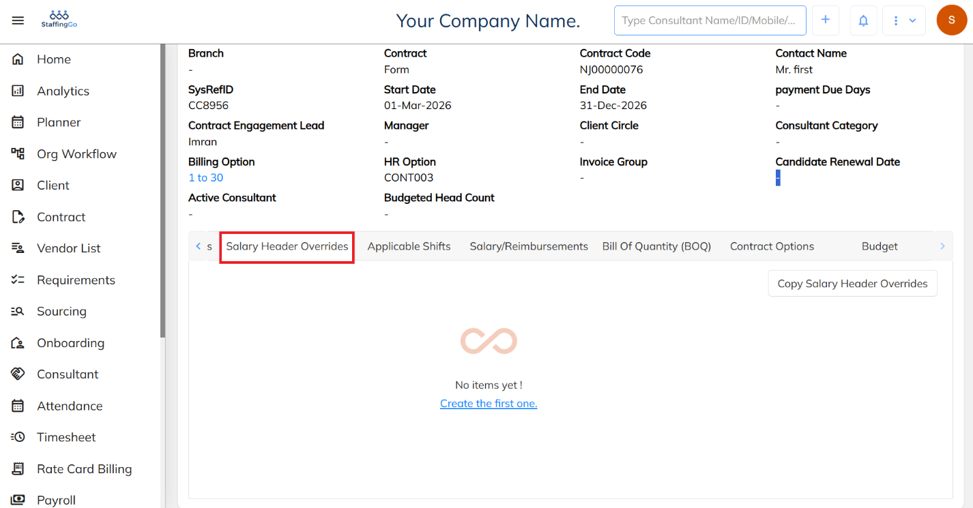
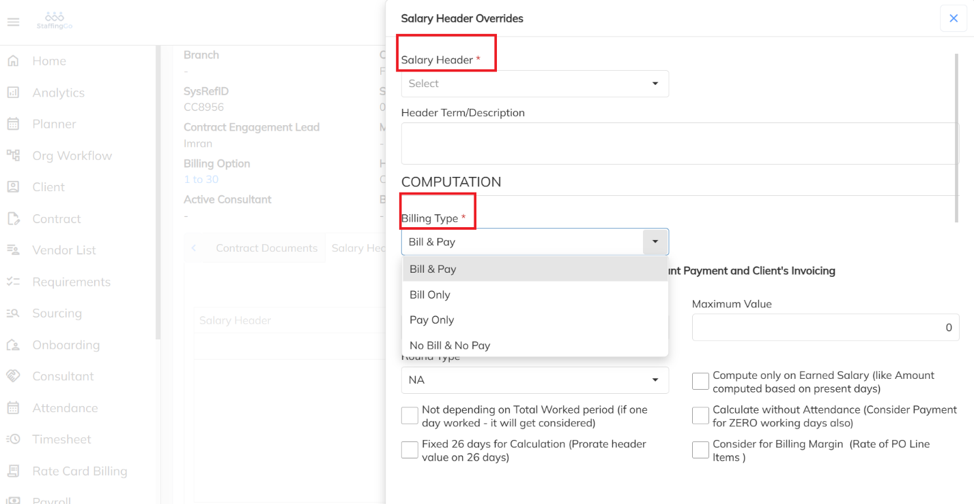
After enabling the option, under the same contract, navigate to the Salary Header Override section.
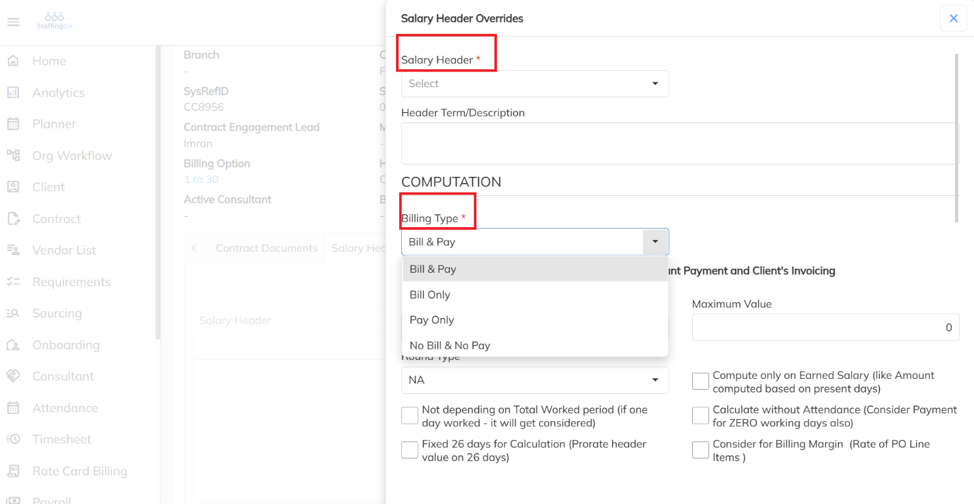
Under the Salary Header Override section, select the required Salary Header and choose the appropriate Billing Type as either Bill Only or Bill and Pay.
If you do not want the allowance amount to be considered in the Rate Card billing Invoice.
Navigate to Contract → Select the Required Contract → Go to Contract Options → Click on Contract Options.
Navigate to the Billing/Invoice section → Disable the Include Allowance Rate Card option.
After disabling the option, under the same contract, navigate to the Salary Header Override section. Select the required Salary Header and set the Billing Type to Pay Only to exclude the component from the Rate Card billing Invoice.
Was this article helpful?
That’s Great!
Thank you for your feedback
Sorry! We couldn't be helpful
Thank you for your feedback
Feedback sent
We appreciate your effort and will try to fix the article