To enable Auto employee e-sign in the Joining Kit, perform the following steps:
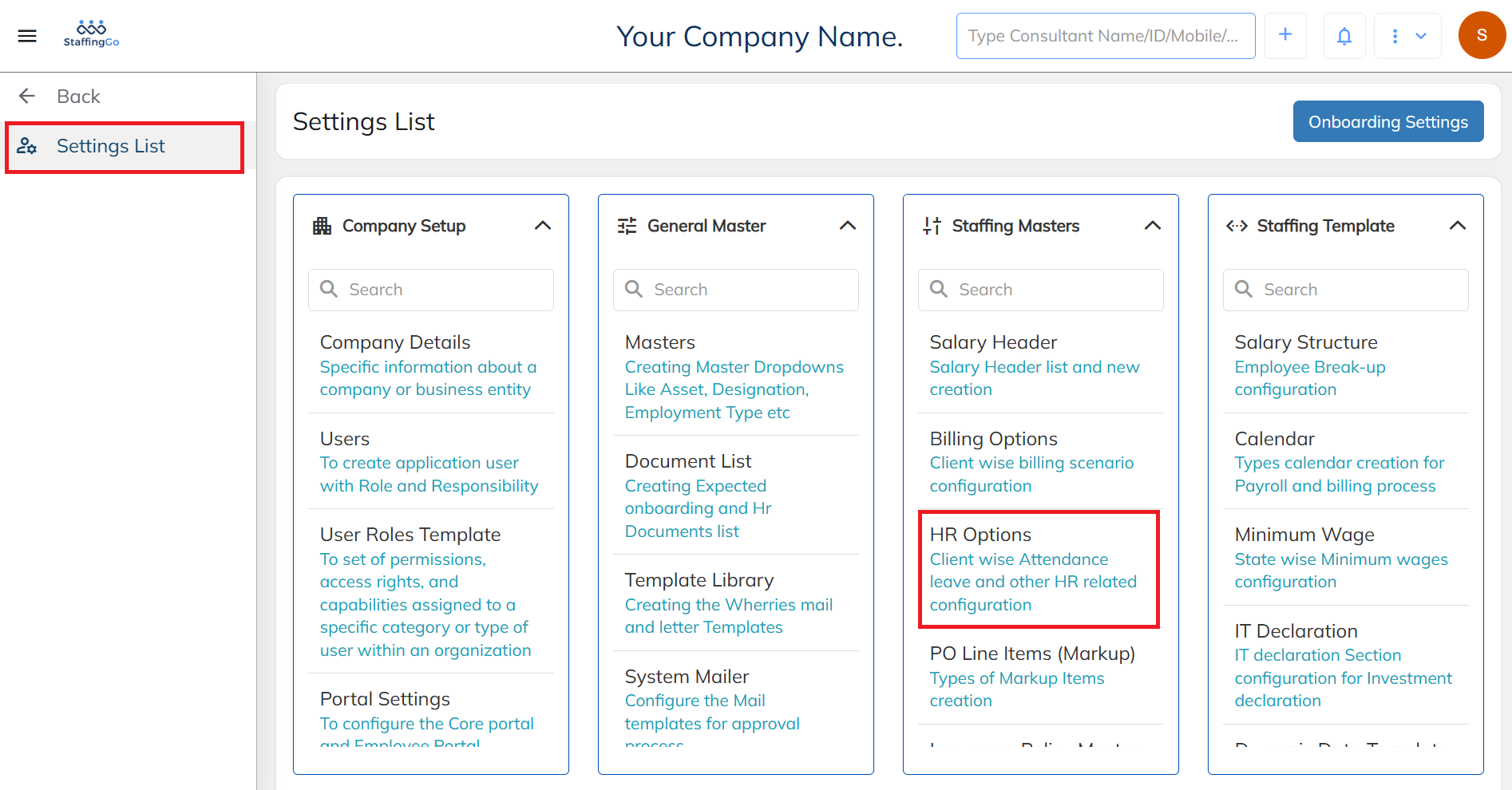
Navigate to Settings list and select the HR option.
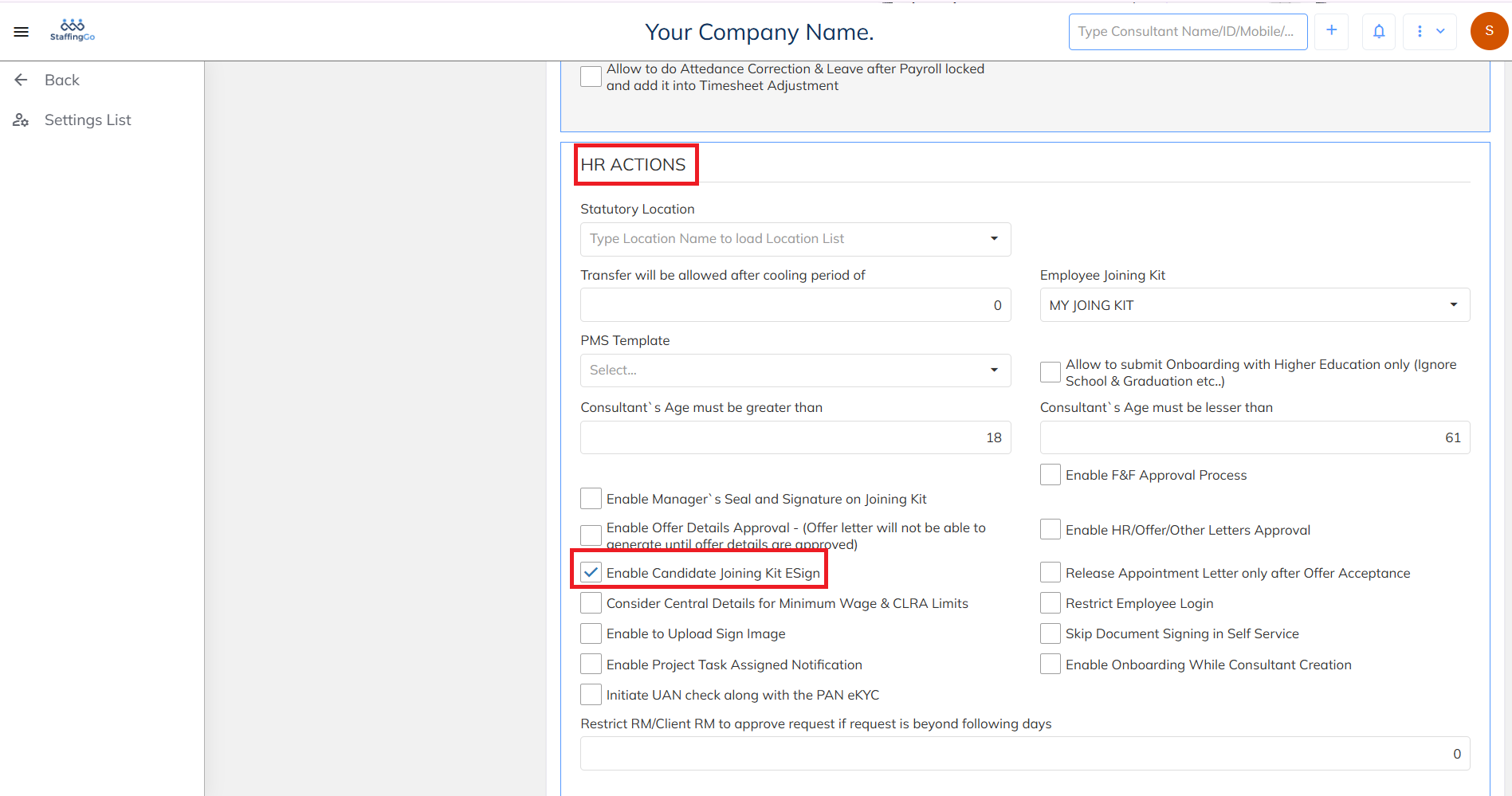
Select the HR option that is mapped to the respective contract. In the HR Actions section below, enable the Candidate Joining Kit E-Sign option.
Was this article helpful?
That’s Great!
Thank you for your feedback
Sorry! We couldn't be helpful
Thank you for your feedback
Feedback sent
We appreciate your effort and will try to fix the article