Quick Steps to Process Salary Arrears

Created by Pritesh Patel, Modified on Mon, 1 Jun at 3:24 PM by Supriya Nagure

Quick Steps to Process Salary Arrears

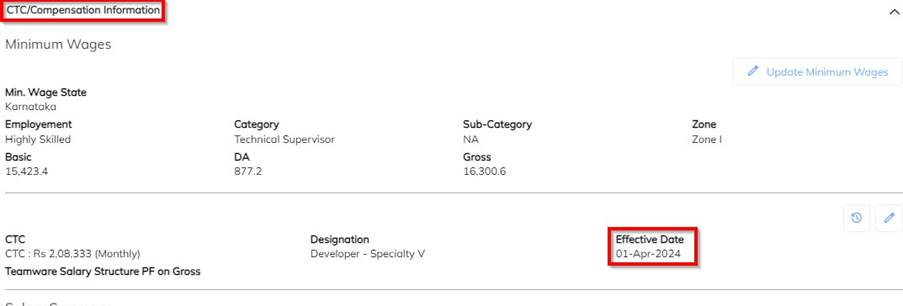
  1. Update Employee Salary Revision
    • Navigate to Employee → CTC Compensation Details.
    • Update the revised salary structure and enter the correct Effective Date.


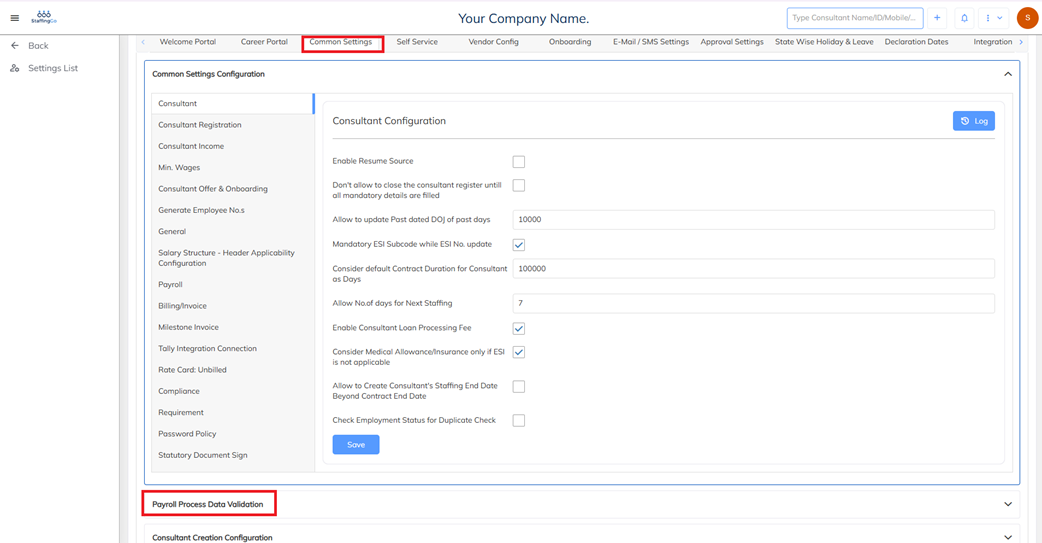
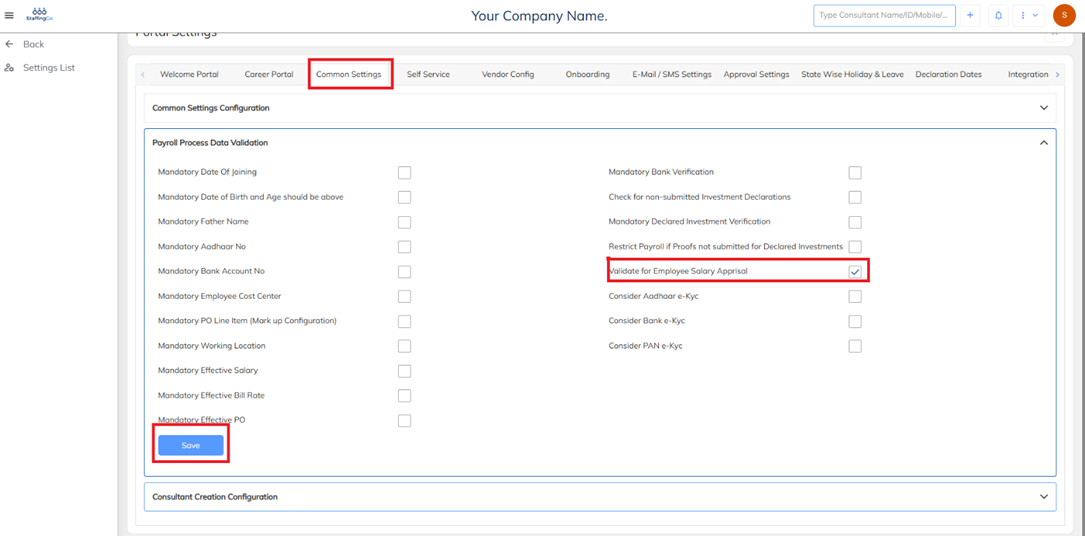
        2. Enable Auto Salary Arrears Configuration

            * Go to 

               Settings -> Company Setup --> Portal Settings--> Common Settings--> Payroll Process--> Data Validation.


        * Enable Validate for Employee Salary Appraisal and save the settings.


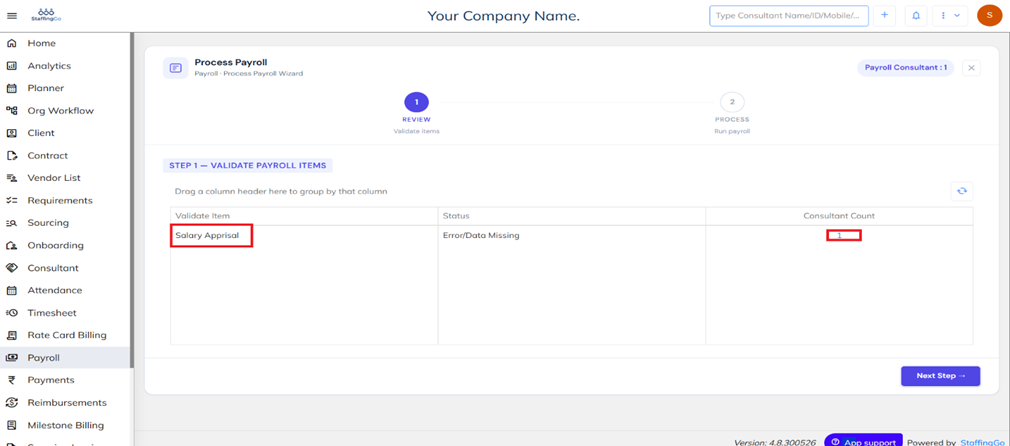
        3. Run Payroll for the Current Month

        *   During the Payroll processing the system automatically identifies employees eligible for salary arrears based on the 

             effective date of the salary revision.

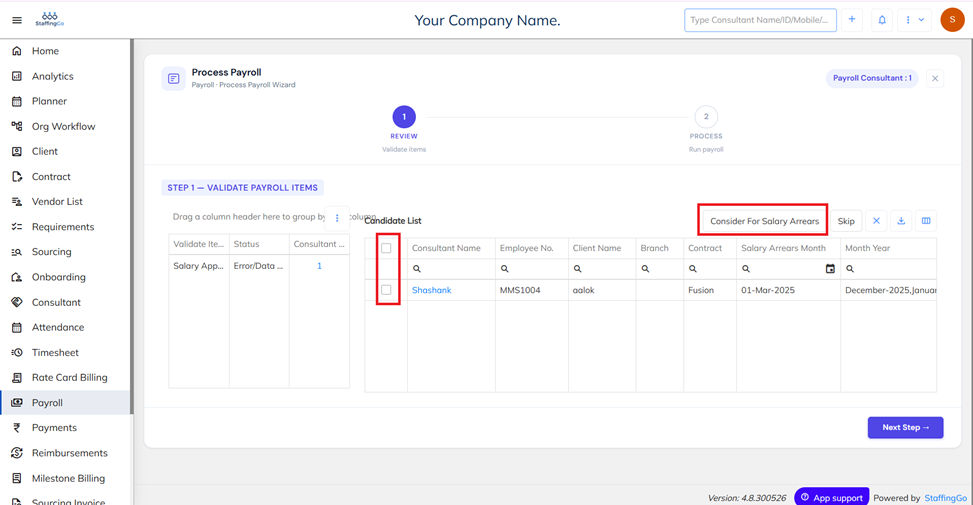
          * The system will display the count of employees eligible for arrears processing.

          * Click the employee count to view eligible employees.


          4. Review Arrears Validation

             * Select the required employees and click consider for salary arrears.

             * Alternatively, click skip if arrears should not be processed.


   * Based on the selection of the consideration of arrears computation for selected employees salary arrears will be

      computed as per the revision updated.

Was this article helpful?

That’s Great!

Thank you for your feedback

Sorry! We couldn't be helpful

Thank you for your feedback

Let us know how can we improve this article!

Select at least one of the reasons
CAPTCHA verification is required.

Feedback sent

We appreciate your effort and will try to fix the article