Overview Regarding Arrears Process:
In the context of salary, an arrear is value of money that should have been paid in the past as a salary and was missed out. Arrears are payments made to compensate for not paying salaries on time.
Employees are given arrears when they earn a wage increase in a month but do not receive the money in the following month. For this scenario, we can achieve in the application by following the below- mentioned methodology.
Arrears Process /Salary Revision Process:
- if the existing month's salary increment needs to be processed in the application along with current month salary in the auto mod without doing any existing months’ time adjustment need to take care below mentioned configuration in the application.
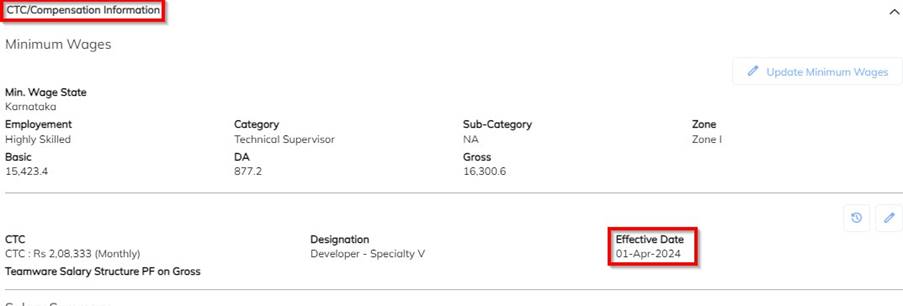
- Update the Employee Salary revision details along with the effective date in the application. ( Under Employee CTC compensation details)
- Enable the Auto Salary arrears process configuration in the application.
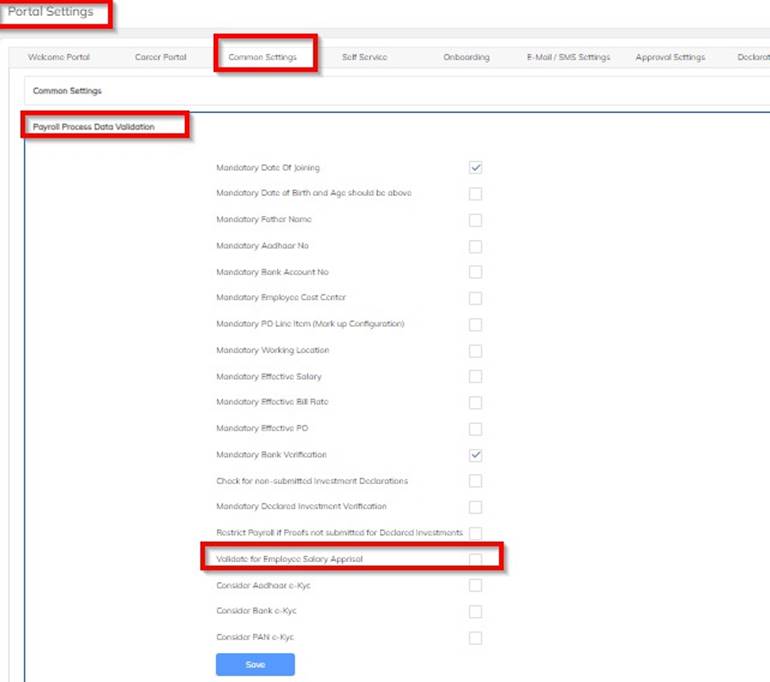
- Settingà Company Set Up à Portal SettingàCommon SettingàPayroll process data ValidationàEnable the Validate for Employee Salary Appraisal option & save.
- Once you enable with auto arrears computation configuration, In the upcoming timesheet entry payroll will process along with arrears computation and We have the same validation verification under the payroll pending tab.
 During the payroll process, application will indicate the arrears processing with applicable employee counts in validation column.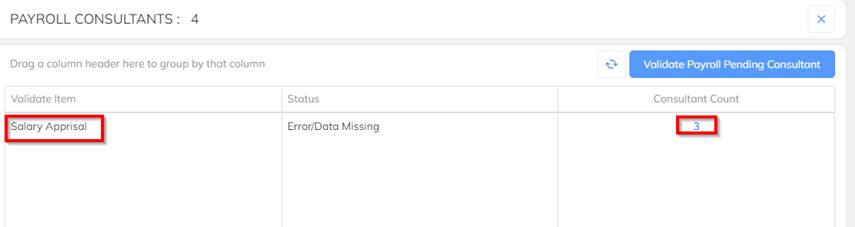
 Once you click on the arrears validation employee count ,able to view the applicable employee and select the arrears process employees and click on the consider for salary arrears to consider for process or else click on Skip option.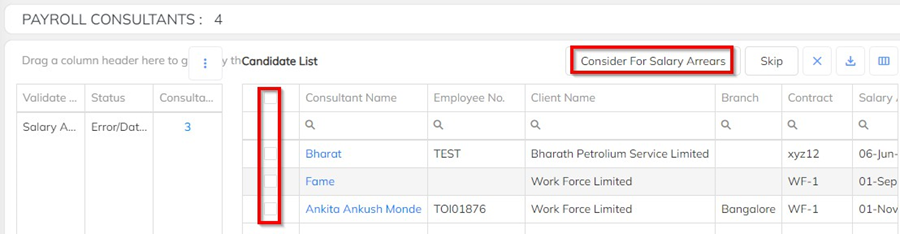
 Based on the selection of the consideration of arrears computation for selected employees Salary arrears will be computed as per the revision updated.
Note: Required user verification of the employee salary revision update with proper effective date. If any multiple salary structure is attempted and the same has been in active, after the effective date all will be considered for the payroll arrears process.
Was this article helpful?
That’s Great!
Thank you for your feedback
Sorry! We couldn't be helpful
Thank you for your feedback
Feedback sent
We appreciate your effort and will try to fix the article