Follow the below mentioned steps to set up the the Tally accounting year on the yearly basis in the StaffingGo Application.
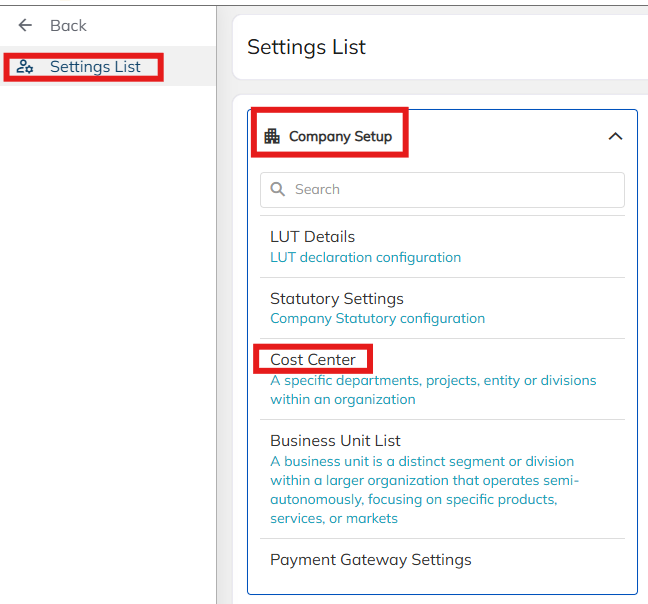
1. Navigate to Settings>> Company Master >> Cost center.
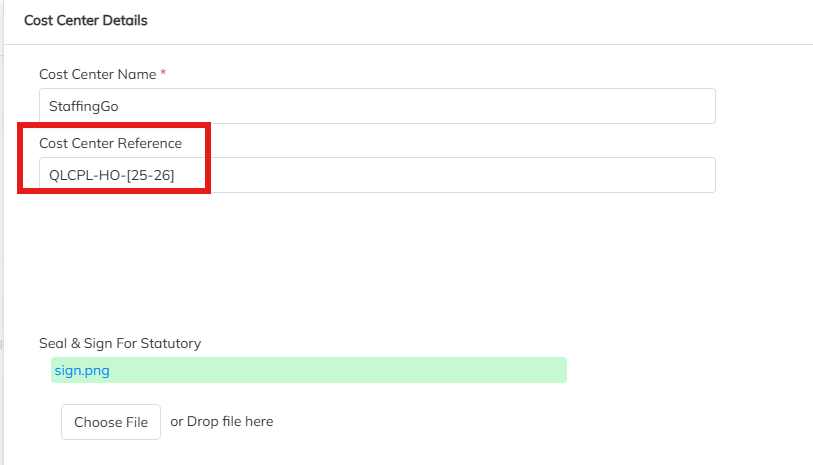
2. Choose appropriate the cost center and edit using the Edit option . Update the Tally accounting year details under Cost center Reference details.
Was this article helpful?
That’s Great!
Thank you for your feedback
Sorry! We couldn't be helpful
Thank you for your feedback
Feedback sent
We appreciate your effort and will try to fix the article