This help guide explains the process to generate Employee Codes in bulk for employees listed under the Yet to Join Employees section in StaffingGo. This feature allows users to efficiently generate Employee Numbers based on the configured Employee Code settings.
Below are the steps the user can generate Employee code in Bulk:
- Click on Employee Module --> Navigate to Yet to Join Employees
- Filter out or select the respective Employees based on Client/ Employee No

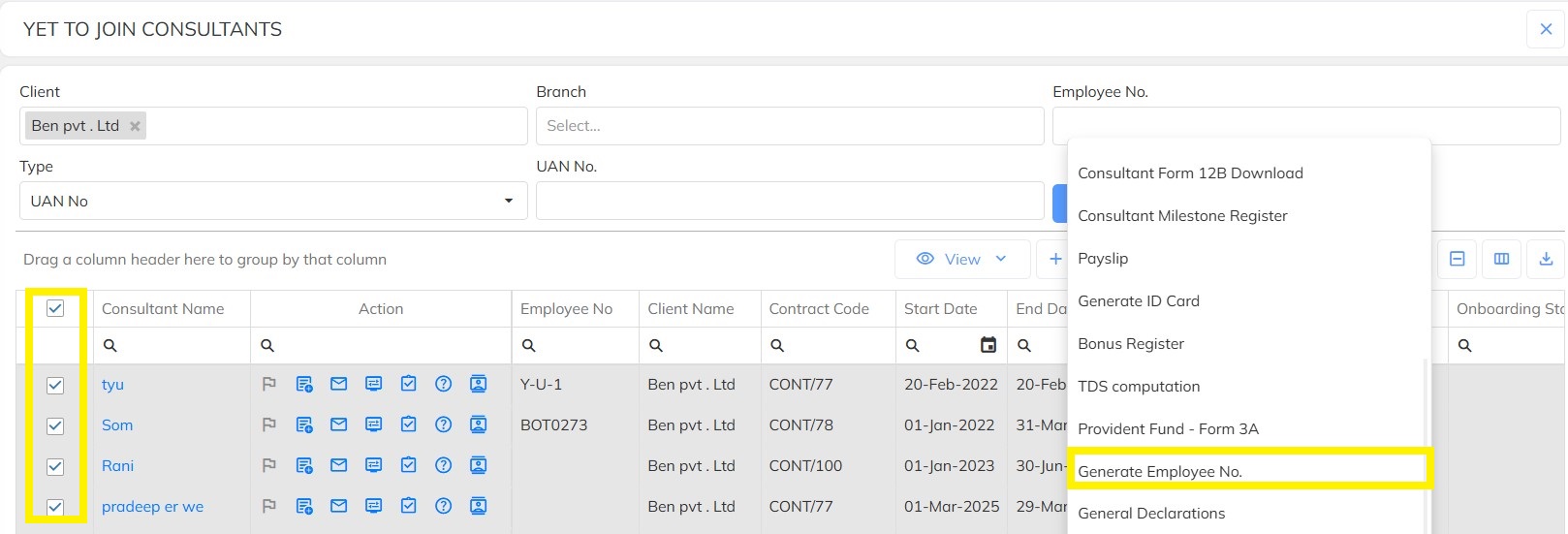
- Select the multiple Employee's which you want to generate the Employee No.
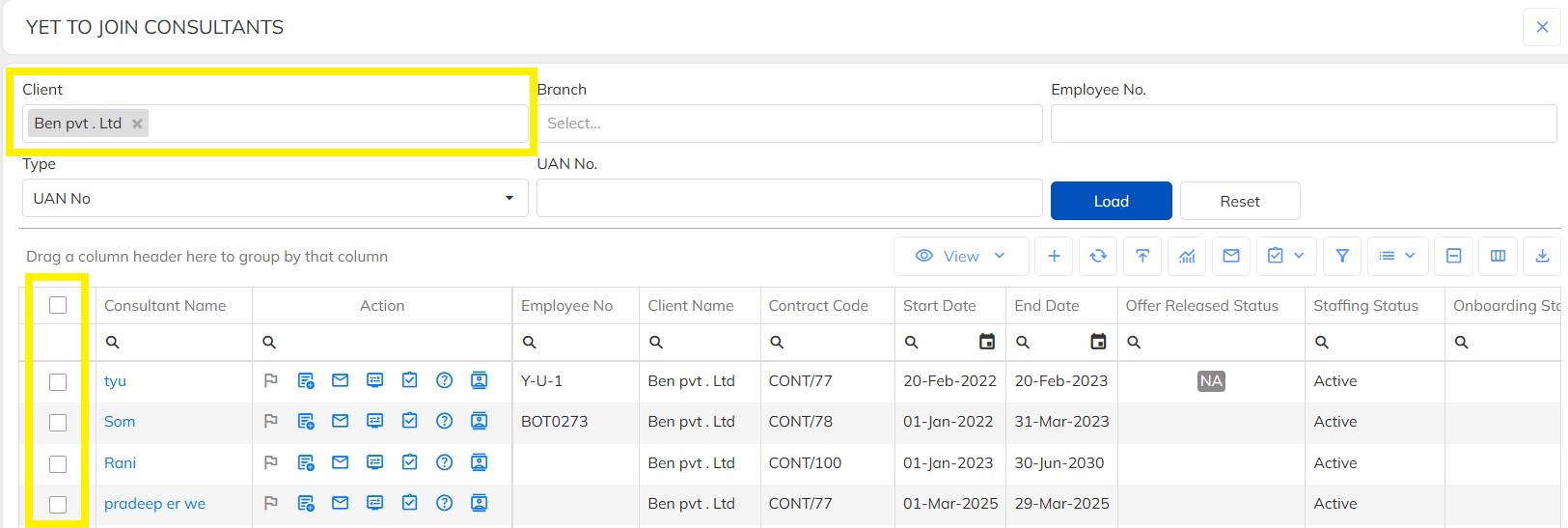
- Click on the below option

- Click on Generate Employee No
- Click on Yes as shown below
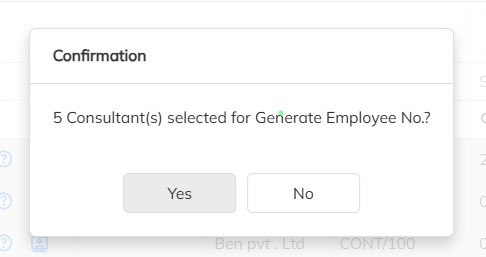
- Employee No's will be generated in Bulk based on the Employee code configurations mapped.
- Kindly Note: For all the employee code which have been already generated, they will not be updated with any new Employee No.
- Refresh After the Employee No's have been successfully generated as shown below after which you will be able to view the update Employee No

Need Help?
If you have any doubts or need further assistance regarding client creation or any other feature, feel free to reach out to our support team at support@staffinggo.in. We’re here to help you!
Was this article helpful?
That’s Great!
Thank you for your feedback
Sorry! We couldn't be helpful
Thank you for your feedback
Feedback sent
We appreciate your effort and will try to fix the article