General Steps to Create Skills
Login to the Application
Use your admin or HR credentials.
Go to Settings / Masters
Navigate to:
Settings → Genaral Masters → Skills Master.
Click on “Add / Create Skill”
Click the “+” or “Add New” button.
Enter Skill Details
Fill in:
Skill Name (e.g., Java, Payroll Processing, Communication)
Skill Type(Technical / General / Behavioral)
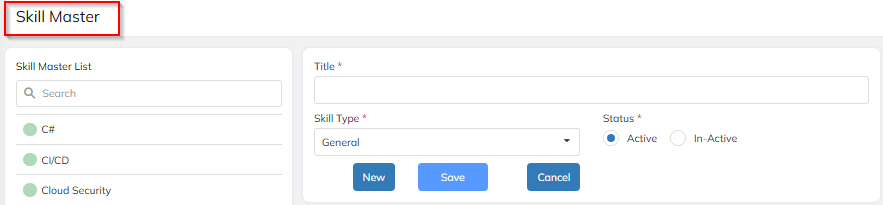
Save
Click Save / Submit.
Map Skills to Employees / Roles
Go to:
Employee Profile → Skill mapping → Add
Review & Update
Periodically review skills and update as required.
Was this article helpful?
That’s Great!
Thank you for your feedback
Sorry! We couldn't be helpful
Thank you for your feedback
Feedback sent
We appreciate your effort and will try to fix the article