Follow the below mentioned steps to create the Employment Status in the StaffingGo application
1. Navigate to Settings List >>General Master >> Masters 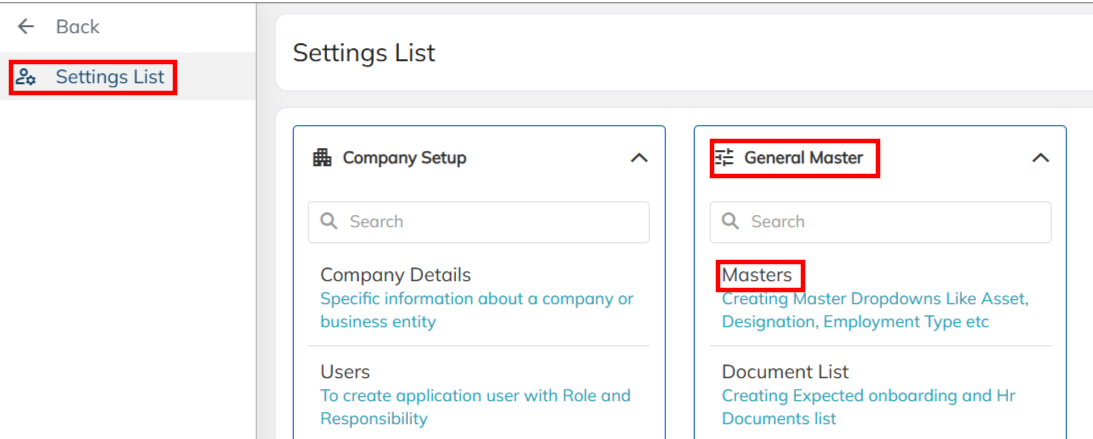
2.Choose the Onboarding ,Consultant & BGV Section and Select the Employment Status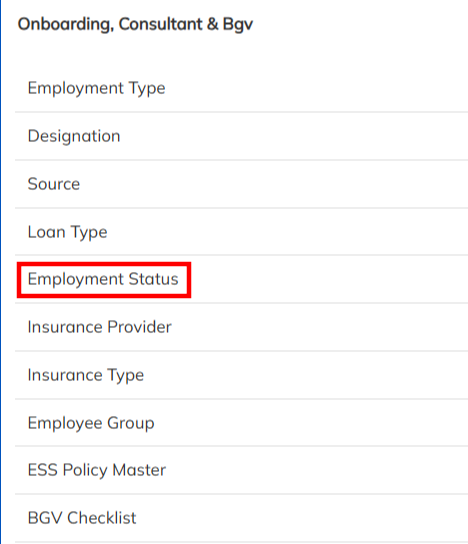
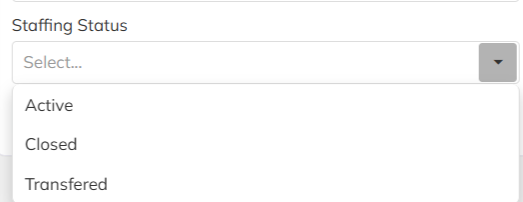
3. Create the New Employment Status under the Master Title and Map the Title Type & Staffing Status Saved . Saved Employment Status details will reflect under employee level HR details option to map to update the Employment status.
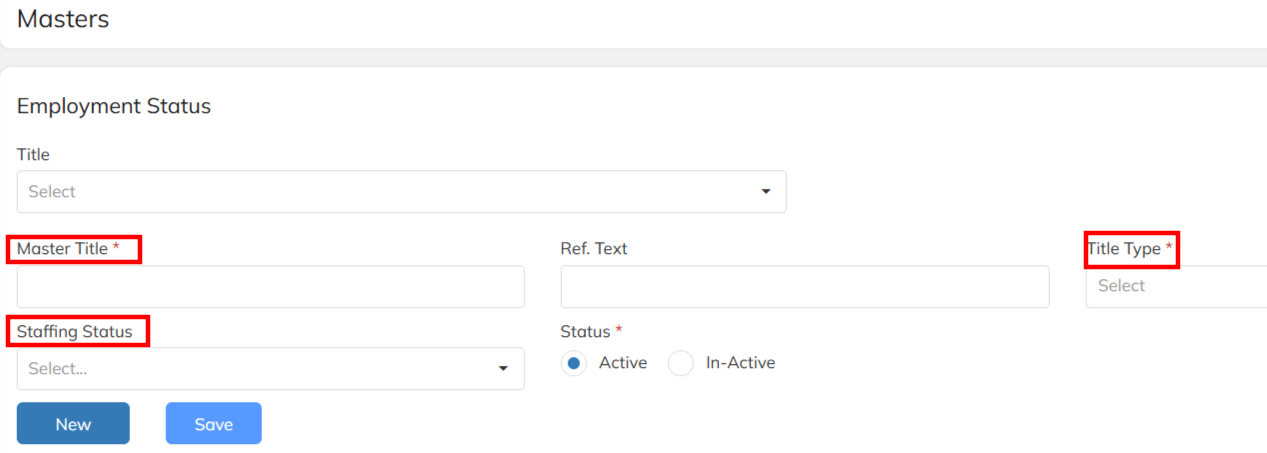
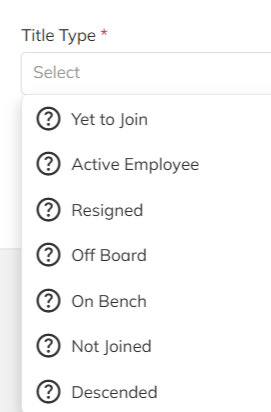
Title Type: Map the Title type during the employment status creation. Accordingly employment status and employee details will visible in the respective dashboard.
Staffing Status :Map the Staffing Status during the employment status creation. Accordingly employment status and employee details will visible in the respective dashboard.
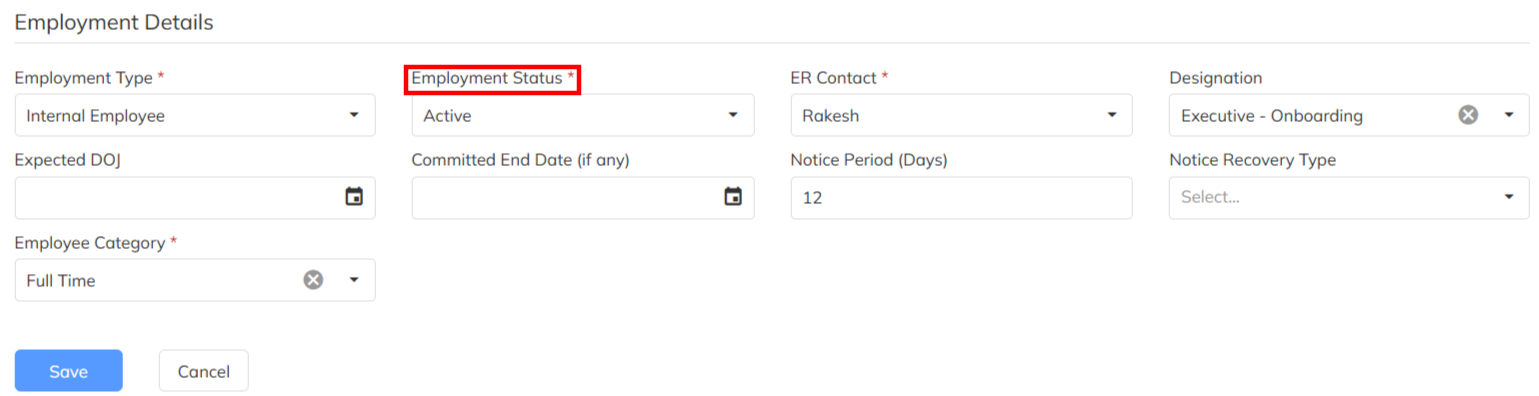
4. Visibility of the configured Employment Status under Core application.
A. In Core Portal under Employee Hr details >> Employment Details.
Was this article helpful?
That’s Great!
Thank you for your feedback
Sorry! We couldn't be helpful
Thank you for your feedback
Feedback sent
We appreciate your effort and will try to fix the article