In the StaffingGo Application having the Pre-Onboarding documents collection process before releasing the offer letter to employee and also without accessing the Employee Portal.
This is the basic process to get the employee Pre-Offer document collection from the employee through online process in order avoid the manual document collection from the employee. Follow the below mentioned steps to configure in the application to get the Pre onboarding/ Pre offer documents
STEP 1: Configure the Pre Onboarding/ Pre Offer documents in the application.
- Navigate to Setting List >>General Master >> Documents List.
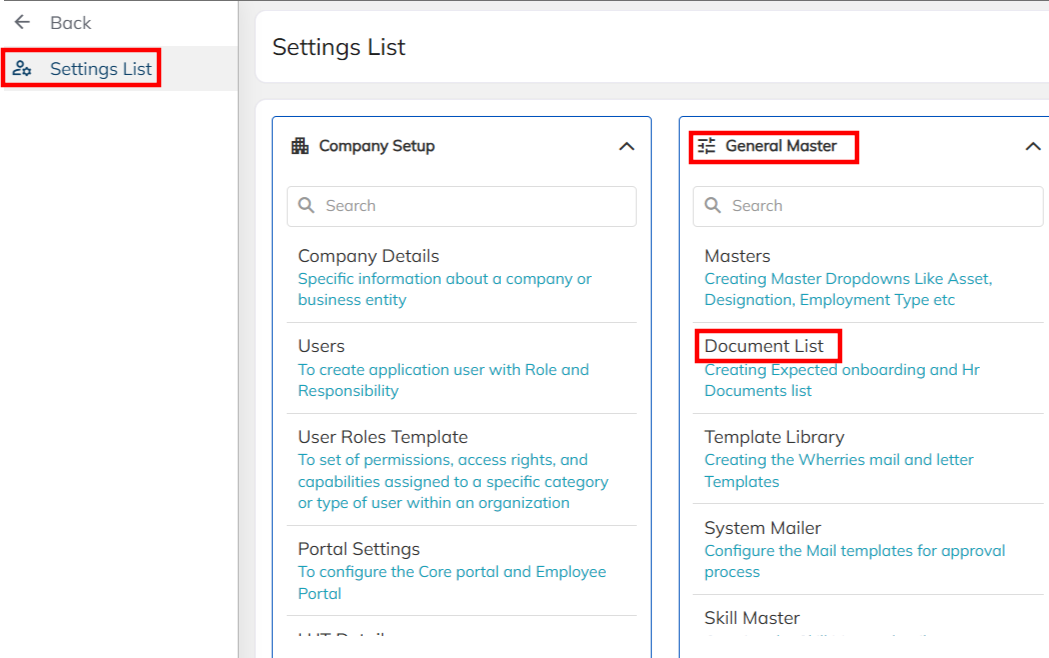
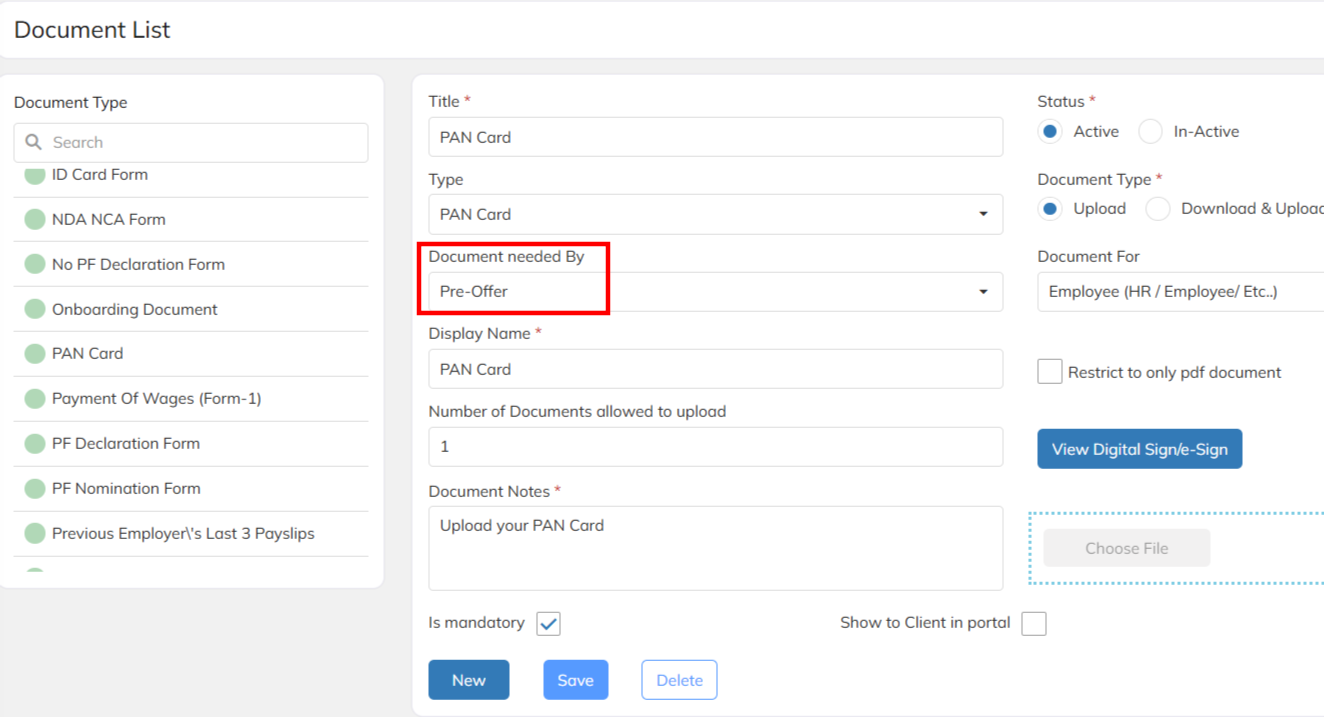
- Configure the Pre Offer documents . Example : Aadhar, PAN, Resume etc..
- Mandatory update the Document Needed By as Pre-Offer set up in the document configuration.
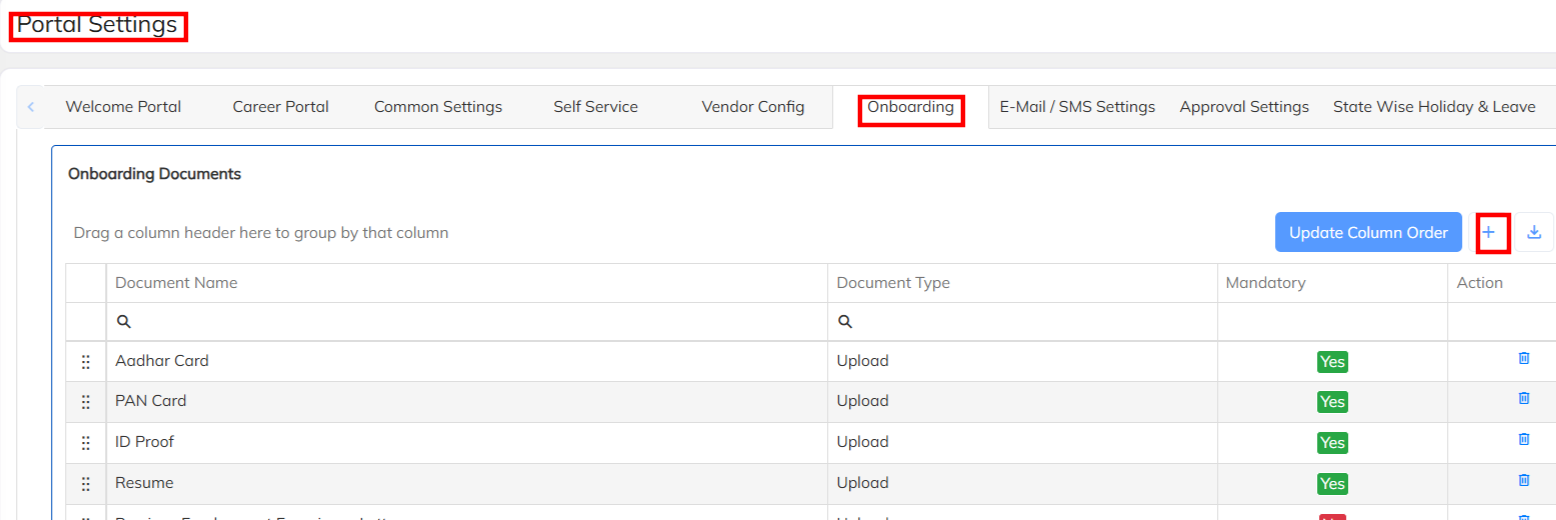
STEP 2 : Configure/ Map the Pre offer Onboarding documents checklist
- Navigate to >>Setting List >> Company Set up >>Portal Setting >>Under Onboarding add the all pre-offer documents which has been configured under documents list
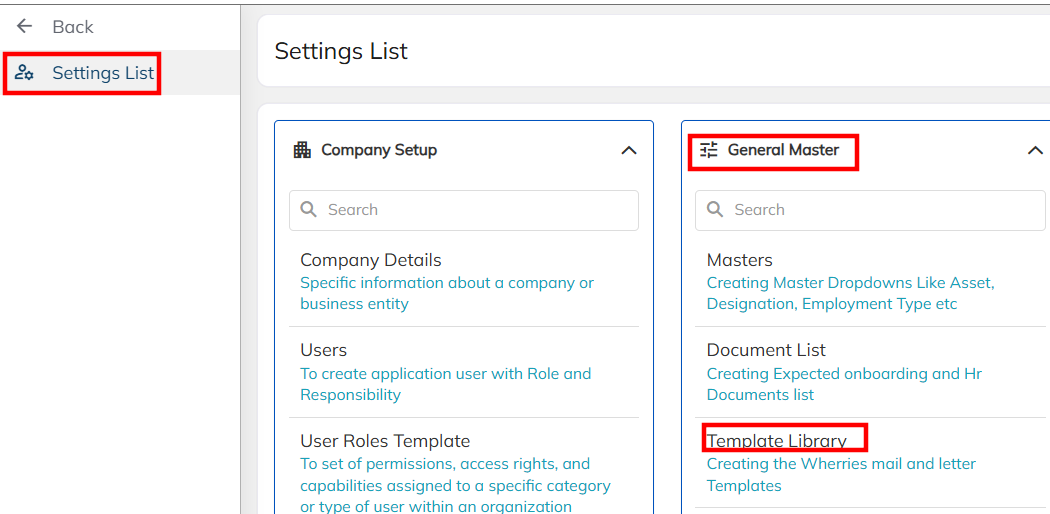
STEP 3: Prepare the Pre-Offer document collection mailer configuration
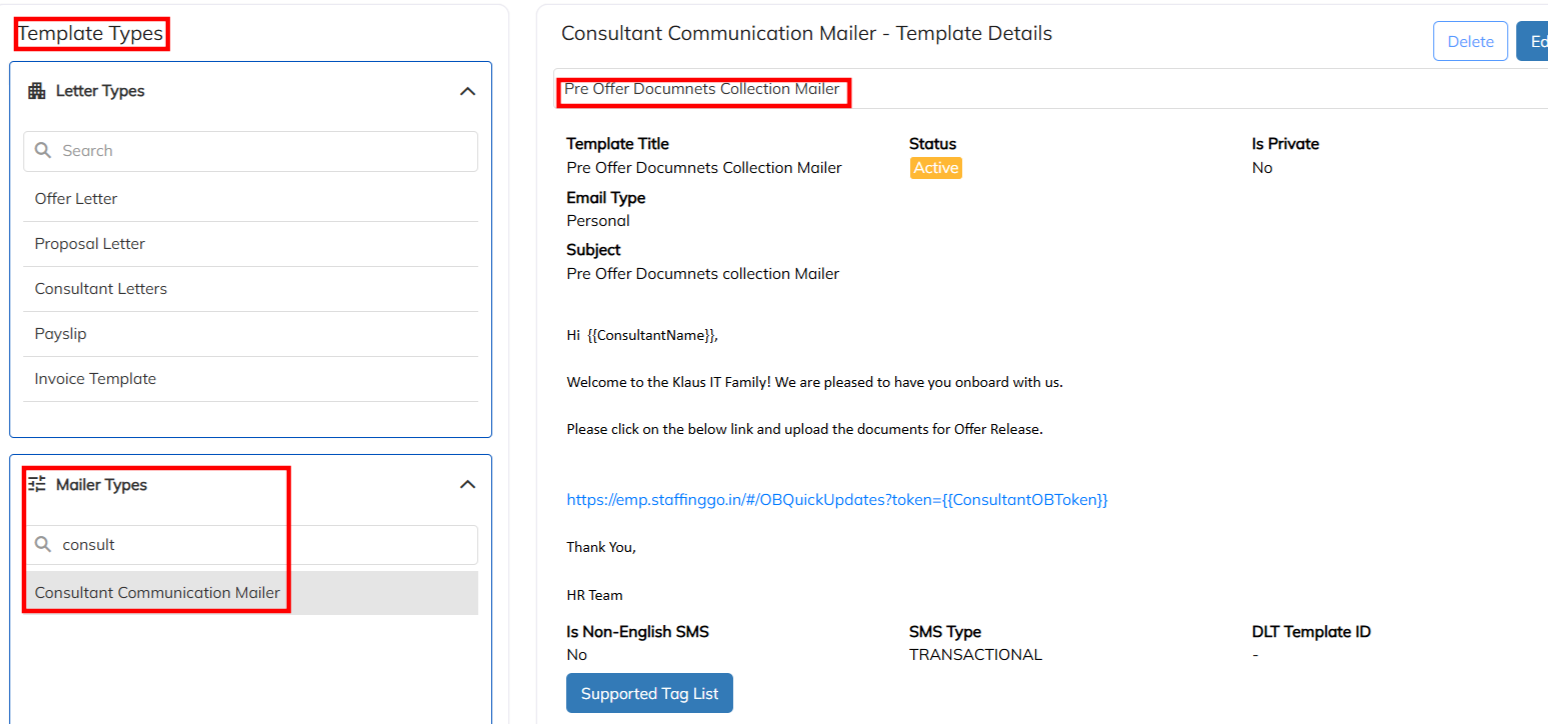
- Navigate to Setting List >> General Master >> Template Library >> Select the mailer Type >> Choose the consultant Communication mailer & Prepare the body of the mailer template .
- Use the mentioned link in the mailer template to get the documents updating link to employee (https://emp.staffinggo.in/#/OBQuickUpdates?token={{ConsultantOBToken}})
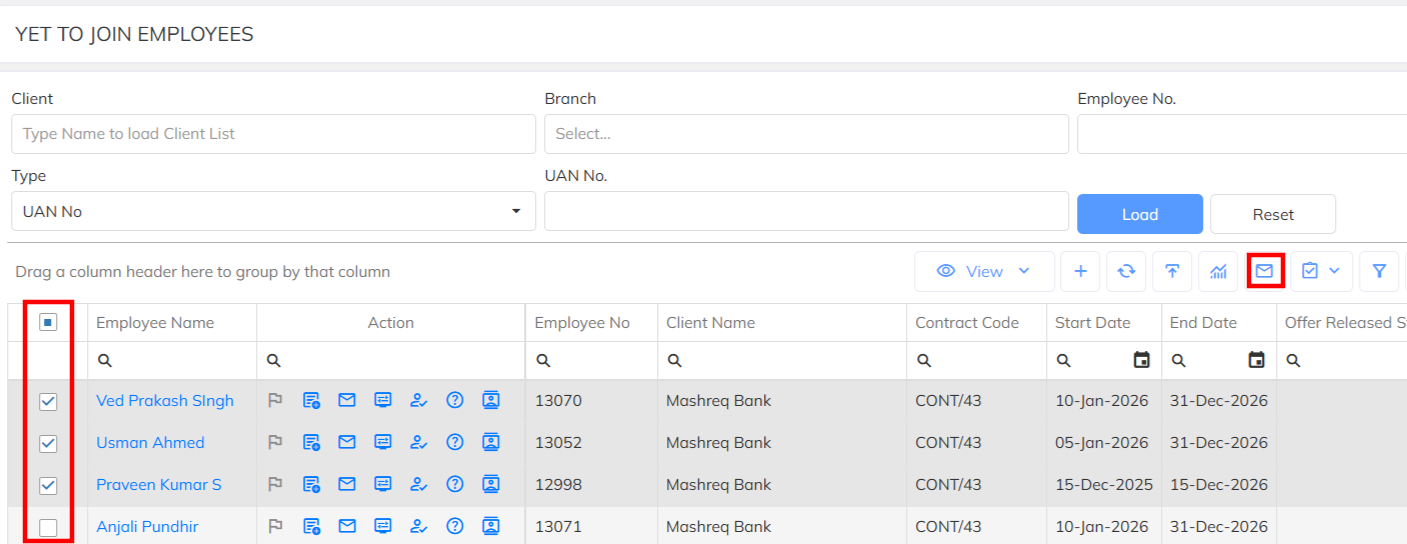
STEP 4 : Bulk mailer initiate to Employees to collect Pre-Offer Documents
- Navigate to Employee Module >> Filter the selected employee and send the configured mailer in manually & bulk.
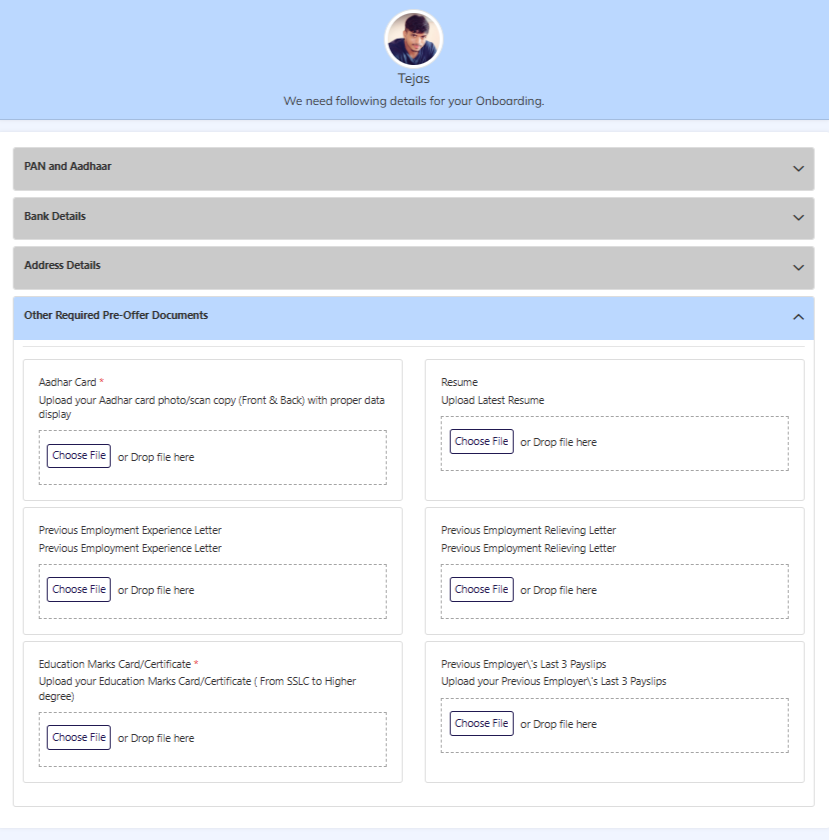
STEP 5: Employee Documents Upload process
- Once employee received the pre-onboarding mailer need to navigate with mentioned link to upload the pre offer details. Same link allow to employee access the details.
- Employee will update the all mandatory pre offer documents and submit.
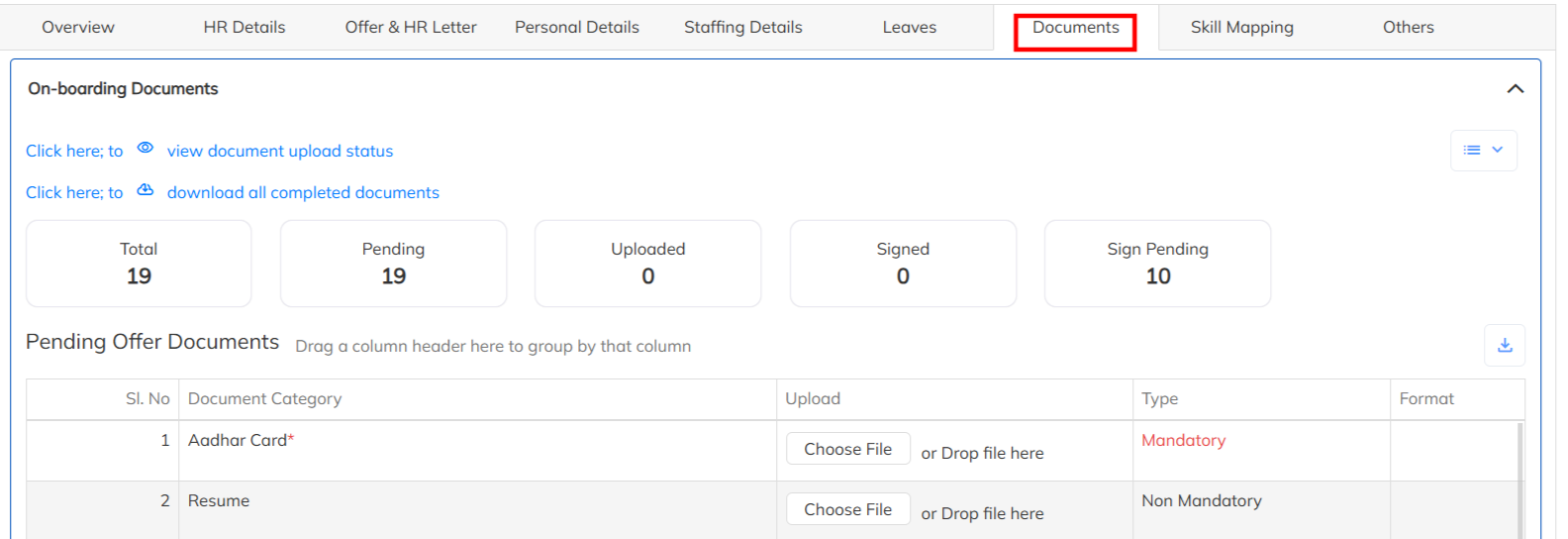
STEP 6: Pre-Offer Document review by User
- Once the employee submitted , user can able to access the submitted documents under the particular employee documents section.
- User can verify the documents for the same.
Note : URL with tag for the mailer configuration
https://chat.staffinggo.in/agent/#/OBQuickUpdates?token={{ChatbotOBToken}}
Was this article helpful?
That’s Great!
Thank you for your feedback
Sorry! We couldn't be helpful
Thank you for your feedback
Feedback sent
We appreciate your effort and will try to fix the article