This help document explains the step-by-step process to update the Date of Joining (DOJ) of an employee/associate in the system.
Prerequisites
You must have access to edit the employee profile.
The updated DOJ and Start Date must be the same to ensure data consistency.
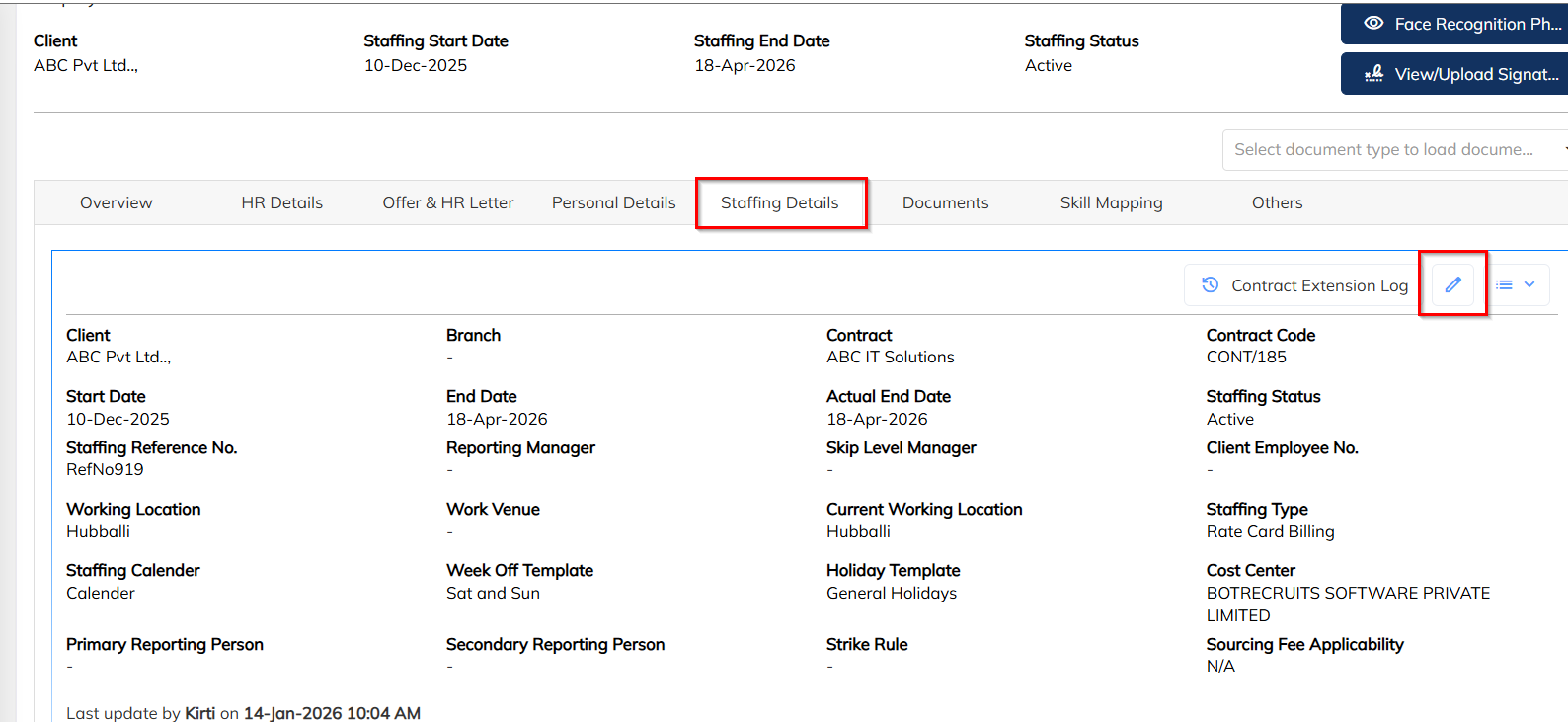
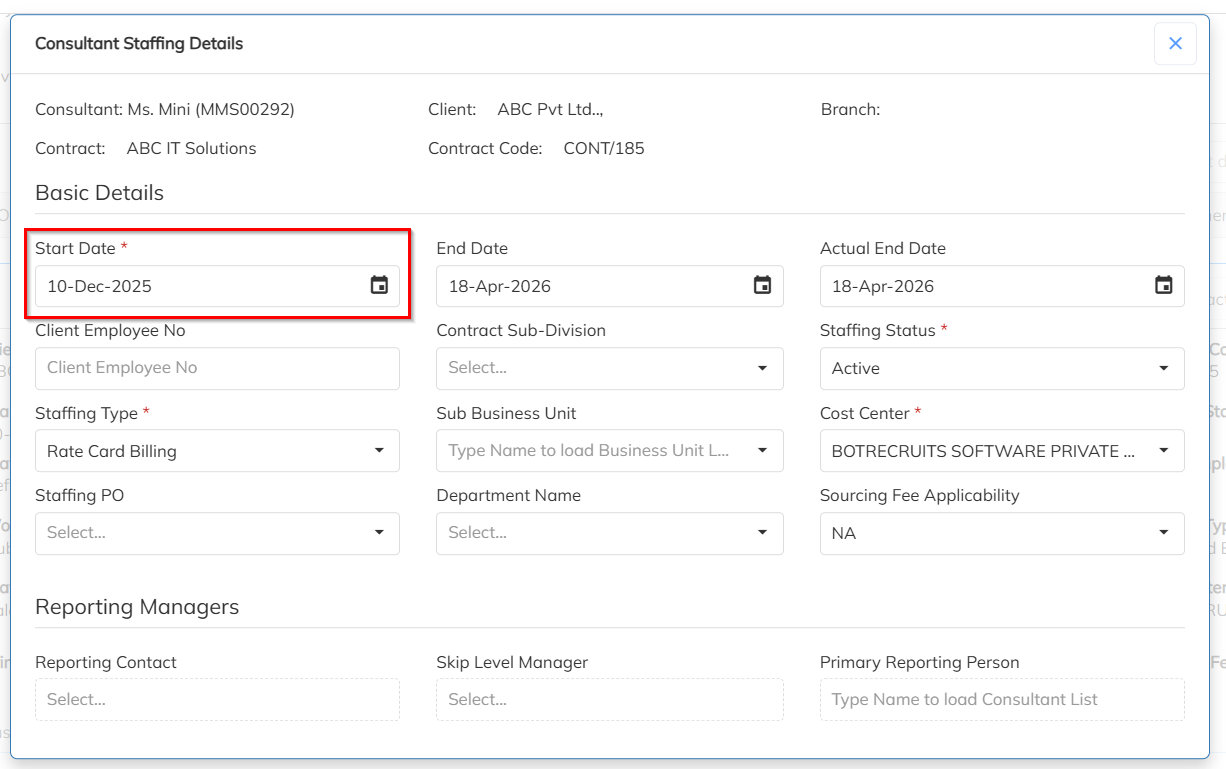
Step 1: Update Start Date in Staffing Details
Open the Employee Profile>>Navigate to the Staffing Details tab>>Click on the Edit (✏️) icon>>Update the Start Date with the correct date>>Click Save.
Step 2: Update DOJ in HR Details
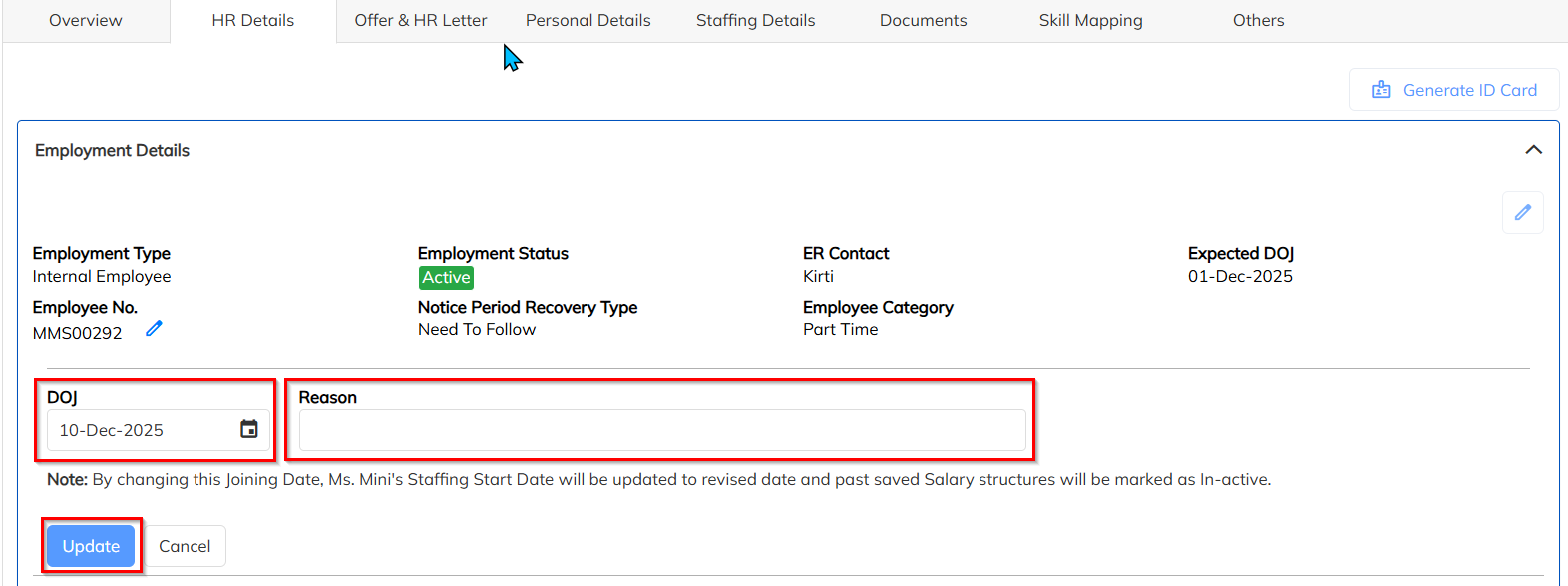
In the same employee profile, go to the HR Details section>>Click on the Edit (✏️) icon next to DOJ>>Update the DOJ to match the Start Date>>Select or enter the appropriate Reason for the DOJ change>>Click Update.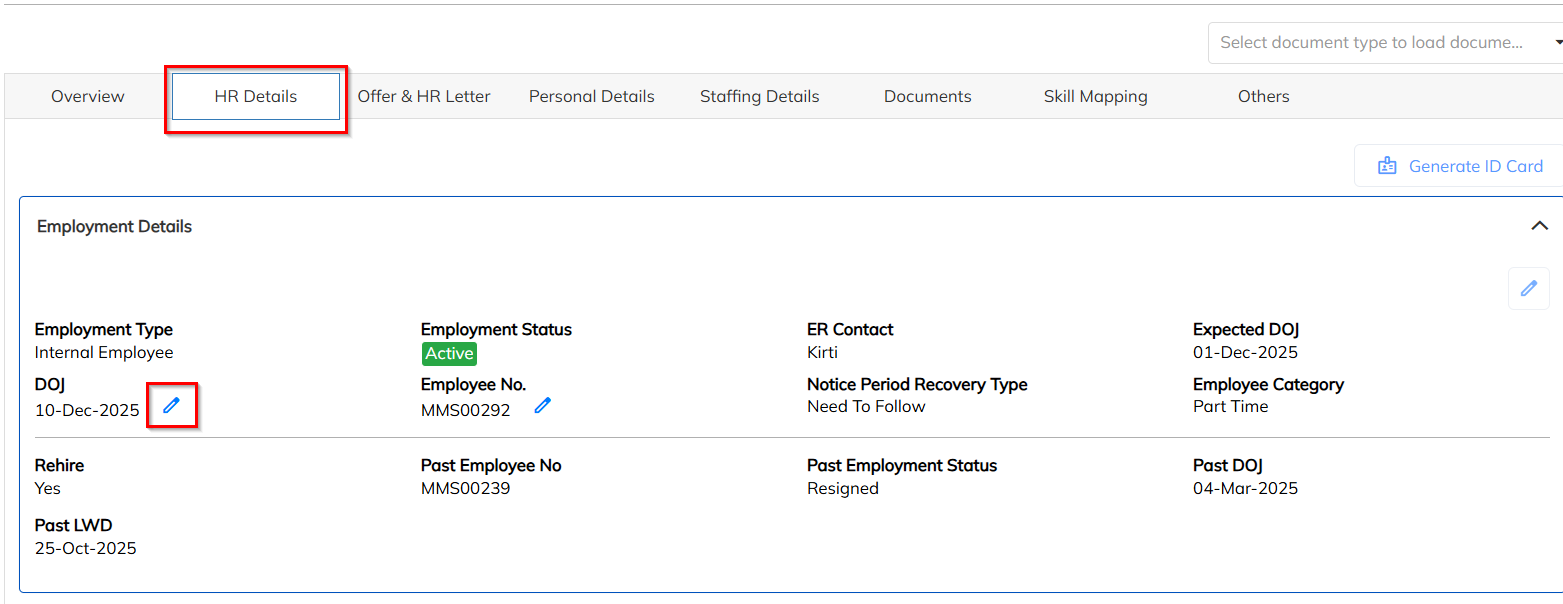
FAQs
1.If you are facing below error.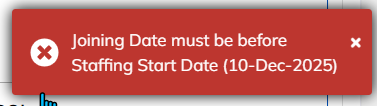
Ans: The date must be first changed in Staffing details .
Was this article helpful?
That’s Great!
Thank you for your feedback
Sorry! We couldn't be helpful
Thank you for your feedback
Feedback sent
We appreciate your effort and will try to fix the article