Lock Transaction (Payroll) is the process of finalizing payroll data to ensure that payroll-related transactions such as earnings, deductions, Net payable, CTC, Invoice amount and timesheets cannot be modified after a specific stage.
Once locked, payroll data is considered final and ready for payroll processing or payment.
Purpose
The Lock Transaction feature is used to:
- Prevent accidental or unauthorized changes to payroll data
- Ensure payroll accuracy and statutory compliance
- Confirm payroll readiness for processing and payment
Follow the Below Mentioned Steps to Lock Payroll Transactions:
Step 1: Navigate to Payroll Module >> Select the Lock Pending option. Able to access to get the processed payroll transaction list client wise.
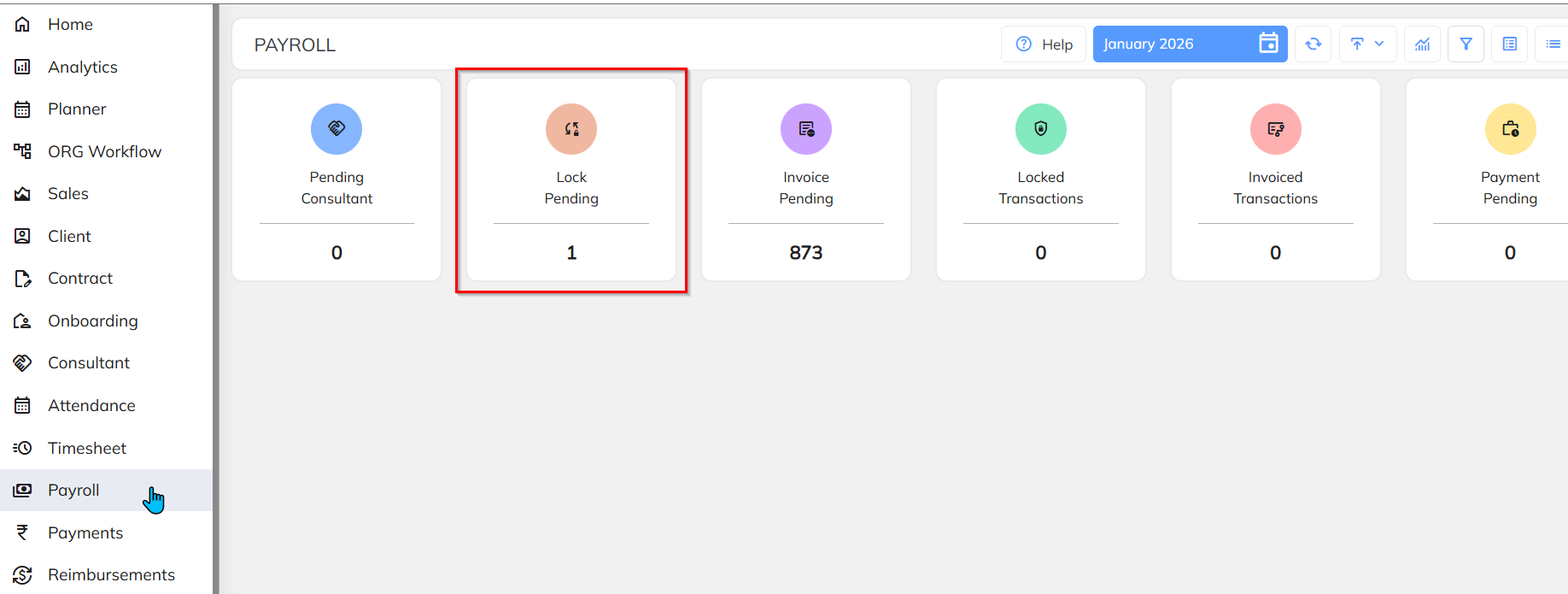
Step 2: Select the Client >> Load Consultant List.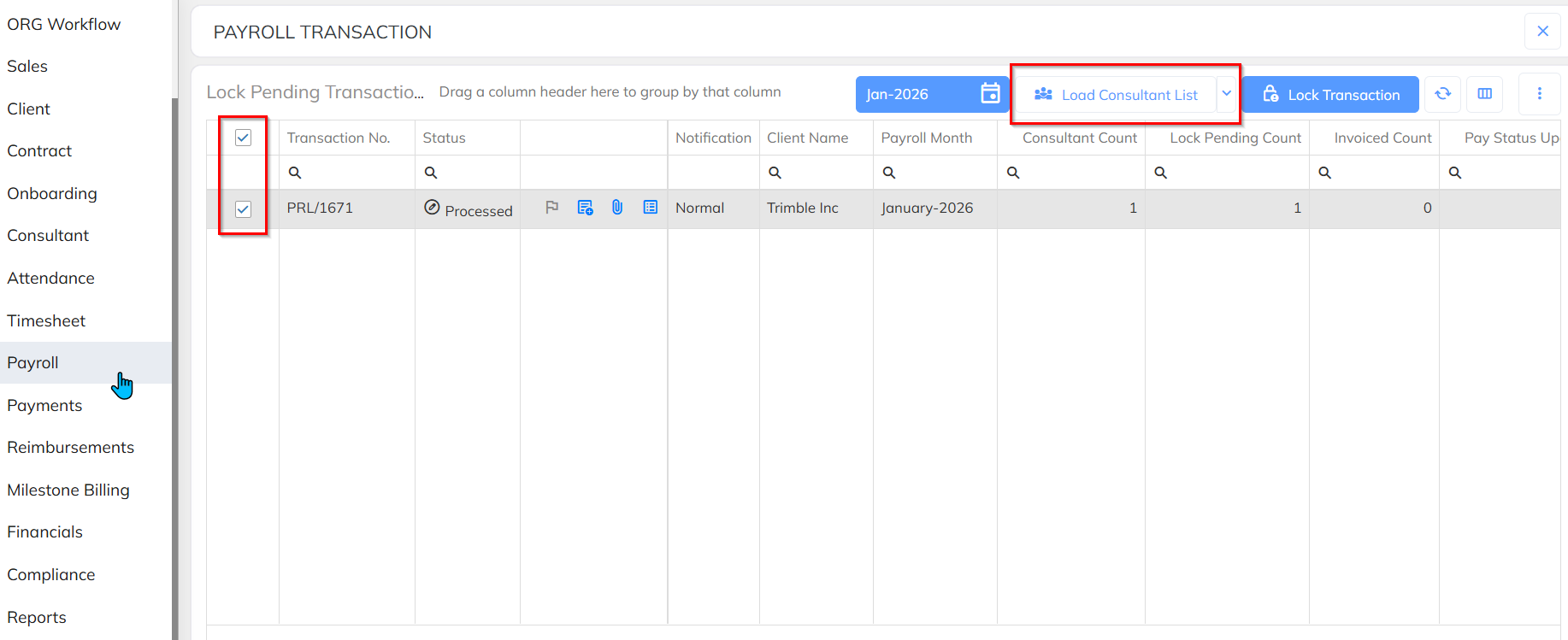
Step 3: Select the required Employees/Consultants >> Click the Left-side Menu >> Select Lock Transaction >>Yes/No.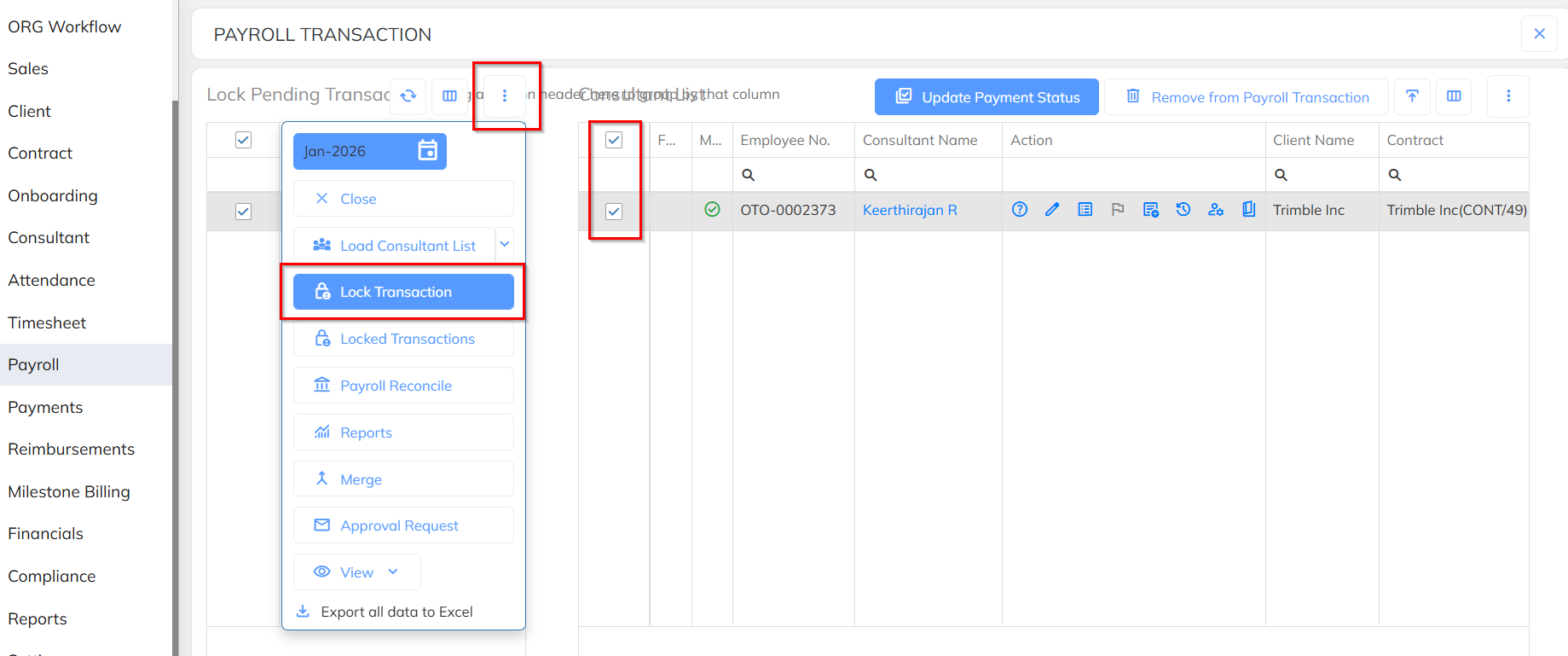
Outcome
- Payroll data is finalized and secured
- Editing of locked transactions is restricted
- Payroll is ready for processing or payment
Important Notes
- Locked Transaction cannot be reprocessed.
- Locked transactions cannot be modified.
- Unlocking (if applicable) should only be done by authorized personnel.
- Always verify payroll details before locking.
- Locking and Unlocking process held based on access- Which are the user having this access can able to perform.
Was this article helpful?
That’s Great!
Thank you for your feedback
Sorry! We couldn't be helpful
Thank you for your feedback
Feedback sent
We appreciate your effort and will try to fix the article