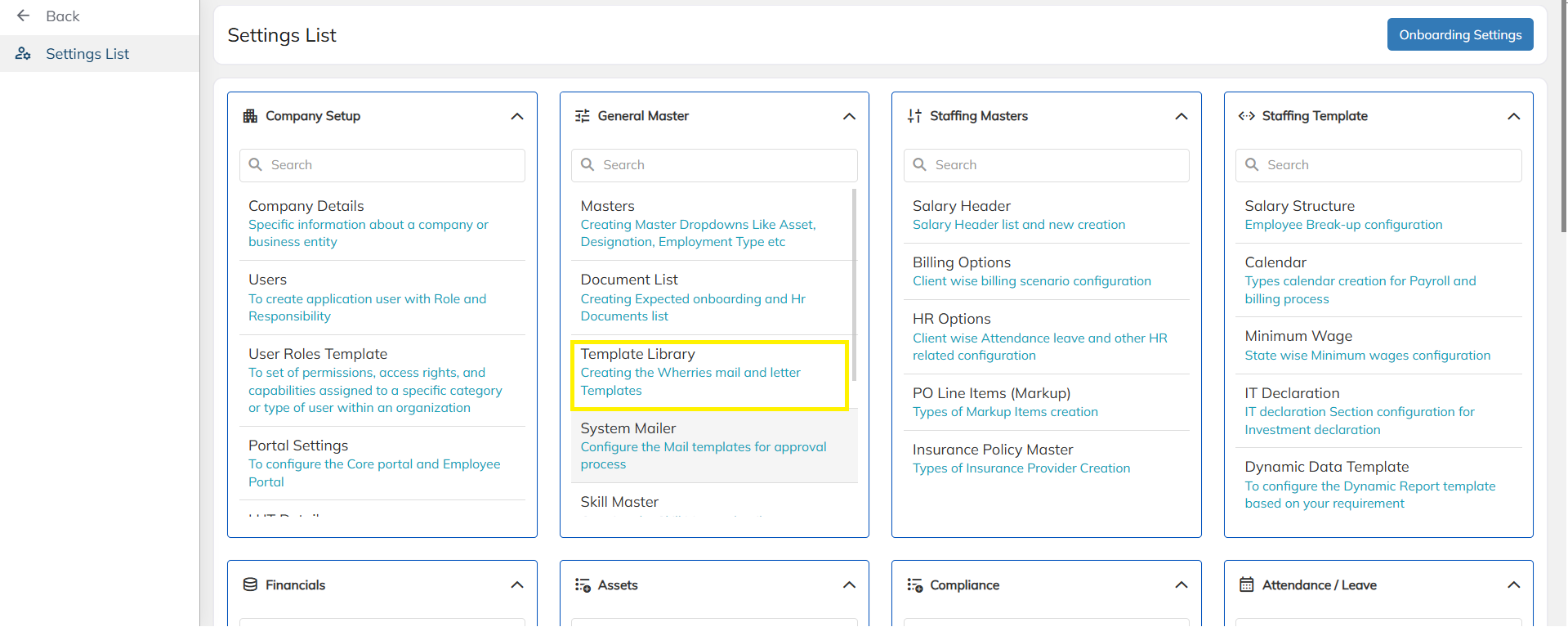
Step 1: Go to the Setttings List and click on the "Template Library".
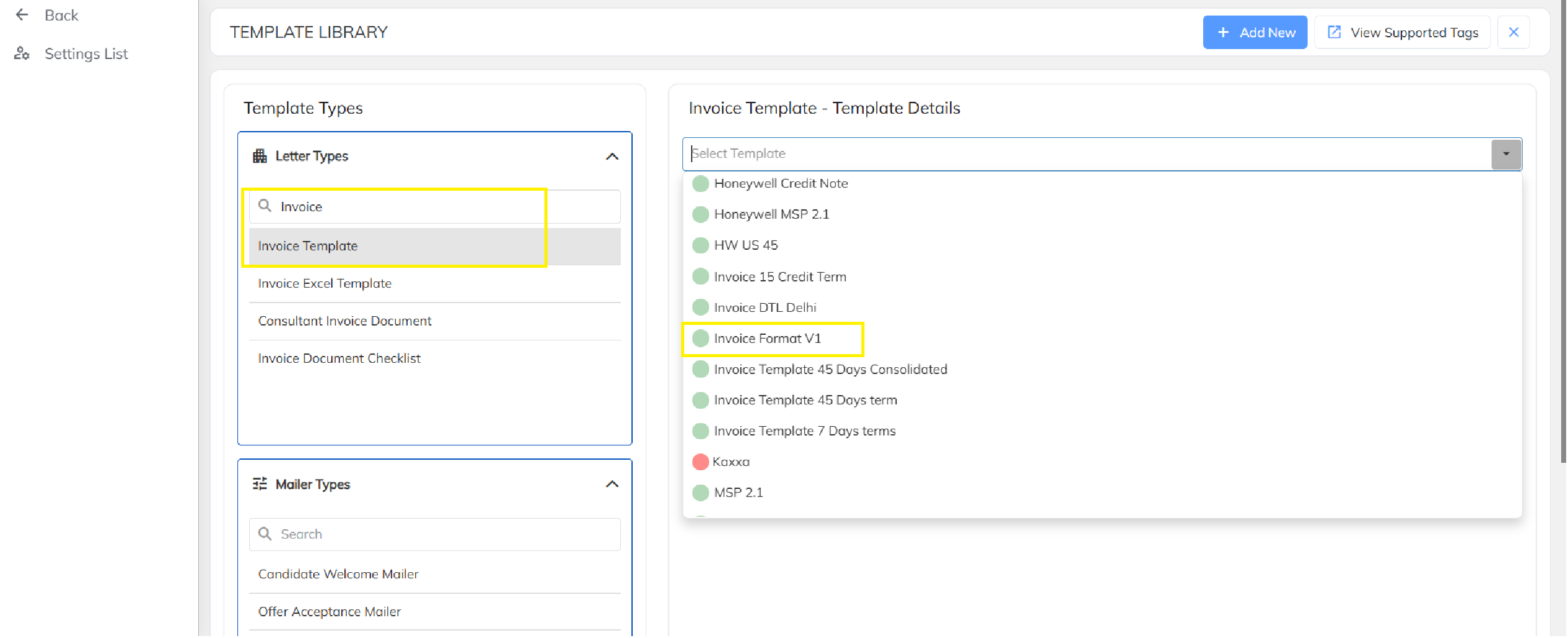
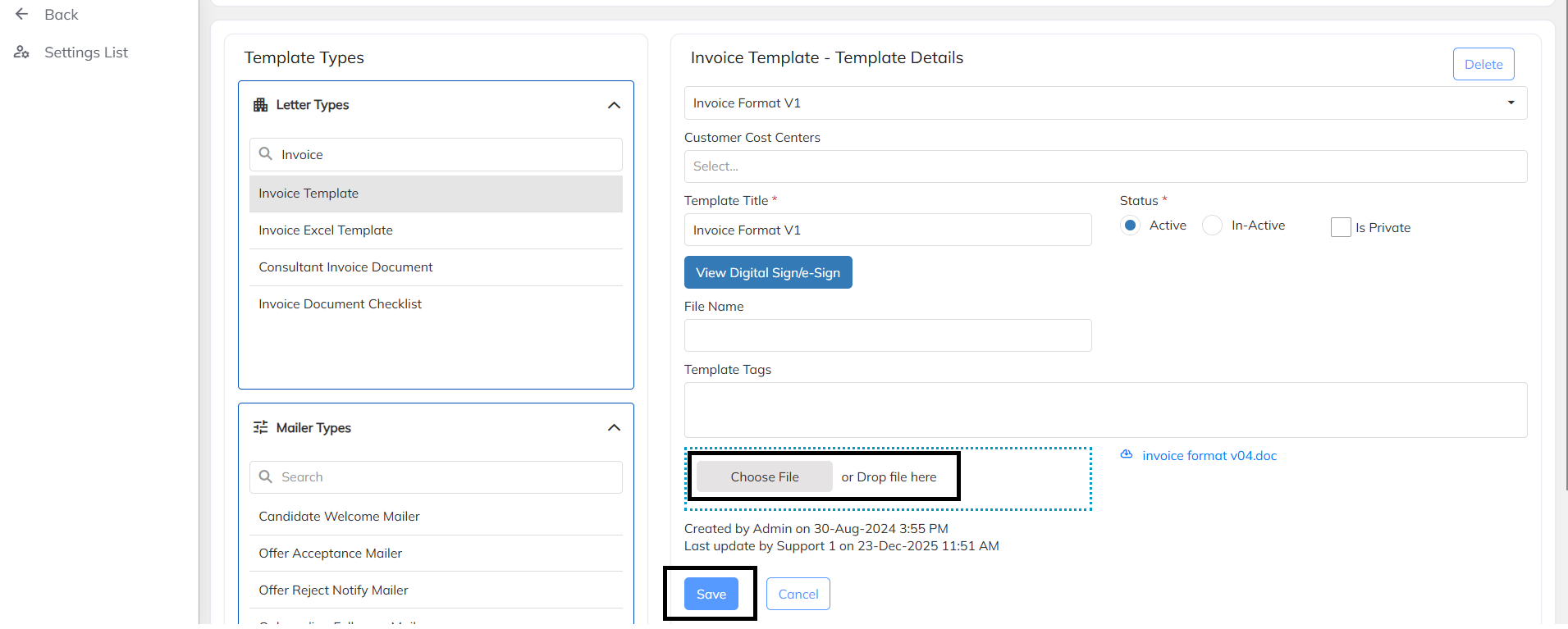
Step 2: In the search box, type Invoice and Select Invoice Template from the Dropdown.
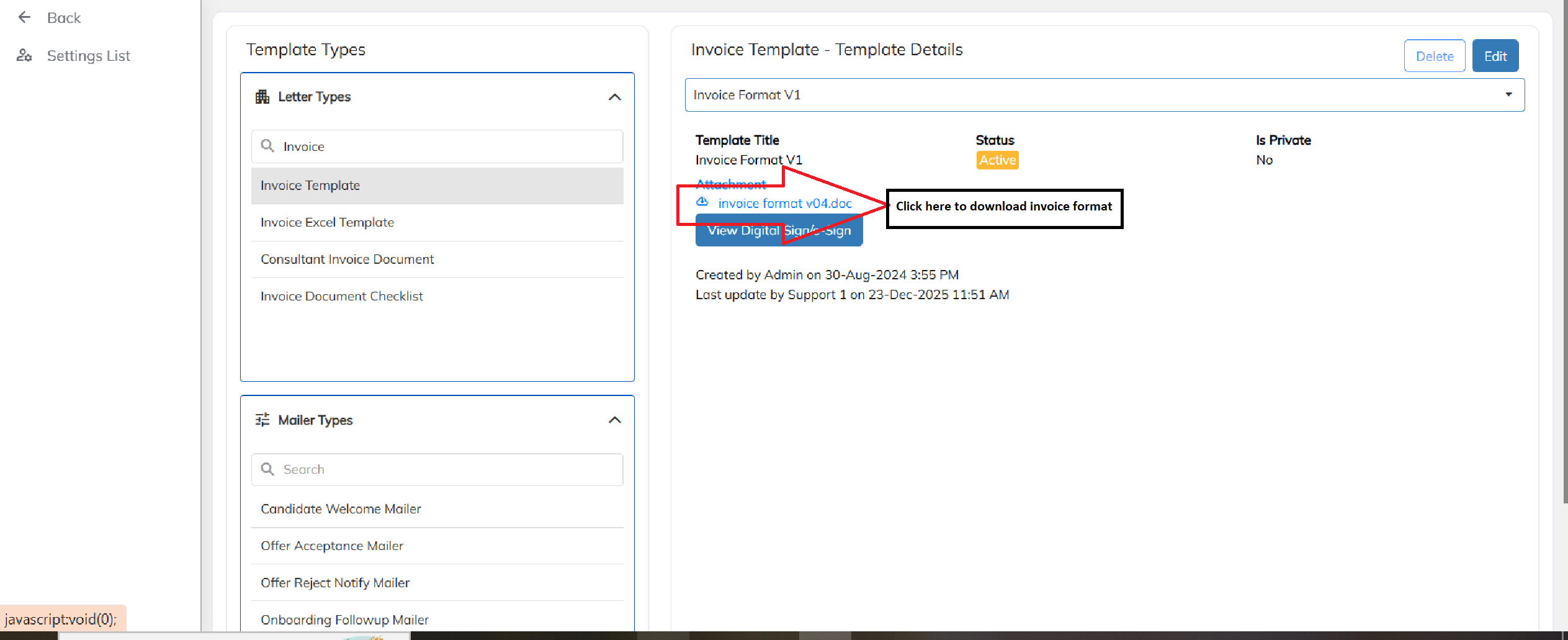
Step 3: To download invoice template click on invoice template name
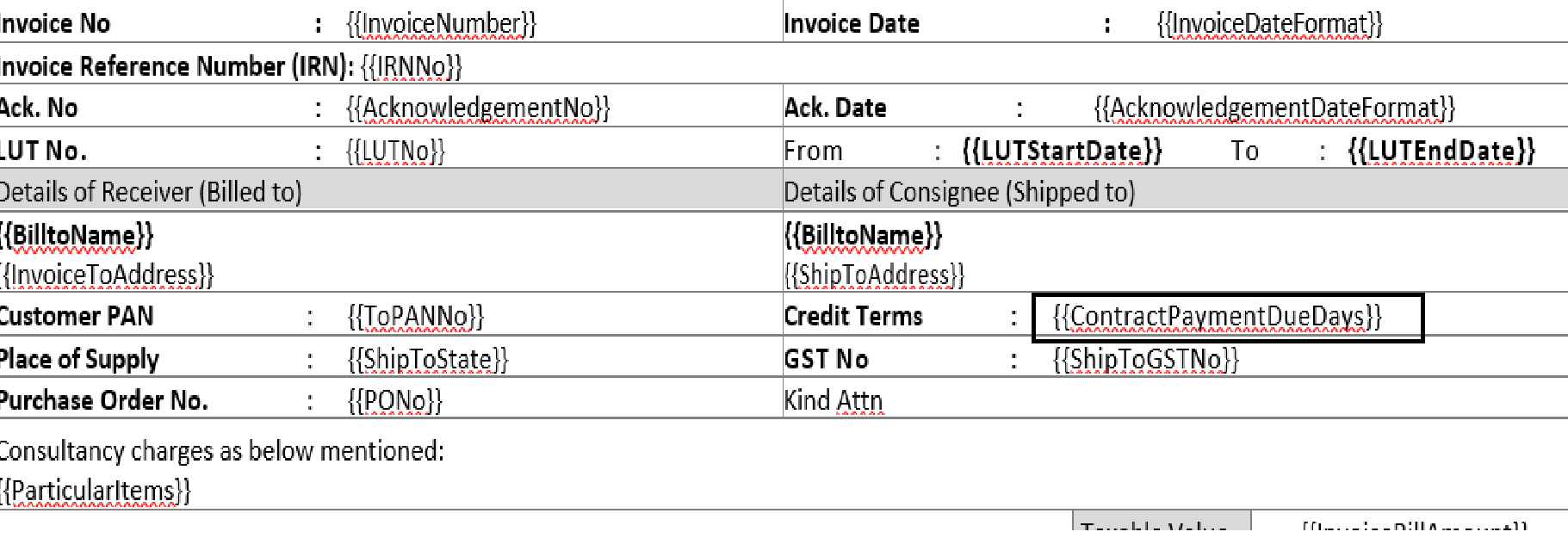
Step 4: Please update the tag {{ContractPaymentDueDays}} against Credit terms in invoice format
Step 5: Click on Edit and upload the file invoice file using choose file and click save to apply and invoice template.
Was this article helpful?
That’s Great!
Thank you for your feedback
Sorry! We couldn't be helpful
Thank you for your feedback
Feedback sent
We appreciate your effort and will try to fix the article