1. Overview
The Aadhaar eKYC verification through DigiLocker allows organizations to validate employee Aadhaar details in a secure, paperless way.
This guide explains the configuration and eKYC process step-by-step with visual placeholder screenshots for easy understanding.
2. Configuration Steps
Step 1: Configure the Mailer Template
Before initiating the eKYC process, configure the email template that sends the DigiLocker verification link.
Navigation:
Settings → General Master → Template Library → Mailer Type → Consultant Communication Mailer → Template Details
Steps to Configure:
Click New Template.
In the Mailer Body, add the tag:
{{DigiLockerURL}}Ensure the tag contains the correct URI to generate the DigiLocker link automatically.
Save and activate the template.

3. eKYC Process Steps
Step 1: Initiate eKYC from Employee Dashboard
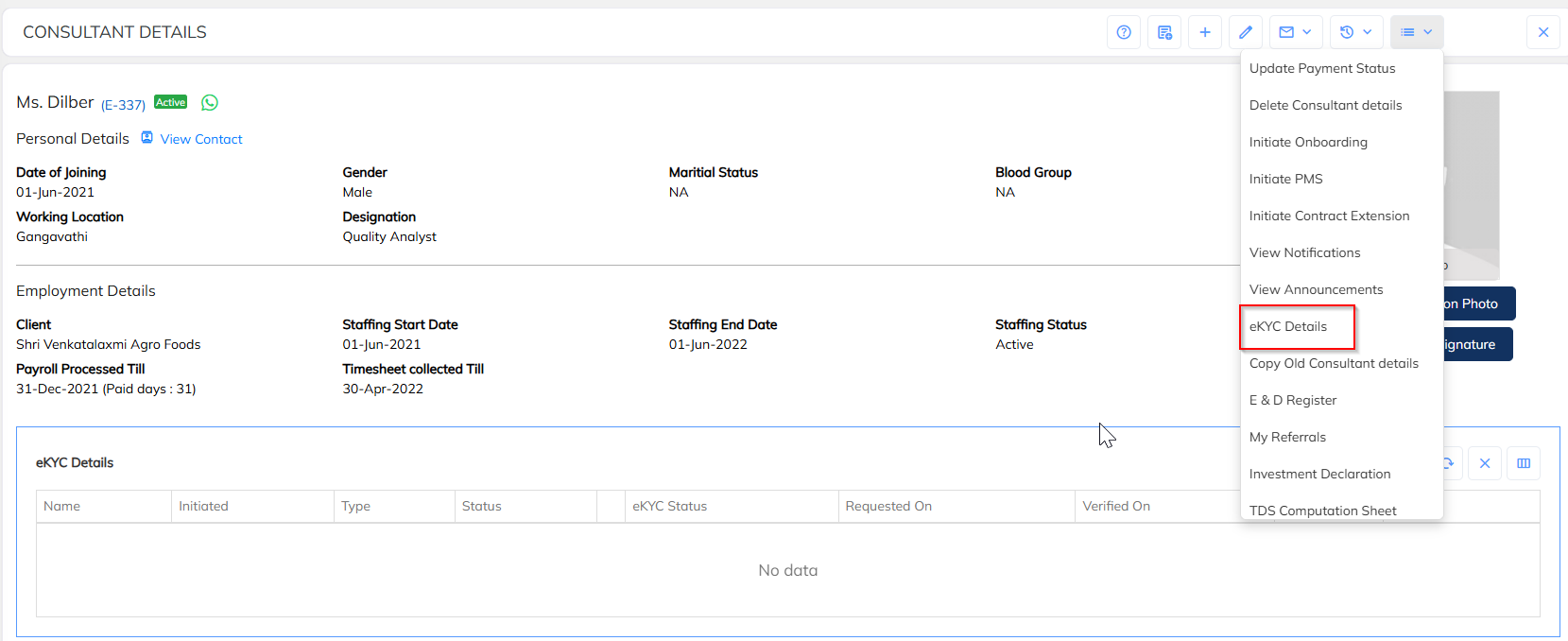
Navigate to the Employee Details Dashboard.
Click the Employee Dropdown (top-right).
Select eKYC Details.
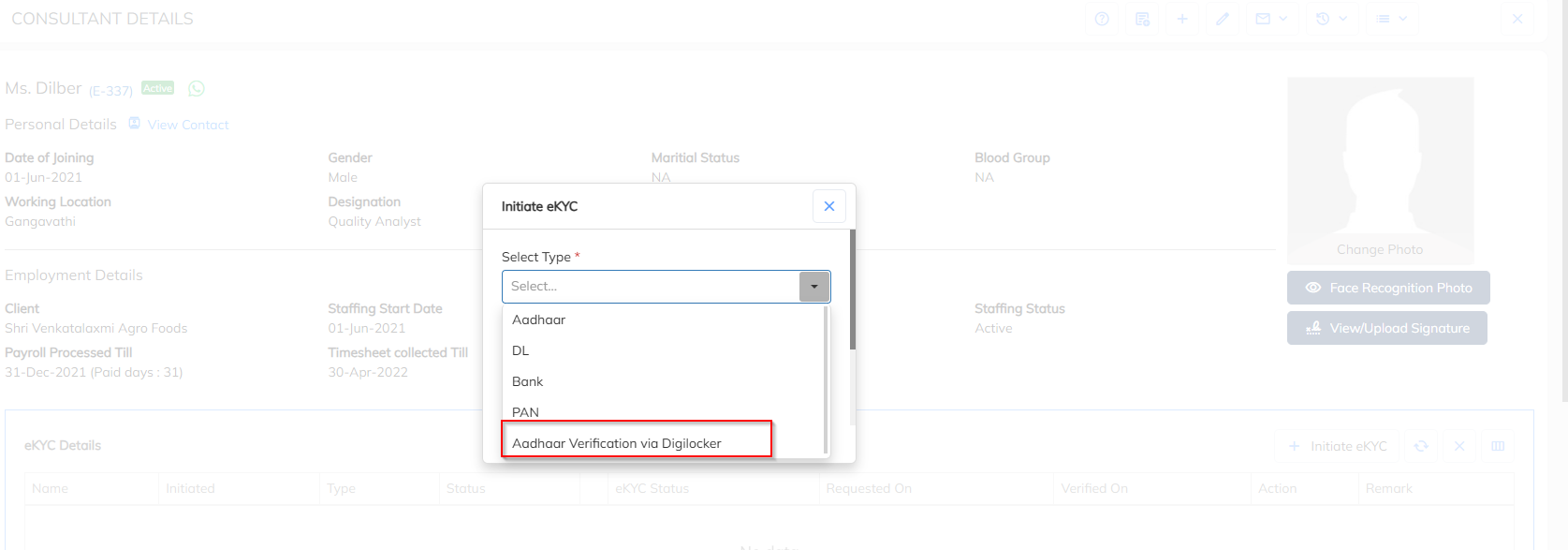
Click + or Initiate eKYC.
Choose Aadhaar Verification via DigiLocker.
Select the configured Mailer Template.

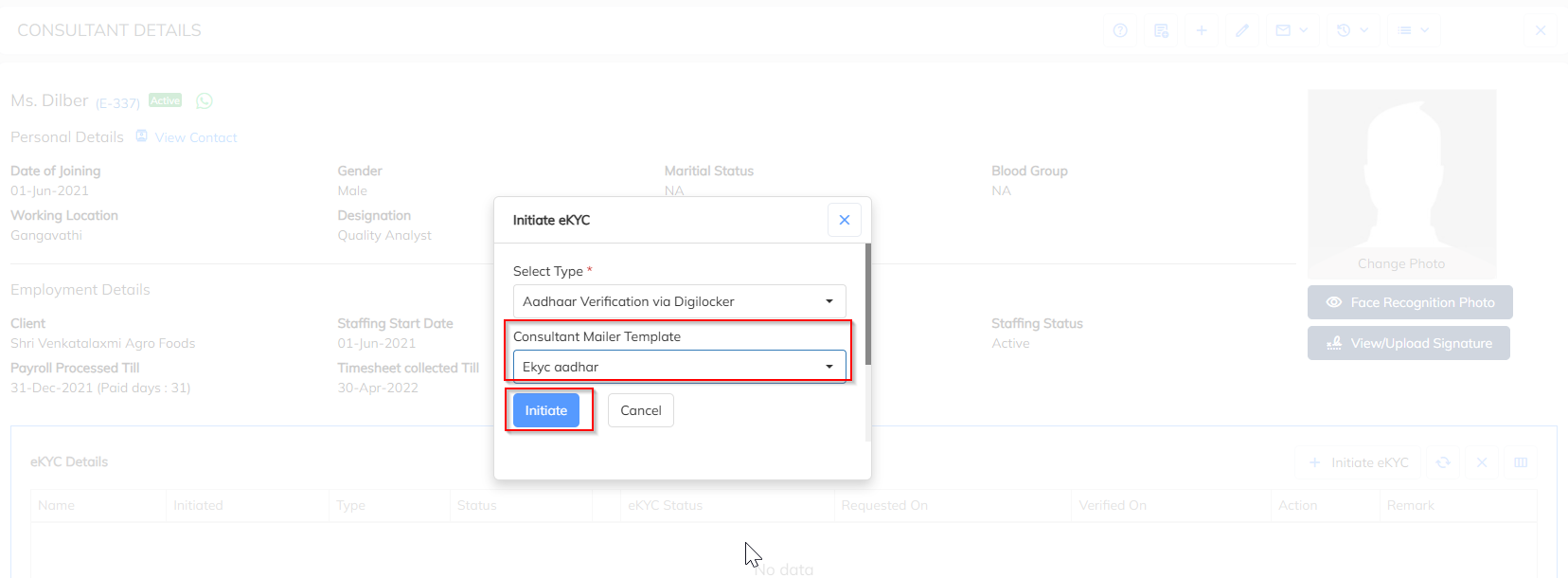
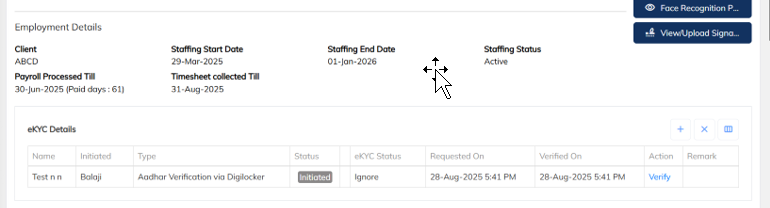
System triggers an email containing the DigiLocker verification link.
Step 2: Employee Receives Email Verification Link
Employee receives an email with the DigiLocker eKYC link valid for 30 minutes.
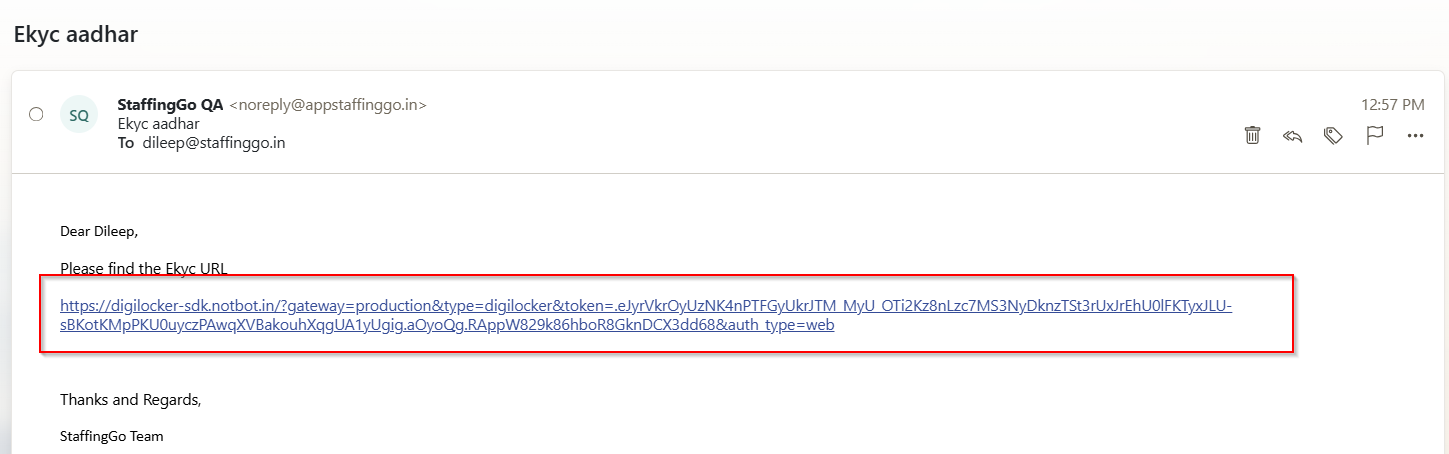

After clicking the link, the employee is redirected to the SurePass Aadhaar Verification screen.
Step 3: Aadhaar Verification through SurePass
Steps:
Click Start Verification.
Enter Aadhaar Number → click Next.
An OTP is sent to the Aadhaar-linked mobile number.
Enter OTP within 10 minutes.
After authentication, the user is redirected to DigiLocker Login.
Enter DigiLocker PIN → click Next.

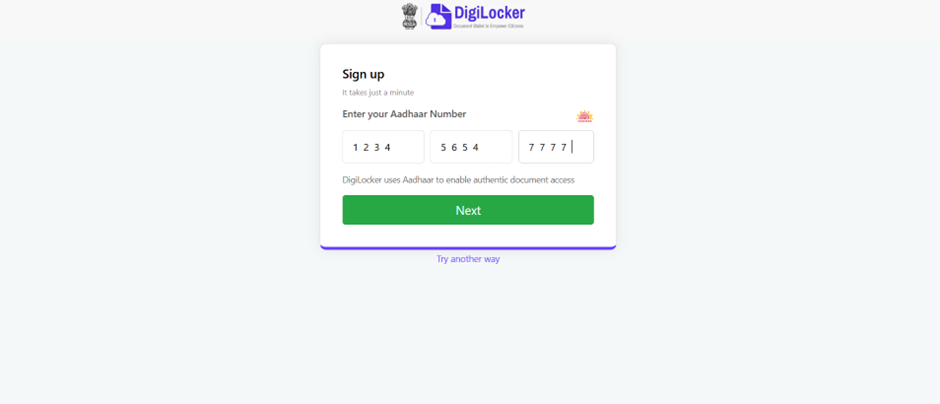
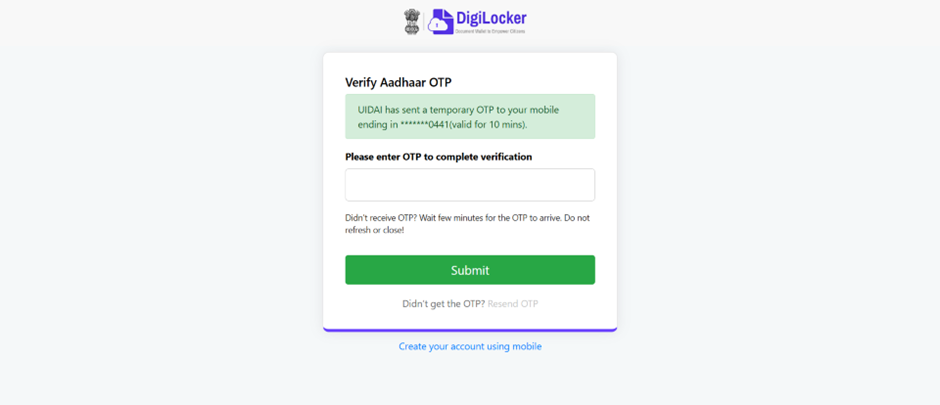
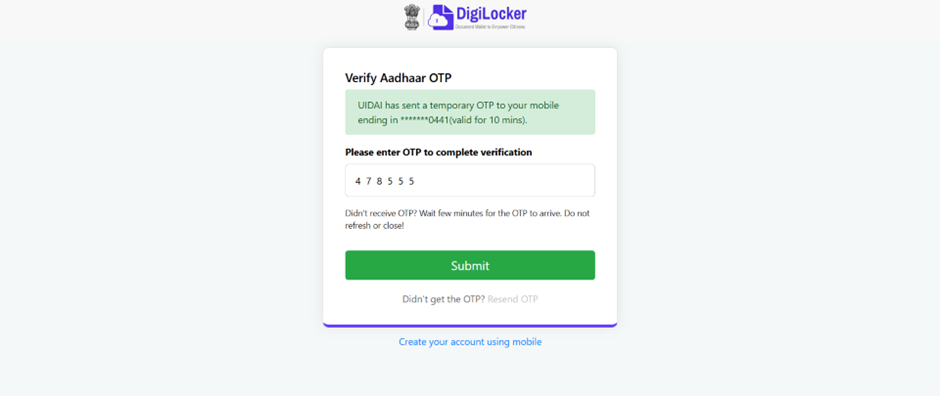

Once logged in, the DigiLocker dashboard appears.
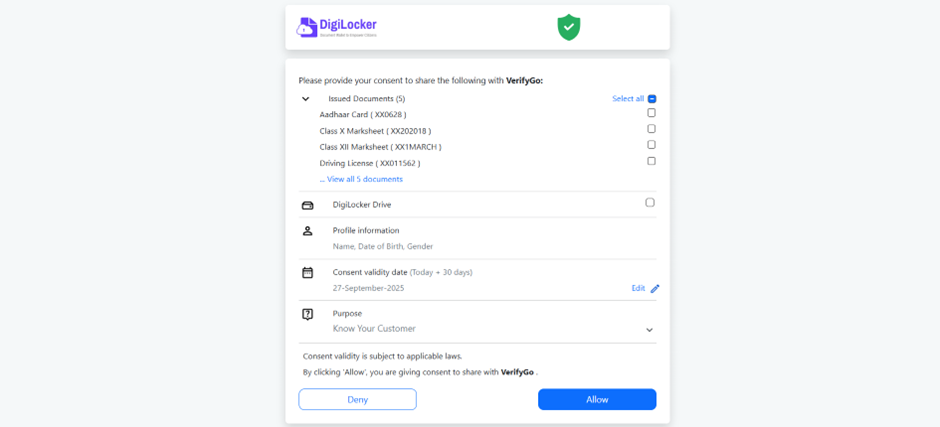
Step 4: Grant Permission to Share Aadhaar
Select Aadhaar Card from DigiLocker.
Click Allow to share identity details.
System redirects back to success/error screen.
Step 5: Verification Status in Application
Success: Aadhaar eKYC details auto-update in employee profile.
Failure: System displays the failure reason.
4. Key Notes
- The DigiLocker link is valid for 30 minutes.
- Employee address & gender auto-update if empty during a successful eKYC.
- Aadhaar-linked mobile number must be active.
- Verification can be re-initiated anytime.
- Secure APIs ensure full privacy and compliance.
Was this article helpful?
That’s Great!
Thank you for your feedback
Sorry! We couldn't be helpful
Thank you for your feedback
Feedback sent
We appreciate your effort and will try to fix the article